• Regeln für den Video-Bereich:

    In den Börsenbereich gehören nur Angebote die bereits den Allgemeinen Regeln entsprechen.

    Einteilung

    - Folgende Formate gehören in die angegeben Bereiche:
    - Filme: Encodierte Filme von BluRay, DVD, R5, TV, Screener sowie Telesyncs im Format DivX, XviD und x264.
    - DVD: Filme im Format DVD5, DVD9 und HD2DVD.
    - HD: Encodierte Filme mit der Auflösung 720p oder darüber von BluRay, DVD, R5, TV, Screener sowie Telesyncs im Format x264.
    - 3D: Encodierte Filme von BluRay, die in einem 3D Format vorliegen. Dies gilt auch für Dokus, Animation usw.
    - Serien: Cartoon/Zeichentrick, Anime, Tutorials, Dokumentationen, Konzerte/Musik, Sonstiges sind demnach in die entsprechenden Bereiche einzuordnen, auch wenn sie beispielsweise im High Definition-Format oder als DVD5/DVD9/HD2DVD vorliegen. Ausnahme 3D.
    - Bereich Englisch: Englische Releases gehören immer in diesen Bereich.
    - Bereich Talk: Der Bereich, in dem über die Releases diskutiert werden kann, darf, soll und erwünscht ist.


    Angebot/Beitrag erstellen

    - Ein Beitrag darf erst dann erstellt werden, wenn der Upload bei mindestens einem OCH komplett ist. Platzhalter sind untersagt.
    - Bei einem Scenerelease hat der Threadtitel ausschließlich aus dem originalen, unveränderten Releasenamen zu bestehen. Es dürfen keine Veränderungen wie z.B. Sterne, kleine Buchstaben o.ä. vorgenommen werden. Ausnahme Serienbörse:
    - Bei einem Sammelthread für eine Staffel entfällt aus dem Releasename natürlich der Name der Folge. Beispiel: Die Simpsons S21 German DVDRip XviD - ITG
    - Dementsprechend sind also u.a. verboten: Erweiterungen wie "Tipp", "empfehlenswert", "only", "reup", usw. / jegliche andere Zusatzinformation oder Ergänzung, welche nicht in obiger Beschreibung zu finden ist.

    Aufbau des Angebots und Threadtitel

    Der Titel nach folgendem Muster erstellt zu werden. <Name> [3D] [Staffel] [German] <Jahr> <Tonspur> [DL] [Auflösung] <Quelle> <Codec> - <Group>
    Beispiel: The Dark Knight German 2008 AC3 DVDRip XviD - iND
    Beispiel: The Dark Knight 2008 DTS DL BDRip x264 - iND
    Beispiel: The Dark Knight 2008 AC3 DL BDRip XviD - iND
    Beispiel: The Dark Knight German 2008 AC3 720p BluRay x264 iND
    Beispiel: The Dark Knight 2008 DTS DL 1080p BluRay x264 iND
    Beispiel: Die Simpsons S01 German AC3 DVDRip XviD iND
    Beispiel: Die Simpsons S20 German AC3 720p BluRay x264 iND
    Beispiel: Sword Art Online II Ger Sub 2014 AAC 1080p WEBRip x264 - peppermint
    Entsprechend sind also u.a. verboten: Sonderzeichen wie Klammern, Sterne, Ausrufezeichen, Unterstriche, Anführungszeichen / Erweiterungen wie "Tipp", "empfehlenswert", "only", "reup", usw. / jegliche andere Zusatzinformation oder Ergänzung, welche nicht in obiger Beschreibung zu finden ist
    Ausnahmen hiervon können in den Bereichen geregelt sein.

    Die Beiträge sollen wie folgt aufgebaut werden:
    Überschrift entspricht dem Threadtitel
    Cover
    kurze Inhaltsbeschreibung
    Format, Größe, Dauer sind gut lesbar für Downloader außerhalb des Spoilers zu vermerken
    Nfo sind immer Anzugeben und selbige immer im Spoiler in Textform.
    Sind keine Nfo vorhanden z.B. Eigenpublikationen, sind im Spoiler folgende Dateiinformationen zusätzlich anzugeben :
    Quelle
    Video (Auflösung und Bitrate)
    Ton (Sprache, Format und Bitrate der einzelnen Spuren)
    Untertitel (sofern vorhanden)
    Hosterangabe in Textform außerhalb eines Spoiler mit allen enthaltenen Hostern.
    Bei SD kann auf diese zusätzlichen Dateiinformationen verzichtet werden.

    Alle benötigten Passwörter sind, sofern vorhanden, in Textform im Angebot anzugeben.
    Spoiler im Spoiler mit Kommentaren :"Schon Bedankt?" sind unerwünscht.


    Releases

    - Sind Retail-Release verfügbar, sind alle anderen Variationen untersagt. Ausnahmen: Alle deutschen Retail-Release sind CUT, in diesem Fall sind dubbed UNCUT-Release zulässig.
    - Im Serien-Bereich gilt speziell: Wenn ein Retail vor Abschluss einer laufenden Staffel erscheint, darf diese Staffel noch zu Ende gebracht werden.62
    - Gleiche Releases sind unbedingt zusammenzufassen. Das bedeutet, es ist zwingend erforderlich, vor dem Erstellen eines Themas per Suchfunktion zu überprüfen, ob bereits ein Beitrag mit demselben Release besteht. Ist dies der Fall, ist der bereits vorhandene Beitrag zu verwenden.
    - P2P und Scene Releases dürfen nicht verändert oder gar unter einem iND Tag eingestellt werden.


    Support, Diskussionen und Suche

    - Supportanfragen sind entweder per PN oder im Bereich Talk zu stellen.
    - Diskussionen und Bewertungen sind im Talk Bereich zu führen. Fragen an die Uploader haben ausschließlich via PN zu erfolgen, und sind in den Angeboten untersagt.
    - Anfragen zu Upload-Wünschen sind nur im Bereich Suche Video erlaubt. Antworten dürfen nur auf Angebote von MyBoerse.bz verlinkt werden.


    Verbote

    - Untersagt sind mehrere Formate in einem einzigen Angebotsthread, wie beispielsweise das gleichzeitige Anbieten von DivX/XviD, 720p und 1080p in einem Thread. Pro Format, Release und Auflösung ist ein eigener Thread zu eröffnen.
    - Grundsätzlich ebenso verboten sind Dupes. Uploader haben sich an geeigneter Stelle darüber zu informieren, ob es sich bei einem Release um ein Dupe handelt.
    - Gefakte, nur teilweise lauffähige oder unvollständige Angebote sind untersagt. Dies gilt auch für eigene Publikationen, die augenscheinlich nicht selbst von z.B. einer DVD gerippt wurden. Laufende Serien, bei denen noch nicht alle Folgen verfügbar sind, dürfen erstellt und regelmäßig geupdatet werden.
    - Untersagt sind Angebote, welche nur und ausschließlich in einer anderen Sprache als deutsch oder englisch vorliegen. Ausnahmen sind VORHER mit den Moderatoren zu klären.


    Verstoß gegen die Regeln

    - Angebote oder Beiträge, die gegen die Forenregeln verstoßen, sind über den "Melden"-Button im Beitrag zu melden.
  • Bitte registriere dich zunächst um Beiträge zu verfassen und externe Links aufzurufen.


Udemy - Blender 4.4 The Complete Training

babymore87

MyBoerse.bz Pro Member
675812ee653e1d8010209c34db39664e.avif

Free Download Udemy - Blender 4.4 The Complete Training
Published 5/2025
MP4 | Video: h264, 1920x1080 | Audio: AAC, 44.1 KHz
Language: English | Size: 28.93 GB | Duration: 25h 47m
Discover the latest Blender features in this comprehensive beginner to advanced training course.

What you'll learn
Discover Blender's interface and functions
3d modeling, realistic shaders creation, lighting
Animation , rigging, simulation,
sculpting , texturing, geometry nodes
Requirements
Good computer skills. 3D basics would be a plus but are not required.
Description
Unlock Your Creative Potential: Master Blender ! Ready to transform your ideas into stunning 3D art, animations, and visual stories? Dive into our 25-hour Blender Mastery Course-a thrilling journey from absolute beginner to confident 3D artist! Whether you're dreaming of crafting cinematic animations, designing game assets, or bringing characters to life, this course is your ultimate roadmap.What's Inside? Start from ScratchNo experience? No problem! Begin with Blender's interface, navigation, and essential tools. Learn to model simple objects, master lighting basics, and render your first 3D scene-all within the first few hours!Build Like a ProProgress to advanced modeling techniques, organic sculpting, and precision texturing. Create everything from sleek sci-fi gadgets to lush environments. Dive into particle systems, dynamic simulations , and key animation.Animate with ConfidenceBring your creations to life! Master rigging characters, animating rigs, and crafting expressive facial movements. Explore camera tricks, , and keyframe wizardry to produce short, polished animations.Light, Texture, RenderLearn to texture like a pro with UV unwrapping, PBR materials, and procedural magic. Illuminate scenes with professional lighting setups and achieve photorealism with Cycles and Eevee. Export jaw-dropping renders ready for portfolios or social media.Why This Course? 25 Hours of Structured Learning: Bite-sized lessons packed with exercises, and downloadable resources.Expert Guidance: Taught by a Blender veteran with 10+ years in teaching.Lifetime Access: Learn at your pace, revisit lessons, and stay updated with Blender's latest features.Who Is This For? • Aspiring 3D artists, animators, or game developers. • Hobbyists eager to level up their Blender skills. • Creatives hungry to turn imagination into digital reality.
Overview
Section 1: Chapter 1: Discovering Blender
Lecture 1 1-0 Introduction
Lecture 2 1-1 The Interface
Lecture 3 1-2 Preferences
Lecture 4 1-3 Organizing a Scene
Lecture 5 1-4 The 3D View
Lecture 6 1-5 Navigation
Section 2: Chapter 2: Modeling in Object Mode
Lecture 7 2-1 Mesh Primitives
Lecture 8 2-2 Object Manipulation
Lecture 9 2-3 Modeling with Primitives
Lecture 10 2-4 Using Booleans
Lecture 11 2-5 Creating a First Scene
Section 3: Chapter 3: Modeling in Edit Mode
Lecture 12 3-1 Discovering Edit Mode
Lecture 13 3-2 Polygonal Modeling Tools (Part 1)
Lecture 14 3-3 Polygonal Modeling Tools (Part 2)
Lecture 15 3-4 Proportional editing
Lecture 16 3-5 Exercise - The Mug
Lecture 17 3-6 Exercise - The headphones
Section 4: Chapter 4: Modeling with Curves
Lecture 18 4-1 Introduction to Curves
Lecture 19 4-2 Using Curves as Paths
Lecture 20 4-3 Using Curves for a Logo
Lecture 21 4-4 Using Curves as Ornaments
Section 5: Chapter 5: Modeling with Modifiers
Lecture 22 5-1 Introducing Modifier's System
Lecture 23 5-2 Discovering Generate Modifiers
Lecture 24 5-3 Discovering Deform Modifiers
Lecture 25 5-4 Modeling a Chain
Lecture 26 5-5 Modeling a Plant
Lecture 27 5-6 Modeling a Bottle
Section 6: Chapter 6: Producing Images with the Camera
Lecture 28 6-1 Camera Settings
Lecture 29 6-2 Using Depth of Field
Lecture 30 6-3 Performing and Comparing Renders
Section 7: Chapter 7: Lighting and Render Engines
Lecture 31 7-1 Discovering Lamps
Lecture 32 7-2 HDRI Images
Lecture 33 7-3 Render Engines
Lecture 34 7-4 Creating a 3-Point Lighting Studio
Section 8: Chapter 8: Materials
Lecture 35 8-1 Discovering Node Interface
Lecture 36 8-2 The Principled BSDF node
Lecture 37 8-3 Adding Multiple Shaders into an Object
Lecture 38 8-4 Using Texture Sets
Lecture 39 8-5 Creating Procedural Materials
Section 9: Chapter 9: UV Mapping
Lecture 40 9-1 Introduction to UV Mapping
Lecture 41 9-2 Unwrapping Geometric Models
Lecture 42 9-3 Unwrapping Organic Models
Section 10: Chapter 10: Texture Painting
Lecture 43 10-1 Introduction to Texture Painting
Lecture 44 10-2 Applying a Makeup to a Character
Lecture 45 10-3 Painting with an Image
Section 11: Chapter 11: The Asset Browser
Lecture 46 11-1 Exploring the Asset Browser
Lecture 47 11-2 Examples with the Bagapie Add-on
Lecture 48 11-3 Examples of Use with Polyhaven
Section 12: Chapter 12: Discovering Essential Add-ons
Lecture 49 12-1 Ant-Landscape: Creating Terrain
Lecture 50 12-2 Additional Objects and Bolt Factory
Lecture 51 12-3 Archimesh and Ikea Browser
Lecture 52 12-4 Bagapie - The Toolbox
Section 13: Chapter 13: Key-Based Animation
Lecture 53 13-1: Discovering Key-Based Animation
Lecture 54 13-2: Animating a Logo
Lecture 55 13-3: Animating a Character with a Rig
Lecture 56 13-4: Shape keys for expressions
Section 14: Chapter 14: Animation with Simulations
Lecture 57 14-1: Creating a Cloth Simulation
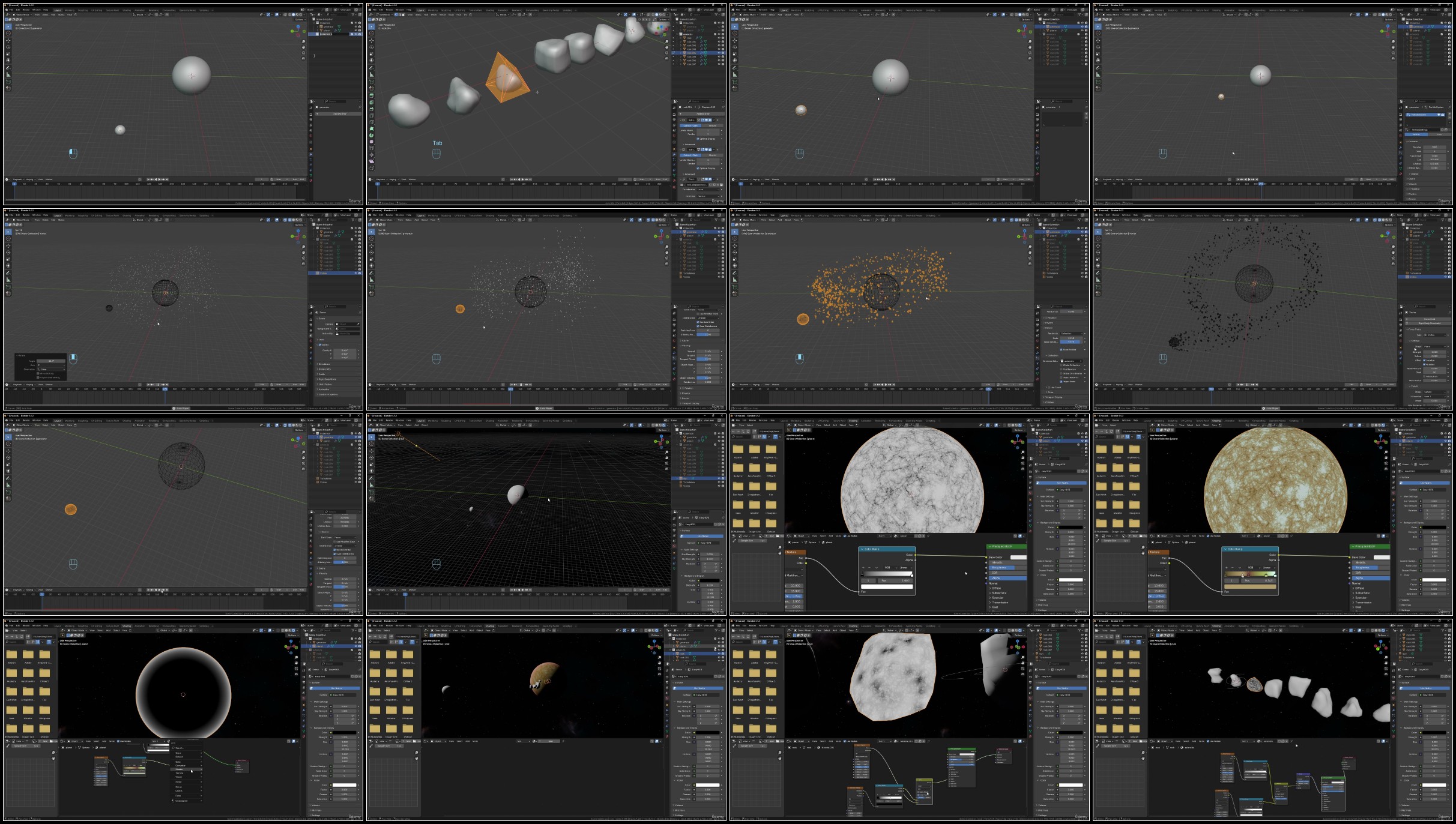
Lecture 58 14-2: Creating an Asteroid Field with Particles
Lecture 59 14-3: Simulating Rigid Bodies
Section 15: Chapter 15: Armatures and rigging
Lecture 60 15-1: Introduction to Armatures
Lecture 61 15-2: Parenting - Organic or Mechanical Object
Lecture 62 15-3: Character Rigging Part 1: Creation
Lecture 63 15-4: Character Rigging Part 2: Parenting
Lecture 64 15-5: Character Rigging Part 3: Constraints
Lecture 65 15-6: Character Rigging Part 4: Custom Shapes
Section 16: Chapter 16: Sculpt Mode
Lecture 66 16-1: Sculpt Mode Overview
Lecture 67 16-2: Adding Density
Lecture 68 16-3: Tools Overview Part 1
Lecture 69 16-4: Tools Overview Part 2
Lecture 70 16-5: Using Textures
Section 17: Chapter 17: Geometry Nodes
Lecture 71 17-1: Creating a Simple Furniture
Lecture 72 17-2: Terrain Creation
Lecture 73 17-3: Object Distribution
Section 18: Chapter 18: Compositing Examples
Lecture 74 18-1: Adding a Background
Lecture 75 18-2: Adding Fog
Lecture 76 18-3: Using Glare
Lecture 77 18-4: Vignetting
The Complete Blender Guide is intended for all future users wishing to familiarize themselves with the software or for professionals wishing to update their knowledge.

Homepage


Recommend Download Link Hight Speed | Please Say Thanks Keep Topic Live
No Password - Links are Interchangeable

 

689104116_yxusj-qat04d616xj5.jpg

Blender 4.4 The Complete Training
Published 5/2025
MP4 | Video: h264, 1920x1080 | Audio: AAC, 44.1 KHz
Language: English | Size: 28.93 GB | Duration: 25h 47m​

Discover the latest Blender features in this comprehensive beginner to advanced training course.

What you'll learn

Discover Blender's interface and functions

3d modeling, realistic shaders creation, lighting

Animation , rigging, simulation,

sculpting , texturing, geometry nodes

Requirements

Good computer skills. 3D basics would be a plus but are not required.

Description

Unlock Your Creative Potential: Master Blender ! Ready to transform your ideas into stunning 3D art, animations, and visual stories? Dive into our 25-hour Blender Mastery Course-a thrilling journey from absolute beginner to confident 3D artist! Whether you're dreaming of crafting cinematic animations, designing game assets, or bringing characters to life, this course is your ultimate roadmap.What's Inside? Start from ScratchNo experience? No problem! Begin with Blender's interface, navigation, and essential tools. Learn to model simple objects, master lighting basics, and render your first 3D scene-all within the first few hours!Build Like a ProProgress to advanced modeling techniques, organic sculpting, and precision texturing. Create everything from sleek sci-fi gadgets to lush environments. Dive into particle systems, dynamic simulations , and key animation.Animate with ConfidenceBring your creations to life! Master rigging characters, animating rigs, and crafting expressive facial movements. Explore camera tricks, , and keyframe wizardry to produce short, polished animations.Light, Texture, RenderLearn to texture like a pro with UV unwrapping, PBR materials, and procedural magic. Illuminate scenes with professional lighting setups and achieve photorealism with Cycles and Eevee. Export jaw-dropping renders ready for portfolios or social media.Why This Course? 25 Hours of Structured Learning: Bite-sized lessons packed with exercises, and downloadable resources.Expert Guidance: Taught by a Blender veteran with 10+ years in teaching.Lifetime Access: Learn at your pace, revisit lessons, and stay updated with Blender's latest features.Who Is This For? • Aspiring 3D artists, animators, or game developers. • Hobbyists eager to level up their Blender skills. • Creatives hungry to turn imagination into digital reality.

Overview

Section 1: Chapter 1: Discovering Blender

Lecture 1 1-0 Introduction

Lecture 2 1-1 The Interface

Lecture 3 1-2 Preferences

Lecture 4 1-3 Organizing a Scene

Lecture 5 1-4 The 3D View

Lecture 6 1-5 Navigation

Section 2: Chapter 2: Modeling in Object Mode

Lecture 7 2-1 Mesh Primitives

Lecture 8 2-2 Object Manipulation

Lecture 9 2-3 Modeling with Primitives

Lecture 10 2-4 Using Booleans

Lecture 11 2-5 Creating a First Scene

Section 3: Chapter 3: Modeling in Edit Mode

Lecture 12 3-1 Discovering Edit Mode

Lecture 13 3-2 Polygonal Modeling Tools (Part 1)

Lecture 14 3-3 Polygonal Modeling Tools (Part 2)

Lecture 15 3-4 Proportional editing

Lecture 16 3-5 Exercise - The Mug

Lecture 17 3-6 Exercise - The headphones

Section 4: Chapter 4: Modeling with Curves

Lecture 18 4-1 Introduction to Curves

Lecture 19 4-2 Using Curves as Paths

Lecture 20 4-3 Using Curves for a Logo

Lecture 21 4-4 Using Curves as Ornaments

Section 5: Chapter 5: Modeling with Modifiers

Lecture 22 5-1 Introducing Modifier's System

Lecture 23 5-2 Discovering Generate Modifiers

Lecture 24 5-3 Discovering Deform Modifiers

Lecture 25 5-4 Modeling a Chain

Lecture 26 5-5 Modeling a Plant

Lecture 27 5-6 Modeling a Bottle

Section 6: Chapter 6: Producing Images with the Camera

Lecture 28 6-1 Camera Settings

Lecture 29 6-2 Using Depth of Field

Lecture 30 6-3 Performing and Comparing Renders

Section 7: Chapter 7: Lighting and Render Engines

Lecture 31 7-1 Discovering Lamps

Lecture 32 7-2 HDRI Images

Lecture 33 7-3 Render Engines

Lecture 34 7-4 Creating a 3-Point Lighting Studio

Section 8: Chapter 8: Materials

Lecture 35 8-1 Discovering Node Interface

Lecture 36 8-2 The Principled BSDF node

Lecture 37 8-3 Adding Multiple Shaders into an Object

Lecture 38 8-4 Using Texture Sets

Lecture 39 8-5 Creating Procedural Materials

Section 9: Chapter 9: UV Mapping

Lecture 40 9-1 Introduction to UV Mapping

Lecture 41 9-2 Unwrapping Geometric Models

Lecture 42 9-3 Unwrapping Organic Models

Section 10: Chapter 10: Texture Painting

Lecture 43 10-1 Introduction to Texture Painting

Lecture 44 10-2 Applying a Makeup to a Character

Lecture 45 10-3 Painting with an Image

Section 11: Chapter 11: The Asset Browser

Lecture 46 11-1 Exploring the Asset Browser

Lecture 47 11-2 Examples with the Bagapie Add-on

Lecture 48 11-3 Examples of Use with Polyhaven

Section 12: Chapter 12: Discovering Essential Add-ons

Lecture 49 12-1 Ant-Landscape: Creating Terrain

Lecture 50 12-2 Additional Objects and Bolt Factory

Lecture 51 12-3 Archimesh and Ikea Browser

Lecture 52 12-4 Bagapie - The Toolbox

Section 13: Chapter 13: Key-Based Animation

Lecture 53 13-1: Discovering Key-Based Animation

Lecture 54 13-2: Animating a Logo

Lecture 55 13-3: Animating a Character with a Rig

Lecture 56 13-4: Shape keys for expressions

Section 14: Chapter 14: Animation with Simulations

Lecture 57 14-1: Creating a Cloth Simulation

Lecture 58 14-2: Creating an Asteroid Field with Particles

Lecture 59 14-3: Simulating Rigid Bodies

Section 15: Chapter 15: Armatures and rigging

Lecture 60 15-1: Introduction to Armatures

Lecture 61 15-2: Parenting - Organic or Mechanical Object

Lecture 62 15-3: Character Rigging Part 1: Creation

Lecture 63 15-4: Character Rigging Part 2: Parenting

Lecture 64 15-5: Character Rigging Part 3: Constraints

Lecture 65 15-6: Character Rigging Part 4: Custom Shapes

Section 16: Chapter 16: Sculpt Mode

Lecture 66 16-1: Sculpt Mode Overview

Lecture 67 16-2: Adding Density

Lecture 68 16-3: Tools Overview Part 1

Lecture 69 16-4: Tools Overview Part 2

Lecture 70 16-5: Using Textures

Section 17: Chapter 17: Geometry Nodes

Lecture 71 17-1: Creating a Simple Furniture

Lecture 72 17-2: Terrain Creation

Lecture 73 17-3: Object Distribution

Section 18: Chapter 18: Compositing Examples

Lecture 74 18-1: Adding a Background

Lecture 75 18-2: Adding Fog

Lecture 76 18-3: Using Glare

Lecture 77 18-4: Vignetting

The Complete Blender Guide is intended for all future users wishing to familiarize themselves with the software or for professionals wishing to update their knowledge.

689104165_yxusj-0lw26skj949z.jpg

fuC6XHsB_o.jpg


3db90205bf4ea3017045d50bbd78df4a.jpg

Blender 4.4 The Complete Training
Published 5/2025
MP4 | Video: h264, 1920x1080 | Audio: AAC, 44.1 KHz
Language: English | Size: 28.93 GB | Duration: 25h 47m​

What you'll learn

Discover Blender's interface and functions

3d modeling, realistic shaders creation, lighting

Animation , rigging, simulation,

sculpting , texturing, geometry nodes

Requirements

Good computer skills. 3D basics would be a plus but are not required.

Description

Unlock Your Creative Potential: Master Blender ! Ready to transform your ideas into stunning 3D art, animations, and visual stories? Dive into our 25-hour Blender Mastery Course-a thrilling journey from absolute beginner to confident 3D artist! Whether you're dreaming of crafting cinematic animations, designing game assets, or bringing characters to life, this course is your ultimate roadmap.What's Inside? Start from ScratchNo experience? No problem! Begin with Blender's interface, navigation, and essential tools. Learn to model simple objects, master lighting basics, and render your first 3D scene-all within the first few hours!Build Like a ProProgress to advanced modeling techniques, organic sculpting, and precision texturing. Create everything from sleek sci-fi gadgets to lush environments. Dive into particle systems, dynamic simulations , and key animation.Animate with ConfidenceBring your creations to life! Master rigging characters, animating rigs, and crafting expressive facial movements. Explore camera tricks, , and keyframe wizardry to produce short, polished animations.Light, Texture, RenderLearn to texture like a pro with UV unwrapping, PBR materials, and procedural magic. Illuminate scenes with professional lighting setups and achieve photorealism with Cycles and Eevee. Export jaw-dropping renders ready for portfolios or social media.Why This Course? 25 Hours of Structured Learning: Bite-sized lessons packed with exercises, and downloadable resources.Expert Guidance: Taught by a Blender veteran with 10+ years in teaching.Lifetime Access: Learn at your pace, revisit lessons, and stay updated with Blender's latest features.Who Is This For? Aspiring 3D artists, animators, or game developers. Hobbyists eager to level up their Blender skills. Creatives hungry to turn imagination into digital reality.

Overview

Section 1: Chapter 1: Discovering Blender

Lecture 1 1-0 Introduction

Lecture 2 1-1 The Interface

Lecture 3 1-2 Preferences

Lecture 4 1-3 Organizing a Scene

Lecture 5 1-4 The 3D View

Lecture 6 1-5 Navigation

Section 2: Chapter 2: Modeling in Object Mode

Lecture 7 2-1 Mesh Primitives

Lecture 8 2-2 Object Manipulation

Lecture 9 2-3 Modeling with Primitives

Lecture 10 2-4 Using Booleans

Lecture 11 2-5 Creating a First Scene

Section 3: Chapter 3: Modeling in Edit Mode

Lecture 12 3-1 Discovering Edit Mode

Lecture 13 3-2 Polygonal Modeling Tools (Part 1)

Lecture 14 3-3 Polygonal Modeling Tools (Part 2)

Lecture 15 3-4 Proportional editing

Lecture 16 3-5 Exercise - The Mug

Lecture 17 3-6 Exercise - The headphones

Section 4: Chapter 4: Modeling with Curves

Lecture 18 4-1 Introduction to Curves

Lecture 19 4-2 Using Curves as Paths

Lecture 20 4-3 Using Curves for a Logo

Lecture 21 4-4 Using Curves as Ornaments

Section 5: Chapter 5: Modeling with Modifiers

Lecture 22 5-1 Introducing Modifier's System

Lecture 23 5-2 Discovering Generate Modifiers

Lecture 24 5-3 Discovering Deform Modifiers

Lecture 25 5-4 Modeling a Chain

Lecture 26 5-5 Modeling a Plant

Lecture 27 5-6 Modeling a Bottle

Section 6: Chapter 6: Producing Images with the Camera

Lecture 28 6-1 Camera Settings

Lecture 29 6-2 Using Depth of Field

Lecture 30 6-3 Performing and Comparing Renders

Section 7: Chapter 7: Lighting and Render Engines

Lecture 31 7-1 Discovering Lamps

Lecture 32 7-2 HDRI Images

Lecture 33 7-3 Render Engines

Lecture 34 7-4 Creating a 3-Point Lighting Studio

Section 8: Chapter 8: Materials

Lecture 35 8-1 Discovering Node Interface

Lecture 36 8-2 The Principled BSDF node

Lecture 37 8-3 Adding Multiple Shaders into an Object

Lecture 38 8-4 Using Texture Sets

Lecture 39 8-5 Creating Procedural Materials

Section 9: Chapter 9: UV Mapping

Lecture 40 9-1 Introduction to UV Mapping

Lecture 41 9-2 Unwrapping Geometric Models

Lecture 42 9-3 Unwrapping Organic Models

Section 10: Chapter 10: Texture Painting

Lecture 43 10-1 Introduction to Texture Painting

Lecture 44 10-2 Applying a Makeup to a Character

Lecture 45 10-3 Painting with an Image

Section 11: Chapter 11: The Asset Browser

Lecture 46 11-1 Exploring the Asset Browser

Lecture 47 11-2 Examples with the Bagapie Add-on

Lecture 48 11-3 Examples of Use with Polyhaven

Section 12: Chapter 12: Discovering Essential Add-ons

Lecture 49 12-1 Ant-Landscape: Creating Terrain

Lecture 50 12-2 Additional Objects and Bolt Factory

Lecture 51 12-3 Archimesh and Ikea Browser

Lecture 52 12-4 Bagapie - The Toolbox

Section 13: Chapter 13: Key-Based Animation

Lecture 53 13-1: Discovering Key-Based Animation

Lecture 54 13-2: Animating a Logo

Lecture 55 13-3: Animating a Character with a Rig

Lecture 56 13-4: Shape keys for expressions

Section 14: Chapter 14: Animation with Simulations

Lecture 57 14-1: Creating a Cloth Simulation

Lecture 58 14-2: Creating an Asteroid Field with Particles

Lecture 59 14-3: Simulating Rigid Bodies

Section 15: Chapter 15: Armatures and rigging

Lecture 60 15-1: Introduction to Armatures

Lecture 61 15-2: Parenting - Organic or Mechanical Object

Lecture 62 15-3: Character Rigging Part 1: Creation

Lecture 63 15-4: Character Rigging Part 2: Parenting

Lecture 64 15-5: Character Rigging Part 3: Constraints

Lecture 65 15-6: Character Rigging Part 4: Custom Shapes

Section 16: Chapter 16: Sculpt Mode

Lecture 66 16-1: Sculpt Mode Overview

Lecture 67 16-2: Adding Density

Lecture 68 16-3: Tools Overview Part 1

Lecture 69 16-4: Tools Overview Part 2

Lecture 70 16-5: Using Textures

Section 17: Chapter 17: Geometry Nodes

Lecture 71 17-1: Creating a Simple Furniture

Lecture 72 17-2: Terrain Creation

Lecture 73 17-3: Object Distribution

Section 18: Chapter 18: Compositing Examples

Lecture 74 18-1: Adding a Background

Lecture 75 18-2: Adding Fog

Lecture 76 18-3: Using Glare

Lecture 77 18-4: Vignetting

The Complete Blender Guide is intended for all future users wishing to familiarize themselves with the software or for professionals wishing to update their knowledge.

58-142-Creating-an-Asteroid-Field-with-Particles.jpg

 
Zurück
Oben Unten