• Regeln für den Video-Bereich:

    In den Börsenbereich gehören nur Angebote die bereits den Allgemeinen Regeln entsprechen.

    Einteilung

    - Folgende Formate gehören in die angegeben Bereiche:
    - Filme: Encodierte Filme von BluRay, DVD, R5, TV, Screener sowie Telesyncs im Format DivX, XviD und x264.
    - DVD: Filme im Format DVD5, DVD9 und HD2DVD.
    - HD: Encodierte Filme mit der Auflösung 720p oder darüber von BluRay, DVD, R5, TV, Screener sowie Telesyncs im Format x264.
    - 3D: Encodierte Filme von BluRay, die in einem 3D Format vorliegen. Dies gilt auch für Dokus, Animation usw.
    - Serien: Cartoon/Zeichentrick, Anime, Tutorials, Dokumentationen, Konzerte/Musik, Sonstiges sind demnach in die entsprechenden Bereiche einzuordnen, auch wenn sie beispielsweise im High Definition-Format oder als DVD5/DVD9/HD2DVD vorliegen. Ausnahme 3D.
    - Bereich Englisch: Englische Releases gehören immer in diesen Bereich.
    - Bereich Talk: Der Bereich, in dem über die Releases diskutiert werden kann, darf, soll und erwünscht ist.


    Angebot/Beitrag erstellen

    - Ein Beitrag darf erst dann erstellt werden, wenn der Upload bei mindestens einem OCH komplett ist. Platzhalter sind untersagt.
    - Bei einem Scenerelease hat der Threadtitel ausschließlich aus dem originalen, unveränderten Releasenamen zu bestehen. Es dürfen keine Veränderungen wie z.B. Sterne, kleine Buchstaben o.ä. vorgenommen werden. Ausnahme Serienbörse:
    - Bei einem Sammelthread für eine Staffel entfällt aus dem Releasename natürlich der Name der Folge. Beispiel: Die Simpsons S21 German DVDRip XviD - ITG
    - Dementsprechend sind also u.a. verboten: Erweiterungen wie "Tipp", "empfehlenswert", "only", "reup", usw. / jegliche andere Zusatzinformation oder Ergänzung, welche nicht in obiger Beschreibung zu finden ist.

    Aufbau des Angebots und Threadtitel

    Der Titel nach folgendem Muster erstellt zu werden. <Name> [3D] [Staffel] [German] <Jahr> <Tonspur> [DL] [Auflösung] <Quelle> <Codec> - <Group>
    Beispiel: The Dark Knight German 2008 AC3 DVDRip XviD - iND
    Beispiel: The Dark Knight 2008 DTS DL BDRip x264 - iND
    Beispiel: The Dark Knight 2008 AC3 DL BDRip XviD - iND
    Beispiel: The Dark Knight German 2008 AC3 720p BluRay x264 iND
    Beispiel: The Dark Knight 2008 DTS DL 1080p BluRay x264 iND
    Beispiel: Die Simpsons S01 German AC3 DVDRip XviD iND
    Beispiel: Die Simpsons S20 German AC3 720p BluRay x264 iND
    Beispiel: Sword Art Online II Ger Sub 2014 AAC 1080p WEBRip x264 - peppermint
    Entsprechend sind also u.a. verboten: Sonderzeichen wie Klammern, Sterne, Ausrufezeichen, Unterstriche, Anführungszeichen / Erweiterungen wie "Tipp", "empfehlenswert", "only", "reup", usw. / jegliche andere Zusatzinformation oder Ergänzung, welche nicht in obiger Beschreibung zu finden ist
    Ausnahmen hiervon können in den Bereichen geregelt sein.

    Die Beiträge sollen wie folgt aufgebaut werden:
    Überschrift entspricht dem Threadtitel
    Cover
    kurze Inhaltsbeschreibung
    Format, Größe, Dauer sind gut lesbar für Downloader außerhalb des Spoilers zu vermerken
    Nfo sind immer Anzugeben und selbige immer im Spoiler in Textform.
    Sind keine Nfo vorhanden z.B. Eigenpublikationen, sind im Spoiler folgende Dateiinformationen zusätzlich anzugeben :
    Quelle
    Video (Auflösung und Bitrate)
    Ton (Sprache, Format und Bitrate der einzelnen Spuren)
    Untertitel (sofern vorhanden)
    Hosterangabe in Textform außerhalb eines Spoiler mit allen enthaltenen Hostern.
    Bei SD kann auf diese zusätzlichen Dateiinformationen verzichtet werden.

    Alle benötigten Passwörter sind, sofern vorhanden, in Textform im Angebot anzugeben.
    Spoiler im Spoiler mit Kommentaren :"Schon Bedankt?" sind unerwünscht.


    Releases

    - Sind Retail-Release verfügbar, sind alle anderen Variationen untersagt. Ausnahmen: Alle deutschen Retail-Release sind CUT, in diesem Fall sind dubbed UNCUT-Release zulässig.
    - Im Serien-Bereich gilt speziell: Wenn ein Retail vor Abschluss einer laufenden Staffel erscheint, darf diese Staffel noch zu Ende gebracht werden.62
    - Gleiche Releases sind unbedingt zusammenzufassen. Das bedeutet, es ist zwingend erforderlich, vor dem Erstellen eines Themas per Suchfunktion zu überprüfen, ob bereits ein Beitrag mit demselben Release besteht. Ist dies der Fall, ist der bereits vorhandene Beitrag zu verwenden.
    - P2P und Scene Releases dürfen nicht verändert oder gar unter einem iND Tag eingestellt werden.


    Support, Diskussionen und Suche

    - Supportanfragen sind entweder per PN oder im Bereich Talk zu stellen.
    - Diskussionen und Bewertungen sind im Talk Bereich zu führen. Fragen an die Uploader haben ausschließlich via PN zu erfolgen, und sind in den Angeboten untersagt.
    - Anfragen zu Upload-Wünschen sind nur im Bereich Suche Video erlaubt. Antworten dürfen nur auf Angebote von MyBoerse.bz verlinkt werden.


    Verbote

    - Untersagt sind mehrere Formate in einem einzigen Angebotsthread, wie beispielsweise das gleichzeitige Anbieten von DivX/XviD, 720p und 1080p in einem Thread. Pro Format, Release und Auflösung ist ein eigener Thread zu eröffnen.
    - Grundsätzlich ebenso verboten sind Dupes. Uploader haben sich an geeigneter Stelle darüber zu informieren, ob es sich bei einem Release um ein Dupe handelt.
    - Gefakte, nur teilweise lauffähige oder unvollständige Angebote sind untersagt. Dies gilt auch für eigene Publikationen, die augenscheinlich nicht selbst von z.B. einer DVD gerippt wurden. Laufende Serien, bei denen noch nicht alle Folgen verfügbar sind, dürfen erstellt und regelmäßig geupdatet werden.
    - Untersagt sind Angebote, welche nur und ausschließlich in einer anderen Sprache als deutsch oder englisch vorliegen. Ausnahmen sind VORHER mit den Moderatoren zu klären.


    Verstoß gegen die Regeln

    - Angebote oder Beiträge, die gegen die Forenregeln verstoßen, sind über den "Melden"-Button im Beitrag zu melden.
  • Bitte registriere dich zunächst um Beiträge zu verfassen und externe Links aufzurufen.

++ Premium IPTV ++ 7000 Live Sender ++ UHD Qualität ++ Mediathek mit 18.000 Inhalten ++


VenneTV


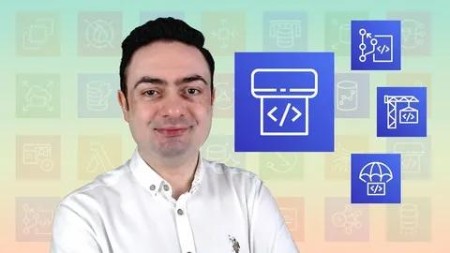
Udemy - AWS CodePipeline Step by Step

babymore87

MyBoerse.bz Pro Member
5c9f3d6c97b8c370c7087d7fa9c933aa.webp

Free Download Udemy - AWS CodePipeline Step by Step
Last updated 5/2025
Created by Emre Yilmaz • AWS Certified DevOps Engineer • Solutions Architect
MP4 | Video: h264, 1920x1080 | Audio: AAC, 44.1 KHz, 2 Ch
Level: All | Genre: eLearning | Language: English + subtitle | Duration: 69 Lectures ( 10h 42m ) | Size: 4.73 GB

Learn AWS CodePipeline with GitHub, CodeBuild, CodeDeploy, and DevOps-CI/CD on AWS from an AWS certified expert!
What you'll learn
Create CI/CD pipelines using AWS CodePipeline to automate your deployments to Amazon EC2, ECS and S3.
Use GitHub repositories, AWS CodeBuild, AWS CodeDeploy with AWS CodePipeline.
Learn AWS CodeDeploy in-place all-at-once, rolling and blue-green deployments with EC2 auto scaling and load balancing.
Build your Docker images With CodeBuild and deploy them to ECS as rolling deployments with CodePipeline.
Use AWS CloudFormation with AWS CodePipeline to create and delete stacks automatically in each execution.
Configure manual approval actions and pipeline notifications on your pipelines.
View AWS CodeBuild build logs and AWS CodeDeploy deployment logs.
Understand how AWS CodePipeline works in detail.
Requirements
Intermediate-level AWS knowledge. It is recommended to have hands-on experience in manual deployments on AWS.
Basic Git knowledge and experience in using Git commands from the command line.
An AWS account which you have administrator privileges. Using an AWS free-tier eligible one is recommended. But there may be slight costs while doing the examples.
Not required, but basic YAML knowledge is recommended for some CodeBuild and CodeDeploy lectures.
We use Linux instances in examples. Hence, basic Linux knowledge is recommended.
A GitHub account for private Git repositories to trigger pipelines.
Description
August 2024 Update: Because AWS CodeCommit was deprecated by AWS, we replaced it with GitHub in Sections 2 and 3!Would you like to automate your software deployment process on AWS?Welcome to learn how to create CI/CD pipelines with AWS CodePipeline and automate your deployments to S3, EC2, and ECS from a senior AWS-certified DevOps engineer. You will learn with hands-on examples and detailed explanations!In this course, you will learn AWS CodePipeline step by step:Begin with AWS CodePipeline basics by creating a pipeline between two Amazon S3 buckets as the source and deploy locations.Trigger your pipelines on CodePipeline using GitHub repositories and Git pushes.Build and test your code automatically with AWS CodeBuild in each pipeline execution. Understand how Code Build works with AWS CodePipeline.Integrate AWS CodeDeploy with AWS CodePipeline to deploy to Amazon EC2 instances. You will start with a single instance and proceed with multiple instances behind auto-scaling and load balancing. You will also learn different AWS Code Deploy deployment types and configurations, such as in-place rolling and blue-green.Use AWS CloudFormation with AWS CodePipeline to create and delete stacks automatically in each pipeline execution. You will also learn to define manual approval actions and configure pipeline notifications.Learn to build your Docker images with AWS CodeBuild and AWS CodePipeline and deploy them to Amazon ECR or Docker Hub automatically. Deploy your Docker containers to Amazon ECS as rolling deployments using the direct integration of AWS Code Pipeline with Amazon ECS.You will also learn how to check your build and deployment logs in case of failures with examples.What will you achieve after this course?✓ You will understand how AWS CodePipeline works in detail.✓ You will be able to create pipelines on CodePipeline triggered from private GitHub repositories.✓ You will be able to use AWS Code Pipeline with other AWS developer tools, AWS CodeBuild, and AWS CodeDeploy, to create your CI/CD pipelines.✓ You will be able to replace your manual deployment processes with automation to avoid human errors and minimize deployment failures.✓ You will be able to apply one of the core practices of DevOps, Continuous Integration / Continuous Deployment / Continuous Delivery, in your projects on AWS.Why learn from me?✓ AWS verified my knowledge and experience at the top level. I am a senior AWS consultant holding AWS Certified Solutions Architect - Professional and AWS Certified DevOps Engineer - Professional certifications in addition to three core Associate-level AWS certificates.✓ I have a software engineering background, a BS degree in Computer Engineering, and more than 17 years of professional experience in corporates and startups.✓ I have been using AWS since 2013. I have built dozens of CI/CD pipelines on AWS using AWS Code Pipeline, AWS CodeBuild, and AWS CodeDeploy for my clients and projects.✓ I learned by doing, and I teach both theory and practice according to the AWS best practices. I explain the features with hands-on examples and why to use them with advantages and disadvantages. So you will benefit from my experience as well as my knowledge.Is this course for you?I designed this course for beginners to AWS CodePipeline and assume that you have no or little experience in it.This course is not for beginners of AWS. You should have intermediate-level AWS knowledge of core services.Although I provide hands-on examples during the lectures, you should have basic Git knowledge and experience using Git commands from the command line.I mostly use a basic Angular application in our practices, but you do not need to know Angular for them. We focus on AWS CodePipeline, not on any particular programming language or framework. The techniques taught in this course also apply to others.I recommend you watch the free previews before enrolling.Join this course and start learning AWS CodePipeline step by step with hands-on examples!
Who this course is for
Developers, system administrators or any AWS enthusiasts who would like to learn AWS CodePipeline to create their CI/CD workflows.
Developers, system administrators or any AWS enthusiasts who deploy to Amazon EC2 or S3 and who would like to replace manual deployment processes with automation on AWS in order to avoid human errors.
Developers, system administrators or any AWS enthusiasts who would like to minimize deployment failures on AWS.
Homepage


Recommend Download Link Hight Speed | Please Say Thanks Keep Topic Live
No Password - Links are Interchangeable

 

81ae6509160c414c5602d0d7ce068978.jpg

Aws Codepipeline Step By Step
Last updated 8/2024
MP4 | Video: h264, 1280x720 | Audio: AAC, 44.1 KHz
Language: English (US) | Size: 2.92 GB | Duration: 11h 22m​

Learn AWS CodePipeline with GitHub, CodeBuild, CodeDeploy, and DevOps-CI/CD on AWS from an AWS certified expert!

What you'll learn
Create CI/CD pipelines using AWS CodePipeline to automate your deployments to Amazon EC2, ECS and S3.
Use GitHub repositories, AWS CodeBuild, AWS CodeDeploy with AWS CodePipeline.
Learn AWS CodeDeploy in-place all-at-once, rolling and blue-green deployments with EC2 auto scaling and load balancing.
Build your Docker images With CodeBuild and deploy them to ECS as rolling deployments with CodePipeline.
Use AWS CloudFormation with AWS CodePipeline to create and delete stacks automatically in each execution.
Configure manual approval actions and pipeline notifications on your pipelines.
View AWS CodeBuild build logs and AWS CodeDeploy deployment logs.
Understand how AWS CodePipeline works in detail.

Requirements
Intermediate-level AWS knowledge. It is recommended to have hands-on experience in manual deployments on AWS.
Basic Git knowledge and experience in using Git commands from the command line.
An AWS account which you have administrator privileges. Using an AWS free-tier eligible one is recommended. But there may be slight costs while doing the examples.
Not required, but basic YAML knowledge is recommended for some CodeBuild and CodeDeploy lectures.
We use Linux instances in examples. Hence, basic Linux knowledge is recommended.
A GitHub account for private Git repositories to trigger pipelines.

Description
August 2024 Update: Because AWS CodeCommit was deprecated by AWS, we replaced it with GitHub in Section 2!Would you like to automate your software deployment process on AWS?Welcome to learn how to create CI/CD pipelines with AWS CodePipeline and automate your deployments to S3, EC2, and ECS from a senior AWS-certified DevOps engineer. You will learn with hands-on examples and detailed explanations!In this course, you will learn AWS CodePipeline step by step:Begin with AWS CodePipeline basics by creating a pipeline between two Amazon S3 buckets as the source and deploy locations.Trigger your pipelines on CodePipeline using GitHub repositories and Git pushes.Build and test your code automatically with AWS CodeBuild in each pipeline execution. Understand how Code Build works with AWS CodePipeline.Integrate AWS CodeDeploy with AWS CodePipeline to deploy to Amazon EC2 instances. You will start with a single instance and proceed with multiple instances behind auto-scaling and load balancing. You will also learn different AWS Code Deploy deployment types and configurations, such as in-place rolling and blue-green.Use AWS CloudFormation with AWS CodePipeline to create and delete stacks automatically in each pipeline execution. You will also learn to define manual approval actions and configure pipeline notifications.Learn to build your Docker images with AWS CodeBuild and AWS CodePipeline and deploy them to Amazon ECR or Docker Hub automatically. Deploy your Docker containers to Amazon ECS as rolling deployments using the direct integration of AWS Code Pipeline with Amazon ECS.You will also learn how to check your build and deployment logs in case of failures with examples.What will you achieve after this course?✓ You will understand how AWS CodePipeline works in detail.✓ You will be able to create pipelines on CodePipeline triggered from private GitHub repositories.✓ You will be able to use AWS Code Pipeline with other AWS developer tools, AWS CodeBuild, and AWS CodeDeploy, to create your CI/CD pipelines.✓ You will be able to replace your manual deployment processes with automation to avoid human errors and minimize deployment failures.✓ You will be able to apply one of the core practices of DevOps, Continuous Integration / Continuous Deployment / Continuous Delivery, in your projects on AWS.Why learn from me?✓ AWS verified my knowledge and experience at the top level. I am a senior AWS consultant holding AWS Certified Solutions Architect - Professional and AWS Certified DevOps Engineer - Professional certifications in addition to three core Associate-level AWS certificates.✓ I have a software engineering background, a BS degree in Computer Engineering, and more than 17 years of professional experience in corporates and startups.✓ I have been using AWS since 2013. I have built dozens of CI/CD pipelines on AWS using AWS Code Pipeline, AWS CodeCommit, AWS CodeBuild, and AWS CodeDeploy for my clients and projects.✓ I learned by doing, and I teach both theory and practice according to the AWS best practices. I explain the features with hands-on examples and why to use them with advantages and disadvantages. So you will benefit from my experience as well as my knowledge.Is this course for you?I designed this course for beginners to AWS CodePipeline and assume that you have no or little experience in it.This course is not for beginners of AWS. You should have intermediate-level AWS knowledge of core services.Although I provide hands-on examples during the lectures, you should have basic Git knowledge and experience using Git commands from the command line.I mostly use a basic Angular application in our practices, but you do not need to know Angular for them. We focus on AWS CodePipeline, not on any particular programming language or framework. The techniques taught in this course also apply to others.I recommend you watch the free previews before enrolling.Join this course and start learning AWS CodePipeline step by step with hands-on examples!

Who this course is for:
Developers, system administrators or any AWS enthusiasts who would like to learn AWS CodePipeline to create their CI/CD workflows.,Developers, system administrators or any AWS enthusiasts who deploy to Amazon EC2 or S3 and who would like to replace manual deployment processes with automation on AWS in order to avoid human errors.,Developers, system administrators or any AWS enthusiasts who would like to minimize deployment failures on AWS.

For More Courses Visit & Bookmark Your Preferred Language Blog
From Here: - - - - - - - -


eicqnZvA_o.jpg

 
Zurück
Oben Unten