




Last updated 4/2016
MP4 | Video: h264, 1282x720 | Audio: AAC, 44.1 KHz
Language: English | Size: 426.69 MB | Duration: 0h 54m
Learn how to Transmission data between two Arduinos, Bio-metric Fingerprint, Touch sensor with these lot more projects.
What you'll learn
Fire detection system using Arduino and Flame sensor
Measure moisture level via Analog output pins using Rain water sensor module with Arduino
Arduino to Arduino Serial Communication
Use 433Mhz RF Transmitter and Receiver modules with Arduino
Digital TTP223B Arduino Capacitive Touch Sensor using Relay module
Turn your Fingerprint Sensor into Biometric Toggle Switch using Windows software and Arduino
Optical Fingerprint sensor will make adding fingerprint detection and verification
Requirements
You would need to download the Arduino IDE software and SFGDemo windows software for Fingerprint sensor
Two Arduino UNOs
1 x Flame sensor, 1 x Rain sensor, 1 x 433Mhz RF Transmitter Receiver module
1 x TTP223B Digital Touch Sensor, 1 x R305 Fingerprint sensor
Thin wires to solder and jumper wires
Description
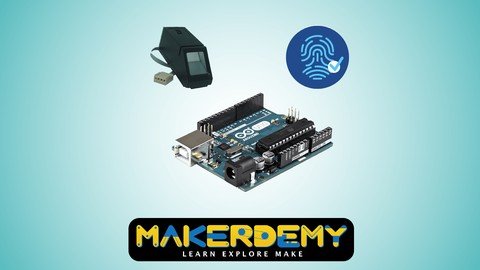
This is an advanced level course on Arduino. This course is designed for advanced makers. We'll help you to get started with the basics of creating circuits with the Arduino board. In this course, we will show you Fire detection using Arduino and Flame sensor. In the second project is Rain Sensor Module allows you to measure the moisture level via Analog output pins to detect whether it's raining or not. The third project is how to communicate data using two Arduinos and also using the 433Mhz RF transmitter and receiver modules with two Arduinos to receive the message. The fourth project is Digital capacitive touch sensor with Arduino to light up the lamp with a single touch, and the last project is based on the biometric fingerprint sensor. It Secures your project with biometrics - this all-in-one optical fingerprint sensor will make adding fingerprint detection and verification. This module is typically used in safe there's a high powered DSP chip that does the image rendering, calculation, feature-finding, and searching. The prerequisite for this course is a basic understanding of electrical and electronic concepts and ability to download and install software on your computer. Along the way, you will learn about programming, sensors, and communications. The course split into six parts: Project 1: In this project, we will teach you how Flame sensor is interfaced with the Arduino to detect Flame. We have connected the Led and buzzer with Arduino to indicate the flame. Project 2: In this project, we teach you how to build Rain sensor module allows you to measure moisture via Analog output pins, and it provides a digital output when a threshold of moisture level is exceeded. Project 3: Transmission between two Arduinos we'll make an Inter-Integrated Circuit bus using two Arduinos. We will program one master Arduino to command the other slave Arduino to blink its built-in LED once or twice depending on the received value. Project 4: In this project will explain you the complete guide for the RF 433MHz Transmitter and Receiver module. We'll explain this module how it works, and will show you how to work with the Arduino. Project 5: In this project, the device uses your body as part of the circuit. When you touch the sensor pad, the capacitance of the circuit is changed and detected. That detected a change in capacitance results in the output changing states. Project 6: This is my first fingerprint sensor project to read users fingerprint and recognized the user, we obsessed with the biometric system and was curious if we could use a fingerprint to turn on and off a device. Fingerprint sensor Secure your project with biometrics - this all-in-one optical fingerprint sensor will make adding fingerprint detection and verification super simple. This module is typically used in safe - there's a high powered DSP chip that does the image rendering, calculation, feature-finding, and searching. You can also enroll new fingers directly - up to 162 fingerprints can be stored in the onboard FLASH memory. If you are a technology enthusiast and want to learn the cutting-edge technology, then this is the right course for you. In this course, I show you how to get up and running on the Arduino platform so you can make your own projects to interact with the world. I will teach you step by step how to go about building this project. I will also share the code with you so that you can replicate the project yourself. I look forward to you joining this course. It provides the complete source code of the real time project. What are you waiting for? Enroll now.
Overview
Section 1: Introduction
Lecture 1 Introduction
Section 2: Fire detection using Arduino and Flame sensor
Lecture 2 Getting to know about the Flame sensor
Lecture 3 Flame sensor module wavelength: Application consideration
Lecture 4 Hardware requirements and Wiring to an Arduino
Lecture 5 Circuit Diagram: Fire Detection System using Arduino and Flame sensor
Lecture 6 Code: Fire detection using Arduino and Flame sensor
Lecture 7 Source Code_Fire Detection System using Arduino and Flame sensor
Section 3: Arduino Rain Sensor Module
Lecture 8 Getting to know about the Rain sensor module
Lecture 9 Hardware requirements and Wiring to an Arduino
Lecture 10 Circuit Diagram: Arduino Rain Sensor Module
Lecture 11 Code: Rain sensor module
Lecture 12 Real time demonstration: Rain sensor module
Lecture 13 Source Code_Arduino Rain Sensor Module
Section 4: Transmission between Two Arduinos
Lecture 14 Arduino to Arduino Serial Communication
Lecture 15 Circuit connection of Two Arduinos
Lecture 16 Circuit Diagram: Arduino to Arduino Serial Communication
Lecture 17 Code: Arduino Receiver Data
Lecture 18 Source Code_Arduino Receiver Data Code
Lecture 19 Code: Arduino Sending Data
Lecture 20 Source Code_Arduino Sender Data Code
Section 5: RF 433Mhz Transmitter / Receiver module with Arduino
Lecture 21 Module Specification: RF 433Mhz Transmitter / Receiver module with Arduino
Lecture 22 Hardware requirements and Wiring to an Arduino
Lecture 23 Circuit Diagram: RF 433MHz Receiver Module with Arduino
Lecture 24 Circuit Diagram: RF 433MHz Transmitter Module with Arduino
Lecture 25 Code: RF 433Mhz Receiver module to an Arduino
Lecture 26 Source Code_RF 433MHz Receiver Module with Arduino
Lecture 27 Code: RF 433Mhz Transmitter module to an Arduino
Lecture 28 Source Code_RF 433MHz Transmitter Module with Arduino
Section 6: Digital TTP223B Arduino Capacitive Touch Sensor
Lecture 29 Arduino Capacitive Touch Sensor
Lecture 30 Circuit Diagram: Digital TTP223B ARDUINO CAPACITIVE TOUCH SENSOR
Lecture 31 Coding and Real-time demonstration: Arduino Capacitive Touch Sensor
Lecture 32 Source Code_Digital TTP223B ARDUINO CAPACITIVE TOUCH SENSOR
Section 7: Bio-metric Fingerprint sensor
Lecture 33 Getting to know about the Bio-metric Fingerprint sensor
Lecture 34 Windows software: Hardware requirements and Wiring to an Arduino
Lecture 35 Circuit Diagram: Biometric Fingerprint Security System_Software
Lecture 36 Download and Install the Windows software application
Lecture 37 Source Code_Biometric Fingerprint Security System_Fingerprint
Lecture 38 Enrolling Fingerprint using Windows software
Lecture 39 Testing the Enrolled Fingerprint using Arduino IDE
Lecture 40 Circuit Diagram: Biometric Fingerprint Security System_Enrolling with Arduino
Lecture 41 Source Code_Biometric Fingerprint Security System_Enrolling with Arduino
Lecture 42 Enrolling and Searching Fingerprint using Arduino IDE
People who want to try Arduino and learn about microcontrollers,Makers who have an existing intermediate or better understanding of electronics,Individuals wanting to learn more about Bio-metrics, Data Transmission between two Arduinos,Engineering Students - Electronics, Electrical & Computer Science,Electronic Geeks, Hobbiest & Art Students,High School Science Students
Homepage
Recommend Download Link Hight Speed | Please Say Thanks Keep Topic Live
Links are Interchangeable - No Password - Single Extraction
