




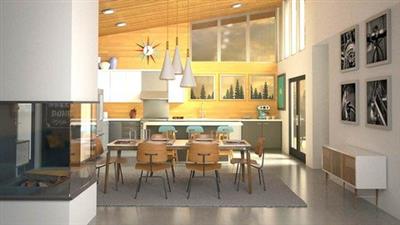
Genre: eLearning | MP4 | Video: h264, 1280x720 | Audio: AAC, 44.1 KHz
Language: English | Size: 12.5 GB | Duration: 16h 49m
Advance your rendering skills with this 6 in 1 course pack
What you'll learn
Get up and running with the V-Ray 5 rendering engine inside 3ds Max
Lighting Analysis tool
Viewport IPR
Critical V-Ray concepts
V-Ray Materials
How to create in-camera effects
Depth of field and motion blur
How to easily add lifelike effects to your 3D models using FX tools such as VRayFur
Streamlining material editor workflow
Managing assets
Referencing materials with XRefs
Rendering the Physical Material
Controlling highlights with Roughness
Directing reflections and refractions
Simulating translucency and scattering
Building a shading network
Combining and color correcting maps
Baking maps with Render to Texture
Procedural mapping
Using relief maps: bump, normal, and displacement
Physical lighting and gamma correction
High dynamic range and exposure control
Global illumination
Exterior daylight
Image-based lighting
Advanced environment options
Geometric backdrops and material emission
Interior daylight
Importing photometric data
Studio lighting
Spot light image projection
Atmospheric effects
Why you should use substances for texturing
Adjusting your Substance workflow mode and settings
Creating materials from photos with Bitmap2Material
Working with texture maps from Substance Designer and Painter
Exporting maps as EXR and PSD files
Using the exported maps in V-Ray
Using exposure compensation
Using photometric lighting
Adding sunlight
Adjusting auxiliary lights
Balancing lights
Daytime rendering
Compositing in Photoshop
Nighttime lighting
Night rendering and compositing
Adding reflections and final touches
Setting up environmental lighting
Adding sunlight to a scene
Creating lighting and reflection elements
Compositing daytime scenes in Photoshop
Lighting for night
Rendering nighttime elements
Compositing nighttime scenes in Photoshop
Description
1- V-Ray 5 Essential Training
Section 1 - 9
Beginner and Intermedite
Get up and running with the V-Ray 5 rendering engine inside 3ds Max. In this course, instructor Brian Bradley shows how to extend the range of 3ds Max using the many state-of-the-art tools and features found in this, the fifth version of the powerful rendering solution. Brian kicks off the course by covering several new tools included in V-Ray 5, including the Lighting Analysis tool and the Viewport IPR. He then dives into critical V-Ray concepts, including materials, image sampling, maps, and lighting, as well as how to create in-camera effects such as depth of field and motion blur. Brian also shows how to easily add lifelike effects to your 3D models using FX tools such as VRayFur.
2- 3ds Max : Advanced Materials
Section 10 - 15
Intermediate
Physically-based rendering (PBR) simulates the way light works in the real world. It achieves greater realism with less effort than traditional 3D rendering. This course is updated for 3ds Max 2019, and focuses on PBR shading techniques. The Physical Material simulates surfaces such as stone, glass, and metal. Instructor Aaron F. Ross also looks at building shading networks, and combining and adjusting maps in interesting ways. Procedural maps such as Substance deserve special attention, and you'll also see how to bake them out to bitmap files for cross-application and renderer compatibility. By the end of the course, you'll have a firm foundation in advanced shading workflows in 3ds Max.
3- 3ds Max : Adcanced Lighting
Section 16 - 21
Intermediate
Realistic lighting is easier, faster, and better than ever in 3ds Max. Photometric lighting and a choice of rendering options gives you the power to create a convincing illusion. This course focuses on architectural visualization, but the techniques apply to other domains such as motion picture production. Instructor Aaron F. Ross provides a conceptual overview of advanced lighting and rendering, then demonstrates how to construct various lighting scenarios in 3ds Max. You can see how to render scenes with exterior and interior daylight, practical artificial lighting, and manufacturer photometric data. The course includes a chapter on special effects such as light decay and atmospheres. By the end of the course, you'll have seen how to control the powerful lighting tools in 3ds Max to achieve photorealistic results.
4- 3ds Max: Substance to V-Ray Workflows
Section 22 - 27
Intermediate
Discover how to leverage the substance-based toolset from Allegorithmic to create photorealistic texture maps for your 3ds Max projects. In this course, you can explore the workflow for integrating Substance Designer, Substance Painter, and the Bitmap2Material (B2M) node with 3ds Max. Brian Bradley explains what substance-based tools are and how to use them within the 3ds Max application as well as the V-Ray rendering engine. He demonstrates how to create materials from photographic assets using the B2M node, how to work with substance materials from Substance Designer, and how to export bitmap textures from both Substance Designer and Substance Painter for use in 3ds Max and V-Ray.
5- 3ds Max and V-Ray: Interior Lighting and Rendering
Section 28 - 33
Intermediate
Explore the lighting and rendering features of V-Ray for 3ds Max with this hands-on, project-based course. Instructor George Maestri explains how to generate high-quality renderings of interior scenes and environments-a necessary skill for residential and commercial building design, animation, and gaming. Find out how to create realistic daytime and nighttime lighting, while examining the benefits and limitations of different tools, such as photometric lighting, auxiliary and fill lights, and environmental lights. Then see how to render a scene and then take your render layers into Photoshop to add shadows, reflections, and other finishing touches. You'll learn everything you need to light rooms in any scenario-from sunrise to sunset and around the clock again.
6- 3ds Max and V-Ray: Exterior Lighting and Rendering
Section 34 - 40
Intermediate
Make your projects even more impressive by learning how to create high-quality, photorealistic renders with V-Ray for 3ds Max. In this hands-on, project-based course, instructor George Maestri shows how to best approach lighting, rendering, and compositing exteriors scenes and environments for residential and commercial building design, animation, and gaming. Find out how to create realistic daytime and nighttime scenes with photometric lighting, auxiliary and interior lights, and environmental lights. Then see how to render a scene and take your render layers into Photoshop to add shadows, reflections, and other finishing touches. By the end of the course, you'll learn everything you need to light exteriors in any scenario-at any time of day.
Homepage
Recommend Download Link Hight Speed | Please Say Thanks Keep Topic Live
Links are Interchangeable - No Password - Single Extraction
