• Regeln für den Software-Bereich:


    Allgemeines:

    - In erster Linie sind unsere Boardregeln zu beachten, zu finden HIER.
    - Software zur Audiobearbeitung sollte ausschließlich im Unterforum "Audio" eingestellt werden.
    - Für Cracks, Keygens oder sonstige Freischaltungssoftware gibt es das Unterforum "Freischaltung".
    - Portable Software bitte im entsprechenden Unterforum "Portable Software" eintragen.
    - Diskussionen zur Installation und anderen Problemen mit der Software, bitte im enstprechenden Unterforum "Talk" führen.
    - Bei Unklarheiten und Fragen zu den Regeln bitte die Moderatoren kontaktieren.


    Angebot erstellen

    - Die Struktur des Threadtitels muss wie folgt umgesetzt werden: Herstellername - Softwarename - Versionsnummer
    - Unnötige Zusätze im Threadtitel wie "HOT", "NEW" oder Punkte zwischen den Wörtern sind nicht erlaubt.
    - Achtet darauf immer nur die Hauptversion und deren Updates in einem Thread zusammenfassen, konkretes Beispiel: SoftwareXY v3.12 gehört in den selben Thread mit SoftwareXY v3.13; SoftwareXY v.4.1 gehört in einen neuen eigenen Thread. Ausgenommen hiervon sind Sammelthreads und Dauerangebote.
    - Bei nicht bekannten Herstellern oder Angebote einer privaten Software, ist die Programmbezeichnung + Versionsnummer ausreichend.
    - Besondere Beachtung gilt für den ersten Beitrag eines Angebots. Dort muss eine kurze Beschreibung der Software in deutscher Sprache angegeben werden. Für offizielle Releases ist es Pflicht die NFO im Beitrag einzustellen(Spoiler, siehe nächster Punkt).
    - Weitere Informationen wie NFOs oder Changelogs, versteckt ihr bitte in einem Spoiler.


    Software Suche

    - Für Suchanfragen haben wir das Unterforum "Suche" erstellt.
    - Auch hier sollte vorher die Suchfunktion benutzt werden, um Doppelthreads vorzubeugen. Sollte es bereits eine Suchanfrage geben, könnt ihr den Thread gerne mit einem "Danke" pushen.


    Trojaner- und Virusalarm

    - Falls Euer Virenscanner bei einem Angebot Alarm schlägt, solltet ihr zunächst Ruhe bewahren. Viele Virenscanner erkennen Cracks/Keygens oft fälschlicherweise als Bedrohung.
    - Prüft die verdächtige Datei zuerst mit http://virustotal.com , sollte es sich hierbei wirklich um eine Bedrohung handeln, meldet den Beitrag und/oder wendet euch mit dem Bericht von VirusTotal.com an einen Moderator.


    Unerwünschte Angebote

    - Keylogger, Spionagetools, alles rund ums Thema Hacking/Cracking ist nicht erwünscht.
  • Bitte registriere dich zunächst um Beiträge zu verfassen und externe Links aufzurufen.


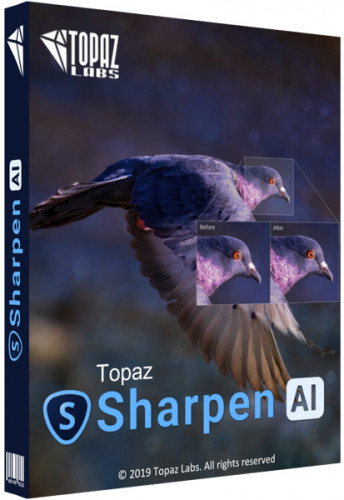
Topaz Sharpen AI v3

Topaz Sharpen AI v3.1.2 (x64)

6142feee424145a8cf15ftlkri.jpg


Topaz Sharpen AI v3.1.2 (x64)

Größe: 2060 MB
Sprache: Englisch
Format: Exe
Plattform: Windows 7/8/10
Medizin: Crack/Patch

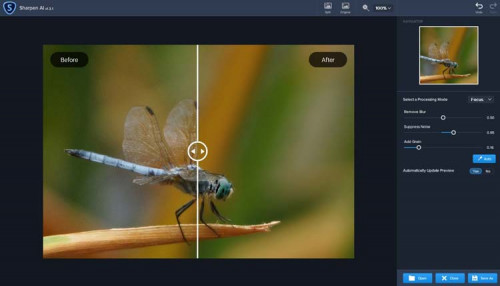
Erstellen Sie gestochen scharfe Bilder ohne Artefakte oder Lichthöfe. Sharpen AI ist die erste Software zum Schärfen und Verwackeln, die den Unterschied zwischen echten Details und Rauschen erkennen kann. Erstellen Sie gestochen scharfe Bilder, selbst wenn Sie mit der Hand, bei Nacht oder mit geringer Schärfentiefe fotografieren.

Drei Arten der Schärfung für ein perfektes Foto
Es gibt nichts Schlimmeres als das Gefühl, das perfekte Foto zu machen, nach Hause zu eilen und es auf Ihrem Computer zu öffnen. und erkennen, dass es bei 100% verschwommen ist. Wenn dies passiert, wird dies normalerweise durch eines von drei Problemen verursacht: Kameraverwacklung, Fokusprobleme oder allgemeine Weichheit. Sharpen AI enthält ein separates Modul, um jedes einzelne zu handhaben.

Stabilisieren: Natürliche Shake-Reduktion
Selbst die ruhigsten Hände sind in Sachen Bildschärfe nicht mit einem Stativ zu vergleichen. Im Gegensatz zu einem Stativ haben Sie Ihre Hände jedoch immer dabei! Das Stabilize-Modul von Sharpen AI wurde darauf trainiert, Bewegungsunschärfe umzukehren und handgehaltene Bilder aussehen zu lassen, als wären sie von einem Stativ aufgenommen worden.

Fokus: Bessere Fokuskorrektur
Die Fokuskorrektur ist ein notorisch schwieriges Problem, das leicht falsch gemacht werden kann, aber das Fokusmodul von Sharpen AI zeichnet sich durch die Korrektur von bis zu zehn Pixeln der Fokusunschärfe aus. Dies ist perfekt, um unscharfe Augen zu schärfen oder Probleme zu beheben, die durch einen falschen Fokus in der Kamera verursacht werden. Tipp: Verwenden Sie selektive Anpassungen für beste Ergebnisse!

Schärfen: Allgemeine Eingabeschärfung
Auch ohne Bewegungsunschärfe oder Fokusprobleme kommen die Bilder im Allgemeinen weich aus der Kamera. Sharpen AI enthält das Sharpen-Modul, das darauf spezialisiert ist, kleine Mengen allgemeiner Weichheit ohne Artefakte oder Halos zu korrigieren. Es ist das natürlichste Schärfwerkzeug, das Sie jemals verwenden werden.

Uploaded.net
Rapidgator.net
DDownload.com

C77C89A7DC.png


​
 
Topaz Sharpen AI v3.1.2 Portable

a0c0af24a5e09ed6ff8719f7ea4f983a.jpg


iNFO:

Topaz Sharpen AI v3.1.2 Portable Cracked

Create tack-sharp images with no artifacts or halos. Sharpen AI is the first sharpening and shake reduction software that can tell the difference between real detail and noise. Create tack-sharp images even when you’re shooting handheld, at night, or with a shallow depth of field.

FEATURES :-

Three kinds of sharpening for a perfect photo
There’s nothing worse than the feeling of taking the perfect photo, rushing home, opening it up on your computer… and realizing that it’s blurry at 100%. When this happens, it’s usually caused by one of three problems: camera shake, focus issues, or general softness. Sharpen AI includes a separate module to handle each one.

Stabilize: Natural shake reduction
Even the steadiest hands don’t compare to a tripod when it comes to image sharpness. Unlike a tripod, though, you always have your hands with you! Sharpen AI’s Stabilize module has been trained to reverse motion blur and make handheld images look like they were taken from a tripod.

System Requirements
Operating Systems
Windows 7, 8, 10 64-bit support only

Recommended Hardware
System RAM: 8GB
GPU VRAM: 2GB
Display Size: 800 x 600
OpenGL Support Level: OpenGL 3.3
Language : english

Screenshots

6d17d0e8052442ad0af553a659a083fd.jpg


Download : Rapidgator

https://anonym.to/?https://rapidgator.net/file/3c0bc227f457c6dbd3a4b9b11594455b/4$Topaz&7_Sharpen#20_AI#_3.1.2_Portable.part1.rar.html
https://anonym.to/?https://rapidgator.net/file/1d9d65f471d62c5250e1ba709d0a844b/4$Topaz&7_Sharpen#20_AI#_3.1.2_Portable.part2.rar.html​
 
Topaz Sharpen AI 3.2.0

227972246_99dd427b72b2a4febf889d587f3f4e73.jpg


iNFO:

size: 2.2 gb
format: rar/exe
languages: english

There's nothing worse than the feeling of taking the perfect photo, rushing home, opening it up on your computer. and realizing that it's blurry at 100%. When this happens, it's usually caused by one of three problems: camera shake, focus issues, or general softness. Sharpen AI includes a separate module to handle each one.

You can pose people, but it's much harder to ask animals to stay still! Use Sharpen AI's Stabilize module to correct camera shake and the inevitable motion blur you get from fast-moving subjects. It's also difficult to focus perfectly in these situations, so the Focus module will also be handy.

No matter how fast you set your shutter speed, you can't shoot handheld landscapes as sharp as if you had a tripod. You don't always have a tripod with you, though. Sometimes you don't even have the luxury of using a fast shutter speed.

Sharpen AI's Stabilize module helps you get handheld images that look like you took them from a tripod. This model was trained specifically to counteract motion blur caused by camera shake and can produce some pretty exceptional results in your photos.

Overview of Topaz Sharpen AI Features
Powered by AI
Seamless integration
Constantly improving
Three kinds of sharpening for a perfect photo.
Stabilize: natural shake reduction
Focus: better focus correction
Sharpen: general input sharpening
The perfect time to make images tack-sharp.
Hand-held Landscapes
Portrait Photography
A new approach to sharpening.
What does sharpness look like? (Training)
How to achieve this sharpness? (Learning)
How do we sharpen images faster? (Optimization)

Screenshots

227972509_89b7bba86446624274f18bf94ec2c4dc.jpg


Technical Details and System Requirements
Supported OS: Windows 10 / Windows 8.1 /Windows 7 SP1 (x64)
Processor: Multi core Intel i5 Series or above, Xeon or AMD equivalent
RAM: 8GB (16GB or more recommended)
GPU VRAM: 2GB / 4GB recommended
Free Hard Disk Space: 16GB (32GB or more recommended)
NVIDIA: GeForce GTX 770 2GB / GeForce GTX 960 4GB recommended
AMD: Radeon HD 8570 2GB / Radeon R9 270 4GB recommended
Intel: HD Graphics 5000 / Iris Plus Graphics 640 recommended

Download : Nitroflare / Rapidgator


Topaz Sharpen AI 3.2.0 (x64)


34f4938d7613e556f5c8a8fe5920b973.jpg


Topaz Sharpen AI 3.2.0 (x64)


Erstellen Sie gestochen scharfe Bilder ohne Artefakte oder Lichthöfe. Sharpen AI ist die erste Software zum Schärfen und Verwackeln, die den Unterschied zwischen echten Details und Rauschen erkennen kann. Erstellen Sie gestochen scharfe Bilder, selbst wenn Sie mit der Hand, bei Nacht oder mit geringer Schärfentiefe fotografieren.


Sprache: English | Größe: 2.12 GB | Format: RAR, EXE | Plattform: Windows 7, 8, 8.1, 10 (64Bit)


Hoster:
UploadGig.com | RapidGator.net | DDownload.com


DOWNLOAD Links:


​
 

Topaz Sharpen AI v3.2.0 (x64)


6c8107fb1ec1ebc8b52e55fc59908baf.jpeg


Topaz Sharpen AI v3.2.0 (x64) | 2.13 GB | Language: English


Create tack-sharp images with no artifacts or halos.Sharpen AI is the first sharpening and shake reduction software that can tell the difference between real detail and noise. Create tack-sharp images even when you're shooting handheld, at night, or with a shallow depth of field.


Three kinds of sharpening for a perfect photo
There's nothing worse than the feeling of taking the perfect photo, rushing home, opening it up on your computer... and realizing that it's blurry at 100%. When this happens, it's usually caused by one of three problems: camera shake, focus issues, or general softness. Sharpen AI includes a separate module to handle each one.

Stabilize: Natural shake reduction
Even the steadiest hands don't compare to a tripod when it comes to image sharpness. Unlike a tripod, though, you always have your hands with you! Sharpen AI's Stabilize module has been trained to reverse motion blur and make handheld images look like they were taken from a tripod.

Focus: Better focus correction
Focus correction is a notoriously difficult problem that's easy to get wrong, but Sharpen AI's Focus module excels at correct up to ten pixels of focus blur. This is perfect for sharpening out-of-focus eyes or correct issues caused by incorrect in-camera focus. Tip: use selective adjustments for best results!

Sharpen: General input sharpening
Even with no motion blur or focus issues, images generally come out of the camera soft. Sharpen AI includes the Sharpen module that specializes in correcting small amounts of general softness without any artifacts or halos. It's the most natural-looking sharpening tool that you will ever use.

Powered by AI
Sharpen AI was trained with millions of images so it could learn the characteristics of detail vs. noise - and then enhance just the detail. In some cases, it can even recover image detail.

Seamless integration
Works wherever you currently edit your photos. Use Sharpen AI either as a standalone software or as a plug-in for Topaz Studio / Photoshop / Lightroom Classic.

Constantly improving
Through continuous AI training, Sharpen AI's enhancement model becomes both faster and higher-quality with time. You'll get the latest and greatest when the model improves.

Fast performance
Sharpen AI is now optimized for Intel CPU and iGPUs with Intel OpenVINO™ support. This means you can get up to 5x faster processing speeds with an Intel graphics card (6th Gen + higher)!

The perfect time to make images tack-sharp
There's nothing worse than the feeling of taking the perfect photo, rushing home, opening it up on your computer... and realizing that it's blurry at 100%. When this happens, it's usually caused by one of three problems: camera shake, focus issues, or general softness. Sharpen AI includes a separate module to handle each one.

System Requirements:
Operating System Version:

- Windows 7 x64
- Windows 8/8.1 x64
- Windows 10 x64

Hardware Requirements:
- System RAM: 8GB / 16GB recommended
- GPU VRAM: 2GB / 4GB recommended

Graphics Card Requirements:
- NVIDIA: GeForce GTX 770 2GB / GeForce GTX 960 4GB recommended
- AMD: Radeon HD 8570 2GB / Radeon R9 270 4GB recommended
- Intel: HD Graphics 5000 / Iris Plus Graphics 640 recommended

Home Page -


Größe: 2.13 GB
Sprache: English
Format: .rar / .exe
Medizin: Crack / Patch
Plattform: Windows 10 , Windows 8/8.1 , Windows 7
Bit depth: 64bit


HOSTER:

K2s.cc (Keep2share)

Rapidgator.net

Nitroflare.com

Uploadgig.com


DOWNLOAD


​
 

Topaz Sharpen AI v3.2.1 (x64)


0d48c49e788f0bac038804874a2f32ce.jpeg


Topaz Sharpen AI v3.2.1 (x64) | 2.01 GB | Language: English


Create tack-sharp images with no artifacts or halos.Sharpen AI is the first sharpening and shake reduction software that can tell the difference between real detail and noise. Create tack-sharp images even when you're shooting handheld, at night, or with a shallow depth of field.


Three kinds of sharpening for a perfect photo
There's nothing worse than the feeling of taking the perfect photo, rushing home, opening it up on your computer... and realizing that it's blurry at 100%. When this happens, it's usually caused by one of three problems: camera shake, focus issues, or general softness. Sharpen AI includes a separate module to handle each one.

Stabilize: Natural shake reduction
Even the steadiest hands don't compare to a tripod when it comes to image sharpness. Unlike a tripod, though, you always have your hands with you! Sharpen AI's Stabilize module has been trained to reverse motion blur and make handheld images look like they were taken from a tripod.

Focus: Better focus correction
Focus correction is a notoriously difficult problem that's easy to get wrong, but Sharpen AI's Focus module excels at correct up to ten pixels of focus blur. This is perfect for sharpening out-of-focus eyes or correct issues caused by incorrect in-camera focus. Tip: use selective adjustments for best results!

Sharpen: General input sharpening
Even with no motion blur or focus issues, images generally come out of the camera soft. Sharpen AI includes the Sharpen module that specializes in correcting small amounts of general softness without any artifacts or halos. It's the most natural-looking sharpening tool that you will ever use.

Powered by AI
Sharpen AI was trained with millions of images so it could learn the characteristics of detail vs. noise - and then enhance just the detail. In some cases, it can even recover image detail.

Seamless integration
Works wherever you currently edit your photos. Use Sharpen AI either as a standalone software or as a plug-in for Topaz Studio / Photoshop / Lightroom Classic.

Constantly improving
Through continuous AI training, Sharpen AI's enhancement model becomes both faster and higher-quality with time. You'll get the latest and greatest when the model improves.

Fast performance
Sharpen AI is now optimized for Intel CPU and iGPUs with Intel OpenVINO™ support. This means you can get up to 5x faster processing speeds with an Intel graphics card (6th Gen + higher)!

The perfect time to make images tack-sharp
There's nothing worse than the feeling of taking the perfect photo, rushing home, opening it up on your computer... and realizing that it's blurry at 100%. When this happens, it's usually caused by one of three problems: camera shake, focus issues, or general softness. Sharpen AI includes a separate module to handle each one.

System Requirements:
Operating System Version:
- Windows 7 x64
- Windows 8/8.1 x64
- Windows 10 x64

Hardware Requirements:
- System RAM: 8GB / 16GB recommended
- GPU VRAM: 2GB / 4GB recommended

Graphics Card Requirements:
- NVIDIA: GeForce GTX 770 2GB / GeForce GTX 960 4GB recommended
- AMD: Radeon HD 8570 2GB / Radeon R9 270 4GB recommended
- Intel: HD Graphics 5000 / Iris Plus Graphics 640 recommended

Home Page -


Größe: 2.01 GB
Sprache: English
Format: .rar / .exe
Medizin: Crack / Patch
Plattform: Windows 10 , Windows 8/8.1 , Windows 7
Bit depth: 64bit


HOSTER:

K2s.cc (Keep2share)

Rapidgator.net

Nitroflare.com

Uploadgig.com


DOWNLOAD


​
 
prj5kiyktkqd.jpg


Topaz Sharpen AI v3.2.1 (x64)

Größe: 2010 MB
Sprache: Englisch
Format: Exe
Plattform: Windows 7/8/10 x64
Medizin: Crack/Patch

Erstellen Sie gestochen scharfe Bilder ohne Artefakte oder Lichthöfe. Sharpen AI ist die erste Software zum Schärfen und Verwackeln, die den Unterschied zwischen echten Details und Rauschen erkennen kann. Erstellen Sie gestochen scharfe Bilder, selbst wenn Sie mit der Hand, bei Nacht oder mit geringer Schärfentiefe fotografieren.

Drei Arten von Schärfen für ein perfektes Foto
Es gibt nichts Schlimmeres als das Gefühl, das perfekte Foto zu machen, nach Hause zu eilen, es auf Ihrem Computer zu öffnen … und zu erkennen, dass es zu 100% verschwommen ist. Wenn dies passiert, wird dies normalerweise durch eines von drei Problemen verursacht: Kameraverwacklung, Fokusprobleme oder allgemeine Weichheit. Sharpen AI enthält ein separates Modul, um jedes einzelne zu handhaben.

Stabilisieren: Natürliche Shake-Reduktion
Selbst die ruhigsten Hände sind in Sachen Bildschärfe nicht mit einem Stativ zu vergleichen. Im Gegensatz zu einem Stativ haben Sie Ihre Hände jedoch immer dabei! Das Stabilize-Modul von Sharpen AI wurde darauf trainiert, Bewegungsunschärfe umzukehren und Handheld-Bilder so aussehen zu lassen, als wären sie von einem Stativ aufgenommen worden.

Fokus: Bessere Fokuskorrektur
Die Fokuskorrektur ist ein notorisch schwieriges Problem, das leicht falsch gemacht werden kann, aber das Fokusmodul von Sharpen AI zeichnet sich durch die Korrektur von bis zu zehn Pixeln der Fokusunschärfe aus. Dies ist perfekt, um unscharfe Augen zu schärfen oder Probleme zu beheben, die durch einen falschen Fokus in der Kamera verursacht werden. Tipp: Verwenden Sie selektive Anpassungen für beste Ergebnisse!

Schärfen: Allgemeine Eingabeschärfung
Auch ohne Bewegungsunschärfe oder Fokusprobleme kommen die Bilder im Allgemeinen weich aus der Kamera. Sharpen AI enthält das Sharpen-Modul, das darauf spezialisiert ist, kleine Mengen allgemeiner Weichheit ohne Artefakte oder Halos zu korrigieren. Es ist das natürlichste Schärfwerkzeug, das Sie jemals verwenden werden.

Uploaded.net
Rapidgator.net
DDownload.com

92BD4552AB.png


​


Topaz Sharpen AI 3.2.1 (x64)


34f4938d7613e556f5c8a8fe5920b973.jpg


Topaz Sharpen AI 3.2.1 (x64)


Erstellen Sie gestochen scharfe Bilder ohne Artefakte oder Lichthöfe. Sharpen AI ist die einzige derzeit verfügbare KI-gestützte Bildschärfungssoftware und kann wirklich magische Ergebnisse erzielen. Korrigieren Sie verschwommene Bilder mit nur wenigen Klicks und retten Sie zuvor unmöglich zu korrigierende Aufnahmen.


Sprache: English | Größe: 2.01 GB | Format: RAR, EXE | Plattform: Windows 7, 8, 8.1, 10 (64Bit)


Hoster:
UploadGig.com | RapidGator.net | DDownload.com


DOWNLOAD Links:


​
 

prj5kiy4ujax.jpg


Topaz Sharpen AI 3.2.1 (x64) + Reg


Plattform: windows 10 , 8 , 7 (64-Bit)
Größe: 2.1 GB
Sprache(n) -> englisch
Format: rar / exe
Hoster: rapidgator / nitroflare


Erstellen Sie gestochen scharfe Bilder ohne Artefakte oder Lichthöfe. Sharpen AI ist die erste Software zum Schärfen und Verwackeln, die den Unterschied zwischen echten Details und Rauschen erkennen kann. Erstellen Sie gestochen scharfe Bilder, selbst wenn Sie mit der Hand, bei Nacht oder mit geringer Schärfentiefe fotografieren.

Ständig verbessert
Durch kontinuierliches KI-Training wird das Verbesserungsmodell von Sharpen AI mit der Zeit sowohl schneller als auch qualitativ hochwertiger. Sie erhalten das Neueste und Beste, wenn sich das Modell verbessert.

Schnelle Leistung
Sharpen AI ist jetzt für Intel CPU und iGPUs mit Intel OpenVINO™ Unterstützung optimiert. Das bedeutet, dass Sie mit einer Intel-Grafikkarte (6. Generation + höher) bis zu 5x schnellere Verarbeitungsgeschwindigkeiten erreichen können!

Der perfekte Zeitpunkt, um Bilder gestochen scharf zu machen
Es gibt nichts Schlimmeres als das Gefühl, das perfekte Foto zu machen, nach Hause zu eilen, es auf Ihrem Computer zu öffnen … und zu erkennen, dass es zu 100% verschwommen ist. Wenn dies passiert, wird dies normalerweise durch eines von drei Problemen verursacht: Kameraverwacklung, Fokusprobleme oder allgemeine Weichheit. Sharpen AI enthält ein separates Modul, um jedes einzelne zu handhaben.


Download:
3n4lcsdgx9kme.gif


​
 
Topaz Sharpen AI 3.2.1 (x64)
Requirements:Windows 7/8/10 x64
Overview:
Create tack-sharp images with no artifacts or halos.Sharpen AI is the first sharpening and shake reduction software that can tell the difference between real detail and noise. Create tack-sharp images even when you're shooting handheld, at night, or with a shallow depth of field.


Three kinds of sharpening for a perfect photo
There's nothing worse than the feeling of taking the perfect photo, rushing home, opening it up on your computer... and realizing that it's blurry at 100%. When this happens, it's usually caused by one of three problems: camera shake, focus issues, or general softness. Sharpen AI includes a separate module to handle each one.

Stabilize: Natural shake reduction
Even the steadiest hands don't compare to a tripod when it comes to image sharpness. Unlike a tripod, though, you always have your hands with you! Sharpen AI's Stabilize module has been trained to reverse motion blur and make handheld images look like they were taken from a tripod.

Focus: Better focus correction
Focus correction is a notoriously difficult problem that's easy to get wrong, but Sharpen AI's Focus module excels at correct up to ten pixels of focus blur. This is perfect for sharpening out-of-focus eyes or correct issues caused by incorrect in-camera focus. Tip: use selective adjustments for best results!

Sharpen: General input sharpening
Even with no motion blur or focus issues, images generally come out of the camera soft. Sharpen AI includes the Sharpen module that specializes in correcting small amounts of general softness without any artifacts or halos. It's the most natural-looking sharpening tool that you will ever use.

Powered by AI
Sharpen AI was trained with millions of images so it could learn the characteristics of detail vs. noise - and then enhance just the detail. In some cases, it can even recover image detail.

Seamless integration
Works wherever you currently edit your photos. Use Sharpen AI either as a standalone software or as a plug-in for Topaz Studio / Photoshop / Lightroom Classic.

Constantly improving
Through continuous AI training, Sharpen AI's enhancement model becomes both faster and higher-quality with time. You'll get the latest and greatest when the model improves.

Fast performance
Sharpen AI is now optimized for Intel CPU and iGPUs with Intel OpenVINO™ support. This means you can get up to 5x faster processing speeds with an Intel graphics card (6th Gen + higher)!

The perfect time to make images tack-sharp
There's nothing worse than the feeling of taking the perfect photo, rushing home, opening it up on your computer... and realizing that it's blurry at 100%. When this happens, it's usually caused by one of three problems: camera shake, focus issues, or general softness. Sharpen AI includes a separate module to handle each one.
More Info:

Download Instructions:
Platform: Windows
Size: 2.06 GB
Format:".rar/.zip" archive.. ".exe" after extracting
Language: English
Hoster: rapidgator
Download link:
 
Zurück
Oben Unten