KAMAL
MyBoerse.bz Pro Member
Tipard PDF to Word Converter 3.3.22 Multilingual (Portable)
Tipard PDF to Word Converter 3.3.22 Multilingual (Portable) | 129 MB
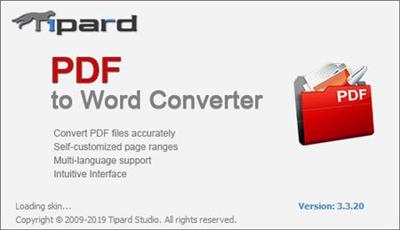
Tipard PDF to Word Converter is a type of stunning PDF converter and Word creator software which is able to change PDF files to Microsoft Word or RTF documents with high accuracy and at ultra-fast speed. The optional page range enables you to define any single page or page ranges to convert. With multiple languages for output selection, this conversion caters to all different areas' needs.
Accurately Convert any PDF to Word with OCR
PDF is the format with highest stability and accuracy among all text file formats to save. However, every coin has two sides. The shortage of PDF file is that it's not easy to edit and needs more professional PDF readers to preview. Also, some devices cannot support PDF reading, which caused much trouble to you with PDF file. But compared with PDF, Word is more applicable and easy to editable text format to use.
Fortunately, this PDF to Word Converter allows you to convert PDF file to Word or RTF format conveniently with the support of OCR on Windows 10/8/7/XP. It makes it easy to fulfill the conversion from any PDF to Word include Ms word 97-2003 (*.doc), Word 2007 (*.doc), Word 2010/2013 (*.doc) or .docx format as well as Rich Text Format (*.rtf). The configuration of OCR technology enables you to select conversion modes from Accuracy, Balance, speed and the accuracy mode extremely to improve the reorganization ratio to make the PDF to Word conversion more accurate and faster.
Humanely selecting page range and read/preview PDF document before conversion
As the best Adobe Acrobat alternative, this PDF to Word Converter is designed with humanized options and functions. Before converting the PDF file, free choose range from All Page, Current Page and Page options. You can select the page range, input or insert the page numbers as you want. You can also open and convert many PDF files at one time. You could use the preview function of the converter to confirm the desired pages before conversion starts. This is pretty useful in circumstances of file with too many pages while you just need a small part.
Best user experience
As professional and easy-to-use PDF to Word converter, Tipard PDF to Word Converter is devoted to provide you high quality conversion effect at super-high speed. It is designed with humanized options for you to choose. And the operation is easy enough for all users. Besides, the interface is pretty delicate and has four language versions for you to choose: English, French, German and Japanese. Being so considerate and friendly, we believe we can give you the best user experience that you ever have!
System Requirements:
OS Supported: Windows XP (SP2 or later), Windows Vista, Windows 7, Windows 8, Windows 10
CPU:1.2 GHz Intel or AMD CPU, or above
RAM: 1G RAM or higher recommended.
Home Page -
DOWNLOAD LINKS:
Tipard PDF to Word Converter 3.3.22 Multilingual (Portable) | 129 MB
Tipard PDF to Word Converter is a type of stunning PDF converter and Word creator software which is able to change PDF files to Microsoft Word or RTF documents with high accuracy and at ultra-fast speed. The optional page range enables you to define any single page or page ranges to convert. With multiple languages for output selection, this conversion caters to all different areas' needs.
Accurately Convert any PDF to Word with OCR
PDF is the format with highest stability and accuracy among all text file formats to save. However, every coin has two sides. The shortage of PDF file is that it's not easy to edit and needs more professional PDF readers to preview. Also, some devices cannot support PDF reading, which caused much trouble to you with PDF file. But compared with PDF, Word is more applicable and easy to editable text format to use.
Fortunately, this PDF to Word Converter allows you to convert PDF file to Word or RTF format conveniently with the support of OCR on Windows 10/8/7/XP. It makes it easy to fulfill the conversion from any PDF to Word include Ms word 97-2003 (*.doc), Word 2007 (*.doc), Word 2010/2013 (*.doc) or .docx format as well as Rich Text Format (*.rtf). The configuration of OCR technology enables you to select conversion modes from Accuracy, Balance, speed and the accuracy mode extremely to improve the reorganization ratio to make the PDF to Word conversion more accurate and faster.
Humanely selecting page range and read/preview PDF document before conversion
As the best Adobe Acrobat alternative, this PDF to Word Converter is designed with humanized options and functions. Before converting the PDF file, free choose range from All Page, Current Page and Page options. You can select the page range, input or insert the page numbers as you want. You can also open and convert many PDF files at one time. You could use the preview function of the converter to confirm the desired pages before conversion starts. This is pretty useful in circumstances of file with too many pages while you just need a small part.
Best user experience
As professional and easy-to-use PDF to Word converter, Tipard PDF to Word Converter is devoted to provide you high quality conversion effect at super-high speed. It is designed with humanized options for you to choose. And the operation is easy enough for all users. Besides, the interface is pretty delicate and has four language versions for you to choose: English, French, German and Japanese. Being so considerate and friendly, we believe we can give you the best user experience that you ever have!
System Requirements:
OS Supported: Windows XP (SP2 or later), Windows Vista, Windows 7, Windows 8, Windows 10
CPU:1.2 GHz Intel or AMD CPU, or above
RAM: 1G RAM or higher recommended.
Home Page -
DOWNLOAD LINKS: