



• Regeln für den Video-Bereich:

    In den Börsenbereich gehören nur Angebote die bereits den Allgemeinen Regeln entsprechen.

    Einteilung

    - Folgende Formate gehören in die angegeben Bereiche:
    - Filme: Encodierte Filme von BluRay, DVD, R5, TV, Screener sowie Telesyncs im Format DivX, XviD und x264.
    - DVD: Filme im Format DVD5, DVD9 und HD2DVD.
    - HD: Encodierte Filme mit der Auflösung 720p oder darüber von BluRay, DVD, R5, TV, Screener sowie Telesyncs im Format x264.
    - 3D: Encodierte Filme von BluRay, die in einem 3D Format vorliegen. Dies gilt auch für Dokus, Animation usw.
    - Serien: Cartoon/Zeichentrick, Anime, Tutorials, Dokumentationen, Konzerte/Musik, Sonstiges sind demnach in die entsprechenden Bereiche einzuordnen, auch wenn sie beispielsweise im High Definition-Format oder als DVD5/DVD9/HD2DVD vorliegen. Ausnahme 3D.
    - Bereich Englisch: Englische Releases gehören immer in diesen Bereich.
    - Bereich Talk: Der Bereich, in dem über die Releases diskutiert werden kann, darf, soll und erwünscht ist.


    Angebot/Beitrag erstellen

    - Ein Beitrag darf erst dann erstellt werden, wenn der Upload bei mindestens einem OCH komplett ist. Platzhalter sind untersagt.
    - Bei einem Scenerelease hat der Threadtitel ausschließlich aus dem originalen, unveränderten Releasenamen zu bestehen. Es dürfen keine Veränderungen wie z.B. Sterne, kleine Buchstaben o.ä. vorgenommen werden. Ausnahme Serienbörse:
    - Bei einem Sammelthread für eine Staffel entfällt aus dem Releasename natürlich der Name der Folge. Beispiel: Die Simpsons S21 German DVDRip XviD - ITG
    - Dementsprechend sind also u.a. verboten: Erweiterungen wie "Tipp", "empfehlenswert", "only", "reup", usw. / jegliche andere Zusatzinformation oder Ergänzung, welche nicht in obiger Beschreibung zu finden ist.

    Aufbau des Angebots und Threadtitel

    Der Titel nach folgendem Muster erstellt zu werden. <Name> [3D] [Staffel] [German] <Jahr> <Tonspur> [DL] [Auflösung] <Quelle> <Codec> - <Group>
    Beispiel: The Dark Knight German 2008 AC3 DVDRip XviD - iND
    Beispiel: The Dark Knight 2008 DTS DL BDRip x264 - iND
    Beispiel: The Dark Knight 2008 AC3 DL BDRip XviD - iND
    Beispiel: The Dark Knight German 2008 AC3 720p BluRay x264 iND
    Beispiel: The Dark Knight 2008 DTS DL 1080p BluRay x264 iND
    Beispiel: Die Simpsons S01 German AC3 DVDRip XviD iND
    Beispiel: Die Simpsons S20 German AC3 720p BluRay x264 iND
    Beispiel: Sword Art Online II Ger Sub 2014 AAC 1080p WEBRip x264 - peppermint
    Entsprechend sind also u.a. verboten: Sonderzeichen wie Klammern, Sterne, Ausrufezeichen, Unterstriche, Anführungszeichen / Erweiterungen wie "Tipp", "empfehlenswert", "only", "reup", usw. / jegliche andere Zusatzinformation oder Ergänzung, welche nicht in obiger Beschreibung zu finden ist
    Ausnahmen hiervon können in den Bereichen geregelt sein.

    Die Beiträge sollen wie folgt aufgebaut werden:
    Überschrift entspricht dem Threadtitel
    Cover
    kurze Inhaltsbeschreibung
    Format, Größe, Dauer sind gut lesbar für Downloader außerhalb des Spoilers zu vermerken
    Nfo sind immer Anzugeben und selbige immer im Spoiler in Textform.
    Sind keine Nfo vorhanden z.B. Eigenpublikationen, sind im Spoiler folgende Dateiinformationen zusätzlich anzugeben :
    Quelle
    Video (Auflösung und Bitrate)
    Ton (Sprache, Format und Bitrate der einzelnen Spuren)
    Untertitel (sofern vorhanden)
    Hosterangabe in Textform außerhalb eines Spoiler mit allen enthaltenen Hostern.
    Bei SD kann auf diese zusätzlichen Dateiinformationen verzichtet werden.

    Alle benötigten Passwörter sind, sofern vorhanden, in Textform im Angebot anzugeben.
    Spoiler im Spoiler mit Kommentaren :"Schon Bedankt?" sind unerwünscht.


    Releases

    - Sind Retail-Release verfügbar, sind alle anderen Variationen untersagt. Ausnahmen: Alle deutschen Retail-Release sind CUT, in diesem Fall sind dubbed UNCUT-Release zulässig.
    - Im Serien-Bereich gilt speziell: Wenn ein Retail vor Abschluss einer laufenden Staffel erscheint, darf diese Staffel noch zu Ende gebracht werden.62
    - Gleiche Releases sind unbedingt zusammenzufassen. Das bedeutet, es ist zwingend erforderlich, vor dem Erstellen eines Themas per Suchfunktion zu überprüfen, ob bereits ein Beitrag mit demselben Release besteht. Ist dies der Fall, ist der bereits vorhandene Beitrag zu verwenden.
    - P2P und Scene Releases dürfen nicht verändert oder gar unter einem iND Tag eingestellt werden.


    Support, Diskussionen und Suche

    - Supportanfragen sind entweder per PN oder im Bereich Talk zu stellen.
    - Diskussionen und Bewertungen sind im Talk Bereich zu führen. Fragen an die Uploader haben ausschließlich via PN zu erfolgen, und sind in den Angeboten untersagt.
    - Anfragen zu Upload-Wünschen sind nur im Bereich Suche Video erlaubt. Antworten dürfen nur auf Angebote von MyBoerse.bz verlinkt werden.


    Verbote

    - Untersagt sind mehrere Formate in einem einzigen Angebotsthread, wie beispielsweise das gleichzeitige Anbieten von DivX/XviD, 720p und 1080p in einem Thread. Pro Format, Release und Auflösung ist ein eigener Thread zu eröffnen.
    - Grundsätzlich ebenso verboten sind Dupes. Uploader haben sich an geeigneter Stelle darüber zu informieren, ob es sich bei einem Release um ein Dupe handelt.
    - Gefakte, nur teilweise lauffähige oder unvollständige Angebote sind untersagt. Dies gilt auch für eigene Publikationen, die augenscheinlich nicht selbst von z.B. einer DVD gerippt wurden. Laufende Serien, bei denen noch nicht alle Folgen verfügbar sind, dürfen erstellt und regelmäßig geupdatet werden.
    - Untersagt sind Angebote, welche nur und ausschließlich in einer anderen Sprache als deutsch oder englisch vorliegen. Ausnahmen sind VORHER mit den Moderatoren zu klären.


    Verstoß gegen die Regeln

    - Angebote oder Beiträge, die gegen die Forenregeln verstoßen, sind über den "Melden"-Button im Beitrag zu melden.
  • Bitte registriere dich zunächst um Beiträge zu verfassen und externe Links aufzurufen.

*** Bestes IPTV *** bester Preis *** gratis Test ***


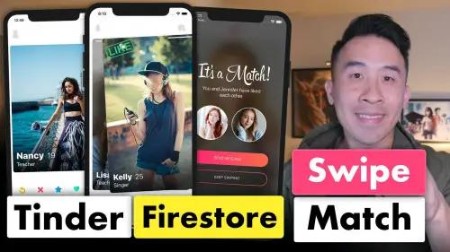
Tinder Firestore Swipe and Match with Brian Voong

vpsamz

MyBoerse.bz Pro Member
1huj7i.jpg


Tinder Firestore Swipe and Match with Brian Voong
WEBRip | English | MP4 + Project Files | 1920 x 1080 | AVC ~1295 Kbps | 59.940 fps
AAC | 137 Kbps | 48.0 KHz | 2 channels | 15:34:43 | 10.84 GB
Genre: Video Tutorial / Development, Programming

In this wonderful course, let's take an adventure into the land of creating a fun and interactive Swipe and Match user interface. In today's day and age of ****** applications, you're almost guaranteed to find this style of interaction.

To make the lessons in this course super easy to follow, we'll be starting from scratch by creating a brand new project. We'll tackle this project in the below steps:
- Lay out the main UI of our app
- Include a container for cards that can be swiped left and right
- Integrate UIPanGestureRecognizer to control swiping behavior
- Enable animations for swiping off screen and cards entering screen
- Integrate animations for matching likes

Content:

01. Overview
02. Build UI easily with Stack Views
03. View Encapsulation Architecture
04. Card View Drag_Drop with Pan Gesture
05. Rotational Transformation and Card Dismiss
06. Multiple Cards and User Model
07. Intro MVVM Card View Models
08. MVVM Summary and Advantages
09. Advertiser Model Protocol Oriented Programming
10. Gradient Layer and Animation Fix
11. Cycling Through User Photos
12. View Model View State Reactive Programming
13. Creating a Registration Page
14. Keyboard Management Notification Observers
15. Bonus Lesson - Size Class Landscape Layout
16. Registration View Model
17. Firebase Auth JGProgressHUD
18. Image Picker Bindable Image
19. Storage Image Upload Clean Code
20. Firestore Save Documents
21. Fetch Firestore Documents
22. Query Filtering
23. Pagination Data Fetch
24. Settings Header Image Buttons
25. Settings Form Rows
26. Fetch and Show User Info
27. Save Settings to Firestore
28. Save User Photos
29. Age Range Sliders
30. Save Settings Delegation
31. Login _ Logout Delegation
32. User Details Delegation
33. Stretchy Header UIScrollView
34. User Details and Blur Effect View
35. Intro PageViewController Photos
36. User Details Swiping Photos
37. Swiping Photo Bars
38. Default Ages Bug Fixes
39. Quick Image Load Fix
40. Configure Bottom Controls
41. CABasicAnimation Card Fixes
42. Save Swipe to Firestore
43. Detect Matches and Omit Swiped Cards
44. Initialize Match Animation
45. Gradient Buttons and Masked Layers
46. Keyframe Animation Segments
47. Matched User Images


21sjw9.png


ba9e1dbc141b62aaf54c5000e473227c.jpg

Tinder Firestore Swipe and Match with Brian Voong

WEBRip | English | MP4 + Project Files | 1920 x 1080 | AVC ~1295 Kbps | 59.940 fps
AAC | 137 Kbps | 48.0 KHz | 2 channels | 15:34:43 | 10.84 GB Genre: Video Tutorial / Development, Programming

To make the lessons in this course super easy to follow, we'll be starting from scratch by creating a brand new project. We'll tackle this project in the below steps:
- Lay out the main UI of our app
- Include a container for cards that can be swiped left and right
- Integrate UIPanGestureRecognizer to control swiping behavior
- Enable animations for swiping off screen and cards entering screen
- Integrate animations for matching likes

Content:

01. Overview
02. Build UI easily with Stack Views
03. View Encapsulation Architecture
04. Card View Drag_Drop with Pan Gesture
05. Rotational Transformation and Card Dismiss
06. Multiple Cards and User Model
07. Intro MVVM Card View Models
08. MVVM Summary and Advantages
09. Advertiser Model Protocol Oriented Programming
10. Gradient Layer and Animation Fix
11. Cycling Through User Photos
12. View Model View State Reactive Programming
13. Creating a Registration Page
14. Keyboard Management Notification Observers
15. Bonus Lesson - Size Class Landscape Layout
16. Registration View Model
17. Firebase Auth JGProgressHUD
18. Image Picker Bindable Image
19. Storage Image Upload Clean Code
20. Firestore Save Documents
21. Fetch Firestore Documents
22. Query Filtering
23. Pagination Data Fetch
24. Settings Header Image Buttons
25. Settings Form Rows
26. Fetch and Show User Info
27. Save Settings to Firestore
28. Save User Photos
29. Age Range Sliders
30. Save Settings Delegation
31. Login _ Logout Delegation
32. User Details Delegation
33. Stretchy Header UIScrollView
34. User Details and Blur Effect View
35. Intro PageViewController Photos
36. User Details Swiping Photos
37. Swiping Photo Bars
38. Default Ages Bug Fixes
39. Quick Image Load Fix
40. Configure Bottom Controls
41. CABasicAnimation Card Fixes
42. Save Swipe to Firestore
43. Detect Matches and Omit Swiped Cards
44. Initialize Match Animation
45. Gradient Buttons and Masked Layers
46. Keyframe Animation Segments
47. Matched User Images

also You can find my other useful:

General
Complete name : 22. Query Filtering.mp4
Format : MPEG-4
Format profile : Base Media / Version 2
Codec ID : mp42 (mp42/mp41/isom/avc1)
File size : 153 MiB
Duration : 14 min 53 s
Overall bit rate mode : Variable
Overall bit rate : 1 439 kb/s
Encoded date : UTC 2018-11-17 23:06:48
Tagged date : UTC 2018-11-17 23:06:48

Video
ID : 1
Format : AVC
Format/Info : Advanced Video Codec
Format profile : [email protected]
Format settings : CABAC / 5 Ref Frames
Format settings, CABAC : Yes
Format settings, RefFrames : 5 frames
Codec ID : avc1
Codec ID/Info : Advanced Video Coding
Duration : 14 min 53 s
Bit rate : 1 295 kb/s
Width : 1 920 pixels
Height : 1 080 pixels
Display aspect ratio : 16:9
Frame rate mode : Constant
Frame rate : 59.940 (60000/1001) FPS
Color space : YUV
Chroma subsampling : 4:2:0
Bit depth : 8 bits
Scan type : Progressive
Bits/(Pixel*Frame) : 0.010
Stream size : 138 MiB (90%)
Writing library : x264 core 157 r10 545de2f
Encoding settings : cabac=1 / ref=5 / deblock=1:0:0 / analyse=0x3:0x113 / me=hex / subme=8 / psy=1 / psy_rd=1.00:0.00 / mixed_ref=1 / me_range=16 / chroma_me=1 / trellis=2 / 8x8dct=1 / cqm=0 / deadzone=21,11 / fast_pskip=1 / chroma_qp_offset=-2 / threads=34 / lookahead_threads=5 / sliced_threads=0 / nr=0 / decimate=1 / interlaced=0 / bluray_compat=0 / stitchable=1 / constrained_intra=0 / bframes=3 / b_pyramid=2 / b_adapt=2 / b_bias=0 / direct=3 / weightb=1 / open_gop=0 / weightp=2 / keyint=infinite / keyint_min=59 / scenecut=40 / intra_refresh=0 / rc_lookahead=50 / rc=crf / mbtree=1 / crf=20.0 / qcomp=0.60 / qpmin=5 / qpmax=69 / qpstep=4 / vbv_maxrate=5500 / vbv_bufsize=15000 / crf_max=0.0 / nal_hrd=none / filler=0 / ip_ratio=1.40 / aq=1:1.00
Encoded date : UTC 2018-11-17 23:06:48
Tagged date : UTC 2018-11-17 23:06:48
Color range : Limited
Color primaries : BT.709
Transfer characteristics : BT.709
Matrix coefficients : BT.709

Audio
ID : 2
Format : AAC
Format/Info : Advanced Audio Codec
Format profile : LC
Codec ID : mp4a-40-2
Duration : 14 min 53 s
Bit rate mode : Variable
Bit rate : 137 kb/s
Channel(s) : 2 channels
Channel positions : Front: L R
Sampling rate : 48.0 kHz
Frame rate : 46.875 FPS (1024 SPF)
Compression mode : Lossy
Stream size : 14.6 MiB (10%)
Encoded date : UTC 2018-11-17 23:06:48
Tagged date : UTC 2018-11-17 23:06:48
Screenshots

✅ Exclusive eLearning Videos ← add to bookmarks

Feel free to contact me
when links are dead or want any repost

je8tZbFH_o.jpg

 
Zurück
Oben Unten