• Regeln für den Video-Bereich:

    In den Börsenbereich gehören nur Angebote die bereits den Allgemeinen Regeln entsprechen.

    Einteilung

    - Folgende Formate gehören in die angegeben Bereiche:
    - Filme: Encodierte Filme von BluRay, DVD, R5, TV, Screener sowie Telesyncs im Format DivX, XviD und x264.
    - DVD: Filme im Format DVD5, DVD9 und HD2DVD.
    - HD: Encodierte Filme mit der Auflösung 720p oder darüber von BluRay, DVD, R5, TV, Screener sowie Telesyncs im Format x264.
    - 3D: Encodierte Filme von BluRay, die in einem 3D Format vorliegen. Dies gilt auch für Dokus, Animation usw.
    - Serien: Cartoon/Zeichentrick, Anime, Tutorials, Dokumentationen, Konzerte/Musik, Sonstiges sind demnach in die entsprechenden Bereiche einzuordnen, auch wenn sie beispielsweise im High Definition-Format oder als DVD5/DVD9/HD2DVD vorliegen. Ausnahme 3D.
    - Bereich Englisch: Englische Releases gehören immer in diesen Bereich.
    - Bereich Talk: Der Bereich, in dem über die Releases diskutiert werden kann, darf, soll und erwünscht ist.


    Angebot/Beitrag erstellen

    - Ein Beitrag darf erst dann erstellt werden, wenn der Upload bei mindestens einem OCH komplett ist. Platzhalter sind untersagt.
    - Bei einem Scenerelease hat der Threadtitel ausschließlich aus dem originalen, unveränderten Releasenamen zu bestehen. Es dürfen keine Veränderungen wie z.B. Sterne, kleine Buchstaben o.ä. vorgenommen werden. Ausnahme Serienbörse:
    - Bei einem Sammelthread für eine Staffel entfällt aus dem Releasename natürlich der Name der Folge. Beispiel: Die Simpsons S21 German DVDRip XviD - ITG
    - Dementsprechend sind also u.a. verboten: Erweiterungen wie "Tipp", "empfehlenswert", "only", "reup", usw. / jegliche andere Zusatzinformation oder Ergänzung, welche nicht in obiger Beschreibung zu finden ist.

    Aufbau des Angebots und Threadtitel

    Der Titel nach folgendem Muster erstellt zu werden. <Name> [3D] [Staffel] [German] <Jahr> <Tonspur> [DL] [Auflösung] <Quelle> <Codec> - <Group>
    Beispiel: The Dark Knight German 2008 AC3 DVDRip XviD - iND
    Beispiel: The Dark Knight 2008 DTS DL BDRip x264 - iND
    Beispiel: The Dark Knight 2008 AC3 DL BDRip XviD - iND
    Beispiel: The Dark Knight German 2008 AC3 720p BluRay x264 iND
    Beispiel: The Dark Knight 2008 DTS DL 1080p BluRay x264 iND
    Beispiel: Die Simpsons S01 German AC3 DVDRip XviD iND
    Beispiel: Die Simpsons S20 German AC3 720p BluRay x264 iND
    Beispiel: Sword Art Online II Ger Sub 2014 AAC 1080p WEBRip x264 - peppermint
    Entsprechend sind also u.a. verboten: Sonderzeichen wie Klammern, Sterne, Ausrufezeichen, Unterstriche, Anführungszeichen / Erweiterungen wie "Tipp", "empfehlenswert", "only", "reup", usw. / jegliche andere Zusatzinformation oder Ergänzung, welche nicht in obiger Beschreibung zu finden ist
    Ausnahmen hiervon können in den Bereichen geregelt sein.

    Die Beiträge sollen wie folgt aufgebaut werden:
    Überschrift entspricht dem Threadtitel
    Cover
    kurze Inhaltsbeschreibung
    Format, Größe, Dauer sind gut lesbar für Downloader außerhalb des Spoilers zu vermerken
    Nfo sind immer Anzugeben und selbige immer im Spoiler in Textform.
    Sind keine Nfo vorhanden z.B. Eigenpublikationen, sind im Spoiler folgende Dateiinformationen zusätzlich anzugeben :
    Quelle
    Video (Auflösung und Bitrate)
    Ton (Sprache, Format und Bitrate der einzelnen Spuren)
    Untertitel (sofern vorhanden)
    Hosterangabe in Textform außerhalb eines Spoiler mit allen enthaltenen Hostern.
    Bei SD kann auf diese zusätzlichen Dateiinformationen verzichtet werden.

    Alle benötigten Passwörter sind, sofern vorhanden, in Textform im Angebot anzugeben.
    Spoiler im Spoiler mit Kommentaren :"Schon Bedankt?" sind unerwünscht.


    Releases

    - Sind Retail-Release verfügbar, sind alle anderen Variationen untersagt. Ausnahmen: Alle deutschen Retail-Release sind CUT, in diesem Fall sind dubbed UNCUT-Release zulässig.
    - Im Serien-Bereich gilt speziell: Wenn ein Retail vor Abschluss einer laufenden Staffel erscheint, darf diese Staffel noch zu Ende gebracht werden.62
    - Gleiche Releases sind unbedingt zusammenzufassen. Das bedeutet, es ist zwingend erforderlich, vor dem Erstellen eines Themas per Suchfunktion zu überprüfen, ob bereits ein Beitrag mit demselben Release besteht. Ist dies der Fall, ist der bereits vorhandene Beitrag zu verwenden.
    - P2P und Scene Releases dürfen nicht verändert oder gar unter einem iND Tag eingestellt werden.


    Support, Diskussionen und Suche

    - Supportanfragen sind entweder per PN oder im Bereich Talk zu stellen.
    - Diskussionen und Bewertungen sind im Talk Bereich zu führen. Fragen an die Uploader haben ausschließlich via PN zu erfolgen, und sind in den Angeboten untersagt.
    - Anfragen zu Upload-Wünschen sind nur im Bereich Suche Video erlaubt. Antworten dürfen nur auf Angebote von MyBoerse.bz verlinkt werden.


    Verbote

    - Untersagt sind mehrere Formate in einem einzigen Angebotsthread, wie beispielsweise das gleichzeitige Anbieten von DivX/XviD, 720p und 1080p in einem Thread. Pro Format, Release und Auflösung ist ein eigener Thread zu eröffnen.
    - Grundsätzlich ebenso verboten sind Dupes. Uploader haben sich an geeigneter Stelle darüber zu informieren, ob es sich bei einem Release um ein Dupe handelt.
    - Gefakte, nur teilweise lauffähige oder unvollständige Angebote sind untersagt. Dies gilt auch für eigene Publikationen, die augenscheinlich nicht selbst von z.B. einer DVD gerippt wurden. Laufende Serien, bei denen noch nicht alle Folgen verfügbar sind, dürfen erstellt und regelmäßig geupdatet werden.
    - Untersagt sind Angebote, welche nur und ausschließlich in einer anderen Sprache als deutsch oder englisch vorliegen. Ausnahmen sind VORHER mit den Moderatoren zu klären.


    Verstoß gegen die Regeln

    - Angebote oder Beiträge, die gegen die Forenregeln verstoßen, sind über den "Melden"-Button im Beitrag zu melden.
  • Bitte registriere dich zunächst um Beiträge zu verfassen und externe Links aufzurufen.


The Complete Android 16 Developer Course [Part 5] - Pos App

babymore87

MyBoerse.bz Pro Member
0dbc5bf7e8c26b21833a5956abf5f702.webp

The Complete Android 16 Developer Course [Part 5] - Pos App
Published 8/2026
MP4 | Video: h264, 1920x1080 | Audio: AAC, 44.1 KHz
Language: English | Size: 9.43 GB | Duration: 12h 15m
Build a production-ready electronics POS app with Kotlin, Jetpack Compose, Room, MVVM and Clean Architecture.

What you'll learn
Build a complete, real-world Point of Sale app from scratch with Kotlin and Jetpack Compose
Scan barcodes and QR codes with CameraX and ML Kit to add items to the cart instantly
Structure a production-ready app with MVVM and Clean Architecture & Repositories
Manage complex UI state with ViewModel, StateFlow, and unidirectional data flow so the cart stays in sync across screens
Store products, categories & orders offline with Room so the app keeps selling without internet
Implement a full checkout flow with quantities, discounts, taxes, multiple payment methods, and change calculation
Build inventory management with stock tracking, low-stock alerts, and product images
Create sales reports and dashboards with charts, filtered by date, cashier, and payment method
Handle admin and cashier roles with login, permissions, and session management
Navigate between screens using Compose Navigation with type-safe arguments and nested graphs
Requirements
Nothing, Just your Laptop!
Description
Stop building small demo apps. Build an Android application a real business could use.In Part 5 of The Complete Android 16 Developer Course, you'll build a complete Point of Sale system from scratch using Kotlin and Jetpack Compose.This isn't a simplified checkout screen or another disconnected tutorial project. You'll create a production-style electronics retail POS app with a responsive product catalog, live shopping cart, checkout workflow, inventory management, receipt generation, offline storage and sales analytics.The product catalog includes smartphones, gaming consoles, computers, GPUs, laptops, accessories and other electronics-giving you a realistic project that looks impressive in a professional portfolio.WHAT YOU'LL BUILDA fast, responsive electronics product catalogProduct search, filtering and category navigationA live shopping cart managed through a ViewModelQuantity controls and automatic total calculationsDiscounts, taxes and checkout validationMultiple and partial payment scenariosOffline-first storage with Room DatabaseInventory and stock managementOut-of-stock protectionReceipt generationRefund and transaction handlingA sales and analytics dashboardClean navigation between application screensLoading, empty and error statesWHAT YOU'LL LEARNYou'll learn how the parts of a modern Android application work together-not just how to create individual Compose components.You'll understand:How to structure a scalable Android projectHow MVVM separates UI, state and business logicWhy cart state belongs in a ViewModelHow StateFlow keeps Compose screens reactiveHow repositories connect Room to the rest of the appHow to model products, orders, payments and inventoryHow to handle real-world checkout edge casesHow to build reusable Material 3 componentsHow to keep a growing codebase maintainableHow to design an application that works without an internet connectionTECHNOLOGIES USEDKotlinAndroid 16Jetpack ComposeMaterial 3Room DatabaseHilt dependency injectionMVVMClean ArchitectureKotlin CoroutinesStateFlowCompose NavigationHOW THE COURSE WORKSWe build the application together, one feature at a time. Every architectural decision is explained, and every important line of code is written during the course.There are no unexplained starter projects, large copy-pasted sections or sudden jumps to finished code. You'll see how the application grows from an empty project into a complete POS system.Who this course is forThis course is ideal for:Android developers ready to move beyond beginner projectsStudents who want a strong portfolio applicationKotlin developers learning production-style Android architectureFreelancers interested in creating software for local businessesDevelopers who want practical experience with Compose, Room and MVVMStudents who completed Parts 1-4 of this seriesRequirementsYou should understand Kotlin fundamentals and have basic familiarity with Jetpack Compose.If you completed Parts 1-4 of The Complete Android 16 Developer Course, you're ready to begin. Developers joining from elsewhere with equivalent Kotlin and Compose experience will also be able to follow along.BY THE END OF THE COURSEYou'll have a complete, portfolio-ready Point of Sale application and a much deeper understanding of how professional Android apps are planned, structured and built.More importantly, you'll develop the architectural confidence to create your next application without depending on step-by-step tutorials.Enroll now and build the Android project that proves you can ship real software.
Android developers who know Kotlin basics but have never built a complete, commercial-grade app from start to finish,Students who finished Parts 1-4 of this series and are ready to put everything together in one real project,Developers stuck in tutorial hell - you can follow along with small demos, but freeze when facing a full app with real Requirements,Freelancers and indie developers who want a sellable app they can customize for shops, cafés, and small businesses
Homepage

Recommend Download Link Hight Speed | Please Say Thanks Keep Topic Live
No Password - Links are Interchangeable

 

784236530_yxusj-f464mdl464ys.jpg

The Complete Android 16 Developer Course [Part 5] - POS App
MP4 | Video: h264, 1920x1080 | Audio: AAC, 44.1 KHz, 2 Ch
Genre: eLearning | Language: English (US) | Duration: 12.5 h | Size: 9.43 GB​

Stop building small demo apps. Build an Android application a real business could use.
In Part 5 of The Complete Android 16 Developer Course, you'll build a complete Point of Sale system from scratch using Kotlin and Jetpack Compose.
This isn't a simplified checkout screen or another disconnected tutorial project. You'll create a production-style electronics retail POS app with a responsive product catalog, live shopping cart, checkout workflow, inventory management, receipt generation, offline storage and sales analytics.
The product catalog includes smartphones, gaming consoles, computers, GPUs, laptops, accessories and other electronics-giving you a realistic project that looks impressive in a professional portfolio.
WHAT YOU'LL BUILD

A fast, responsive electronics product catalog

Product search, filtering and category navigation

A live shopping cart managed through a ViewModel

Quantity controls and automatic total calculations

Discounts, taxes and checkout validation

Multiple and partial payment scenarios

Offline-first storage with Room Database

Inventory and stock management

Out-of-stock protection

Receipt generation

Refund and transaction handling

A sales and analytics dashboard

Clean navigation between application screens

Loading, empty and error states
WHAT YOU'LL LEARN
You'll learn how the parts of a modern Android application work together-not just how to create individual Compose components.
You'll understand:

How to structure a scalable Android project

How MVVM separates UI, state and business logic

Why cart state belongs in a ViewModel

How StateFlow keeps Compose screens reactive

How repositories connect Room to the rest of the app

How to model products, orders, payments and inventory

How to handle real-world checkout edge cases

How to build reusable Material 3 components

How to keep a growing codebase maintainable

How to design an application that works without an internet connection
TECHNOLOGIES USED

Kotlin

Android 16

Jetpack Compose

Material 3

Room Database

Hilt dependency injection

MVVM

Clean Architecture

Kotlin Coroutines

StateFlow

Compose Navigation
HOW THE COURSE WORKS
We build the application together, one feature at a time. Every architectural decision is explained, and every important line of code is written during the course.
There are no unexplained starter projects, large copy-pasted sections or sudden jumps to finished code. You'll see how the application grows from an empty project into a complete POS system.
WHO THIS COURSE IS FOR
This course is ideal for:

Android developers ready to move beyond beginner projects

Students who want a strong portfolio application

Kotlin developers learning production-style Android architecture

Freelancers interested in creating software for local businesses

Developers who want practical experience with Compose, Room and MVVM

Students who completed Parts 1-4 of this series
REQUIREMENTS
You should understand Kotlin fundamentals and have basic familiarity with Jetpack Compose.
If you completed Parts 1-4 of The Complete Android 16 Developer Course, you're ready to begin. Developers joining from elsewhere with equivalent Kotlin and Compose experience will also be able to follow along.
BY THE END OF THE COURSE
You'll have a complete, portfolio-ready Point of Sale application and a much deeper understanding of how professional Android apps are planned, structured and built.
More importantly, you'll develop the architectural confidence to create your next application without depending on step-by-step tutorials.
Enroll now and build the Android project that proves you can ship real software.


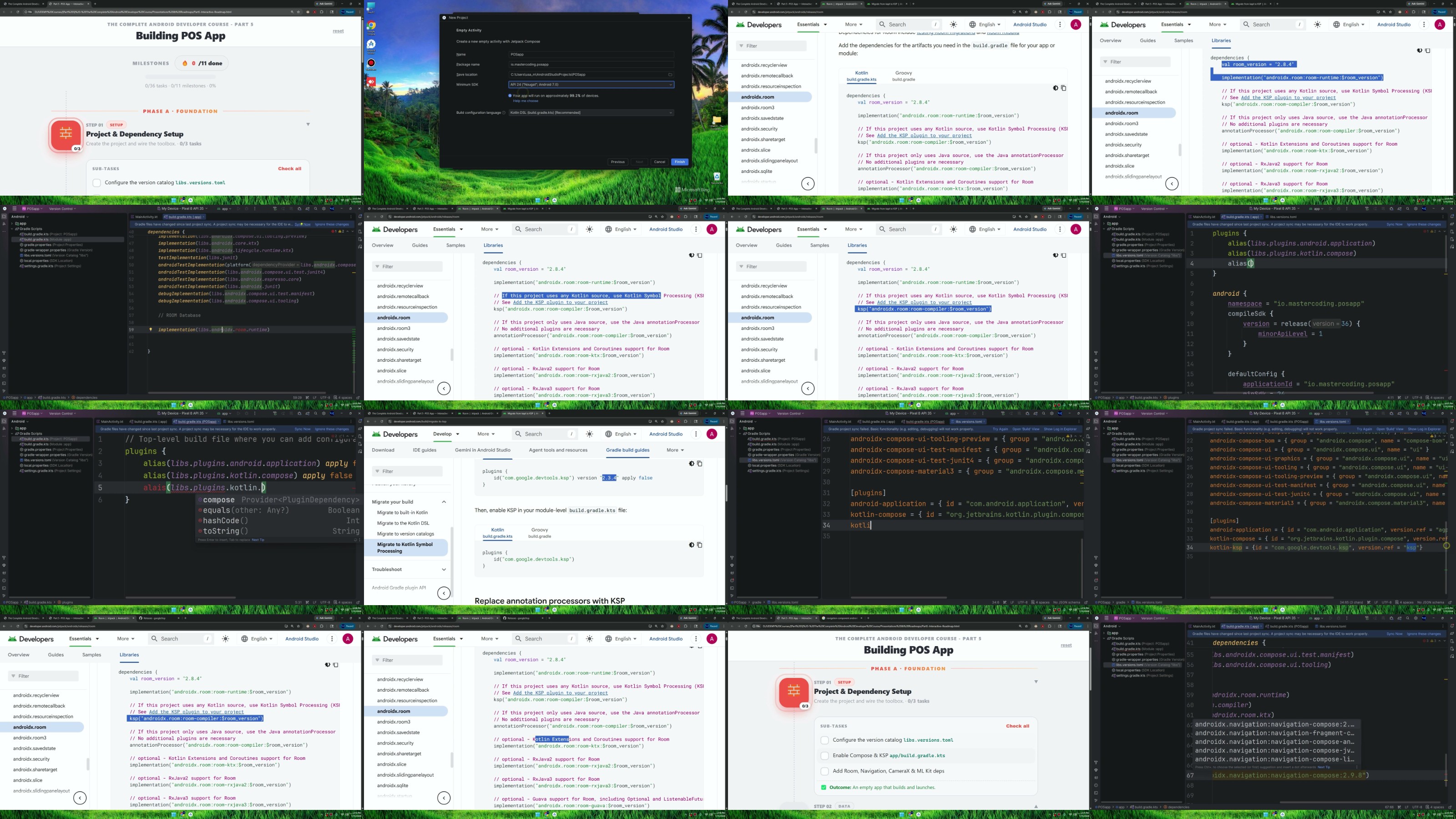
yxusj-2-Adding-Room-Ksp-Nav-Libraries.jpg

784236625_yxusj-iv504i9faz42.jpg

 
Zurück
Oben Unten