• Regeln für den Video-Bereich:

    In den Börsenbereich gehören nur Angebote die bereits den Allgemeinen Regeln entsprechen.

    Einteilung

    - Folgende Formate gehören in die angegeben Bereiche:
    - Filme: Encodierte Filme von BluRay, DVD, R5, TV, Screener sowie Telesyncs im Format DivX, XviD und x264.
    - DVD: Filme im Format DVD5, DVD9 und HD2DVD.
    - HD: Encodierte Filme mit der Auflösung 720p oder darüber von BluRay, DVD, R5, TV, Screener sowie Telesyncs im Format x264.
    - 3D: Encodierte Filme von BluRay, die in einem 3D Format vorliegen. Dies gilt auch für Dokus, Animation usw.
    - Serien: Cartoon/Zeichentrick, Anime, Tutorials, Dokumentationen, Konzerte/Musik, Sonstiges sind demnach in die entsprechenden Bereiche einzuordnen, auch wenn sie beispielsweise im High Definition-Format oder als DVD5/DVD9/HD2DVD vorliegen. Ausnahme 3D.
    - Bereich Englisch: Englische Releases gehören immer in diesen Bereich.
    - Bereich Talk: Der Bereich, in dem über die Releases diskutiert werden kann, darf, soll und erwünscht ist.


    Angebot/Beitrag erstellen

    - Ein Beitrag darf erst dann erstellt werden, wenn der Upload bei mindestens einem OCH komplett ist. Platzhalter sind untersagt.
    - Bei einem Scenerelease hat der Threadtitel ausschließlich aus dem originalen, unveränderten Releasenamen zu bestehen. Es dürfen keine Veränderungen wie z.B. Sterne, kleine Buchstaben o.ä. vorgenommen werden. Ausnahme Serienbörse:
    - Bei einem Sammelthread für eine Staffel entfällt aus dem Releasename natürlich der Name der Folge. Beispiel: Die Simpsons S21 German DVDRip XviD - ITG
    - Dementsprechend sind also u.a. verboten: Erweiterungen wie "Tipp", "empfehlenswert", "only", "reup", usw. / jegliche andere Zusatzinformation oder Ergänzung, welche nicht in obiger Beschreibung zu finden ist.

    Aufbau des Angebots und Threadtitel

    Der Titel nach folgendem Muster erstellt zu werden. <Name> [3D] [Staffel] [German] <Jahr> <Tonspur> [DL] [Auflösung] <Quelle> <Codec> - <Group>
    Beispiel: The Dark Knight German 2008 AC3 DVDRip XviD - iND
    Beispiel: The Dark Knight 2008 DTS DL BDRip x264 - iND
    Beispiel: The Dark Knight 2008 AC3 DL BDRip XviD - iND
    Beispiel: The Dark Knight German 2008 AC3 720p BluRay x264 iND
    Beispiel: The Dark Knight 2008 DTS DL 1080p BluRay x264 iND
    Beispiel: Die Simpsons S01 German AC3 DVDRip XviD iND
    Beispiel: Die Simpsons S20 German AC3 720p BluRay x264 iND
    Beispiel: Sword Art Online II Ger Sub 2014 AAC 1080p WEBRip x264 - peppermint
    Entsprechend sind also u.a. verboten: Sonderzeichen wie Klammern, Sterne, Ausrufezeichen, Unterstriche, Anführungszeichen / Erweiterungen wie "Tipp", "empfehlenswert", "only", "reup", usw. / jegliche andere Zusatzinformation oder Ergänzung, welche nicht in obiger Beschreibung zu finden ist
    Ausnahmen hiervon können in den Bereichen geregelt sein.

    Die Beiträge sollen wie folgt aufgebaut werden:
    Überschrift entspricht dem Threadtitel
    Cover
    kurze Inhaltsbeschreibung
    Format, Größe, Dauer sind gut lesbar für Downloader außerhalb des Spoilers zu vermerken
    Nfo sind immer Anzugeben und selbige immer im Spoiler in Textform.
    Sind keine Nfo vorhanden z.B. Eigenpublikationen, sind im Spoiler folgende Dateiinformationen zusätzlich anzugeben :
    Quelle
    Video (Auflösung und Bitrate)
    Ton (Sprache, Format und Bitrate der einzelnen Spuren)
    Untertitel (sofern vorhanden)
    Hosterangabe in Textform außerhalb eines Spoiler mit allen enthaltenen Hostern.
    Bei SD kann auf diese zusätzlichen Dateiinformationen verzichtet werden.

    Alle benötigten Passwörter sind, sofern vorhanden, in Textform im Angebot anzugeben.
    Spoiler im Spoiler mit Kommentaren :"Schon Bedankt?" sind unerwünscht.


    Releases

    - Sind Retail-Release verfügbar, sind alle anderen Variationen untersagt. Ausnahmen: Alle deutschen Retail-Release sind CUT, in diesem Fall sind dubbed UNCUT-Release zulässig.
    - Im Serien-Bereich gilt speziell: Wenn ein Retail vor Abschluss einer laufenden Staffel erscheint, darf diese Staffel noch zu Ende gebracht werden.62
    - Gleiche Releases sind unbedingt zusammenzufassen. Das bedeutet, es ist zwingend erforderlich, vor dem Erstellen eines Themas per Suchfunktion zu überprüfen, ob bereits ein Beitrag mit demselben Release besteht. Ist dies der Fall, ist der bereits vorhandene Beitrag zu verwenden.
    - P2P und Scene Releases dürfen nicht verändert oder gar unter einem iND Tag eingestellt werden.


    Support, Diskussionen und Suche

    - Supportanfragen sind entweder per PN oder im Bereich Talk zu stellen.
    - Diskussionen und Bewertungen sind im Talk Bereich zu führen. Fragen an die Uploader haben ausschließlich via PN zu erfolgen, und sind in den Angeboten untersagt.
    - Anfragen zu Upload-Wünschen sind nur im Bereich Suche Video erlaubt. Antworten dürfen nur auf Angebote von MyBoerse.bz verlinkt werden.


    Verbote

    - Untersagt sind mehrere Formate in einem einzigen Angebotsthread, wie beispielsweise das gleichzeitige Anbieten von DivX/XviD, 720p und 1080p in einem Thread. Pro Format, Release und Auflösung ist ein eigener Thread zu eröffnen.
    - Grundsätzlich ebenso verboten sind Dupes. Uploader haben sich an geeigneter Stelle darüber zu informieren, ob es sich bei einem Release um ein Dupe handelt.
    - Gefakte, nur teilweise lauffähige oder unvollständige Angebote sind untersagt. Dies gilt auch für eigene Publikationen, die augenscheinlich nicht selbst von z.B. einer DVD gerippt wurden. Laufende Serien, bei denen noch nicht alle Folgen verfügbar sind, dürfen erstellt und regelmäßig geupdatet werden.
    - Untersagt sind Angebote, welche nur und ausschließlich in einer anderen Sprache als deutsch oder englisch vorliegen. Ausnahmen sind VORHER mit den Moderatoren zu klären.


    Verstoß gegen die Regeln

    - Angebote oder Beiträge, die gegen die Forenregeln verstoßen, sind über den "Melden"-Button im Beitrag zu melden.
  • Bitte registriere dich zunächst um Beiträge zu verfassen und externe Links aufzurufen.

*** Bestes IPTV *** bester Preis *** gratis Test ***


Terraform on Azure with IaC DevOps SRE | Real-World 25 Demos

Srbin

MyBoerse.bz Pro Member
406131880892oejto.jpg


Terraform on Azure with IaC DevOps SRE | Real-World 25 Demos
MP4 | Video: h264, 1280x720 | Audio: AAC, 44.1 KHz, 2 Ch
Genre: eLearning | Language: English | Duration: 195 lectures (30h 31m) | Size: 13.5 GB

Load Balancer, Application Gateway, Traffic Manager, VM, VMSS, Azure DevOps, MySQL Server, DNS Zones, IaC, NAT Gateway

What you'll learn:
You will learn to master Terraform in a Real-world perspective with 25 demo's on Azure Cloud with 20+ Azure Services and 30+ Terraform Concepts
You will build Azure Virtual Network 4-Tier design with Subnets and Network Security Groups
You will build infrastructure incrementally on Azure Cloud from simple VM to complex designs like load balancing across regions using Azure Traffic Manager with
You will build Standard Load Balancer External and Internal with Inbound NAT Rules using Terraform
You will learn and build Virtual Machine Scale Sets Manual and Autoscaling Profile concepts like default, recurrence and Fixed Time profiles with Terraform
You will build Azure Public and Private DNS Zones using Terraform
You will implement IaC DevOps usecase using Azure DevOps Build and Release Pipleines for your Terraform Configurations
You will build Azure Application Gateway usecases like Context Path Routing, Mutlsite Hosting, SSL, HTTP to HTTPS Redirect and AG Error Pages
You will build a DNS to DB usecase with Azure MySQL Single Server with Virtual Network Rules and Service Endpoint concepts in Azure
You will learn in detail about Terrafrom State, Local and Remote Backends.
You will learn and implement all Terraform Provisioners
You will learn and implement Terraform Modules with 2 types (Public Modules and Local Modules) and also publish a module to Terraform Public Registry
You will implement Terraform Remote State Datasource concept for Load balancing across regions using Azure Traffic Manager and Azure Standard Load Balancer

Requirements
You must have an Azure Cloud account to follow with me for hands-on activities.
You don't need to have any basic knowledge of Terraform. Course will get started from very very basics of Terraform and take you to very advanced levels
From Azure cloud perspective, also for complex topics like Standard Load Balancer, Application Gateway, Virtual Machine Scale Sets, we first implemnt via Azure Portal and then automate them via Terraform.


Description
******* Course Overview *******

Welcome to this Amazing course on Terraform on Azure with IaC DevOps SRE | Real-World 25 Demos. Below is the list of modules covered in this course.

Course Modules

01. Infrastructure as Code (IaC)

02. Install Tools on MacOs, LinuxOS and WindowsOS

03. Command Basics

04. Language Syntax

05. Settings Block

06. Providers Block

07. Multiple Providers usage

08. Dependency Lock File Importance

09. Resources Syntax and Behavior

10. Azure Virtual Network, Subnets and Network Security Groups

11. Azure Linux Virtual Machine, Network Interfaces and Public IP

12. Azure Bastion Host Linux VM and Azure Bastion Service

13. Azure Standard Load Balancer using Portal

14. Azure Standard Load Balancer Basics

15. Azure Standard Load Balancer - Inbound NAT Rules

16. Terraform Meta-Argument Count with Azure LB and VMs

17. Terraform Meta-Argument for_each with Azure LB and VMs

18. Azure Virtual Machine Scale Sets Basics - Manual Scaling

19. Azure Virtual Machine Scale Sets Basics - Auto Scaling 4 Profiles

20. Azure Internet LB + Web VMSS + Internal LB + App VMSS

21. Azure Private DNS Zones

22. Delegate DNS Domain to Azure DNS

23. Azure Public DNS Zones

24. Terraform Remote State Storage using Azure Storage Account

25. Azure Traffic Manager and Terraform Remote State Datasource

26. Azure Application Gateway using Azure Portal

27. Azure Application Gateway using Terraform

28. Azure Application Gateway Context Path Routing using Terraform

29. Azure Application Gateway Multisite Hosting using Terraform

30. Azure Application Gateway SSL + HTTP to HTTPS Redirect + AG Error Pages

31. Azure Application Gateway SSL from Azure Key Vault using Terraform

32. Azure DevOps for Terraform Projects - IaC (Infrastructure as Code) DevOps

33. Azure MySQL Single Server with Terraform

34. Terraform Modules - Use Public Registry Module

35. Terraform Azure Static Website

36. Terraform Modules - Build Local Terraform Module

37. Terraform Modules - Publish to Terraform Public Registry

38. Terraform Module Sources

Azure Services

01. Resource Group

02. Virtual Network

03. Subnets

04. Network Security Groups

05. Virtual Machines

06. Network Interfaces

07. Public IPs

08. Load Balancer - Internet and Internal

09. Traffic Manager

11. Virtual Machine Scale Sets

12. Autoscaling

13. Private DNS Zones

14. Public DNS Zones

15. Application Gateway

16. Storage Accounts

17. Azure DevOps - Build Pipelines

18. Azure DevOps - Release Pipelines

19. Azure MySQL Single Server

20. Azure NAT Gateway

Terraform Concepts covered

01. Settings Block

02. Providers Block

03. Multiple Providers usage

04. Dependency Lock File Importance

05. Resources Syntax and Behavior

06. Resources Meta-Argument - depends_on

07. Resources Meta-Argument - count

08. Resources Meta-Argument - for_each

09. Resources Meta-Argument - lifecycle

10. Input Variables - Basics

11. Input Variables - Assign When Prompted

12. Input Variables - Assign with terraform.tfvars

13. Input Variables - Assign with tfvars var-file argument

14. Input Variables - Assign with auto tfvars

15. Input Variables - Lists

16. Input Variables - Maps

17. Input Variables - Sensitive Input Variables

18. File Function

19. Output Values

20. Local Values

21. Datasources

22. Backends - Remote State Storage

23. File Provisioner

24. remote-exec Provisioner

25. Null Resource

26. Modules from Public Registry

27. Build Local Module

28. Dynamic Blocks

29. base64encode function

30. filebase64 function

31. element function

32. lookup function

33. Remote State Datasource

Who this course is for
Infrastructure Architects or Sysadmins or Developers who are planning to master Terraform from Real-World perspective on Azure Cloud
Any beginner who is interested in learning IaC Infrastructure as Code current trending tool Terraform
Anyone who want to implement IaC DevOps on Azure DevOps using Build and Release Pipelines

Homepage
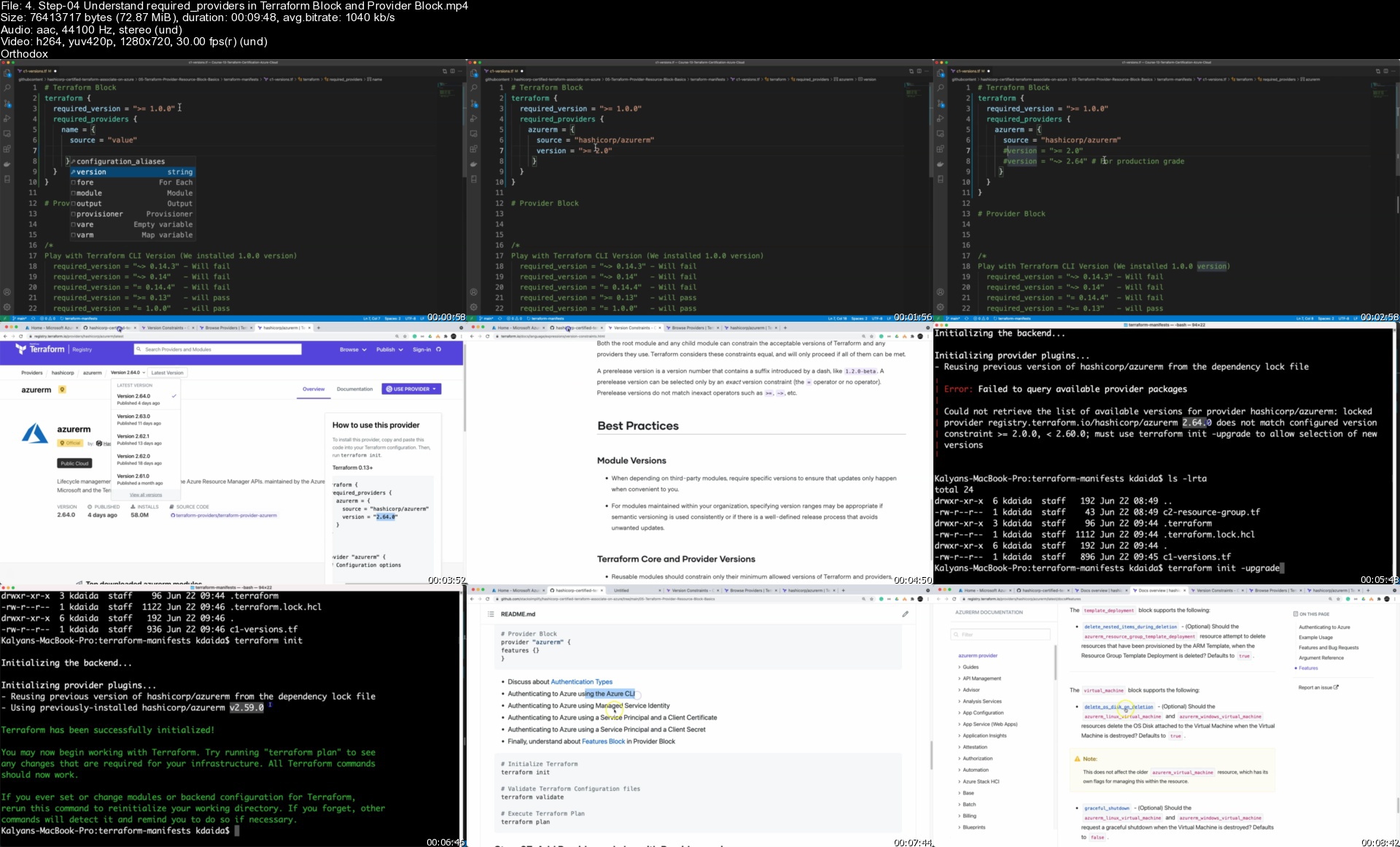

4.step04understandreqdckv5.jpg


692598828_yxusj-mek3a05j4s57.jpg

Terraform On Azure With Iac Devops Sre | Real-World 25 Demos
Last updated 4/2023
MP4 | Video: h264, 1280x720 | Audio: AAC, 44.1 KHz
Language: English (US) | Size: 19.89 GB | Duration: 30h 30m​

Load Balancer, Application Gateway, Traffic Manager, VM, VMSS, Azure DevOps, MySQL Server, DNS Zones, IaC, NAT Gateway

What you'll learn
You will learn to master Terraform in a Real-world perspective with 25 demo's on Azure Cloud with 20+ Azure Services and 30+ Terraform Concepts
You will build Azure Virtual Network 4-Tier design with Subnets and Network Security Groups
You will build infrastructure incrementally on Azure Cloud from simple VM to complex designs like load balancing across regions using Azure Traffic Manager with
You will build Standard Load Balancer External and Internal with Inbound NAT Rules using Terraform
You will learn and build Virtual Machine Scale Sets Manual and Autoscaling Profile concepts like default, recurrence and Fixed Time profiles with Terraform
You will build Azure Public and Private DNS Zones using Terraform
You will implement IaC DevOps usecase using Azure DevOps Build and Release Pipleines for your Terraform Configurations
You will build Azure Application Gateway usecases like Context Path Routing, Mutlsite Hosting, SSL, HTTP to HTTPS Redirect and AG Error Pages
You will build a DNS to DB usecase with Azure MySQL Single Server with Virtual Network Rules and Service Endpoint concepts in Azure
You will learn in detail about Terrafrom State, Local and Remote Backends.
You will learn and implement all Terraform Provisioners
You will learn and implement Terraform Modules with 2 types (Public Modules and Local Modules) and also publish a module to Terraform Public Registry
You will implement Terraform Remote State Datasource concept for Load balancing across regions using Azure Traffic Manager and Azure Standard Load Balancer

Requirements
You must have an Azure Cloud account to follow with me for hands-on activities.
You don't need to have any basic knowledge of Terraform. Course will get started from very very basics of Terraform and take you to very advanced levels
From Azure cloud perspective, also for complex topics like Standard Load Balancer, Application Gateway, Virtual Machine Scale Sets, we first implemnt via Azure Portal and then automate them via Terraform.

Description
******* Course Overview *******Welcome to this Amazing course on Terraform on Azure with IaC DevOps SRE | Real-World 25 Demos. Below is the list of modules covered in this course. Course Modules01. Infrastructure as Code (IaC)02. Install Tools on MacOs, LinuxOS and WindowsOS03. Command Basics04. Language Syntax05. Settings Block06. Providers Block07. Multiple Providers usage08. Dependency Lock File Importance09. Resources Syntax and Behavior10. Azure Virtual Network, Subnets and Network Security Groups11. Azure Linux Virtual Machine, Network Interfaces and Public IP12. Azure Bastion Host Linux VM and Azure Bastion Service13. Azure Standard Load Balancer using Portal14. Azure Standard Load Balancer Basics 15. Azure Standard Load Balancer - Inbound NAT Rules16. Terraform Meta-Argument Count with Azure LB and VMs17. Terraform Meta-Argument for_each with Azure LB and VMs18. Azure Virtual Machine Scale Sets Basics - Manual Scaling19. Azure Virtual Machine Scale Sets Basics - Auto Scaling 4 Profiles20. Azure Internet LB + Web VMSS + Internal LB + App VMSS21. Azure Private DNS Zones22. Delegate DNS Domain to Azure DNS23. Azure Public DNS Zones24. Terraform Remote State Storage using Azure Storage Account25. Azure Traffic Manager and Terraform Remote State Datasource26. Azure Application Gateway using Azure Portal27. Azure Application Gateway using Terraform28. Azure Application Gateway Context Path Routing using Terraform29. Azure Application Gateway Multisite Hosting using Terraform30. Azure Application Gateway SSL + HTTP to HTTPS Redirect + AG Error Pages31. Azure Application Gateway SSL from Azure Key Vault using Terraform32. Azure DevOps for Terraform Projects - IaC (Infrastructure as Code) DevOps33. Azure MySQL Single Server with Terraform34. Terraform Modules - Use Public Registry Module35. Terraform Azure Static Website36. Terraform Modules - Build Local Terraform Module37. Terraform Modules - Publish to Terraform Public Registry38. Terraform Module SourcesAzure Services01. Resource Group02. Virtual Network03. Subnets04. Network Security Groups05. Virtual Machines06. Network Interfaces07. Public IPs08. Load Balancer - Internet and Internal09. Traffic Manager11. Virtual Machine Scale Sets 12. Autoscaling13. Private DNS Zones14. Public DNS Zones15. Application Gateway16. Storage Accounts17. Azure DevOps - Build Pipelines18. Azure DevOps - Release Pipelines19. Azure MySQL Single Server20. Azure NAT Gateway Terraform Concepts covered01. Settings Block02. Providers Block03. Multiple Providers usage04. Dependency Lock File Importance05. Resources Syntax and Behavior06. Resources Meta-Argument - depends_on07. Resources Meta-Argument - count08. Resources Meta-Argument - for_each09. Resources Meta-Argument - lifecycle10. Input Variables - Basics11. Input Variables - Assign When Prompted12. Input Variables - Assign with terraform.tfvars13. Input Variables - Assign with tfvars var-file argument14. Input Variables - Assign with auto tfvars15. Input Variables - Lists16. Input Variables - Maps17. Input Variables - Sensitive Input Variables18. File Function19. Output Values20. Local Values21. Datasources22. Backends - Remote State Storage23. File Provisioner24. remote-exec Provisioner25. Null Resource26. Modules from Public Registry27. Build Local Module28. Dynamic Blocks29. base64encode function30. filebase64 function31. element function32. lookup function33. Remote State DatasourceEach of my courses comes withAmazing Hands-on Step By Step Learning ExperiencesReal Implementation ExperienceFriendly Support in the Q&A section30-Day "No Questions Asked" Money Back Guarantee!

Who this course is for:
Infrastructure Architects or Sysadmins or Developers who are planning to master Terraform from Real-World perspective on Azure Cloud,Any beginner who is interested in learning IaC Infrastructure as Code current trending tool Terraform,Anyone who want to implement IaC DevOps on Azure DevOps using Build and Release Pipelines

For More Courses Visit & Bookmark Your Preferred Language Blog
From Here: - - - - - - - -


692598834_yxusj-gw4r27rrz925.jpg

8ZWmQkh3_o.jpg


0e6ef67de80edfdbb3bb5d5f43f95eee.jpg

Terraform On Azure With Iac Devops Sre | Real-World 25 Demos
Last updated 4/2023
MP4 | Video: h264, 1280x720 | Audio: AAC, 44.1 KHz
Language: English (US) | Size: 19.89 GB | Duration: 30h 30m​

Load Balancer, Application Gateway, Traffic Manager, VM, VMSS, Azure DevOps, MySQL Server, DNS Zones, IaC, NAT Gateway

What you'll learn
You will learn to master Terraform in a Real-world perspective with 25 demo's on Azure Cloud with 20+ Azure Services and 30+ Terraform Concepts
You will build Azure Virtual Network 4-Tier design with Subnets and Network Security Groups
You will build infrastructure incrementally on Azure Cloud from simple VM to complex designs like load balancing across regions using Azure Traffic Manager with
You will build Standard Load Balancer External and Internal with Inbound NAT Rules using Terraform
You will learn and build Virtual Machine Scale Sets Manual and Autoscaling Profile concepts like default, recurrence and Fixed Time profiles with Terraform
You will build Azure Public and Private DNS Zones using Terraform
You will implement IaC DevOps usecase using Azure DevOps Build and Release Pipleines for your Terraform Configurations
You will build Azure Application Gateway usecases like Context Path Routing, Mutlsite Hosting, SSL, HTTP to HTTPS Redirect and AG Error Pages
You will build a DNS to DB usecase with Azure MySQL Single Server with Virtual Network Rules and Service Endpoint concepts in Azure
You will learn in detail about Terrafrom State, Local and Remote Backends.
You will learn and implement all Terraform Provisioners
You will learn and implement Terraform Modules with 2 types (Public Modules and Local Modules) and also publish a module to Terraform Public Registry
You will implement Terraform Remote State Datasource concept for Load balancing across regions using Azure Traffic Manager and Azure Standard Load Balancer

Requirements
You must have an Azure Cloud account to follow with me for hands-on activities.
You don't need to have any basic knowledge of Terraform. Course will get started from very very basics of Terraform and take you to very advanced levels
From Azure cloud perspective, also for complex topics like Standard Load Balancer, Application Gateway, Virtual Machine Scale Sets, we first implemnt via Azure Portal and then automate them via Terraform.

Description
******* Course Overview *******Welcome to this Amazing course on Terraform on Azure with IaC DevOps SRE | Real-World 25 Demos. Below is the list of modules covered in this course. Course Modules01. Infrastructure as Code (IaC)02. Install Tools on MacOs, LinuxOS and WindowsOS03. Command Basics04. Language Syntax05. Settings Block06. Providers Block07. Multiple Providers usage08. Dependency Lock File Importance09. Resources Syntax and Behavior10. Azure Virtual Network, Subnets and Network Security Groups11. Azure Linux Virtual Machine, Network Interfaces and Public IP12. Azure Bastion Host Linux VM and Azure Bastion Service13. Azure Standard Load Balancer using Portal14. Azure Standard Load Balancer Basics 15. Azure Standard Load Balancer - Inbound NAT Rules16. Terraform Meta-Argument Count with Azure LB and VMs17. Terraform Meta-Argument for_each with Azure LB and VMs18. Azure Virtual Machine Scale Sets Basics - Manual Scaling19. Azure Virtual Machine Scale Sets Basics - Auto Scaling 4 Profiles20. Azure Internet LB + Web VMSS + Internal LB + App VMSS21. Azure Private DNS Zones22. Delegate DNS Domain to Azure DNS23. Azure Public DNS Zones24. Terraform Remote State Storage using Azure Storage Account25. Azure Traffic Manager and Terraform Remote State Datasource26. Azure Application Gateway using Azure Portal27. Azure Application Gateway using Terraform28. Azure Application Gateway Context Path Routing using Terraform29. Azure Application Gateway Multisite Hosting using Terraform30. Azure Application Gateway SSL + HTTP to HTTPS Redirect + AG Error Pages31. Azure Application Gateway SSL from Azure Key Vault using Terraform32. Azure DevOps for Terraform Projects - IaC (Infrastructure as Code) DevOps33. Azure MySQL Single Server with Terraform34. Terraform Modules - Use Public Registry Module35. Terraform Azure Static Website36. Terraform Modules - Build Local Terraform Module37. Terraform Modules - Publish to Terraform Public Registry38. Terraform Module SourcesAzure Services01. Resource Group02. Virtual Network03. Subnets04. Network Security Groups05. Virtual Machines06. Network Interfaces07. Public IPs08. Load Balancer - Internet and Internal09. Traffic Manager11. Virtual Machine Scale Sets 12. Autoscaling13. Private DNS Zones14. Public DNS Zones15. Application Gateway16. Storage Accounts17. Azure DevOps - Build Pipelines18. Azure DevOps - Release Pipelines19. Azure MySQL Single Server20. Azure NAT Gateway Terraform Concepts covered01. Settings Block02. Providers Block03. Multiple Providers usage04. Dependency Lock File Importance05. Resources Syntax and Behavior06. Resources Meta-Argument - depends_on07. Resources Meta-Argument - count08. Resources Meta-Argument - for_each09. Resources Meta-Argument - lifecycle10. Input Variables - Basics11. Input Variables - Assign When Prompted12. Input Variables - Assign with terraform.tfvars13. Input Variables - Assign with tfvars var-file argument14. Input Variables - Assign with auto tfvars15. Input Variables - Lists16. Input Variables - Maps17. Input Variables - Sensitive Input Variables18. File Function19. Output Values20. Local Values21. Datasources22. Backends - Remote State Storage23. File Provisioner24. remote-exec Provisioner25. Null Resource26. Modules from Public Registry27. Build Local Module28. Dynamic Blocks29. base64encode function30. filebase64 function31. element function32. lookup function33. Remote State DatasourceEach of my courses comes withAmazing Hands-on Step By Step Learning ExperiencesReal Implementation ExperienceFriendly Support in the Q&A section30-Day "No Questions Asked" Money Back Guarantee!

Who this course is for:
Infrastructure Architects or Sysadmins or Developers who are planning to master Terraform from Real-World perspective on Azure Cloud,Any beginner who is interested in learning IaC Infrastructure as Code current trending tool Terraform,Anyone who want to implement IaC DevOps on Azure DevOps using Build and Release Pipelines

For More Courses Visit & Bookmark Your Preferred Language Blog
From Here: - - - - - - - -


972EfQaF_o.jpg

 
Zurück
Oben Unten