• Regeln für den Video-Bereich:

    In den Börsenbereich gehören nur Angebote die bereits den Allgemeinen Regeln entsprechen.

    Einteilung

    - Folgende Formate gehören in die angegeben Bereiche:
    - Filme: Encodierte Filme von BluRay, DVD, R5, TV, Screener sowie Telesyncs im Format DivX, XviD und x264.
    - DVD: Filme im Format DVD5, DVD9 und HD2DVD.
    - HD: Encodierte Filme mit der Auflösung 720p oder darüber von BluRay, DVD, R5, TV, Screener sowie Telesyncs im Format x264.
    - 3D: Encodierte Filme von BluRay, die in einem 3D Format vorliegen. Dies gilt auch für Dokus, Animation usw.
    - Serien: Cartoon/Zeichentrick, Anime, Tutorials, Dokumentationen, Konzerte/Musik, Sonstiges sind demnach in die entsprechenden Bereiche einzuordnen, auch wenn sie beispielsweise im High Definition-Format oder als DVD5/DVD9/HD2DVD vorliegen. Ausnahme 3D.
    - Bereich Englisch: Englische Releases gehören immer in diesen Bereich.
    - Bereich Talk: Der Bereich, in dem über die Releases diskutiert werden kann, darf, soll und erwünscht ist.


    Angebot/Beitrag erstellen

    - Ein Beitrag darf erst dann erstellt werden, wenn der Upload bei mindestens einem OCH komplett ist. Platzhalter sind untersagt.
    - Bei einem Scenerelease hat der Threadtitel ausschließlich aus dem originalen, unveränderten Releasenamen zu bestehen. Es dürfen keine Veränderungen wie z.B. Sterne, kleine Buchstaben o.ä. vorgenommen werden. Ausnahme Serienbörse:
    - Bei einem Sammelthread für eine Staffel entfällt aus dem Releasename natürlich der Name der Folge. Beispiel: Die Simpsons S21 German DVDRip XviD - ITG
    - Dementsprechend sind also u.a. verboten: Erweiterungen wie "Tipp", "empfehlenswert", "only", "reup", usw. / jegliche andere Zusatzinformation oder Ergänzung, welche nicht in obiger Beschreibung zu finden ist.

    Aufbau des Angebots und Threadtitel

    Der Titel nach folgendem Muster erstellt zu werden. <Name> [3D] [Staffel] [German] <Jahr> <Tonspur> [DL] [Auflösung] <Quelle> <Codec> - <Group>
    Beispiel: The Dark Knight German 2008 AC3 DVDRip XviD - iND
    Beispiel: The Dark Knight 2008 DTS DL BDRip x264 - iND
    Beispiel: The Dark Knight 2008 AC3 DL BDRip XviD - iND
    Beispiel: The Dark Knight German 2008 AC3 720p BluRay x264 iND
    Beispiel: The Dark Knight 2008 DTS DL 1080p BluRay x264 iND
    Beispiel: Die Simpsons S01 German AC3 DVDRip XviD iND
    Beispiel: Die Simpsons S20 German AC3 720p BluRay x264 iND
    Beispiel: Sword Art Online II Ger Sub 2014 AAC 1080p WEBRip x264 - peppermint
    Entsprechend sind also u.a. verboten: Sonderzeichen wie Klammern, Sterne, Ausrufezeichen, Unterstriche, Anführungszeichen / Erweiterungen wie "Tipp", "empfehlenswert", "only", "reup", usw. / jegliche andere Zusatzinformation oder Ergänzung, welche nicht in obiger Beschreibung zu finden ist
    Ausnahmen hiervon können in den Bereichen geregelt sein.

    Die Beiträge sollen wie folgt aufgebaut werden:
    Überschrift entspricht dem Threadtitel
    Cover
    kurze Inhaltsbeschreibung
    Format, Größe, Dauer sind gut lesbar für Downloader außerhalb des Spoilers zu vermerken
    Nfo sind immer Anzugeben und selbige immer im Spoiler in Textform.
    Sind keine Nfo vorhanden z.B. Eigenpublikationen, sind im Spoiler folgende Dateiinformationen zusätzlich anzugeben :
    Quelle
    Video (Auflösung und Bitrate)
    Ton (Sprache, Format und Bitrate der einzelnen Spuren)
    Untertitel (sofern vorhanden)
    Hosterangabe in Textform außerhalb eines Spoiler mit allen enthaltenen Hostern.
    Bei SD kann auf diese zusätzlichen Dateiinformationen verzichtet werden.

    Alle benötigten Passwörter sind, sofern vorhanden, in Textform im Angebot anzugeben.
    Spoiler im Spoiler mit Kommentaren :"Schon Bedankt?" sind unerwünscht.


    Releases

    - Sind Retail-Release verfügbar, sind alle anderen Variationen untersagt. Ausnahmen: Alle deutschen Retail-Release sind CUT, in diesem Fall sind dubbed UNCUT-Release zulässig.
    - Im Serien-Bereich gilt speziell: Wenn ein Retail vor Abschluss einer laufenden Staffel erscheint, darf diese Staffel noch zu Ende gebracht werden.62
    - Gleiche Releases sind unbedingt zusammenzufassen. Das bedeutet, es ist zwingend erforderlich, vor dem Erstellen eines Themas per Suchfunktion zu überprüfen, ob bereits ein Beitrag mit demselben Release besteht. Ist dies der Fall, ist der bereits vorhandene Beitrag zu verwenden.
    - P2P und Scene Releases dürfen nicht verändert oder gar unter einem iND Tag eingestellt werden.


    Support, Diskussionen und Suche

    - Supportanfragen sind entweder per PN oder im Bereich Talk zu stellen.
    - Diskussionen und Bewertungen sind im Talk Bereich zu führen. Fragen an die Uploader haben ausschließlich via PN zu erfolgen, und sind in den Angeboten untersagt.
    - Anfragen zu Upload-Wünschen sind nur im Bereich Suche Video erlaubt. Antworten dürfen nur auf Angebote von MyBoerse.bz verlinkt werden.


    Verbote

    - Untersagt sind mehrere Formate in einem einzigen Angebotsthread, wie beispielsweise das gleichzeitige Anbieten von DivX/XviD, 720p und 1080p in einem Thread. Pro Format, Release und Auflösung ist ein eigener Thread zu eröffnen.
    - Grundsätzlich ebenso verboten sind Dupes. Uploader haben sich an geeigneter Stelle darüber zu informieren, ob es sich bei einem Release um ein Dupe handelt.
    - Gefakte, nur teilweise lauffähige oder unvollständige Angebote sind untersagt. Dies gilt auch für eigene Publikationen, die augenscheinlich nicht selbst von z.B. einer DVD gerippt wurden. Laufende Serien, bei denen noch nicht alle Folgen verfügbar sind, dürfen erstellt und regelmäßig geupdatet werden.
    - Untersagt sind Angebote, welche nur und ausschließlich in einer anderen Sprache als deutsch oder englisch vorliegen. Ausnahmen sind VORHER mit den Moderatoren zu klären.


    Verstoß gegen die Regeln

    - Angebote oder Beiträge, die gegen die Forenregeln verstoßen, sind über den "Melden"-Button im Beitrag zu melden.
  • Bitte registriere dich zunächst um Beiträge zu verfassen und externe Links aufzurufen.

++ Premium IPTV ++ 7000 Live Sender ++ UHD Qualität ++ Mediathek mit 18.000 Inhalten ++


VenneTV


Terraform fundamentals on Azure [ Terraform Associate ]

Tutorials

MyBoerse.bz Pro Member
61222207e04019e30a0b439d9b51667b.jpeg

Published 1/2023
Created by Infrasity Learning
MP4 | Video: h264, 1280x720 | Audio: AAC, 44.1 KHz, 2 Ch
Genre: eLearning | Language: English | Duration: 67 Lectures ( 9h 48m ) | Size: 5.12 GB

Learn DevOps fundamentals:Write Terraform for Azure, solve complex Infrastructure problems foreach, if-else loops.
What you'll learn
Expand your terraform knowledge to next level where we would be starting with core fundamentals of terraform and learning some of the features like loops.
Learn to define Variable Schema in Terraform
Introducing latest terraform functionalities like Module count, custom variables.
Infrastructure CI CD via Github Actions
Run Infrastructure code via automated Pipeline
Reusable Modules
Over the next few hours we would be building production ready multi tier application right from scratch using terraform.
DevOps via Gitlab YAML
Dynamic for each loop for complex list of objects
Learn how to reuse code to create Terraform modules for multiple environment and clients.
Only course which is updated real time as soon as Terraform launches a new version like covering 0.14 & 0.15
Store Azure secrets and apply YAML workflow
Interview Questions based on production scenario
Learn basic Infrastructure complex features like if statements, conditionals, for-each loop, functions , provisioners, data and imports.
Gitlab CI CD
Requirements
Laptop with internet connection
Azure subscription (Trial would work)
Code Editor preferably Visual Studio Code
Description
Understand the core fundamentals of terraform, how it is different from Cloud-native tools like cloud formation from AWS, ARM for Azure, or deployment manager from Google. Learn the nuances of Terraform to use it as an Infrastructure as Code to provision and manage any cloud, infrastructure, or service.Expand your terraform knowledge to the next level where we would be starting with core fundamentals of terraform and learning some of the advanced features like loops, if statements, conditionals, for-each loop, functions, provisioners, data, and imports. Over the next few hours, we would be building a production-ready multi-tier application right from scratch using terraform.This course is one of the few in the marketplace, where it is being regularly updated almost real-time basis as soon as the Hashicorp (Terraforms Parent company) launch any new set of feature, we make sure learner enroll in the course get the best out of the content.We also as a team strive to be customer-focused by making sure whatever queries are being put on direct messages or in the community, we try to get back to the learner within 24 hours if not early, there have been scenarios where our instructors have been on screen sharing session with the users and helped them solve the problems.Prepare for interviews and certification by solving quizzes at the end of sessions.What will you learn over the next few hours and How the course is shaped?Terraform As an Infrastructure as a CodeInstallationWriting terraform configurationParameterising ConfigurationTerraform Statefor and for-each loopLoops used for expressionsCount ParameterConditionalsTerraform FunctionsTerraform modulesPublic registryReuse code to create modulesBuilding a multi-tier applicationProduction-ready Terraform codeProvisioners with TerraformTerraform ImportInfrastructure CI-CDDeployment via Github ActionsStore Secrets and Apply WorkflowData SourcesCustom VariablesCount with ModulesDynamic for each loop for list of objectsIntroduction Sensitive VariablesGitlab YAML (CI-CD)
Who this course is for
System Administrator
DevOps Professional
Infrastructure Engineers
Cloud Engineers
Homepage

s

Recommend Download Link Hight Speed | Please Say Thanks Keep Topic Live
Links are Interchangeable - No Password - Single Extraction

 

e982a6804e04b313c1750b88e9e83a88.jpg

Terraform Fundamentals On Azure [ Terraform Associate ]
Published 1/2023
MP4 | Video: h264, 1280x720 | Audio: AAC, 44.1 KHz
Language: English | Size: 5.13 GB | Duration: 9h 48m​

Learn DevOps fundamentals:Write Terraform for Azure, solve complex Infrastructure problems foreach, if-else loops.

What you'll learn

Expand your terraform knowledge to next level where we would be starting with core fundamentals of terraform and learning some of the features like loops.

Learn to define Variable Schema in Terraform

Introducing latest terraform functionalities like Module count, custom variables.

Infrastructure CI CD via Github Actions

Run Infrastructure code via automated Pipeline

Reusable Modules

Over the next few hours we would be building production ready multi tier application right from scratch using terraform.

DevOps via Gitlab YAML

Dynamic for each loop for complex list of objects

Learn how to reuse code to create Terraform modules for multiple environment and clients.

Only course which is updated real time as soon as Terraform launches a new version like covering 0.14 & 0.15

Store Azure secrets and apply YAML workflow

Interview Questions based on production scenario

Learn basic Infrastructure complex features like if statements, conditionals, for-each loop, functions , provisioners, data and imports.

Gitlab CI CD

Requirements

Laptop with internet connection

Azure subscription (Trial would work)

Code Editor preferably Visual Studio Code

Description

Understand the core fundamentals of terraform, how it is different from Cloud-native tools like cloud formation from AWS, ARM for Azure, or deployment manager from Google. Learn the nuances of Terraform to use it as an Infrastructure as Code to provision and manage any cloud, infrastructure, or service.Expand your terraform knowledge to the next level where we would be starting with core fundamentals of terraform and learning some of the advanced features like loops, if statements, conditionals, for-each loop, functions, provisioners, data, and imports. Over the next few hours, we would be building a production-ready multi-tier application right from scratch using terraform.This course is one of the few in the marketplace, where it is being regularly updated almost real-time basis as soon as the Hashicorp (Terraforms Parent company) launch any new set of feature, we make sure learner enroll in the course get the best out of the content.We also as a team strive to be customer-focused by making sure whatever queries are being put on direct messages or in the community, we try to get back to the learner within 24 hours if not early, there have been scenarios where our instructors have been on screen sharing session with the users and helped them solve the problems.Prepare for interviews and certification by solving quizzes at the end of sessions.What will you learn over the next few hours and How the course is shaped?Terraform As an Infrastructure as a CodeInstallationWriting terraform configurationParameterising ConfigurationTerraform Statefor and for-each loopLoops used for expressionsCount ParameterConditionalsTerraform FunctionsTerraform modulesPublic registryReuse code to create modulesBuilding a multi-tier applicationProduction-ready Terraform codeProvisioners with TerraformTerraform ImportInfrastructure CI-CDDeployment via Github ActionsStore Secrets and Apply WorkflowData SourcesCustom VariablesCount with ModulesDynamic for each loop for list of objectsIntroduction Sensitive VariablesGitlab YAML (CI-CD)

Overview

Section 1: Introduction to Core Terraform

Lecture 1 What we are going to cover?

Lecture 2 Terraform as an Infrastructure as a Code

Lecture 3 Install Terraform on Windows, Linux and Mac

Section 2: Build Resources on Azure: Terraform Configuration Deep Dive

Lecture 4 What we are going to cover?

Lecture 5 Create Configuration for Azure & Introduction to Variables

Lecture 6 Remote State

Lecture 7 State file as output

Lecture 8 State RM, Destroy

Section 3: Introduction to Terraform Looping: Count, for & for_each

Lecture 9 What we are going to cover?

Lecture 10 for, for_each loop and Count expressions

Lecture 11 Functions & Conditionals : If-else statement

Section 4: Building a multi tier architecture

Lecture 12 What we are going to cover?

Lecture 13 Production-ready Terraform code

Lecture 14 Provisioners with Terraform

Section 5: Terraform Modules

Lecture 15 Terraform Module for common configuration

Lecture 16 Terraform Public Registry

Lecture 17 Convert existing files to Modules

Lecture 18 Reuse Existing code for multiple environments

Section 6: Dynamic for each for nested objects in a list

Lecture 19 A new Requirement from Client - Dynamic Loops

Lecture 20 Create Variable Schema

Lecture 21 Apply Nested Dynamic Loop

Lecture 22 For each loop inside a for each

Section 7: Infrastructure CI CD

Lecture 23 What we are going to cover?

Lecture 24 Automate Workflow via Github Actions

Lecture 25 Deployment via Github Actions

Lecture 26 Store secrets and apply workflow

Lecture 27 DevOps with Gitlab

Lecture 28 Apply and Destroy with approval

Lecture 29 Authentication and variables

Lecture 30 Deployment Via Azure DevOps

Section 8: Github Action for Terraform from Scratch

Lecture 31 Install Terraform on build agent

Lecture 32 Install Terraform on Github Runner

Lecture 33 Create a sample TF Config

Lecture 34 Run INIT & Apply on Runner

Section 9: Import & Data Sources

Lecture 35 What we are going to cover?

Lecture 36 Terraform Import and Data : Manage existing Infrastructure

Section 10: Terraform 0.13 Module Count and Custom Variable

Lecture 37 Custom Variable

Lecture 38 Module Count

Lecture 39 Module for_each

Section 11: Infrastructure Testing with Terratest

Lecture 40 Gruntwork Terratest

Lecture 41 Write Hello World test in golang

Lecture 42 Write test in GO for storage account

Lecture 43 Defer in GO

Lecture 44 Write test in GO for blob storage

Lecture 45 Security check using testing framework

Section 12: Terraform 0.14 & 0.15 - Sensitive Variable, Diff, Detailed Logging

Lecture 46 Terraform 0.14 All features

Lecture 47 Terraform 0.15: Sensitive Function & Logging Levels

Section 13: Terraform Open Sources vs Paid

Lecture 48 Terraform CLI vs Enterprise Terraform

Section 14: Azure Key Vault & Postgres Integration

Lecture 49 Business Requirement

Lecture 50 Write TF Scripts for Azure Key Vault

Lecture 51 Apply Azure Key Vault

Lecture 52 Write Config for Postgres SQL

Lecture 53 Postgres SQL- Part2

Lecture 54 Apply Postgres SQL Config

Lecture 55 Apply Azure Lock to prevent deletion

Section 15: Terraform Azure Monitoring

Lecture 56 Write Configuration for Action Group

Lecture 57 Azure Action Group Configuration

Lecture 58 Mattermost Webhook_Reciever

Lecture 59 Configure alert for storage accounts

Section 16: Configure Azure Cosmos_DB

Lecture 60 CosmosDB Config - Part1

Lecture 61 Cosmos Config - Part2

Lecture 62 Cosmos Config - Part3

Section 17: Deploy Azure Kubernetes Service

Lecture 63 Introduction to AKS

Lecture 64 Configure Azure Container Registry

Lecture 65 VNet & Subnet for AKS

Lecture 66 AKS Config with Node Pool

Lecture 67 Deploy AKS on Azure

System Administrator,DevOps Professional,Infrastructure Engineers,Cloud Engineers

lW3vx89I_o.jpg


9647c2faedaa4d2b48d65a4c13c06659.jpg

Terraform Fundamentals On Azure [ Terraform Associate ]
Published 1/2023
MP4 | Video: h264, 1280x720 | Audio: AAC, 44.1 KHz
Language: English | Size: 5.13 GB | Duration: 9h 48m​

Learn DevOps fundamentals:Write Terraform for Azure, solve complex Infrastructure problems foreach, if-else loops.

What you'll learn

Expand your terraform knowledge to next level where we would be starting with core fundamentals of terraform and learning some of the features like loops.

Learn to define Variable Schema in Terraform

Introducing latest terraform functionalities like Module count, custom variables.

Infrastructure CI CD via Github Actions

Run Infrastructure code via automated Pipeline

Reusable Modules

Over the next few hours we would be building production ready multi tier application right from scratch using terraform.

DevOps via Gitlab YAML

Dynamic for each loop for complex list of objects

Learn how to reuse code to create Terraform modules for multiple environment and clients.

Only course which is updated real time as soon as Terraform launches a new version like covering 0.14 & 0.15

Store Azure secrets and apply YAML workflow

Interview Questions based on production scenario

Learn basic Infrastructure complex features like if statements, conditionals, for-each loop, functions , provisioners, data and imports.

Gitlab CI CD

Requirements

Laptop with internet connection

Azure subscription (Trial would work)

Code Editor preferably Visual Studio Code

Description

Understand the core fundamentals of terraform, how it is different from Cloud-native tools like cloud formation from AWS, ARM for Azure, or deployment manager from Google. Learn the nuances of Terraform to use it as an Infrastructure as Code to provision and manage any cloud, infrastructure, or service.Expand your terraform knowledge to the next level where we would be starting with core fundamentals of terraform and learning some of the advanced features like loops, if statements, conditionals, for-each loop, functions, provisioners, data, and imports. Over the next few hours, we would be building a production-ready multi-tier application right from scratch using terraform.This course is one of the few in the marketplace, where it is being regularly updated almost real-time basis as soon as the Hashicorp (Terraforms Parent company) launch any new set of feature, we make sure learner enroll in the course get the best out of the content.We also as a team strive to be customer-focused by making sure whatever queries are being put on direct messages or in the community, we try to get back to the learner within 24 hours if not early, there have been scenarios where our instructors have been on screen sharing session with the users and helped them solve the problems.Prepare for interviews and certification by solving quizzes at the end of sessions.What will you learn over the next few hours and How the course is shaped?Terraform As an Infrastructure as a CodeInstallationWriting terraform configurationParameterising ConfigurationTerraform Statefor and for-each loopLoops used for expressionsCount ParameterConditionalsTerraform FunctionsTerraform modulesPublic registryReuse code to create modulesBuilding a multi-tier applicationProduction-ready Terraform codeProvisioners with TerraformTerraform ImportInfrastructure CI-CDDeployment via Github ActionsStore Secrets and Apply WorkflowData SourcesCustom VariablesCount with ModulesDynamic for each loop for list of objectsIntroduction Sensitive VariablesGitlab YAML (CI-CD)

Overview

Section 1: Introduction to Core Terraform

Lecture 1 What we are going to cover?

Lecture 2 Terraform as an Infrastructure as a Code

Lecture 3 Install Terraform on Windows, Linux and Mac

Section 2: Build Resources on Azure: Terraform Configuration Deep Dive

Lecture 4 What we are going to cover?

Lecture 5 Create Configuration for Azure & Introduction to Variables

Lecture 6 Remote State

Lecture 7 State file as output

Lecture 8 State RM, Destroy

Section 3: Introduction to Terraform Looping: Count, for & for_each

Lecture 9 What we are going to cover?

Lecture 10 for, for_each loop and Count expressions

Lecture 11 Functions & Conditionals : If-else statement

Section 4: Building a multi tier architecture

Lecture 12 What we are going to cover?

Lecture 13 Production-ready Terraform code

Lecture 14 Provisioners with Terraform

Section 5: Terraform Modules

Lecture 15 Terraform Module for common configuration

Lecture 16 Terraform Public Registry

Lecture 17 Convert existing files to Modules

Lecture 18 Reuse Existing code for multiple environments

Section 6: Dynamic for each for nested objects in a list

Lecture 19 A new Requirement from Client - Dynamic Loops

Lecture 20 Create Variable Schema

Lecture 21 Apply Nested Dynamic Loop

Lecture 22 For each loop inside a for each

Section 7: Infrastructure CI CD

Lecture 23 What we are going to cover?

Lecture 24 Automate Workflow via Github Actions

Lecture 25 Deployment via Github Actions

Lecture 26 Store secrets and apply workflow

Lecture 27 DevOps with Gitlab

Lecture 28 Apply and Destroy with approval

Lecture 29 Authentication and variables

Lecture 30 Deployment Via Azure DevOps

Section 8: Github Action for Terraform from Scratch

Lecture 31 Install Terraform on build agent

Lecture 32 Install Terraform on Github Runner

Lecture 33 Create a sample TF Config

Lecture 34 Run INIT & Apply on Runner

Section 9: Import & Data Sources

Lecture 35 What we are going to cover?

Lecture 36 Terraform Import and Data : Manage existing Infrastructure

Section 10: Terraform 0.13 Module Count and Custom Variable

Lecture 37 Custom Variable

Lecture 38 Module Count

Lecture 39 Module for_each

Section 11: Infrastructure Testing with Terratest

Lecture 40 Gruntwork Terratest

Lecture 41 Write Hello World test in golang

Lecture 42 Write test in GO for storage account

Lecture 43 Defer in GO

Lecture 44 Write test in GO for blob storage

Lecture 45 Security check using testing framework

Section 12: Terraform 0.14 & 0.15 - Sensitive Variable, Diff, Detailed Logging

Lecture 46 Terraform 0.14 All features

Lecture 47 Terraform 0.15: Sensitive Function & Logging Levels

Section 13: Terraform Open Sources vs Paid

Lecture 48 Terraform CLI vs Enterprise Terraform

Section 14: Azure Key Vault & Postgres Integration

Lecture 49 Business Requirement

Lecture 50 Write TF Scripts for Azure Key Vault

Lecture 51 Apply Azure Key Vault

Lecture 52 Write Config for Postgres SQL

Lecture 53 Postgres SQL- Part2

Lecture 54 Apply Postgres SQL Config

Lecture 55 Apply Azure Lock to prevent deletion

Section 15: Terraform Azure Monitoring

Lecture 56 Write Configuration for Action Group

Lecture 57 Azure Action Group Configuration

Lecture 58 Mattermost Webhook_Reciever

Lecture 59 Configure alert for storage accounts

Section 16: Configure Azure Cosmos_DB

Lecture 60 CosmosDB Config - Part1

Lecture 61 Cosmos Config - Part2

Lecture 62 Cosmos Config - Part3

Section 17: Deploy Azure Kubernetes Service

Lecture 63 Introduction to AKS

Lecture 64 Configure Azure Container Registry

Lecture 65 VNet & Subnet for AKS

Lecture 66 AKS Config with Node Pool

Lecture 67 Deploy AKS on Azure

System Administrator,DevOps Professional,Infrastructure Engineers,Cloud Engineers

DHLwgst7_o.jpg


b399c46425746295cf9bf80d375dbc29.jpg

Terraform Fundamentals On Azure [ Terraform Associate ]
Published 1/2023
MP4 | Video: h264, 1280x720 | Audio: AAC, 44.1 KHz
Language: English | Size: 5.13 GB | Duration: 9h 48m​

What you'll learn

Expand your terraform knowledge to next level where we would be starting with core fundamentals of terraform and learning some of the features like loops.

Learn to define Variable Schema in Terraform

Introducing latest terraform functionalities like Module count, custom variables.

Infrastructure CI CD via Github Actions

Run Infrastructure code via automated Pipeline

Reusable Modules

Over the next few hours we would be building production ready multi tier application right from scratch using terraform.

DevOps via Gitlab YAML

Dynamic for each loop for complex list of objects

Learn how to reuse code to create Terraform modules for multiple environment and clients.

Only course which is updated real time as soon as Terraform launches a new version like covering 0.14 & 0.15

Store Azure secrets and apply YAML workflow

Interview Questions based on production scenario

Learn basic Infrastructure complex features like if statements, conditionals, for-each loop, functions , provisioners, data and imports.

Gitlab CI CD

Requirements

Laptop with internet connection

Azure subscription (Trial would work)

Code Editor preferably Visual Studio Code

Description

Understand the core fundamentals of terraform, how it is different from Cloud-native tools like cloud formation from AWS, ARM for Azure, or deployment manager from Google. Learn the nuances of Terraform to use it as an Infrastructure as Code to provision and manage any cloud, infrastructure, or service.Expand your terraform knowledge to the next level where we would be starting with core fundamentals of terraform and learning some of the advanced features like loops, if statements, conditionals, for-each loop, functions, provisioners, data, and imports. Over the next few hours, we would be building a production-ready multi-tier application right from scratch using terraform.This course is one of the few in the marketplace, where it is being regularly updated almost real-time basis as soon as the Hashicorp (Terraforms Parent company) launch any new set of feature, we make sure learner enroll in the course get the best out of the content.We also as a team strive to be customer-focused by making sure whatever queries are being put on direct messages or in the community, we try to get back to the learner within 24 hours if not early, there have been scenarios where our instructors have been on screen sharing session with the users and helped them solve the problems.Prepare for interviews and certification by solving quizzes at the end of sessions.What will you learn over the next few hours and How the course is shaped?Terraform As an Infrastructure as a CodeInstallationWriting terraform configurationParameterising ConfigurationTerraform Statefor and for-each loopLoops used for expressionsCount ParameterConditionalsTerraform FunctionsTerraform modulesPublic registryReuse code to create modulesBuilding a multi-tier applicationProduction-ready Terraform codeProvisioners with TerraformTerraform ImportInfrastructure CI-CDDeployment via Github ActionsStore Secrets and Apply WorkflowData SourcesCustom VariablesCount with ModulesDynamic for each loop for list of objectsIntroduction Sensitive VariablesGitlab YAML (CI-CD)

Overview

Section 1: Introduction to Core Terraform

Lecture 1 What we are going to cover?

Lecture 2 Terraform as an Infrastructure as a Code

Lecture 3 Install Terraform on Windows, Linux and Mac

Section 2: Build Resources on Azure: Terraform Configuration Deep Dive

Lecture 4 What we are going to cover?

Lecture 5 Create Configuration for Azure & Introduction to Variables

Lecture 6 Remote State

Lecture 7 State file as output

Lecture 8 State RM, Destroy

Section 3: Introduction to Terraform Looping: Count, for & for_each

Lecture 9 What we are going to cover?

Lecture 10 for, for_each loop and Count expressions

Lecture 11 Functions & Conditionals : If-else statement

Section 4: Building a multi tier architecture

Lecture 12 What we are going to cover?

Lecture 13 Production-ready Terraform code

Lecture 14 Provisioners with Terraform

Section 5: Terraform Modules

Lecture 15 Terraform Module for common configuration

Lecture 16 Terraform Public Registry

Lecture 17 Convert existing files to Modules

Lecture 18 Reuse Existing code for multiple environments

Section 6: Dynamic for each for nested objects in a list

Lecture 19 A new Requirement from Client - Dynamic Loops

Lecture 20 Create Variable Schema

Lecture 21 Apply Nested Dynamic Loop

Lecture 22 For each loop inside a for each

Section 7: Infrastructure CI CD

Lecture 23 What we are going to cover?

Lecture 24 Automate Workflow via Github Actions

Lecture 25 Deployment via Github Actions

Lecture 26 Store secrets and apply workflow

Lecture 27 DevOps with Gitlab

Lecture 28 Apply and Destroy with approval

Lecture 29 Authentication and variables

Lecture 30 Deployment Via Azure DevOps

Section 8: Github Action for Terraform from Scratch

Lecture 31 Install Terraform on build agent

Lecture 32 Install Terraform on Github Runner

Lecture 33 Create a sample TF Config

Lecture 34 Run INIT & Apply on Runner

Section 9: Import & Data Sources

Lecture 35 What we are going to cover?

Lecture 36 Terraform Import and Data : Manage existing Infrastructure

Section 10: Terraform 0.13 Module Count and Custom Variable

Lecture 37 Custom Variable

Lecture 38 Module Count

Lecture 39 Module for_each

Section 11: Infrastructure Testing with Terratest

Lecture 40 Gruntwork Terratest

Lecture 41 Write Hello World test in golang

Lecture 42 Write test in GO for storage account

Lecture 43 Defer in GO

Lecture 44 Write test in GO for blob storage

Lecture 45 Security check using testing framework

Section 12: Terraform 0.14 & 0.15 - Sensitive Variable, Diff, Detailed Logging

Lecture 46 Terraform 0.14 All features

Lecture 47 Terraform 0.15: Sensitive Function & Logging Levels

Section 13: Terraform Open Sources vs Paid

Lecture 48 Terraform CLI vs Enterprise Terraform

Section 14: Azure Key Vault & Postgres Integration

Lecture 49 Business Requirement

Lecture 50 Write TF Scripts for Azure Key Vault

Lecture 51 Apply Azure Key Vault

Lecture 52 Write Config for Postgres SQL

Lecture 53 Postgres SQL- Part2

Lecture 54 Apply Postgres SQL Config

Lecture 55 Apply Azure Lock to prevent deletion

Section 15: Terraform Azure Monitoring

Lecture 56 Write Configuration for Action Group

Lecture 57 Azure Action Group Configuration

Lecture 58 Mattermost Webhook_Reciever

Lecture 59 Configure alert for storage accounts

Section 16: Configure Azure Cosmos_DB

Lecture 60 CosmosDB Config - Part1

Lecture 61 Cosmos Config - Part2

Lecture 62 Cosmos Config - Part3

Section 17: Deploy Azure Kubernetes Service

Lecture 63 Introduction to AKS

Lecture 64 Configure Azure Container Registry

Lecture 65 VNet & Subnet for AKS

Lecture 66 AKS Config with Node Pool

Lecture 67 Deploy AKS on Azure

System Administrator,DevOps Professional,Infrastructure Engineers,Cloud Engineers

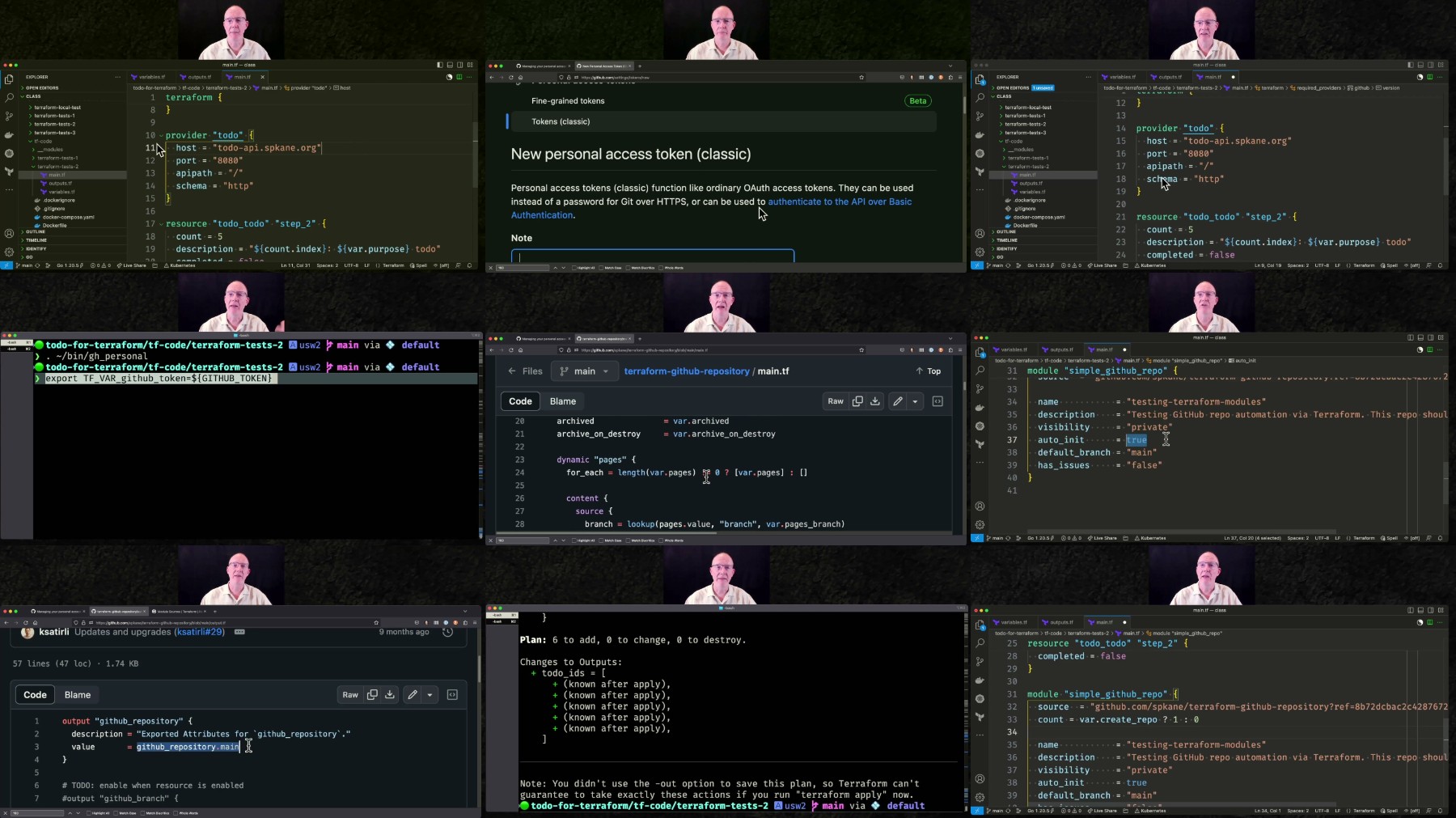
002-Terraform-in-the-Real-World.jpg

 
Zurück
Oben Unten