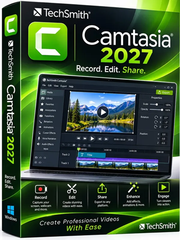
Free Download TechSmith Camtasia 27.0.0.21317 (x64) Multilingual + Portable | 317.5/378.4 Mb
TechSmith Camtasia is an all-in-one screen recording and video editing application designed to help users create professional-quality videos. It combines screen capture, webcam recording, audio recording, and a comprehensive set of editing tools in one workspace, making it suitable for tutorials, software demonstrations, presentations, training materials, and marketing content.
The software allows you to record your screen or import existing footage, then enhance your recordings with transitions, visual effects, music, animations, text, and other creative elements. Its straightforward editing workflow makes video production accessible to beginners while providing useful tools for more experienced creators.
Software Overview
Camtasia provides a complete workflow for producing instructional and presentation videos. You can capture screen activity, microphone input, system audio, webcam footage, and cursor information, then edit these elements individually or together on the timeline.
Its editing environment includes tools for highlighting important details, zooming into specific areas, adding annotations, and guiding viewers through on-screen actions. Templates, visual assets, transitions, and text effects also help speed up production and maintain a consistent presentation style.
Camtasia can be used for employee training, online courses, product demonstrations, customer support videos, educational content, and social media projects.
Key Features
- Screen Recording: Capture desktop activity and application workflows in high resolution.
- Webcam Capture: Record camera footage alongside screen activity and position it within the video canvas.
- Microphone Recording: Capture voiceovers and narration for tutorials and presentations.
- System Audio Capture: Include sounds generated by applications and the operating system.
- Cursor Data Recording: Capture mouse cursor information for additional editing and visual emphasis.
- Timeline Editing: Arrange and edit recorded footage, audio, and other media elements.
- Visual Effects and Transitions: Enhance videos with customizable effects and transitions.
- Annotations and Text: Add text, shapes, and visual callouts to explain important information.
- Zoom and Pan: Direct attention to specific interface elements and details.
- Templates and Assets: Use ready-made templates, media assets, and text effects to simplify video creation.
- Audio Editing: Refine narration and other audio elements as part of the video production process.
- Audiate Integration: Work with voice recordings through text-based editing, automatic captions, and removal of speech hesitations when using the supported Audiate workflow.
Why Choose TechSmith Camtasia
Camtasia brings recording and editing together, reducing the need to switch between separate applications when creating instructional videos. Its ability to capture screen activity, webcam footage, microphone input, system audio, and cursor data provides flexibility for different types of projects.
The combination of timeline editing, annotations, transitions, templates, and audio tools makes it particularly useful for producing clear and engaging tutorials. Whether you are explaining software features, teaching a process, or preparing a business presentation, Camtasia offers a practical environment for turning raw recordings into finished videos.
System Requirements
- Operating System: Microsoft Windows 10 (64-bit), version 20H2 or later.
- Architecture: 64-bit.
Additional hardware requirements were not specified in the supplied release information. Check the official TechSmith documentation for detailed compatibility and recommended system specifications.
Important Notes
This release includes standard and portable editions. The portable edition is intended to run without a conventional installation process, while the standard edition follows the regular installation workflow. Some integrations or features may depend on separately installed components and supported services.
FAQ
What is TechSmith Camtasia used for?
Camtasia is used to record computer screens and create edited videos such as software tutorials, online lessons, product demonstrations, and training presentations.
Can Camtasia record a webcam and microphone?
Yes. It can capture webcam footage and microphone audio alongside screen activity, allowing you to create videos with narration and camera presentation.
Can I edit videos recorded with other software?
Yes. You can import existing video footage and use Camtasia's editing tools to arrange clips, add annotations, apply effects, and enhance the presentation.
Does Camtasia support system audio recording?
Yes. System audio can be captured together with screen recordings, making it useful for demonstrations that include application sounds.
Is Camtasia suitable for beginners?
Yes. Its visual interface, templates, and drag-and-drop editing workflow help beginners create videos without requiring advanced video production experience.
Home Page
Product Information
- Software Name: TechSmith Camtasia
- Version: 27.0.0.21317
- Architecture: x64
- Languages: Multilingual
- License type: Full Version + Portable
- File Size: 317.5/378.4 Mb
FileHost : RapidGator | FreeDL | DDownload | AlfaFile