




KAMAL
MyBoerse.bz Pro Member
System Mechanic Pro 2020 v20.5.1.109 Multilingual (Portable)
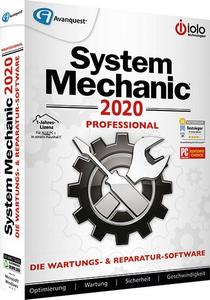
System Mechanic Pro 2020 v20.5.1.109 Multilingual (Portable) | 94 MB | Language: Multilanguage
As the award-winning optimization software, System Mechanic® has been updated to deliver even more speed and power while stabilizing and decluttering your Windows® machine. Whether you are operating System Mechanic as a standalone PC tune-up solution or deploying it from within the total performance, protection and privacy suite Phoenix 360, it is easier than ever to automatically boost PC performance, repair problems, remove troublesome bloatware, unleash greater internet speed and more.
The Most Advanced Approach to Maximum PC Performance™
- Analyse your computer system and identify errors
- System Mechanic safely and automatically finds and fixes computer problems created by regular, everyday use
- PLUS! recover accidentally deleted files
- PLUS! certified antivirus and antispyware protection
- NEW! Super Tune-up Definitions™ identify more problem programs to optimize startup and keep your PC fast and safe.
Your PC is slow ... and you do not know what to do?
- Unexplained errors and crashes?
- Difficulties to load websites or videos?
- Slow start and launch programs?
System Mechanic is the solution to clean up your PC:
- Performs a 229-point Diagnostic Computer Inspection
- Automatically fixes 36,000+ different types of problems and errors
- Boosts PC start time and web speed up to 300% with 12 exclusive methods
- Restores original performance of your PC
New Features:
- Improved software update frees up to 48% more RAM for resource-heavy multitasking.
- Accelerated dashboard now launches up to five times as fast as the previous version.
- Accelerated repair removes Windows and internet junk files up to twice as fast* as the previous version.
- Improved Super Tune-up Definitions™ identify more problem programs to optimize startup and keep your PC fast and safe.
- Super TUDs allow six degrees of categorization for maximum user control while optimizing your PC:
- System - Windows apps and services necessary for normal functioning
- Necessary - Essential non-Windows apps
- Unknown - Programs of undetermined import
- User Choice - Your preferred printer drivers, Cloud-based backup services or media players
- Unnecessary - Files typically running for quick access that can clutter and slow your system
- Dangerous - Known security risks that should be turned off
What's Extra in PRO:
- Antivirus protection
- Anti-Spyware
- Clears the whole PC with disk scrubber
- Recovery of deleted files
- Clears the free space on hard drive
System Requirements:
- Windows 7, Windows 8, Windows 10
- Any PC, Laptop, or Netbook/Mini running Windows 10, 8, 7, Vista, or XP (32 or 64 bit)
- CD or DVD drive (for CD installation)
- 256 MB RAM; 34 MB available disk space
Home Page -
DOWNLOAD LINKS:
System Mechanic Pro 2020 v20.5.1.109 Multilingual (Portable) | 94 MB | Language: Multilanguage
As the award-winning optimization software, System Mechanic® has been updated to deliver even more speed and power while stabilizing and decluttering your Windows® machine. Whether you are operating System Mechanic as a standalone PC tune-up solution or deploying it from within the total performance, protection and privacy suite Phoenix 360, it is easier than ever to automatically boost PC performance, repair problems, remove troublesome bloatware, unleash greater internet speed and more.
The Most Advanced Approach to Maximum PC Performance™
- Analyse your computer system and identify errors
- System Mechanic safely and automatically finds and fixes computer problems created by regular, everyday use
- PLUS! recover accidentally deleted files
- PLUS! certified antivirus and antispyware protection
- NEW! Super Tune-up Definitions™ identify more problem programs to optimize startup and keep your PC fast and safe.
Your PC is slow ... and you do not know what to do?
- Unexplained errors and crashes?
- Difficulties to load websites or videos?
- Slow start and launch programs?
System Mechanic is the solution to clean up your PC:
- Performs a 229-point Diagnostic Computer Inspection
- Automatically fixes 36,000+ different types of problems and errors
- Boosts PC start time and web speed up to 300% with 12 exclusive methods
- Restores original performance of your PC
New Features:
- Improved software update frees up to 48% more RAM for resource-heavy multitasking.
- Accelerated dashboard now launches up to five times as fast as the previous version.
- Accelerated repair removes Windows and internet junk files up to twice as fast* as the previous version.
- Improved Super Tune-up Definitions™ identify more problem programs to optimize startup and keep your PC fast and safe.
- Super TUDs allow six degrees of categorization for maximum user control while optimizing your PC:
- System - Windows apps and services necessary for normal functioning
- Necessary - Essential non-Windows apps
- Unknown - Programs of undetermined import
- User Choice - Your preferred printer drivers, Cloud-based backup services or media players
- Unnecessary - Files typically running for quick access that can clutter and slow your system
- Dangerous - Known security risks that should be turned off
What's Extra in PRO:
- Antivirus protection
- Anti-Spyware
- Clears the whole PC with disk scrubber
- Recovery of deleted files
- Clears the free space on hard drive
System Requirements:
- Windows 7, Windows 8, Windows 10
- Any PC, Laptop, or Netbook/Mini running Windows 10, 8, 7, Vista, or XP (32 or 64 bit)
- CD or DVD drive (for CD installation)
- 256 MB RAM; 34 MB available disk space
Home Page -
DOWNLOAD LINKS:


