• Regeln für den Video-Bereich:

    In den Börsenbereich gehören nur Angebote die bereits den Allgemeinen Regeln entsprechen.

    Einteilung

    - Folgende Formate gehören in die angegeben Bereiche:
    - Filme: Encodierte Filme von BluRay, DVD, R5, TV, Screener sowie Telesyncs im Format DivX, XviD und x264.
    - DVD: Filme im Format DVD5, DVD9 und HD2DVD.
    - HD: Encodierte Filme mit der Auflösung 720p oder darüber von BluRay, DVD, R5, TV, Screener sowie Telesyncs im Format x264.
    - 3D: Encodierte Filme von BluRay, die in einem 3D Format vorliegen. Dies gilt auch für Dokus, Animation usw.
    - Serien: Cartoon/Zeichentrick, Anime, Tutorials, Dokumentationen, Konzerte/Musik, Sonstiges sind demnach in die entsprechenden Bereiche einzuordnen, auch wenn sie beispielsweise im High Definition-Format oder als DVD5/DVD9/HD2DVD vorliegen. Ausnahme 3D.
    - Bereich Englisch: Englische Releases gehören immer in diesen Bereich.
    - Bereich Talk: Der Bereich, in dem über die Releases diskutiert werden kann, darf, soll und erwünscht ist.


    Angebot/Beitrag erstellen

    - Ein Beitrag darf erst dann erstellt werden, wenn der Upload bei mindestens einem OCH komplett ist. Platzhalter sind untersagt.
    - Bei einem Scenerelease hat der Threadtitel ausschließlich aus dem originalen, unveränderten Releasenamen zu bestehen. Es dürfen keine Veränderungen wie z.B. Sterne, kleine Buchstaben o.ä. vorgenommen werden. Ausnahme Serienbörse:
    - Bei einem Sammelthread für eine Staffel entfällt aus dem Releasename natürlich der Name der Folge. Beispiel: Die Simpsons S21 German DVDRip XviD - ITG
    - Dementsprechend sind also u.a. verboten: Erweiterungen wie "Tipp", "empfehlenswert", "only", "reup", usw. / jegliche andere Zusatzinformation oder Ergänzung, welche nicht in obiger Beschreibung zu finden ist.

    Aufbau des Angebots und Threadtitel

    Der Titel nach folgendem Muster erstellt zu werden. <Name> [3D] [Staffel] [German] <Jahr> <Tonspur> [DL] [Auflösung] <Quelle> <Codec> - <Group>
    Beispiel: The Dark Knight German 2008 AC3 DVDRip XviD - iND
    Beispiel: The Dark Knight 2008 DTS DL BDRip x264 - iND
    Beispiel: The Dark Knight 2008 AC3 DL BDRip XviD - iND
    Beispiel: The Dark Knight German 2008 AC3 720p BluRay x264 iND
    Beispiel: The Dark Knight 2008 DTS DL 1080p BluRay x264 iND
    Beispiel: Die Simpsons S01 German AC3 DVDRip XviD iND
    Beispiel: Die Simpsons S20 German AC3 720p BluRay x264 iND
    Beispiel: Sword Art Online II Ger Sub 2014 AAC 1080p WEBRip x264 - peppermint
    Entsprechend sind also u.a. verboten: Sonderzeichen wie Klammern, Sterne, Ausrufezeichen, Unterstriche, Anführungszeichen / Erweiterungen wie "Tipp", "empfehlenswert", "only", "reup", usw. / jegliche andere Zusatzinformation oder Ergänzung, welche nicht in obiger Beschreibung zu finden ist
    Ausnahmen hiervon können in den Bereichen geregelt sein.

    Die Beiträge sollen wie folgt aufgebaut werden:
    Überschrift entspricht dem Threadtitel
    Cover
    kurze Inhaltsbeschreibung
    Format, Größe, Dauer sind gut lesbar für Downloader außerhalb des Spoilers zu vermerken
    Nfo sind immer Anzugeben und selbige immer im Spoiler in Textform.
    Sind keine Nfo vorhanden z.B. Eigenpublikationen, sind im Spoiler folgende Dateiinformationen zusätzlich anzugeben :
    Quelle
    Video (Auflösung und Bitrate)
    Ton (Sprache, Format und Bitrate der einzelnen Spuren)
    Untertitel (sofern vorhanden)
    Hosterangabe in Textform außerhalb eines Spoiler mit allen enthaltenen Hostern.
    Bei SD kann auf diese zusätzlichen Dateiinformationen verzichtet werden.

    Alle benötigten Passwörter sind, sofern vorhanden, in Textform im Angebot anzugeben.
    Spoiler im Spoiler mit Kommentaren :"Schon Bedankt?" sind unerwünscht.


    Releases

    - Sind Retail-Release verfügbar, sind alle anderen Variationen untersagt. Ausnahmen: Alle deutschen Retail-Release sind CUT, in diesem Fall sind dubbed UNCUT-Release zulässig.
    - Im Serien-Bereich gilt speziell: Wenn ein Retail vor Abschluss einer laufenden Staffel erscheint, darf diese Staffel noch zu Ende gebracht werden.62
    - Gleiche Releases sind unbedingt zusammenzufassen. Das bedeutet, es ist zwingend erforderlich, vor dem Erstellen eines Themas per Suchfunktion zu überprüfen, ob bereits ein Beitrag mit demselben Release besteht. Ist dies der Fall, ist der bereits vorhandene Beitrag zu verwenden.
    - P2P und Scene Releases dürfen nicht verändert oder gar unter einem iND Tag eingestellt werden.


    Support, Diskussionen und Suche

    - Supportanfragen sind entweder per PN oder im Bereich Talk zu stellen.
    - Diskussionen und Bewertungen sind im Talk Bereich zu führen. Fragen an die Uploader haben ausschließlich via PN zu erfolgen, und sind in den Angeboten untersagt.
    - Anfragen zu Upload-Wünschen sind nur im Bereich Suche Video erlaubt. Antworten dürfen nur auf Angebote von MyBoerse.bz verlinkt werden.


    Verbote

    - Untersagt sind mehrere Formate in einem einzigen Angebotsthread, wie beispielsweise das gleichzeitige Anbieten von DivX/XviD, 720p und 1080p in einem Thread. Pro Format, Release und Auflösung ist ein eigener Thread zu eröffnen.
    - Grundsätzlich ebenso verboten sind Dupes. Uploader haben sich an geeigneter Stelle darüber zu informieren, ob es sich bei einem Release um ein Dupe handelt.
    - Gefakte, nur teilweise lauffähige oder unvollständige Angebote sind untersagt. Dies gilt auch für eigene Publikationen, die augenscheinlich nicht selbst von z.B. einer DVD gerippt wurden. Laufende Serien, bei denen noch nicht alle Folgen verfügbar sind, dürfen erstellt und regelmäßig geupdatet werden.
    - Untersagt sind Angebote, welche nur und ausschließlich in einer anderen Sprache als deutsch oder englisch vorliegen. Ausnahmen sind VORHER mit den Moderatoren zu klären.


    Verstoß gegen die Regeln

    - Angebote oder Beiträge, die gegen die Forenregeln verstoßen, sind über den "Melden"-Button im Beitrag zu melden.
  • Bitte registriere dich zunächst um Beiträge zu verfassen und externe Links aufzurufen.

*** Bestes IPTV *** bester Preis *** gratis Test ***


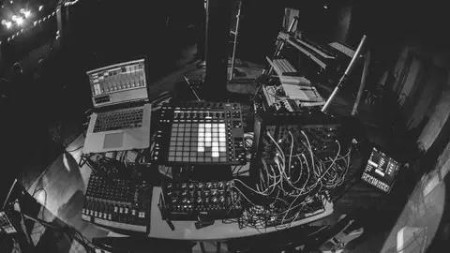
Synthesis in Music & Sound Production

babymore87

MyBoerse.bz Pro Member
704d2601c842689ef3b811a35c7fb914.webp

Free Download Synthesis in Music & Sound Production
Published 12/2025
Created by Si Gordon
MP4 | Video: h264, 1920x1080 | Audio: AAC, 44.1 KHz, 2 Ch
Level: Beginner | Genre: eLearning | Language: English | Duration: 17 Lectures ( 7h 22m ) | Size: 11.5 GB

15+ engaging sessions and over 7 hours of in-depth content and associated PDF resources for beginners and intermediates.
What you'll learn
Understand the core building blocks of sound: waveforms, frequency, harmonics, envelopes, filters, and modulation.
Navigate common synth architecture and signal flow (OSC → FILTER → AMP → MOD).
Understand and use major synthesis types: subtractive, additive, FM, wavetable, granular, sample-based, phase distortion, physical modelling, and modular.
Design a wide range of sounds including basses, leads, pads, plucks, and FX using different synthesis methods.
Shape sounds creatively using filters, ADSR envelopes, LFOs, and modulation for movement and expression.
Build classic and modern patches such as analog basses, evolving pads, FM bells, and hybrid layered textures.
Develop a structured sound-design workflow for any genre, context, or emotion.
Work confidently with both free and paid synths (Vital, Dexed, Serum, Pigments, Alchemy, etc.).
Create your own signature sound and showcase it at the end of the course.
Requirements
No experience required
Mac/PC computer or Tablet device with FREE Synth Apps
Headphones
Description
Unleash your sound-design creativity, there is no prior knowledge or expensive synths required!Whether you're a complete beginner, a self-taught producer, or an experienced musician ready to understand how your favourite sounds are made, this course is your friendly guide into the world of synthesis. From warm analog basses to evolving pads, shimmering FM keys to cinematic textures, you'll learn the tools, techniques, and mindset needed to design sounds with confidence.You don't need hardware. You don't need expensive plugins. And you definitely don't need a physics degree.Using a blend of free and optional paid software (Vital, Dexed, VCV Rack, Serum, Pigments and more), you'll explore the foundations of sound and the full landscape of synthesis types in a clear, musical, and practical way. If you can listen, click, and tweak a knob, you can learn synthesis!Across 15 structured sessions (around 30 minutes each), you'll build a rock-solid understanding of how synthesizers work, from oscillators and filters to envelopes, modulation, FM operators, physical modelling, wavetable scanning, granular techniques, and modular routing. Each lesson mixes short explanations, real-time demonstrations, and hands-on patch-building tasks so you learn by doing, not just listening.You'll start with the basics of acoustics and classic subtractive synthesis, then move into modern and advanced methods such as additive, FM, wavetable, granular, sample-based synthesis, phase distortion, and physical modelling. You'll learn how to design basses, leads, pads, plucks, sound effects, hybrid textures, and even your own signature patch. Along the way, you'll discover how to sculpt emotion and movement using envelopes, LFOs, filters, effects, and modulation routing.This course includes step-by-step video lessons, downloadable PDFs for quick reference, patch-design challenges, and creative tasks that help you apply each concept immediately. Everything is taught in a warm, encouraging, jargon-free environment designed to make synthesis feel fun, accessible, and inspiring, no matter your experience level.Perfect for beginners, bedroom producers, creative **** & teens, teachers, DJs, sound designers, composers, beat-makers, instrumentalists, or anyone who wants to finally understand how to design the sounds they hear in modern music and film.By the end of this course, you'll not only understand the major synthesis methods used across the industry, but you'll have the skills, vocabulary, and confidence to create your own unique sounds from scratch.Important tip: For the best learning experience, please use headphones or good-quality speakers.
Who this course is for
Beginners & Intermediates who are interested in sound design, music production and synthesisers
Homepage


Recommend Download Link Hight Speed | Please Say Thanks Keep Topic Live
No Password - Links are Interchangeable

 

40f78686dede47624a3a55b1de44b7b0.jpg

Sound Synthesis
Published 4/2023
MP4 | Video: h264, 1280x720 | Audio: AAC, 44.1 KHz
Language: English | Size: 3.51 GB | Duration: 3h 59m​

An Introduction to Synthesis Methods and Techniques

What you'll learn

Develop and/or solidify a deep understanding 
of basic sound parameters and interaction concepts.

Develop an understanding of the basic parameters 
used in both software and hardware synthesizers.

Develop the ability to manipulate and adjust existing 
presets to suit your own sonic needs.

Develop the ability to create sounds from scratch.

Give you the tools to explore and discover sounds 
you've yet to imagine!

Requirements

A basic understanding of Digital Audio Workstations (DAWs). I will be using mainly Logic Pro, but will also explore a few instruments in Ableton Live and Pro Tools. You don't necessary need to have any of these programs as the concepts discussed transcend any particular platform or DAW. But it would helpful to follow along, especially with the Logic Instruments.

A basic understanding of MIDI controllers and MIDI messages (I'll give a brief recap of MIDI in this video.

A set of open ears ready to explore, discover, and create new sounds!

Description

This course provides a strong foundation in the fundamentals of sound synthesis including a discussion of the basic parameters found in software and hardware synthesizers, various commonly used synthesis methods, and techniques for creating unique sounds with virtual instruments found in Logic Pro, Ableton Live and Avid Pro Tools.Specific topics include oscillator and waveform types, sound generation, and modulation sources and parameters such as LFO's (low frequency modulators), envelopes, and step sequencers. Various filter types will be explored as a means of shaping synthesized sounds to create unique textures and timbres.The course will explore a variety of synthesis methods including subtractive synthesis, component or physical modeling synthesis, FM (Frequency Modulation) Synthesis, wavetable synthesis, and software synthesis that emulates analog hardware synthesizers.The basics elements of sound including frequency, amplitude, and phase will be discussed using custom software to visualize waveforms, syncing, and the harmonic content of sound. The software used is offered as downloadable freeware (Mac only) with the course, although the apps are not supported and not necessary to learn the material.The course includes:24 Video Tutorials120 presets for the instruments covered3 Custom Software Applications (freeware - Mac only)Logic Session using the Instruments coveredThis course is perfect for a beginner just starting to learn the basics of sound synthesis and audio production or a seasoned musician or producer that wants to solidify and expand their skillset.NOTE: This course was originally licensed by The Pro Audio Files and is now available on Udemy at a discounted rate.

Overview

Section 1: The Fundamentals

Lecture 1 Overview

Lecture 2 Getting Started

Lecture 3 Synthesis Methods

Lecture 4 Sound Fundamentals

Lecture 5 Synthesis Fundamentals

Section 2: Virtual Synthesizers

Lecture 6 ES M (monophonic synthesizer)

Lecture 7 ES E (ensemble polyphonic synthesizer)

Lecture 8 ES P (80's Style polyphonic synthesizer)

Lecture 9 ES 1 - Part 1 (emulated analog synthesis)

Lecture 10 ES 1 - Part 2 (emulated analog synthesis)

Lecture 11 ES 2 - Part 1 (subtractive synthesizer with FM and wavetable elements)

Lecture 12 ES 2 - Part 2 (subtractive synthesizer with FM and wavetable elements)

Lecture 13 EFM1 (FM synthesizer)

Lecture 14 RetroSynth (multiple synthesis engines including FM, Sync, Wavetable, and FM)

Lecture 15 Sculpture - Part 1 (component modeling synthesis)

Lecture 16 Sculpture - Part 2 (component modeling synthesis)

Lecture 17 Sculpture - Part 3 (component modeling synthesis)

Lecture 18 Alchemy (additive, spectral, granular, virtual analog synthesis, and more)

Lecture 19 Tension (physical modeling synth in Ableton Live)

Lecture 20 Analog (analog emulation synth in Ableton Live)

Lecture 21 Vacuum (virtual analog tube synth in Pro Tools

Lecture 22 Customizing Presets

Section 3: Outro

Lecture 23 Review

Lecture 24 Logic Session and Examples

This course is intended for musicians, composers, electronic music producers, audio engineers, and sound designers.,The course is geared toward beginner and intermediate levels.

 
Zurück
Oben Unten