• Regeln für den Software-Bereich:


    Allgemeines:

    - In erster Linie sind unsere Boardregeln zu beachten, zu finden HIER.
    - Software zur Audiobearbeitung sollte ausschließlich im Unterforum "Audio" eingestellt werden.
    - Für Cracks, Keygens oder sonstige Freischaltungssoftware gibt es das Unterforum "Freischaltung".
    - Portable Software bitte im entsprechenden Unterforum "Portable Software" eintragen.
    - Diskussionen zur Installation und anderen Problemen mit der Software, bitte im enstprechenden Unterforum "Talk" führen.
    - Bei Unklarheiten und Fragen zu den Regeln bitte die Moderatoren kontaktieren.


    Angebot erstellen

    - Die Struktur des Threadtitels muss wie folgt umgesetzt werden: Herstellername - Softwarename - Versionsnummer
    - Unnötige Zusätze im Threadtitel wie "HOT", "NEW" oder Punkte zwischen den Wörtern sind nicht erlaubt.
    - Achtet darauf immer nur die Hauptversion und deren Updates in einem Thread zusammenfassen, konkretes Beispiel: SoftwareXY v3.12 gehört in den selben Thread mit SoftwareXY v3.13; SoftwareXY v.4.1 gehört in einen neuen eigenen Thread. Ausgenommen hiervon sind Sammelthreads und Dauerangebote.
    - Bei nicht bekannten Herstellern oder Angebote einer privaten Software, ist die Programmbezeichnung + Versionsnummer ausreichend.
    - Besondere Beachtung gilt für den ersten Beitrag eines Angebots. Dort muss eine kurze Beschreibung der Software in deutscher Sprache angegeben werden. Für offizielle Releases ist es Pflicht die NFO im Beitrag einzustellen(Spoiler, siehe nächster Punkt).
    - Weitere Informationen wie NFOs oder Changelogs, versteckt ihr bitte in einem Spoiler.


    Software Suche

    - Für Suchanfragen haben wir das Unterforum "Suche" erstellt.
    - Auch hier sollte vorher die Suchfunktion benutzt werden, um Doppelthreads vorzubeugen. Sollte es bereits eine Suchanfrage geben, könnt ihr den Thread gerne mit einem "Danke" pushen.


    Trojaner- und Virusalarm

    - Falls Euer Virenscanner bei einem Angebot Alarm schlägt, solltet ihr zunächst Ruhe bewahren. Viele Virenscanner erkennen Cracks/Keygens oft fälschlicherweise als Bedrohung.
    - Prüft die verdächtige Datei zuerst mit http://virustotal.com , sollte es sich hierbei wirklich um eine Bedrohung handeln, meldet den Beitrag und/oder wendet euch mit dem Bericht von VirusTotal.com an einen Moderator.


    Unerwünschte Angebote

    - Keylogger, Spionagetools, alles rund ums Thema Hacking/Cracking ist nicht erwünscht.
  • Bitte registriere dich zunächst um Beiträge zu verfassen und externe Links aufzurufen.

*** Bestes IPTV *** bester Preis *** gratis Test ***


stefan-te's Windows Application Collection

Office 2013-2019 C2R Install / Install Lite v7.04-P2P

office-2013-2019-c2r-install-install-lite-v7-04-p2p
sts_180701050519615404.jpg

office-2013-2019-c2r-install-install-lite-v7-04-p2p | Size: 15 MB - [ 1-LINK ]

This program designed for on-line installation and activation Microsoft Office 2013/2016/2019 C2R. You also can create custom installation of Office off-line for using later.

Info:
sts_190123080229747393.jpg


RapidGator:

NitroFlare:


No Password | Single Extraction

 
CorelCAD 2020.0 Build 20.0.0.1074 Multilingual -P2P

CorelCAD.2020.0.Build.20.0.0.1074.Multilingual.-P2P
sts_A1l-TRg-Ei-X3-L-SY445.jpg

CorelCAD.2020.0.Build.20.0.0.1074.Multilingual.-P2P | Size: 927 MB - [ 1-LINK ]
CorelCAD 2020.0 Build 20.0.0.1074 (x86/x64) Multilingual | 927 Mb Enhance your visual communication expertise with the precision of superior 2D drafting and design tools available in CorelCAD™ 2020. It's the smart, affordable solution for drawing detailed elements in technical design. With native .DWG file support, and optimization for Windows and macOS, this computer aided design software can increase productivity and performance.CAD software
- Professional 2D drafting and design tools
- Industry-standard file compatibility with .DWG, .STL, .PDF, and .CDR*
- Efficient project collaboration and sharing
- Optional automation and customizationConceptualize quickly
Empower yourself with CorelCAD, an incredibly robust set of design tools developed expressly for design professionals. Conceptualize, plan, draft, layout, and edit with the assistance of the leading computer aided design software on the market. With an expansive feature set, your 2D drawings will come together expertly.Transform with ease
Arm yourself with advanced CAD tools and features to design computer graphics, effortlessly. Easily transform 2D designs into three-dimensional graphics in just a few clicks. Feel confident that you'll achieve results fast with CorelCAD; delivering to specifications and to project parameters for an amazing outcome every time.Output with accuracy
Elevate your work with a strong tool for text, graphics, and tactile outputs. CorelCAD's full feature set manages nearly any technical design task, making collaborations with colleagues, classmates, or stakeholders a breeze. printing is simple with .STL support for printers or output connection.Execute efficiently
Tackle projects head-on with CorelCAD, for precise results on time, every time. With the latest AutoCAD, full native, .DWG file format support, designers can collaborate seamlessly. CAD software aligns with any working environment, leveraging incredible customization and automation support options for a rich experience.What's New in CorelCAD 2020:
Release 2020 provides the following new commands and features:New Commands:Drawing commands:
- InsertBase. Determines the insertion base point for the drawing.Dimension commands:
- NewDimensionStyle. Creates a new dimension style from a specified dimension.Constraints commands:
- SetConstraintNameFormat. Specifies how to display the information in the dimensional constraints.3D Modeling commands:
- OffsetEdges. Creates 2D entities from the boundary of a solid or surface.
- ConvertEdges. Creates wireframe geometry from the edges of a specified solid, surface, mesh, or region.CustomBlock commands:
- CBConvert. Converts dynamic blocks from a DWG file into CustomBlocks.
- CBWBlockAs. Saves a CustomBlock as a separate drawing with a specified name.
- Test mode. Lets you test CustomBlock definitions without exiting the Block Editor.
- CBTestBlock. Lets you check custom blocks in a test window.
- CBTestClose. Exits custom block test mode.
- Alignment element. Specifies an alignment direction for the CustomBlock.Improved activities:
- Dependent or Independent base point for the Rotate and Scale activity. The Base Type property in the Properties palette lets you specify whether the base point of the - Rotate activity coincides with the main point of the Rotation element or is an independent point.
- Stretch activity. The Overrides category of the Properties palette groups the following properties:
- Distance multiplier. Lets you specify a factor by which a distance value of an element is increased or decreased.
- Angle offset. Lets you specify a factor by which an angular value of an element is increased or decreased.
- Incremental markers for Stretch and Rotate activities.Log file commands:
- LogFileOn. Writes the contents of the command history to a log file (with .log extension).
- LogFileOff. Closes the command history log file opened by the LogFileOn.Utility commands:
- Commands. Displays the list of all commands.New Features:Data Extraction Wizard.
The Data Extraction wizard lets you specify a set of entities or blocks and extract properties and attributes information. You can display the result in a table on the drawing or save it in an external file that you can exchange with your colleagues. The ExtractData command opens the Data Extraction Wizard.Reshape non-associative hatches using grip points.
If you disable the link between the hatch and the boundary, you can directly manipulate the shape of the hatch according to a new boundary configuration using the hatch grip points. Hovering over a grip point on a non-associative hatch entity displays a menu with edit options according to the specified type of grip point. For example, for a linear segment, you can choose to convert the segment into an arc or to add a vertex.Lasso selection.
Specifies entities within a freehand. The entities can extend beyond the contour.Hatch Background Color.
The following options are new to the Additional Options dialog box:LineColor.
Determines the hatch line color.BackGroundColor.
Determines the hatch background color.Reference.
Groups all the Layers of externally reference drawings. The Reference filter is automatically created when attaching external references to the drawing.Viewport Overrides.
Groups all the Layers containing property overrides from the current layout viewport.Reference Overrides.
Groups all the Layer of externally referenced drawings containing layer property overrides.Save Current Workspace.
Saves the current workspace configuration as a new workspace. The option is available in the Workspace list, on the Quick Access Toolbar.Dimension line extension.
Dimension properties include the Dimension line extension option on the Properties palette.Reload References option in the status bar.
The notification area of the status displays a balloon to indicate that an external reference drawing has changed and needs reloading. The options in the right-click menu lets you update the references.New shortcuts.
- Ctrl + Pg Up. Moves to the next working space (sheet or model).
- Ctrl + Pg Down. Moves to the previous working space (sheet or model).
- Ctrl + I. Toggles between absolute and relative coordinate during command execution
- New settings in the Options dialog box:Base Angle Guide display.
- You can display a guide line along the zero base angle according to the current CCS.
- Display full path in application title bar. Lets you control whether the title bar displays the full path of the active drawing or only the name.Print Quality Control.
A new option in the printer properties lets you control the resolution of graphical elements (geometry, raster image, hatches) in .pdf files.Improved BatchPrint command.
Lets you group multiple drawings into a single PDF file.Modified features and commands:
- Field. The Entity option lets you do the following:
- Display entity properties in text.
- Insert formula fields in table cells.
- Insert a Block placeholder field in a BlockAttribute.
- RebuildField. The RebuildField command is available in the annotations context menu.Rotate. Includes the following options:
- Point option to define a reference angle. Specify two points to define an imaginary line that will be rotated to a new angle.
- Copy. Lets you create one copy or multiple copies of the specified entities.
- Copy. The Pattern option of the Copy command lets you create a specified number of copies in a linear pattern. Two methods are available:
- Create the number of copies at specified displacement, starting with a base point.
- Create the number of copies evenly spaced between two specified points, in the specified direction using the Fit option.
- Offset. The Gap type option of the Offset command specifies the gap type to fill potential gaps in offset polylinesDimensionStyle.
- The Status option lets you display the current values of all dimension system variables in the command window.
- Loft. The Type option lets you specify whether the lofted entity is a solid or a surface.
- Sweep. The Bank option allows the entity to rotate along the specified sweep path.Layers Manager palette
The Option button lets you access the Layer options in the Options dialog box.Other updates:
CustomBlock Editor is now Block Editor.Minimum System Requirements:
- 64-bit version: Microsoft® Windows® 7, Windows 8.1, or Windows 10 (with latest Updates and Service Packs)
- 32-bit version: Microsoft Windows 7, Windows 8.1, or Windows 10 (with latest Updates and Service Packs)
- Intel® Core™ 2 Duo, or AMD® Athlon™ x2 Dual-Core processor
- 1.5 GB free hard disk space depending on accessory applications installed
- 2 GB RAM
- Graphics accelerator card with OpenGL version 1.4
- Display with 1280 x 768 pixels resolution
- Mouse

RapidGator:

NitroFlare:


No Password | Single Extraction

 
Adobe XD CC 25.3.12 (x64)-P2P

Adobe.XD.CC.25.3.12.x64-P2P
sts_190419025629169089.jpg

Adobe.XD.CC.25.3.12.x64-P2P | Size: 356 MB - [ 1-LINK ]

XD CC Adobe - is the new creative tools from Adobe for the design of high-quality prototypes of user interfaces for mobile and Web applications. This tool is specifically designed for building rapid prototypes, as well as for high-fidelity user interface and design.

Info:
sts_190419025630973359.jpg

HomePage:


RapidGator:

NitroFlare:

RapidGator:

NitroFlare:


No Password | Single Extraction

 
Adobe Photoshop (2020) v21.0.2.57 (x64) Multilingual-P2P

Adobe Photoshop CC 2020 v21.0.2.57 (x64)
sts_191210092144458599.jpg

Adobe Photoshop CC 2020 v21.0.2.57 (x64) | Size: 2.07 GB - [ 1-LINK ]

Reimagine reality with Photoshop. Millions of designers, photographers, and artists around the world use Photoshop to make the impossible possible. From posters to packaging, basic banners to beautiful websites, unforgettable logos to eye-catching icons, Photoshop keeps the creative world moving. With intuitive tools and easy-to-use templates, even beginners can make something amazing.

Info:
sts_191111105557575752.jpg

HomePage:


RapidGator:


NitroFlare:


Premium Links:


No Password | Single Extraction

 
Serif Affinity Photo 1.8.0.532 (x64) Beta Multilingual-P2P

Affinity.Photo.1.8.0.532
sts_180815110230185275.jpg

Affinity.Photo.1.8.0.532 | Size: 368 MB - [ 1-LINK ]

Five years in the making, Affinity Photo redefines the boundaries for professional photo editing software. With a meticulous focus on workflow it offers sophisticated tools for enhancing, editing and retouching your images in an incredibly intuitive interface, with all the power and performance you need.

Info:
sts_180815110231183949.jpg

HomePage:


RapidGator:

NitroFlare:


No Password | Single Extraction

 
ExpanDrive v7.4.8-P2P

ExpanDrive.7.4.6
sts_180331075845200211.jpg

ExpanDrive.7.4.6 | Size: 132 MB - [ 1-LINK ]

ExpanDrive is up to 500% faster and has a robust offline-sync mode. It adds BackBlaze B2, Google Team Drives, SMB/CIFS and an entirely new User interface with context menus, transfer badges, search, file versioning, link-sharing and so much more.

Info:
sts_180331080125402587.jpg

HomePage:


RapidGator:

NitroFlare:


No Password | Single Extraction

 
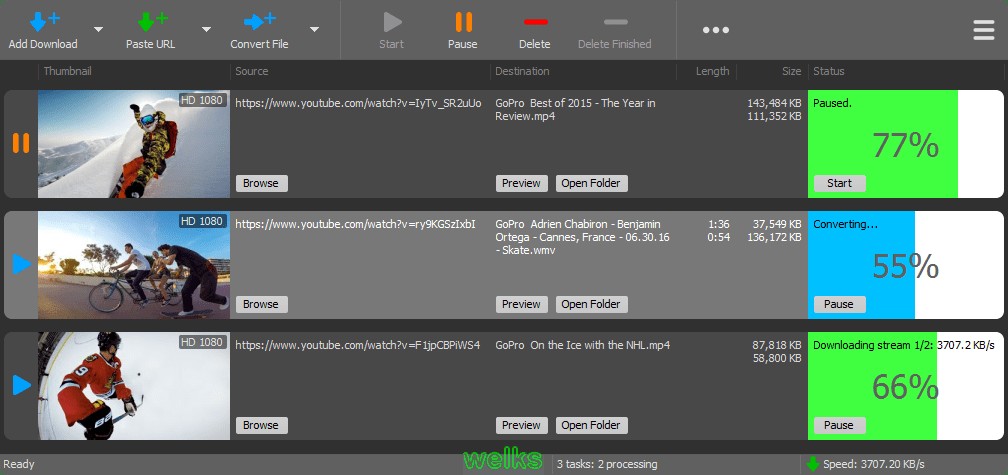
MediaHuman YouTube Downloader v3.9.9.32 (2401) Multilingual-P2P + Portable

MediaHuman.YouTube.Downloader.3.Port
sts_180605084500562560.jpg

MediaHuman.YouTube.Downloader.3.Port | Size: 123 MB - [ 1-LINK ]

MediaHuman YouTube Downloader is a handy application for those who found a favorite music video or trailer of a new movie and wants to keep it on your computer for viewing offline. Or you need to download a video lesson/tutorial. Our video downloader is an ideal solution for such kind of tasks.

Info:
sts_180605084513415158.jpg

HomePage:


RapidGator:

NitroFlare:


mediahuman-youtube-downloader-v3-9-9-32-2401-multilingual-p2p | Size: 31 MB - [ 1-LINK ]
RapidGator:

NitroFlare:


No Password | Single Extraction

 
Valentina Studio Pro v9.8.2-P2P

valentina-studio-pro-v9-8-2-p2p
sts_190922032913830697.jpg

valentina-studio-pro-v9-8-2-p2p | Size: 86 MB - [ 1-LINK ]

Valentina Studio is the best way to transform your data into meaningful information; create, administer, query and explore MySQL, Postgre MariaDB, MS SQL Server and SQLite databases.

Info:
sts_190922033001692025.jpg

HomePage:


RapidGator:

NitroFlare:


No Password | Single Extraction

 
Drive SnapShot v1.48.0.18744-P2P

drive-snapshot-v1-48-0-18744-p2p
sts_180530072301406204.jpg

drive-snapshot-v1-48-0-18744-p2p | Size: 6 MB - [ 1-LINK ]

Drive Snapshot creates an exact Disk Image of your system into a file, including the operating system, installed programs, your data and all security attributes - while windows is running and you continue to work. Drive Snapshot it allows you to backup your partition or your hard disk drive and it also can create a disk image of your system. If disaster strikes (a virus, trojan, or hard disk crash), a complete and exact restauration of your system will be possible in only few minutes. The image file can be mounted as a virtual drive, so you can easily restore (or use) single files or directories, using the Windows Explorer, or other program.

Info:
sts_180530072457909522.jpg

HomePage:


RapidGator:

NitroFlare:


No Password | Single Extraction

 
Stellar Data Recovery Technician v9.0.0.2 Multilingual-P2P

stellar-data-recovery-technician-v9-0-0-2-multilingual-p2p
sts_200124094757387617.jpg

stellar-data-recovery-technician-v9-0-0-2-multilingual-p2p | Size: 100 MB - [ 1-LINK ]

Stellar Phoenix Windows Data Recovery is a complete solution to recover lost data from your hard disks and removable drives. It is a complete solution for all your data loss problems. The powerful scan engine of the software does a thorough scan of the selected storage device, shows a preview of files found during the scanning process and finally saves them to specified destination. Separate options to recover documents, folders, mails or multimedia files from the storage media is also available.

Info:
sts_20012409500892842.jpg

HomePage:


RapidGator:

NitroFlare:


No Password | Single Extraction

 
YTD Youtube Downloader v6.12.11-P2P

ytd-youtube-downloader-v6-12-11-p2p
sts_191223022955403291.jpg

ytd-youtube-downloader-v6-12-11-p2p | Size: 22 MB - [ 1-LINK ]

YTD is a reliable and intuitive application that enables you to quickly download YouTube videos and save them to your computer. You may also convert the media files to the desired video format or extract the audio stream and save it separately. Additionally, YTD comes bundled with a powerful media player.

Info:
sts_191223023039163968.jpg

HomePage:


RapidGator:

NitroFlare:


No Password | Single Extraction

 
Zurück
Oben Unten