KAMAL
MyBoerse.bz Pro Member
Solid Angle Houdini to Arnold 5.2.0

Solid Angle Houdini to Arnold 5.2.0 | 505 MB (Total)
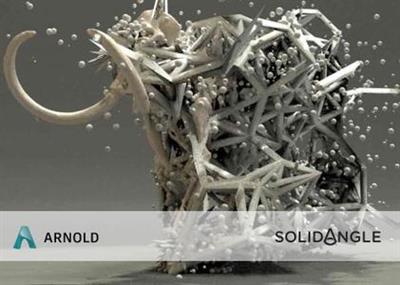
The Arnoldrenderer product team is pleased to announce the availability of Arnold (or HtoA) 5.2.0 for Houdini. This release uses Arnold 6.0.3.0, OpenVDB 4.0.0 and Arnold-USD (cf6d100d3).
5.2.0 - Release Date: 20 Apr 2020
Enhancements
#1356 Add Arnold properties to Render Settings LOP
#1382 Translate usd packed primitives with usd procedural
#1383 Export USD files
#1405 Add OUT_Material surface output
#1409 Support USDSkel / Crowds in Solaris
#1411 ADP Opt in for ADP
#1415 Add osl_includepath to Arnold ROP
#1417 Add use_instance_cache alembic parameter to arnold_procedural
#1426 Skip AiMakeTx for image nodes with missing filename
usd#265,267 Computed primvars are now supported, enabling previewing UsdSkel and Houdini crowds.
usd#270 The Render Delegate is now using the Arnold Render API correctly, leading to better responsiveness
usd#8 Improved Render Buffers: The Hydra Render Buffer support is now significantly improved, including improved performance.
usd#9 The render delegate now outputs 32-bit float buffers, instead of dithered 8 bit whenever possible.
usd#302 Prefixing Render Settings with arnold:global: is now supported.
usd#314 Shaping parameters on Sphere Lights are now supported. This includes Spot and IES parameters, excluding IES normalize and IES angle scale
usd#332 Solaris' Barndoor parameters are now roughly approximated using the barndoor filter. Note that Arnold does not match Karma.
Fixes
#1374 Fix autotx for varying color spaces
#1379 Fix IPR crash updating string attr on OSL node
#1388 Crash visualising with usd procedural
#1390 Crash loading usd file with AiProceduralViewport
#1408 Invalid type error when you import ambient_occlusion shader
#1413 Crash calling AiProceduralViewport with usda file
#1414 Crash creating Render Settings LOP node
#1429 Fix material naming when exporting materials
#1430 Fix camera jump when tumbling around an arnold object
usd#298 Fixed a crash when instancer nodes had uninitialized node pointers
usd#4 Fixed a bug with aborted renders not marking the render pass as converged
Arnold for Houdini (HtoA) provides a bridge to the Arnold renderer from within the standard Houdini interface. Having been in beta for several months, the plugin has already been used in production by many studios, including Prime Focus World for Hercules and Vampire Academy, Milk VFX for the Sherlock and Doctor Who TV series, and Framestore NY for the Captain Morgan commercials.
Solid Angle SL is the technology company behind the Arnold rendering software, with offices in Madrid and London and customers throughout the world including Framestore, DreamWorks, ILM, Sony Pictures Imageworks, MPC, The Mill, Mikros Image and Rising Sun Pictures. Arnold was designed from the ground up to efficiently raytrace the complex geometric datasets required for feature-length CGI animation and big budget visual effects, while at the same time simplifying the pipeline, reducing the number of passes, minimizing storage requirements and greatly enhancing interactivity for lighting artists.
Product: Solid Angle Houdini To Arnold
Version: 5.2.0
Supported Architectures: x64
Website Home Page :
Language: english
System Requirements: PC *
Supported Operating Systems: *
Size: 505 MB
Requirements & Platforms
Binaries available for the following Houdini, Houdini FX, Houdini Indie and Houdini Education production builds:
- 17.0.506
- 17.5.460
- 18.0.416
and for the following platforms:
- Windows 7 x64 (vc14.1)
- CPU with at least SSE 4.1 instructions (2006 and later Intel CPUs, and 2011 and later AMD CPUs)
Please note that Houdini Apprentice does not support third-party renderers and thus cannot run HtoA.
DOWNLOAD LINKS:
Solid Angle Houdini to Arnold 5.2.0 | 505 MB (Total)
The Arnoldrenderer product team is pleased to announce the availability of Arnold (or HtoA) 5.2.0 for Houdini. This release uses Arnold 6.0.3.0, OpenVDB 4.0.0 and Arnold-USD (cf6d100d3).
5.2.0 - Release Date: 20 Apr 2020
Enhancements
#1356 Add Arnold properties to Render Settings LOP
#1382 Translate usd packed primitives with usd procedural
#1383 Export USD files
#1405 Add OUT_Material surface output
#1409 Support USDSkel / Crowds in Solaris
#1411 ADP Opt in for ADP
#1415 Add osl_includepath to Arnold ROP
#1417 Add use_instance_cache alembic parameter to arnold_procedural
#1426 Skip AiMakeTx for image nodes with missing filename
usd#265,267 Computed primvars are now supported, enabling previewing UsdSkel and Houdini crowds.
usd#270 The Render Delegate is now using the Arnold Render API correctly, leading to better responsiveness
usd#8 Improved Render Buffers: The Hydra Render Buffer support is now significantly improved, including improved performance.
usd#9 The render delegate now outputs 32-bit float buffers, instead of dithered 8 bit whenever possible.
usd#302 Prefixing Render Settings with arnold:global: is now supported.
usd#314 Shaping parameters on Sphere Lights are now supported. This includes Spot and IES parameters, excluding IES normalize and IES angle scale
usd#332 Solaris' Barndoor parameters are now roughly approximated using the barndoor filter. Note that Arnold does not match Karma.
Fixes
#1374 Fix autotx for varying color spaces
#1379 Fix IPR crash updating string attr on OSL node
#1388 Crash visualising with usd procedural
#1390 Crash loading usd file with AiProceduralViewport
#1408 Invalid type error when you import ambient_occlusion shader
#1413 Crash calling AiProceduralViewport with usda file
#1414 Crash creating Render Settings LOP node
#1429 Fix material naming when exporting materials
#1430 Fix camera jump when tumbling around an arnold object
usd#298 Fixed a crash when instancer nodes had uninitialized node pointers
usd#4 Fixed a bug with aborted renders not marking the render pass as converged
Arnold for Houdini (HtoA) provides a bridge to the Arnold renderer from within the standard Houdini interface. Having been in beta for several months, the plugin has already been used in production by many studios, including Prime Focus World for Hercules and Vampire Academy, Milk VFX for the Sherlock and Doctor Who TV series, and Framestore NY for the Captain Morgan commercials.
Solid Angle SL is the technology company behind the Arnold rendering software, with offices in Madrid and London and customers throughout the world including Framestore, DreamWorks, ILM, Sony Pictures Imageworks, MPC, The Mill, Mikros Image and Rising Sun Pictures. Arnold was designed from the ground up to efficiently raytrace the complex geometric datasets required for feature-length CGI animation and big budget visual effects, while at the same time simplifying the pipeline, reducing the number of passes, minimizing storage requirements and greatly enhancing interactivity for lighting artists.
Product: Solid Angle Houdini To Arnold
Version: 5.2.0
Supported Architectures: x64
Website Home Page :
Language: english
System Requirements: PC *
Supported Operating Systems: *
Size: 505 MB
Requirements & Platforms
Binaries available for the following Houdini, Houdini FX, Houdini Indie and Houdini Education production builds:
- 17.0.506
- 17.5.460
- 18.0.416
and for the following platforms:
- Windows 7 x64 (vc14.1)
- CPU with at least SSE 4.1 instructions (2006 and later Intel CPUs, and 2011 and later AMD CPUs)
Please note that Houdini Apprentice does not support third-party renderers and thus cannot run HtoA.
DOWNLOAD LINKS: