KAMAL
MyBoerse.bz Pro Member
Solid Angle 3ds Max to Arnold 4.0.4.36
Solid Angle 3ds Max to Arnold 4.0.4.36 | 828 MB (Total)
The Arnoldrenderer product team is pleased to announce the availability of Arnold (or MAXtoA) 4.0.4.36 for Autodesk 3ds Max. This version uses the Arnold 6.0.3.0 core.
4.0.4.36 - Release Date: April 20, 2020
Enhancements:
- Update to Arnold 6.0.3.0.
- Add animation support for sequences of alembic files.
- Support tokens for AOV output filenames. A series of tokens can be selected to define the output filenames (ex. Scene Name, Camera Name, etc.).
- Save out USD. A scene can now be exported to a USD file from the Archive tab of the rendering options.
- Increase the shaders' spinner accuracy, now using the system's Customize->Preferences...Spinners->Precision value.
- Support MikkT tangent space for baking normals.
- Bake normals using projection.
- Show at least one of the maps baking without having to dig in a drop-down.
- Faster shutdown after rendering massive instances.
Fixes:
- Crash switching running Active Shade from Arnold to ART.
- Batch Render: using multiple views and AOVs overwrites files. The problem can now be worked around by including the camera name token (see above) on the AOV output filename.
- Incorrect buckets setting in ASinVP. Now obeying the bucket corners flag in the Active Shade options.
- OSL internal headers now included by default, to support new OSL types.
- Shape display mode corrupted for Alembic/Procedural/USD.
- Incorrect shader ball with legacy maps.
- Lights converted from Photometric to Arnold have incorrect targets.
- Watermark showing when previewing materials.
- Baking to texture crashes if Active Shade is open.
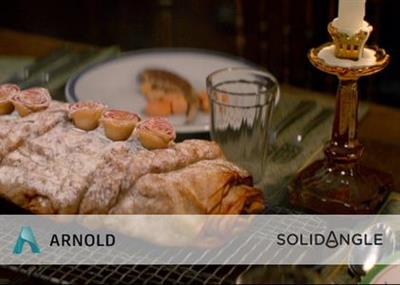
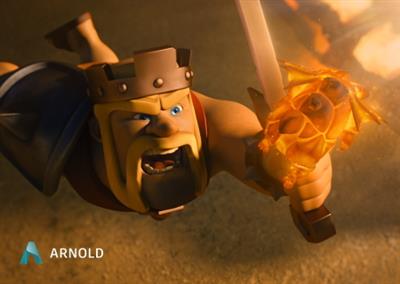
Arnold for 3ds Max is an unbiased, physically based, ray tracing 3D rendering engine. It is the default complex rendering engine that comes along with 3ds Max, and it is one of the most used engines in major productions like Gravity, Elysium, Pacific Rim, Alice in Wonderland, and many others. It excels itself in achieving reliable, good looking, realistic results rather quickly, which can give the user time to spend improving the actual scene, rather than tweaking its settings.
In this tutorial which is a part of " Comprehensive introduction to Arnold for 3ds Max" course , we learn how to approach interior lighting in Arnold for 3ds Max.
Solid Angle SL is the technology company behind the Arnold rendering software, with offices in Madrid and London and customers throughout the world including Framestore, DreamWorks, ILM, Sony Pictures Imageworks, MPC, The Mill, Mikros Image and Rising Sun Pictures. Arnold was designed from the ground up to efficiently raytrace the complex geometric datasets required for feature-length CGI animation and big budget visual effects, while at the same time simplifying the pipeline, reducing the number of passes, minimizing storage requirements and greatly enhancing interactivity for lighting artists.
Product: Solid Angle 3ds Max to Arnold
Version: 4.0.4.36
Supported Architectures: x64
Website Home Page :
Language: english
System Requirements: PC *
Supported Operating Systems: *
Software Prerequisites: *
Size: 828.6 mb
- Compatible with Max 2019-2021
- Windows 7 and later
- CPU with at least SSE 4.1
DOWNLOAD LINKS:
Solid Angle 3ds Max to Arnold 4.0.4.36 | 828 MB (Total)
The Arnoldrenderer product team is pleased to announce the availability of Arnold (or MAXtoA) 4.0.4.36 for Autodesk 3ds Max. This version uses the Arnold 6.0.3.0 core.
4.0.4.36 - Release Date: April 20, 2020
Enhancements:
- Update to Arnold 6.0.3.0.
- Add animation support for sequences of alembic files.
- Support tokens for AOV output filenames. A series of tokens can be selected to define the output filenames (ex. Scene Name, Camera Name, etc.).
- Save out USD. A scene can now be exported to a USD file from the Archive tab of the rendering options.
- Increase the shaders' spinner accuracy, now using the system's Customize->Preferences...Spinners->Precision value.
- Support MikkT tangent space for baking normals.
- Bake normals using projection.
- Show at least one of the maps baking without having to dig in a drop-down.
- Faster shutdown after rendering massive instances.
Fixes:
- Crash switching running Active Shade from Arnold to ART.
- Batch Render: using multiple views and AOVs overwrites files. The problem can now be worked around by including the camera name token (see above) on the AOV output filename.
- Incorrect buckets setting in ASinVP. Now obeying the bucket corners flag in the Active Shade options.
- OSL internal headers now included by default, to support new OSL types.
- Shape display mode corrupted for Alembic/Procedural/USD.
- Incorrect shader ball with legacy maps.
- Lights converted from Photometric to Arnold have incorrect targets.
- Watermark showing when previewing materials.
- Baking to texture crashes if Active Shade is open.
Arnold for 3ds Max is an unbiased, physically based, ray tracing 3D rendering engine. It is the default complex rendering engine that comes along with 3ds Max, and it is one of the most used engines in major productions like Gravity, Elysium, Pacific Rim, Alice in Wonderland, and many others. It excels itself in achieving reliable, good looking, realistic results rather quickly, which can give the user time to spend improving the actual scene, rather than tweaking its settings.
In this tutorial which is a part of " Comprehensive introduction to Arnold for 3ds Max" course , we learn how to approach interior lighting in Arnold for 3ds Max.
Solid Angle SL is the technology company behind the Arnold rendering software, with offices in Madrid and London and customers throughout the world including Framestore, DreamWorks, ILM, Sony Pictures Imageworks, MPC, The Mill, Mikros Image and Rising Sun Pictures. Arnold was designed from the ground up to efficiently raytrace the complex geometric datasets required for feature-length CGI animation and big budget visual effects, while at the same time simplifying the pipeline, reducing the number of passes, minimizing storage requirements and greatly enhancing interactivity for lighting artists.
Product: Solid Angle 3ds Max to Arnold
Version: 4.0.4.36
Supported Architectures: x64
Website Home Page :
Language: english
System Requirements: PC *
Supported Operating Systems: *
Software Prerequisites: *
Size: 828.6 mb
- Compatible with Max 2019-2021
- Windows 7 and later
- CPU with at least SSE 4.1
DOWNLOAD LINKS: