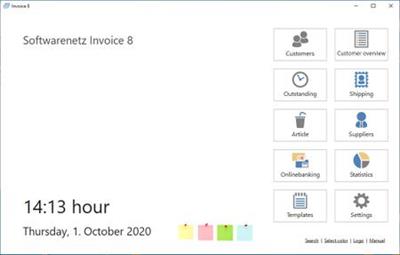
Softwarenetz Invoice v8.06 Multilingual
Softwarenetz Invoice v8.06 Multilingual | 19 MB | Language: Multilanguage
For those self-employed persons, freelancers and small companies, who are in need of a simple and userfriendly program to create invoices.
PDF-invoices and PDF-reminders per e-mail.
PayPal-button on your PDF-invoice for payments.
Integrated designer for writing paper
Create invoice with or without VAT (also suitable for small companies).
Graphical statistics will inform you at any time about your turnover and details.
Photo-invoices: print invoices with the photos of your articles.
Create invoices fast and simple
Do you still create your invoices with Excel or Winword? Or don't you use any kind of program to create your invoices?
With the program Invoice 5 for Windows you can save yourself a lot of work. The program is easy to use and therefore suitable for beginners.
Adjust the invoice to your company
Create your own writing paper with your log and adjust the invoice layout with just a few clicks to your company wishes.
Select your colors, fonts and the layout of your invoice.
Customermanagement included
The invoice program contains a complete address / customer database. You can see at a glance all invoices, payments and reminders of a specific customer. A memofield gives you the opportunity to enter specific customer information. The import of existing customers from a csv-file is also included.
Article- and warehouse management
Your articles are saved into an articlemanager including warehouse and minimum stock. In case you have your articles available as a csv-file, you can import your articles easy and fast into the program. You can assign a photo to every article which you can print onto your invoice if you wish.
Writing paper
You can print your invoices onto your own writing paper. Create your writing paper with the integrated designer easy and fast. You have 8 different writing papers at your disposal. Select your fonts and colors and add as many graphical files (e.g. your logo) as you like.
Automatic assignment of payments
With our additional program Softwarenetz MyMoney you can assign the payements to the invoices automatically and book the invoices as 'paid'. The payments are being recognised by amount and/or invoice number.
Journal
The clear journal displays all invoices, credit notes, offers and order in the specified period. Optional you can display all net amounts per VAT-%. The journal can be printed as CSV-file which you can send to your accountant.
Statistics
Graphical statistics will inform you at any time about your current invoice turnover and the division of articles and groups of goods. It also displays the yearly turnover compared to the previous year.
Print labels
Out of the customer list you can print labels (A4) with the address of your customer(s). You can select the customer group of which you would like to print the addresses onto a label.
Text editor
When you use our additional program Text editor, you can create a letter to your customer with just a click of the mouse or send a mailing to all your customers. In combination with our program Document archive you can archive your documents directly to your customer.
Document archive
With the additional program Document archive you can archive as many documents to your customer as you like. E.g. scan an order from your customer directly out of the invoice program. You can display all documents of your customers at any time and print or send them again.
E-mailing
With our program Mailing you can send your customers of Invoice 5 an e-mailing.
Send PDF-invoices per e-mail
With one mouse click you can create invoices, orders and reminders in PDF-format and send them directly per e-mail.
PayPal payment button
Optional you can add a PayPal-button to your PDF-invoices. Your customer is now able to pay your invoice with just on click on the PayPal-button without entering IBAN or BIC.
Repeating invoices
You can create as many repeatinf invoices as you like. With repeating invoices you can create invoices automatically which occur on a regular basis.
Preliminary- and final invoices
Create preliminary invoices and combine them into a final invoice. All preliminary invoices will be displayed and calculated into the final invoice.
Shipping
Mark your invoices and orders as 'shipped' and enter the shipping number of your shipping company. Your customer will automatically receive an e-mail with the details of his order.
Operating System: Windows 7, 8/8.1, 10
Home Page -
DOWNLOAD LINKS: