




Smartsheet For Project Management And Collaboration

What you'll learn
Explore various Smartsheet applications across different industries.
Create and customize sheets from templates or from scratch.
Import Excel documents while maintaining data integrity.
Apply conditional formatting to highlight important data.
Utilize Grid, Gantt, Calendar, and Card sheet views.
Add comments to enhance team communication.
Attach files to sheets for better collaboration.
Create sheet summaries to overview key metrics.
Use formulas to calculate and analyze data.
Apply filters to organize and view data effectively.
Generate reports to track project progress.
Set up automated workflows to streamline processes.
Requirements
No prior Smartsheet knowledge is required.
Access to a Smartsheet account (free trial or paid subscription) to practice and apply course concepts.
Familiarity with team collaboration and communication processes.
Description
This course includes downloadable course instructor files to work with and follow along.Smartsheet for Project Management and Collaboration is designed to help you unlock the full potential of Smartsheet, whether you are a beginner or have some experience with the platform.This course provides a broad overview of Smartsheet's essential features and functionalities, enabling you to manage projects, collaborate with your team, and organize data efficiently. You will explore various applications of Smartsheet across different industries, allowing you to tailor the tool to your specific needs.Throughout the course, you will learn how to create and customize sheets from scratch or by using templates, ensuring your projects are well-structured and organized. You will learn to import Excel documents into Smartsheet while maintaining data integrity and applying conditional formatting to make your data visually informative. The course also covers different sheet views, including Grid, Gantt, Calendar, and Card, helping you choose the best view for tracking your projects.Additionally, you will enhance collaboration by adding comments and attachments directly within your sheets. Learn to create sheet summaries that overview key metrics and data points. Gain practical skills in using formulas and filters to analyze data effectively, discover how to generate insightful reports, and set up automated workflows to streamline your processes. By the end of this course, you will know how to boost your productivity, improve your project management skills, and effectively leverage Smartsheet to achieve your goals. This course is perfect for project managers, team leaders, and administrative professionals looking to enhance efficiency and collaboration in any work environment.Learning ObjectivesIn the course, you will learn how to:Explore various Smartsheet applications across different industries.Create and customize sheets from templates or from scratch.Import Excel documents while maintaining data integrity.Apply conditional formatting to highlight important data.Utilize Grid, Gantt, Calendar, and Card sheet views.Add comments to enhance team communication.Attach files to sheets for better collaboration.Create sheet summaries to overview key metrics.Use formulas to calculate and analyze data.Apply filters to organize and view data effectively.Generate reports to track project progress.Set up automated workflows to streamline processes.This course includes:104 minutes of video tutorials20 individual video lecturesCourse Files to follow alongCertificate of completion
Overview
Section 1: Smartsheet Overview
Lecture 1 Intro to Smartsheet
Lecture 2 WATCH ME: Essential Information for a Successful Training Experience
Lecture 3 DOWNLOAD ME: Course Files
Lecture 4 Smartsheet Uses and Applications
Lecture 5 Smartsheet Components
Lecture 6 Smartsheet Interface
Section 2: Creating Sheets
Lecture 7 Creating New Sheets
Lecture 8 Importing Excel Documents
Lecture 9 Number Formatting
Lecture 10 Conditional Formatting
Lecture 11 Changing Sheet Views
Section 3: Collaboration Tools
Lecture 12 Comments & Attachments
Lecture 13 Reminders & Requests
Lecture 14 Sharing & Exporting Your Projects
Lecture 15 Publishing Your Projects to the Web
Section 4: Formulas
Lecture 16 Intro to Formulas
Lecture 17 Sheet Summaries
Section 5: Filters, Reports, Forms & Workflows
Lecture 18 Intro to Filters
Lecture 19 Intro to Workflow Automations
Lecture 20 Intro to Reports
Lecture 21 Intro to Forms
Section 6: Course Close
Lecture 22 Course Close
Those new to Smartsheet who need a guided introduction to its features and applications.,Professionals overseeing teams and seeking ways to improve collaboration, manage tasks, and monitor team performance.,Employees from various sectors to adopt Smartsheet for tailored project management solutions.,Professionals seeking ways to organize, visualize, and report data effectively while streamlining operations.
Say "Thank You"
rapidgator.net:
nitroflare.com:
ddownload.com:
Published 12/2024
MP4 | Video: h264, 1920x1080 | Audio: AAC, 44.1 KHz
Language: English | Size: 900.95 MB | Duration: 1h 45m
Improve project management and enhance team collaboration with Smartsheet
MP4 | Video: h264, 1920x1080 | Audio: AAC, 44.1 KHz
Language: English | Size: 900.95 MB | Duration: 1h 45m
Improve project management and enhance team collaboration with Smartsheet
What you'll learn
Explore various Smartsheet applications across different industries.
Create and customize sheets from templates or from scratch.
Import Excel documents while maintaining data integrity.
Apply conditional formatting to highlight important data.
Utilize Grid, Gantt, Calendar, and Card sheet views.
Add comments to enhance team communication.
Attach files to sheets for better collaboration.
Create sheet summaries to overview key metrics.
Use formulas to calculate and analyze data.
Apply filters to organize and view data effectively.
Generate reports to track project progress.
Set up automated workflows to streamline processes.
Requirements
No prior Smartsheet knowledge is required.
Access to a Smartsheet account (free trial or paid subscription) to practice and apply course concepts.
Familiarity with team collaboration and communication processes.
Description
This course includes downloadable course instructor files to work with and follow along.Smartsheet for Project Management and Collaboration is designed to help you unlock the full potential of Smartsheet, whether you are a beginner or have some experience with the platform.This course provides a broad overview of Smartsheet's essential features and functionalities, enabling you to manage projects, collaborate with your team, and organize data efficiently. You will explore various applications of Smartsheet across different industries, allowing you to tailor the tool to your specific needs.Throughout the course, you will learn how to create and customize sheets from scratch or by using templates, ensuring your projects are well-structured and organized. You will learn to import Excel documents into Smartsheet while maintaining data integrity and applying conditional formatting to make your data visually informative. The course also covers different sheet views, including Grid, Gantt, Calendar, and Card, helping you choose the best view for tracking your projects.Additionally, you will enhance collaboration by adding comments and attachments directly within your sheets. Learn to create sheet summaries that overview key metrics and data points. Gain practical skills in using formulas and filters to analyze data effectively, discover how to generate insightful reports, and set up automated workflows to streamline your processes. By the end of this course, you will know how to boost your productivity, improve your project management skills, and effectively leverage Smartsheet to achieve your goals. This course is perfect for project managers, team leaders, and administrative professionals looking to enhance efficiency and collaboration in any work environment.Learning ObjectivesIn the course, you will learn how to:Explore various Smartsheet applications across different industries.Create and customize sheets from templates or from scratch.Import Excel documents while maintaining data integrity.Apply conditional formatting to highlight important data.Utilize Grid, Gantt, Calendar, and Card sheet views.Add comments to enhance team communication.Attach files to sheets for better collaboration.Create sheet summaries to overview key metrics.Use formulas to calculate and analyze data.Apply filters to organize and view data effectively.Generate reports to track project progress.Set up automated workflows to streamline processes.This course includes:104 minutes of video tutorials20 individual video lecturesCourse Files to follow alongCertificate of completion
Overview
Section 1: Smartsheet Overview
Lecture 1 Intro to Smartsheet
Lecture 2 WATCH ME: Essential Information for a Successful Training Experience
Lecture 3 DOWNLOAD ME: Course Files
Lecture 4 Smartsheet Uses and Applications
Lecture 5 Smartsheet Components
Lecture 6 Smartsheet Interface
Section 2: Creating Sheets
Lecture 7 Creating New Sheets
Lecture 8 Importing Excel Documents
Lecture 9 Number Formatting
Lecture 10 Conditional Formatting
Lecture 11 Changing Sheet Views
Section 3: Collaboration Tools
Lecture 12 Comments & Attachments
Lecture 13 Reminders & Requests
Lecture 14 Sharing & Exporting Your Projects
Lecture 15 Publishing Your Projects to the Web
Section 4: Formulas
Lecture 16 Intro to Formulas
Lecture 17 Sheet Summaries
Section 5: Filters, Reports, Forms & Workflows
Lecture 18 Intro to Filters
Lecture 19 Intro to Workflow Automations
Lecture 20 Intro to Reports
Lecture 21 Intro to Forms
Section 6: Course Close
Lecture 22 Course Close
Those new to Smartsheet who need a guided introduction to its features and applications.,Professionals overseeing teams and seeking ways to improve collaboration, manage tasks, and monitor team performance.,Employees from various sectors to adopt Smartsheet for tailored project management solutions.,Professionals seeking ways to organize, visualize, and report data effectively while streamlining operations.
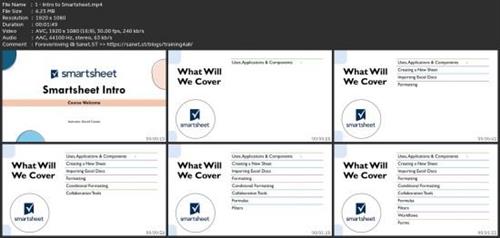
Screenshots
Say "Thank You"
rapidgator.net:
nitroflare.com:
ddownload.com:
