• Regeln für den Software-Bereich:


    Allgemeines:

    - In erster Linie sind unsere Boardregeln zu beachten, zu finden HIER.
    - Software zur Audiobearbeitung sollte ausschließlich im Unterforum "Audio" eingestellt werden.
    - Für Cracks, Keygens oder sonstige Freischaltungssoftware gibt es das Unterforum "Freischaltung".
    - Portable Software bitte im entsprechenden Unterforum "Portable Software" eintragen.
    - Diskussionen zur Installation und anderen Problemen mit der Software, bitte im enstprechenden Unterforum "Talk" führen.
    - Bei Unklarheiten und Fragen zu den Regeln bitte die Moderatoren kontaktieren.


    Angebot erstellen

    - Die Struktur des Threadtitels muss wie folgt umgesetzt werden: Herstellername - Softwarename - Versionsnummer
    - Unnötige Zusätze im Threadtitel wie "HOT", "NEW" oder Punkte zwischen den Wörtern sind nicht erlaubt.
    - Achtet darauf immer nur die Hauptversion und deren Updates in einem Thread zusammenfassen, konkretes Beispiel: SoftwareXY v3.12 gehört in den selben Thread mit SoftwareXY v3.13; SoftwareXY v.4.1 gehört in einen neuen eigenen Thread. Ausgenommen hiervon sind Sammelthreads und Dauerangebote.
    - Bei nicht bekannten Herstellern oder Angebote einer privaten Software, ist die Programmbezeichnung + Versionsnummer ausreichend.
    - Besondere Beachtung gilt für den ersten Beitrag eines Angebots. Dort muss eine kurze Beschreibung der Software in deutscher Sprache angegeben werden. Für offizielle Releases ist es Pflicht die NFO im Beitrag einzustellen(Spoiler, siehe nächster Punkt).
    - Weitere Informationen wie NFOs oder Changelogs, versteckt ihr bitte in einem Spoiler.


    Software Suche

    - Für Suchanfragen haben wir das Unterforum "Suche" erstellt.
    - Auch hier sollte vorher die Suchfunktion benutzt werden, um Doppelthreads vorzubeugen. Sollte es bereits eine Suchanfrage geben, könnt ihr den Thread gerne mit einem "Danke" pushen.


    Trojaner- und Virusalarm

    - Falls Euer Virenscanner bei einem Angebot Alarm schlägt, solltet ihr zunächst Ruhe bewahren. Viele Virenscanner erkennen Cracks/Keygens oft fälschlicherweise als Bedrohung.
    - Prüft die verdächtige Datei zuerst mit http://virustotal.com , sollte es sich hierbei wirklich um eine Bedrohung handeln, meldet den Beitrag und/oder wendet euch mit dem Bericht von VirusTotal.com an einen Moderator.


    Unerwünschte Angebote

    - Keylogger, Spionagetools, alles rund ums Thema Hacking/Cracking ist nicht erwünscht.
  • Bitte registriere dich zunächst um Beiträge zu verfassen und externe Links aufzurufen.


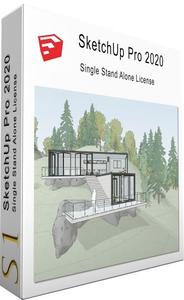
Sketchup Pro 2020 V20

Meera169

Banned
148k8f.jpg


Sketchup Pro 2020 V20.0.373 (x64) Multilingual (Portble)

Information:


SketchUp Pro 2020 v20.1.229 (x64) Multilingual (Portable)


893238b5852e41b8850036524d280e44.jpg


SketchUp Pro 2020 v20.1.229 (x64) Multilingual (Portable) | 600 MB


SketchUp is useful from the earliest stages of design to the end of construction. Programming, diagramming, design development, detailing, documentation, RFIs-wherever you need drawings, you need SketchUp Pro.


Get good, fast
Whoever asked for complicated CAD software? SketchUp is hands-down the most intuitive and easy-to-learn 3D drawing tool around.

Think by drawing in 3D
We designed SketchUp to behave like an extension of your hand, so you can draw whatever you want, however you want.

Create accurate, highly-detailed models
SketchUp is accurate to a thousandth of an inch, so you can design, specify, and plan with as much or little detail as you need.

Produce scaled, accurate drawings
SketchUp isn't just for 3D models. Draw plans, elevations, details, title blocks and a lot more with LayOut. When your model changes, so does your document. Simple.

Generate presentation documents
With LayOut, you're equipped for page design, drafting, vector illustration and slide presentations: everything you need to explain everything.

Create compelling walkthroughs
Use SketchUp Pro to turn your models into animated walkthroughs and flyovers that explain every detail.

Find a 3D model of anything
3D Warehouse is the world's largest repository of free 3D models, and it works seamlessly with SketchUp. That means entourage, furniture, equipment, case work, the entire kitchen sink (literally) is all handy in a few clicks.

Find a model from a trusted manufacturer
With manufacturer partners like Herman Miller, Formica, Thermador and many others, we're working to make 3D Warehouse the best place on the web to find a model of a specific, real-world object. Now when you specify an oven for a kitchen, you can be sure you're working with accurate geometry, not to mention beautiful models.

Present on any device
When you upload your models to 3D Warehouse, it's easy to pull them down onto your phone or tablet using the SketchUp Mobile Viewer app. Then, get hands on with clients and collaborators wherever, however you'd like.

Model and Document
With LayOut, insert SketchUp model views wherever you want on the pages of your document. These "viewports" are living, breathing views of your project. When your model changes, all of your viewports update, too. Say goodbye to exporting a million images out of SketchUp.

Make beautiful drawings
LayOut brings the "feel" of SketchUp into 2D space in an incomparably beautiful way. Line work, shadows, textures, text, dimensions, title blocks: all exactly the way you want.

Intuitive vector drawing
LayOut's drawing tools are just like SketchUp's: simple, smart, and fun. And because everything you draw is vector smart, scaling and rotating can be done with utmost precision.

Dimension, detail, explain
Use dimensioning tools that snap to the edges of SketchUp models and quickly set the format, scale, and precision of displayed measurements. Customize callouts via controls for line weight, arrow and stroke style, curved leader lines, font formatting, line spacing... You get the picture, and so will everyone else.


System Requirements:
- Windows 10, Windows 8+ and Windows 7+
- Microsoft® Internet Explorer 9.0 or higher.
- SketchUp Pro requires .NET Framework version 4.5.2.


Homepage -


DOWNLOAD LINKS:



SketchUp Pro 2020 v20.2.172 (x64) Multilingual (Portable)


b8751e7a8972f26a8e72d90756ff4d4c.jpeg


SketchUp Pro 2020 v20.2.172 (x64) Multilingual (Portable) | 591 MB | Language: Multilanguage


SketchUp is useful from the earliest stages of design to the end of construction. Programming, diagramming, design development, detailing, documentation, RFIs-wherever you need drawings, you need SketchUp Pro.


SketchUp Pro
The SketchUp you know and love... and so much more.
3D modeling for professionals? We've got you.
A great mix of our classic desktop software, our shiny new SketchUp for Web modeler, and all sorts of things you've been asking for over the years - including the ability to publish, share, and store projects in the cloud with Trimble Connect.
Tools for your 3D modeling toolbox:

SketchUp Pro for Desktop
Fast, easy 3D modeling for anything you can imagine.
SketchUp for Web
Our powerful web modeler, with all the features you need to turn your designs into real things.
Unlimited cloud storage
Share, collaborate, and store your projects in the cloud. Gain flexibility and peace of mind.
2D design documentation
Create scaled drawing sets in 2D with LayOut.
VR model viewing
Wow your clients with a walkthrough of their project on Microsoft HoloLens, HTC Vive, or Oculus, on your phone or tablet.
Features that make your projects yours
Make your project look like only you can with custom Styles, Materials, and Outliner. And, make that work smooth and easy with Dynamic Components.


System Requirements:
- Windows 10, Windows 8+ and Windows 7+
- Microsoft® Internet Explorer 9.0 or higher.
- SketchUp Pro requires .NET Framework version 4.5.2.


Home Page -


DOWNLOAD LINKS:


Zurück
Oben Unten