




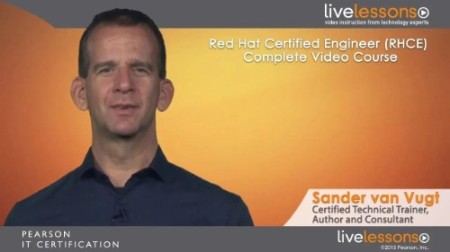
Red Hat Certified Engineer (RHCE)
English | ISBN: 0133929175 | 2014 | mp4 | H264 1280x720 | AAC 1 ch 63 kbps | 8 hrs 19 min | 2.43 GB
eLearning | Certification | Skill Level: Beginning to intermediate
More than 8 hours of training so you can pass the Red Hat Certified Engineer (RHCE) exam. Includes practice exam questions so you can put your knowledge to the test.
Description
Red Hat Certified Engineer (RHCE) Complete Video Course is a unique video product that provides a solid understanding of all the topics that are required to pass the Red Hat Certified Engineer (RHCE) exam. This title explores how to accomplish advanced system administration tasks, such as writing shell scripts, troubleshooting a server boot procedure, working with SELinux and firewalls, and configuring different network services.
Red Hat Certified Engineer (RHCE) Complete Video Course contains 17 individual video lessons divided into four modules, for a total of more than 8 hours of training. The videos consist of live trainer instruction, whiteboard training, CLI presentations, live demos, video screen casts, and practice exam walk-throughs. The author covers all the objectives in the exam so you can use this course as a complete study tool for taking the Red Hat Certified Engineer (RHCE) exam. Each lesson ends with a practice exercise, so you can practice within a CLI environment and put your knowledge to the test. Complete explanations for each exercise are also offered so you can check your work.
Major topics include
- Advanced System Management
- Configuring Authentication
- Configuring iSCSI Target and Initiator
- System Performance Reporting
- System Optimization Basics
- Configuring Logging
- Networking and Apache
- Configuring Advanced Networking
- Managing Linux-Based Firewalls
- Configuring Apache Virtual Hosts
- Managing Advanced Apache Features
- DNS and File Sharing
- Configuring a Cache-only DNS Server
- Configuring NFS File Sharing
- Managing SMB File Sharing
- Essential Back-end Services
- Setting Up an SMTP Server
- Managing SSH
- Managing MariaDB
- Managing Time Services
- Shell Scripting
What You Will Learn
- Key concepts for all the objectives on the Red Hat Certified Engineer (RHCE) exam
- Information on the new RHEL 7 exam
Who Should Take This Course
Primary audience:
-Anyone wanting to get RHCE certified
Secondary audience:
- Linux engineers interested in learning more about Red Hat Enterprise Linux
- Junior system administrators who want to deepen their skills
- Administrators with a profound knowledge and experience working with other Linux distributions, such as SUSE Linux Enterprise Server
- Administrators currently administering UNIX systems and developers who write software for Linux
Course Requirements
The ideal target student has passed the Red Hat Certified System Administrator Exam and has experience working in a Linux environment.
I: Course Introduction
II: What to Expect on the RHCE Exam
III: Preparing an Environment for Doing Exercises
Module 1: Advanced System Management
Lesson 1: Configuring Authentication
1.1: Understanding Red Hat Identity Management
1.2: Using authconfig to Set Up External Authentication
1.3: Configuring a System to Authenticate Using Kerberos
1.4: Understanding authconfig Configuration Files
Exercise 1
Explanation to Exercise 1
Lesson 2: Configuring iSCSI Target and Initiator
2.1: Understanding iSCSI Target and Initiator
2.2: Setting Up an iSCSI Target
2.3: Connecting the iSCSI Initiator to an iSCSI SAN
2.4: Verifying the iSCSI Connection
Exercise 2
Explanation to Exercise 2
Lesson 3: System Performance Reporting
3.1: Understanding System Performance Parameters
3.2: Understanding top
3.3: Understanding iostat
3.4: Understanding vmstat
3.5: Understanding sar Components
3.6: Setting Up sar
3.7: Analyzing sar Data
Exercise 3
Explanation to Exercise 3
Lesson 4: System Optimization Basics
4.1: Understanding the /proc Contents
4.2: Analyzing the /proc File System
4.3: Optimizing Through /proc
4.4: Introducing sysctl
4.5: Introducing sysctl
4.6: Modifying Network Behavior Through /proc and sysctl
Exercise 4
Explanation to Exercise 4
Lesson 5: Configuring Logging
5.1: Understanding Logging in RHEL7
5.2: Connecting Journald to Rsyslog
5.3: Setting Up Remote Logging
Exercise 5
Explanation to Exercise 5
Module 2: Networking and Apache
Lesson 6: Configuring Advanced Networking
6.1: Networking Basics Resumed
6.2: Understanding Routing
6.3: Setting Up Static Routing
6.4: Understanding Network Bridges
6.5: Setting Up Network Bridges
6.6: Understanding Network Bonds and Teams
6.7: Configuring Network Teams
6.8: Configuring IPv6
Exercise 6
Explanation to Exercise 6
Lesson 7: Managing Linux-Based Firewalls
7.1: Understanding Firewalld Operation
7.2: Configuring Firewalld Services and Zones
7.3: Creating Services Files
7.4: Configuring Rich Firewall Rules
7.5: Understanding NAT and Port Forwarding
7.6: Configuring NAT
7.7: Configuring Port Forwarding
Exercise 7
Explanation to Exercise 7
Lesson 8: Configuring Apache Virtual Hosts
8.1: Understanding Apache Configuration Files
8.2: Exploring the httpd.conf File
8.3: Configuring a Simple Web Server
8.4: Introducing Virtual Hosts
8.5: Configuring Virtual Hosts
8.6: Common Errors Working with Virtual Hosts
Exercise 8
Explanation to Exercise 8
Lesson 9: Managing Advanced Apache Features
9.1: Setting Up Authenticated Web Servers
9.2: Configuring Apache for LDAP Authentication
9.3: Enabling CGI Scripts
9.4: Understanding TLS Protected Web Sites
9.5: Setting Up TLS Protected Web Sites
Exercise 9
Explanation to Exercise 9
Module 3: DNS and File Sharing
Lesson 10: Configuring a Cache-only DNS Server
10.1: Understanding DNS
10.2: Understanding Different DNS Server Modes
10.3: Analyzing DNS Output with dig
10.4: Setting Up a Cache-only DNS Nameserver
10.5: Opening the Firewall for DNS
10.6: Working with Cache Dumps
Exercise 10
Explanation to Exercise 10
Lesson 11: Configuring NFS File Sharing
11.1: Understanding NFSv4 Features
11.2: Configuring NFS Exports Suitable for Group Collaboration
11.3: Mounting NFS Shares
11.4: Using Kerberos to Control Access to NFS Network Shares
11.5: Opening the Firewall for NFS
11.6: Understanding showmount and NFSv4
11.7: Understanding NFS SELinux Configuration
Exercise 11
Explanation to Exercise 11
Lesson 12: Managing SMB File Sharing
12.1: Accessing SMB Shares
12.2: Samba Server Configuration Overview
12.3: Creating the SMB Share: Linux Tasks
12.4: Creating the SMB Share: smb.conf Tasks
12.5: Tuning the Share for Access Restrictions
12.6: Verifying the Configuration
12.7: Using Samba-Related SELinux Settings
12.8: Opening the Firewall for SMB Traffic
Exercise 12
Explanation to Exercise 12
Module 4: Essential Back-end Services
Lesson 13: Setting Up an SMTP Server
13.1: Understanding Server Roles in Email
13.2: Understanding Postfix Configuration
13.3: Configuring Postfix for Mail Reception
13.4: Configuring Postfix for Relaying Mail
13.5: Demonstration: Monitoring a Working Mail Configuration
13.6: Understanding Postfix Maps
Exercise 13
Explanation to Exercise 13
Lesson 14: Managing SSH
14.1: Understanding Secure SSH Authentication
14.2: Configuring Key-based Authentication
14.3: Understanding Important SSH Options
14.4: Tuning SSH Client Options
14.5: Understanding the Use of SSH Tunnels
14.6: Creating SSH Tunnels
Exercise 14
Explanation to Exercise 14
Lesson 15: Managing MariaDB
15.1: Understanding Relational Databases
15.2: Creating a Base MariaDB Configuration
15.3: Creating Databases and Tables
15.4: Managing Users and Permissions
15.5: Backing Up the Database
Exercise 15
Explanation to Exercise 15
Lesson 16: Managing Time Services
16.1: Understanding RHEL7 Time Services
16.2: Configuring NTP Peers
Exercise 16
Explanation to Exercise 16
Lesson 17: Shell Scripting
17.1: Understanding Shell Scripting Core Elements
17.2: Using Variables
17.3: Using Positional Parameters
17.4: Understanding if then else
17.5: Understanding for
17.6: Understanding while and until
17.7: Understanding case
Exercise 17
Explanation to Exercise 17
Module 1: Advanced System Management
In this module, you learn how to perform some advanced system management tasks.
Lesson 1: Configuring Authentication
In this lesson, you learn how to configure authentication using authconfig. You get insight into the configuration files behind it and learn how to set up an IPA server as LDAP and Kerberos server.
Lesson 2: Configuring iSCSI Target and Initiator
In this lesson, you learn how to set up RHEL 7 as an iSCSI target using the LIO target software, and how to connect RHEL to an iSCSI SAN using iscsiadm.
Lesson 3: System Performance Reporting
This lesson teaches you how to use common performance measurement tools for reporting system performance.
Lesson 4: System Optimization Basics
This lesson shows you how to apply Linux system optimization basics using /proc and sysctl.
Lesson 5: Configuring Logging
This lesson explains how rsyslog and the syslog journal relate to one another and how to set up an rsyslog log server.
Module 2: Networking and Apache
In this module, you learn how to set up advanced networking features along with the Apache web server.
Lesson 6: Configuring Advanced Networking
In this lesson, you learn how to set up advanced network configurations, such as teams and bridges.
Lesson 7: Managing Linux-Based Firewalls
This lesson shows how to create firewall configurations using firewalld.
Lesson 8: Configuring Apache Virtual Hosts
In this lesson, you learn how a basic Apache web server is organized and how to configure virtual hosts.
Lesson 9: Managing Advanced Apache Features
This lesson teaches how to configure Apache with TLS and how to secure it using authentication.
Module 3: DNS and File Sharing
In this module, you learn how to set up an unbound cache-only DNS name server and NFS and Samba file sharing.
Lesson 10: Configuring a Cache-only DNS Server
In this lesson, you learn how to configure the unbound service to set up a cache-only DNS name server.
Lesson 11: Configuring NFS File Sharing
In this lesson, you learn how to set up an NFS server and how to secure it using Kerberos and SELinux transparency.
Lesson 12: Managing SMB File Sharing
In this lesson, you learn how to set up Samba file sharing on your server. You also learn how to apply appropriate SELinux settings to secure it.
Module 4: Essential Back-end Services
This module discusses different important back-end services.
Lesson 13: Setting Up an SMTP Server
In this lesson, you learn how to set up Postfix as a mail relay server and how to send mail messages between Linux servers in a data center.
Lesson 14: Managing SSH
This lesson explains how to set up key-based SSH authentication and discusses some important SSH settings.
Lesson 15: Managing MariaDB
In this lesson, you learn essential database administration tasks. You also learn how to make a logical or physical backup of a database.
Lesson 16: Managing Time Services
In this lesson, you learn how to set up time services using chrony and timedatectl.
Lesson 17: Shell Scripting
This lesson teaches you shell scripting basics.
Screenshotss:

RapidGator

