



• Regeln für den Dokumente-Bereich:

    In den Börsenbereich gehören nur Angebote die bereits den Allgemeinen Regeln entsprechen.

    Allgemeines:

    Nicht erlaubt im Dokumente-Bereich sind:

    - indizierte Titel (inkl. Comics)
    - extremistische Werke, Zeitschriften und Comics (egal, welche Richtung)
    - jegliche Art von Pornographie
    - Anleitungen zu kriminellen Handlungen, gleich welcher Art
    - sadistische, menschenverachtende oder ähnliche Werke

    Nutzt den "Bedanken"-Button, bei Sammelthreads führen jegliche Kommentare, positiv wie negativ, sehr schnell zu einer Unübersichtlichkeit des Threads. Downmeldungen sind an den Uploader zu richten

    Vor dem Einstellen zu beachten:

    - Suchfunktion

    Vergewissert euch, dass es euer Dokument noch nicht im Board gibt, Doppelposts werden kommentarlos gelöscht. Ist es schon vorhanden, tragt es als Mirror im bestehenden Post ein.

    - Threadtitel

    Idealerweise ist sofort zu erkennen um was es sich handelt. Verseht euren Titel mit den relevanten Informationen, das hilft euch und damit auch uns und allen Suchenden erheblich weiter.

    Beispiel: [Thriller] Dan Brown - Inferno oder bei Magazinen:

    Computerbild - 14/2014 (es muss ersichtlich sein, um welche Ausgabe und welches Magazin es sich handelt)

    Folgende Präfixe stehen im Unterforum "Unterhaltung" zur Verfügung:

    [Humor]
    [Drama]
    [Erotik]
    [Fantasy]
    [Krimi]
    [Roman]
    [Thriller]
    [Horror]
    [Science Fiction]

    Inhalt des Beitrags:

    Folgende Pflichtangaben gilt es einzuhalten:

    - Autor
    - Titel
    - Präfix
    - Cover
    - Genre
    - Inhaltsbeschreibung
    - enthaltene Formate
    - Gesamtgröße des Downloads
    - Hoster
    - ggf. Passwort

    Nicht erlaubt sind alle Dateien, die den Download unnötig aufblähen um eine Affiliategrenze zu erreichen, wie zB. mp3-files, übergroße Bilder, etc.

    Ebenso nicht erlaubt sind sämtliche Dateien mit DRM, persönlichen Daten, etc., diese werden kommentarlos zu eurem eigenem Schutz gelöscht.

    Achtet bitte bei der Konvertierung der Formate auf die Lesbarkeit, ein epub, was nur einfach durch Calibre gejagt wird um ein PDF zu erhalten, ist zu 99% eben nicht lesbar. Wenn ihr es nicht könnt, dann lasst es besser oder lest euch ein, wie man es richtig macht.


    Unterforum Comics:

    Threadtitel:

    Ähnlich, wie bei Unterhaltung und Magazinen, sollte der Titel alle relevanten Informationen enthalten, hier bitte

    - den Titel des Comics
    - den Verlag (einige Comics sind in verschiedenen Verlagen erschienen)
    - das Erscheinungsjahr

    Erlaubt sind folgende Formate:

    - CBR
    - CBZ

    Grundsätzlich gilt: jede Version eines Comics erhält einen eigenen Thread, Ersteller eines Comics können ihre Bände gerne mit dem Zusatz (Original-Release) versehen.

    Bei Unsicherheiten zur korrekten Benennung bitte die Informationen von www.comicguide.de nutzen.

    Inhalt des Beitrags:

    Pflichtangaben hier sind:

    - Titel des Bandes und ggf. Nummer
    - Cover
    - falls bekannt technische Daten (DPI, Breite, Speicherqualität)
    - Größe des Downloads
    - Hoster
    - ggf. Passwort
    - falls bekannt Releasenamen
  • Bitte registriere dich zunächst um Beiträge zu verfassen und externe Links aufzurufen.

*** Bestes IPTV *** bester Preis *** gratis Test ***


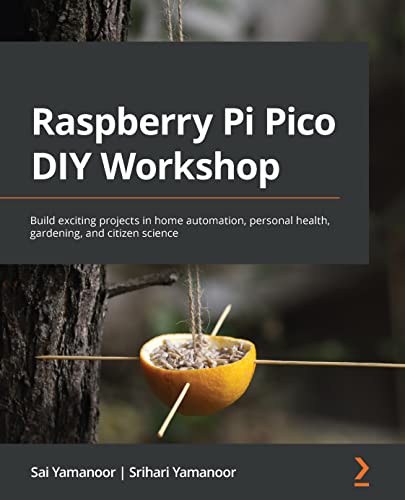
Raspberry Pi Pico DIY Workshop: Build exciting projects in home automation, personal health, gardening, and citizen science

BaDshaH

MyBoerse.bz Pro Member

ytr-ZMnj-A4-Ijk40hu-MDe0-Kk1y-R7mq4u-Sk.jpg


English | 2022 | ISBN: ‎ 1801814813 | 376 pages | True PDF EPUB | 68.39 MB​

Take your first steps with the Raspberry Pi Pico and take on exciting projects using CircuitPython, MicroPython, and Pico

Key Features
Make the most of the Raspberry Pi Pico―a low-cost microcontroller that is primed for innovation
Work with easy-to-follow examples and learn how to interface and program a Raspberry Pi Pico
Work on fun projects, right from home automation to building a seven-segment display to tracking air quality

Book Description
The Raspberry Pi Pico is the latest addition to the Raspberry Pi family of products. Introduced by the Raspberry Pi Foundation, based on their RP2040 chip, it is a tiny, fast microcontroller that packs enough punch to power an extensive range of applications. Raspberry Pi Pico DIY Workshop will help you get started with your own Pico and leverage its features to develop innovative products.
This book begins with an introduction to the Raspberry Pi Pico, giving you a thorough understanding of the RP2040's peripherals and different development boards for the Pico designed and manufactured by various organizations. You'll explore add-on hardware and programming language options available for the Pico. Next, you'll focus on practical skills, starting with a simple LED blinking project and building up to a giant seven-segment display, while working with application examples such as citizen science displays, digital health, and robots. You'll also work on exciting projects around gardening, building a weather station, tracking air quality, hacking your personal health, and building a robot, along with discovering tips and tricks to give you the confidence needed to make the best use of RP2040.
By the end of this Raspberry Pi book, you'll have built a solid foundation in product development using the RP2040, acquired a skillset crucial for embedded device development, and have a robot that you built yourself.

What you will learn
Understand the RP2040's peripherals and apply them in the real world
Find out about the programming languages that can be used to program the RP2040
Delve into the applications of serial interfaces available on the Pico
Discover add-on hardware available for the RP2040
Explore different development board variants for the Raspberry Pi Pico
Discover tips and tricks for seamless product development with the Pico

Who this book is for
This book is for students, teachers, engineers, scientists, artists, and tech enthusiasts who want to develop embedded systems that drive cost-effective automation, IoT, robotics, medical devices, and art projects. If you consider yourself a maker and would like to learn how to use the Raspberry Pi Pico, then this book is for you. Familiarity with Python programming, MicroPython, CircuitPython, embedded hardware, and peripherals is helpful but not mandatory to get the most out of this book.

Table of Contents
Getting Started with the Raspberry Pi Pico
Serial Interfaces and Applications
Home Automation Projects
Fun with Gardening!
Building a Weather Station
Designing a Giant Seven-Segment Display
Designing a Visual Aid for Tracking Air Quality
Building Wireless Nodes
Let's Build a Robot!
Designing TinyML Applications
Let's Build a Product!
Best Practices for Working with the Pico

To Support My Work Buy Premium From My Links.​
 
Zurück
Oben Unten
