




Published 2/2023
MP4 | Video: h264, 1280x720 | Audio: AAC, 44.1 KHz
Language: English | Size: 1013.23 MB | Duration: 0h 48m
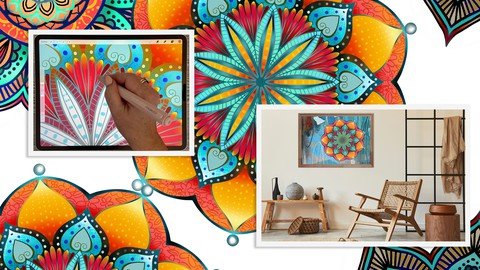
Produce an Intricate and Layered Mandala Easily with 10 Extra Brushes for Play
What you'll learn
Learn step-by-step methods for using Amaziograph to produce the initial mandala
Learn to create interest when colorizing and creating gradients
Learn methods for many iterations of the final mandala to get your creative juices flowing
Learn to adjust colors and quick methods to colorize your line work
Learn methods for keeping the art fully editable for later adjustments and recoloring
Requirements
Procreate experience is an asset
Description
If ever you've studied spiritual Asian art, you've likely encountered a mandala. You don't have to browse very long on a site like Pinterest or Flicker to come across one (or more). Mandalas have become an enduring art form. A mandala, which is Sanskrit for "circle", is a geometric design that holds a great deal of symbolism in Hindu and Buddhist cultures. Mandalas are believed to represent different aspects of the universe and are used as instruments of meditation and symbols of prayer.In their most basic form, mandalas are circles contained within a square and arranged into sections that are all organized around a single, central point. They're typically produced on paper or cloth, drawn on a surface with threads, fashioned in bronze, or built in stone. While extraordinary as a standalone work of art, mandalas hold symbolic and meditative meaning beyond their vibrant appearance.This class, Create a Quick and Stunning Mandala using Amaziograph and Procreate, will show you some of my software preferences for producing such a symbol. In the class, I take you from start to finish in creating a mandala, notably with a gradient fills and other enhancements we create in both Amaziograph and Procreate. I will show you a few iterations of the final design in the wrap-up. I love the meditative nature of producing a project like this, and you will enjoy the ease of using the Amaziograph software. Take a good look at this software because you can do much more than mandalas in it! It is totally worth the 99 cents you pay for it!In this class I'll walk you through:my step-by-step method for using Amaziograph to produce the initial mandalatips for creating interest when colorizing and creating gradientsmany iterations of the final mandala to get your creative juices flowingadjusting colors and quick methods to colorize your line workmethods for keeping the art fully editable for later adjustments and recoloringAre you looking for something fun, therapeutic, and meditative? Have you seen mandalas and the just seem impossible to create? Do you want to give it a go?The key concepts I will include:design considerations to get an intricate designthe historical significance of the mandalaapproaches you can take to keep your piece fully editableThis is a classic exercise for you and think ahead to some of the items you might be able to use the finished piece for. I can see this used on cards, on wall art, tapestries and blankets, to name but a few! Learning new software like Amaziograph is always fascinating, especially when you learn ways to integrate with Procreate. I am certain you will create something remarkable, even on your first attempt. I am also certain you will recognize the therapeutic nature of this art formIntro to Create a Quick and Stunning Mandala using Amaziograph and ProcreateThis short intro will give you an overview of the class.Lesson 1: Overview, ldeas, and lnspirationIn this lesson, I will give an overview of mandalas and I tell you about the symbolism they represent. We will also take a quick look at the Amaziograph interface and a piece being created using the software.Lesson 2: Amaziograph Interface and AdjustmentsIn this lesson, I will break down the complete process of choosing what brushes to use as well as showing you how to do a super quick sketch of flower shapes. I show you several of the brushes from the resources package and explain the idiosyncrasies of each. Then we paint a few of the flowers and I explain the reasoning behind the choices I make.Lesson 3: Drawing and Adjusting the BrushesIn this lesson, I will explain the settings and sizing of the document as well as the brushes in relation to the look we are trying to achieve. I will show you some of the key techniques I use and explain every step of the way. By the end of the lesson, you will have the beginnings of a lovely mandala with plenty of interest, and you will know how to use and adjust the brushes and create dotted lines and such. I will show you some of my go-to shapes when drawing a mandala.Lesson 4: Color Settings and Creating GradientsThis is the lesson in which I teach you about unique method Amaziograph has with setting and mixing colors. It's an interesting and intuitive method. I will also show you how to create a brush that allows for painting with a gradient without the use of a clipping mask. At the end of the lesson, I will show you how to export the file as a Photoshop document with layers for use in Procreate.Lesson 5: Procreate Finishes for More InterestIn this lesson, we start getting to the real essence of the final artwork. I will be showing you how to isolate sections and fill in remaining areas of color easily. We separate layers of color for the next step, which is to use the Gaussian Bur technique for creating gradients. We will use clipping masks to apply the gradients to out chosen area. This is where out Mandala starts to rally "pop".Lesson 6: Enhancing with Textures and PatternsAt this juncture, I will add the small details that make it work. I finish off with the gradients and show you a method to go back to Amaziograph to create some details to add to the gradient areas. I show you how to properly export that and then import it to the Procreate gallery. A simple technique is used to take the three layers I created into the main document, and it is perfectly positioned! This will show you just how versatile the techniques I showed you can be and how valuable experimentation is in your development.Lesson 7: Closing Thoughts, Finished Examples and Wrap UpWe will conclude everything in this lesson. I show you a couple of quick mock-ups with the pattern and we end with a chat about next steps.Concepts covered:Concepts covered include but are not limited to the Amaziograph software, mandalas in history, mandala creation, gradients in Procreate, the brush settings in Amaziograph, producing a gradient brush in Amaziograph, exporting as a PSD file for use in Procreate, the Brush Studio in Procreate, adjusting Amaziograph brushes, using Gaussian Blur to apply gradients to sections of color, using the color fill option when doing automatic selections, using clipping masks to apply gradients to those sections, sizing of documents and brushes, compositions with mandalas, adding enhancements created in Amaziograph, adding texture with brushes, procreate brushes for adding other interesting details, workflow best practices, painting best practice, Procreate composites, techniques with paints and blending, and much more.You will get.50 minutes of direction from an instructor who has been in graphic design business and education for over 40 yearsknowledge of multiple ways to solve each design challenge10 brushes to experiment withProject DescriptionIf you are interested in doing the project in the way I showed you, purchase and download the Amaziograph program ($0.99). Follow the steps in the lessons to draw your "outline" version of the mandala. Fill in colors as desired. Remember to experiment with the methods I demonstrated for the mixing of colors and making of gradient lines. Try to keep colors on separate layers for affecting later in Procreate.Once you are complete in Amaziograph, export the file as a PSD for use in Procreate. Put it in an easy to locate spot on your iPad or iCloud. Go to Procreate and import the psd file into the gallery. If you created the document in layers as I showed you, you will be able to adjust each layer independently. Create new layers and make them into clipping masks, attached to the layer you want to affect. I suggest you try a couple of the techniques I showed you in the lessons, especially the easy gradients using circles and Gaussian Blur.If you are feeling particularly motivated, try altering the black outline. You can do that by using an alpha-lock and then painting or filling, or you can use a clipping mask like I showed you in the lessons. Make a couple of versions to decide what your favorite techniques are!
Overview
Section 1: Introduction
Lecture 1 Overview, ldeas and lnspiration
Lecture 2 Amaziograph Interface and Adjustments
Lecture 3 Drawing and Adjusting the Brushes
Lecture 4 Color Settings and Creating Gradients
Lecture 5 5
Lecture 6 Enhancing with Textures and Patterns
Lecture 7 Closing Thoughts, Finished Examples and Wrap Up
Procreate users looking to ease creation of intricate mandalas made with Amaziograph and enhanced with Procreate
Homepage
Recommend Download Link Hight Speed | Please Say Thanks Keep Topic Live
Links are Interchangeable - No Password - Single Extraction
