• Regeln für den Video-Bereich:

    In den Börsenbereich gehören nur Angebote die bereits den Allgemeinen Regeln entsprechen.

    Einteilung

    - Folgende Formate gehören in die angegeben Bereiche:
    - Filme: Encodierte Filme von BluRay, DVD, R5, TV, Screener sowie Telesyncs im Format DivX, XviD und x264.
    - DVD: Filme im Format DVD5, DVD9 und HD2DVD.
    - HD: Encodierte Filme mit der Auflösung 720p oder darüber von BluRay, DVD, R5, TV, Screener sowie Telesyncs im Format x264.
    - 3D: Encodierte Filme von BluRay, die in einem 3D Format vorliegen. Dies gilt auch für Dokus, Animation usw.
    - Serien: Cartoon/Zeichentrick, Anime, Tutorials, Dokumentationen, Konzerte/Musik, Sonstiges sind demnach in die entsprechenden Bereiche einzuordnen, auch wenn sie beispielsweise im High Definition-Format oder als DVD5/DVD9/HD2DVD vorliegen. Ausnahme 3D.
    - Bereich Englisch: Englische Releases gehören immer in diesen Bereich.
    - Bereich Talk: Der Bereich, in dem über die Releases diskutiert werden kann, darf, soll und erwünscht ist.


    Angebot/Beitrag erstellen

    - Ein Beitrag darf erst dann erstellt werden, wenn der Upload bei mindestens einem OCH komplett ist. Platzhalter sind untersagt.
    - Bei einem Scenerelease hat der Threadtitel ausschließlich aus dem originalen, unveränderten Releasenamen zu bestehen. Es dürfen keine Veränderungen wie z.B. Sterne, kleine Buchstaben o.ä. vorgenommen werden. Ausnahme Serienbörse:
    - Bei einem Sammelthread für eine Staffel entfällt aus dem Releasename natürlich der Name der Folge. Beispiel: Die Simpsons S21 German DVDRip XviD - ITG
    - Dementsprechend sind also u.a. verboten: Erweiterungen wie "Tipp", "empfehlenswert", "only", "reup", usw. / jegliche andere Zusatzinformation oder Ergänzung, welche nicht in obiger Beschreibung zu finden ist.

    Aufbau des Angebots und Threadtitel

    Der Titel nach folgendem Muster erstellt zu werden. <Name> [3D] [Staffel] [German] <Jahr> <Tonspur> [DL] [Auflösung] <Quelle> <Codec> - <Group>
    Beispiel: The Dark Knight German 2008 AC3 DVDRip XviD - iND
    Beispiel: The Dark Knight 2008 DTS DL BDRip x264 - iND
    Beispiel: The Dark Knight 2008 AC3 DL BDRip XviD - iND
    Beispiel: The Dark Knight German 2008 AC3 720p BluRay x264 iND
    Beispiel: The Dark Knight 2008 DTS DL 1080p BluRay x264 iND
    Beispiel: Die Simpsons S01 German AC3 DVDRip XviD iND
    Beispiel: Die Simpsons S20 German AC3 720p BluRay x264 iND
    Beispiel: Sword Art Online II Ger Sub 2014 AAC 1080p WEBRip x264 - peppermint
    Entsprechend sind also u.a. verboten: Sonderzeichen wie Klammern, Sterne, Ausrufezeichen, Unterstriche, Anführungszeichen / Erweiterungen wie "Tipp", "empfehlenswert", "only", "reup", usw. / jegliche andere Zusatzinformation oder Ergänzung, welche nicht in obiger Beschreibung zu finden ist
    Ausnahmen hiervon können in den Bereichen geregelt sein.

    Die Beiträge sollen wie folgt aufgebaut werden:
    Überschrift entspricht dem Threadtitel
    Cover
    kurze Inhaltsbeschreibung
    Format, Größe, Dauer sind gut lesbar für Downloader außerhalb des Spoilers zu vermerken
    Nfo sind immer Anzugeben und selbige immer im Spoiler in Textform.
    Sind keine Nfo vorhanden z.B. Eigenpublikationen, sind im Spoiler folgende Dateiinformationen zusätzlich anzugeben :
    Quelle
    Video (Auflösung und Bitrate)
    Ton (Sprache, Format und Bitrate der einzelnen Spuren)
    Untertitel (sofern vorhanden)
    Hosterangabe in Textform außerhalb eines Spoiler mit allen enthaltenen Hostern.
    Bei SD kann auf diese zusätzlichen Dateiinformationen verzichtet werden.

    Alle benötigten Passwörter sind, sofern vorhanden, in Textform im Angebot anzugeben.
    Spoiler im Spoiler mit Kommentaren :"Schon Bedankt?" sind unerwünscht.


    Releases

    - Sind Retail-Release verfügbar, sind alle anderen Variationen untersagt. Ausnahmen: Alle deutschen Retail-Release sind CUT, in diesem Fall sind dubbed UNCUT-Release zulässig.
    - Im Serien-Bereich gilt speziell: Wenn ein Retail vor Abschluss einer laufenden Staffel erscheint, darf diese Staffel noch zu Ende gebracht werden.62
    - Gleiche Releases sind unbedingt zusammenzufassen. Das bedeutet, es ist zwingend erforderlich, vor dem Erstellen eines Themas per Suchfunktion zu überprüfen, ob bereits ein Beitrag mit demselben Release besteht. Ist dies der Fall, ist der bereits vorhandene Beitrag zu verwenden.
    - P2P und Scene Releases dürfen nicht verändert oder gar unter einem iND Tag eingestellt werden.


    Support, Diskussionen und Suche

    - Supportanfragen sind entweder per PN oder im Bereich Talk zu stellen.
    - Diskussionen und Bewertungen sind im Talk Bereich zu führen. Fragen an die Uploader haben ausschließlich via PN zu erfolgen, und sind in den Angeboten untersagt.
    - Anfragen zu Upload-Wünschen sind nur im Bereich Suche Video erlaubt. Antworten dürfen nur auf Angebote von MyBoerse.bz verlinkt werden.


    Verbote

    - Untersagt sind mehrere Formate in einem einzigen Angebotsthread, wie beispielsweise das gleichzeitige Anbieten von DivX/XviD, 720p und 1080p in einem Thread. Pro Format, Release und Auflösung ist ein eigener Thread zu eröffnen.
    - Grundsätzlich ebenso verboten sind Dupes. Uploader haben sich an geeigneter Stelle darüber zu informieren, ob es sich bei einem Release um ein Dupe handelt.
    - Gefakte, nur teilweise lauffähige oder unvollständige Angebote sind untersagt. Dies gilt auch für eigene Publikationen, die augenscheinlich nicht selbst von z.B. einer DVD gerippt wurden. Laufende Serien, bei denen noch nicht alle Folgen verfügbar sind, dürfen erstellt und regelmäßig geupdatet werden.
    - Untersagt sind Angebote, welche nur und ausschließlich in einer anderen Sprache als deutsch oder englisch vorliegen. Ausnahmen sind VORHER mit den Moderatoren zu klären.


    Verstoß gegen die Regeln

    - Angebote oder Beiträge, die gegen die Forenregeln verstoßen, sind über den "Melden"-Button im Beitrag zu melden.
  • Bitte registriere dich zunächst um Beiträge zu verfassen und externe Links aufzurufen.

*** Bestes IPTV *** bester Preis *** gratis Test ***


Qt 6 C++ GUI Development for Beginners : The Fundamentals

0daytutorial

MyBoerse.bz Pro Member
dde27d859cf91f03fea30e86764b0e97.jpg

Qt 6 C++ GUI Development for Beginners : The Fundamentals
Genre: eLearning | MP4 | Video: h264, 1280x720 | Audio: AAC, 48.0 KHz
Language: English | Size: 11.2 GB | Duration: 18h 53m​

Build Cross Platform Desktop Applications and Run Them on Windows, Mac and Linux. Build once, Run Everywhere!

What you'll learn
The fundamentals of working with Qt to build C++ Gui Applications
Working with Qt Widget Classes
Working with Dialog Classes
Using the Qt Resource System
Styling Qt Applications
Working with Networks to fetch HTTP Data
Working with the File System
Model View Architecture

Requirements
Basic knowledge of working with Computers
Open mind and strong willingness to learn how to build Qt C++ Gui applications
Basic understanding of programming will be useful but not required
Description
Welcome to Qt 6 C++ GUI Development for Beginners.

Qt is a cross platform application development framework. It can be used to build Graphical User interfaces that can run on Windows, Mac Linux , mobile platforms like android and ios, even embedded devices.

This course will focus on using Qt Widgets to build robust cross platform desktop applications capable of running well on major desktop Operating Systems like Windows , Mac and Linux.

While Qt Widgets can technically run both on mobile and embedded, it's better and less painful to use QML, another technology provided by the Qt framework. If you want to target mobile and embedded, then please check our courses on QML and Qt Quick. This course doesn't QML , Mobile or embedded!

The course assumes no prior knowledge of Graphical User Interface Development and even provides a C++ refresher crash course for those in need of a helping hand to get up and running with C++ within the Qt environment. By the time you are done with the course, you'll not only be armed with knowledge you could use to build basic to intermediate Graphical user interfaces, but you will also have enough momentum to use the documentation to even learn more on your own. As with my other courses, I use every chance I get to show you how to use the documentation to find solutions on your own and faster.

Let's take a look at the content of the course.

We start with a complete beginner to both C++ and Qt in mind, and we take you through the the process of getting your environment set up on your platform of choice

We do a live install of Qt Creator on Windows

We do a live install of Qt Creator on Linux

We guide you though how you would install Qt Creator on a Mac

We then take you on a tour of the C++ programming language, covering the concepts deemed important to start working with Qt to build your shinny GUI applications. You don't need to be a C++ wizard to start writing your applications using Qt. One of the goals behind Qt itself is to be as easy to use as possible, helping you to focus on your application logic rather than the C++ complex plumbing. This does not mean that you can do with zero C++ knowledge though. That's why we take you on a tour to cover the basic concepts of the language covering topics like

Running your first console application and understanding the main function

Streams that help you write and read data from your C++ applications

Variables and Data Types

Basic C++ Operators and Control flow where among other things you learn about if clauses and loops

Build an app to guess numbers and put together the concepts learned so far

C++ Functions

C++ classes

Building your first Qt C++ GUI Application

Building a GUI Version of your Number guessing game

We then visit the fascinating concept signals and slots in Qt where you learn the most flexible way to respond to events :

We'll explore lambda functions in C++ in general, we'll need them to use their SIGNAL SLOT syntax

We explore different ways to connect signals to slots in Qt

We then do a concept enforcing demo for you to try them out

Next we dive in the Qt Widgets section and visit some of the most important widget classes in Qt :

QWidget

QMainWindow

QMessageBox

QPushButton

QLineEdit

QTextEdit

QLabel

QHBoxLayout, QVBoxLayout, QGridLayout

We visit size policies and stretches and how they help tie the knots in your layouts

QCheckBox and QRadioButton

QList

QComboBox

QListWidget

QTabWidget

QMenu, QToolBar, QAction

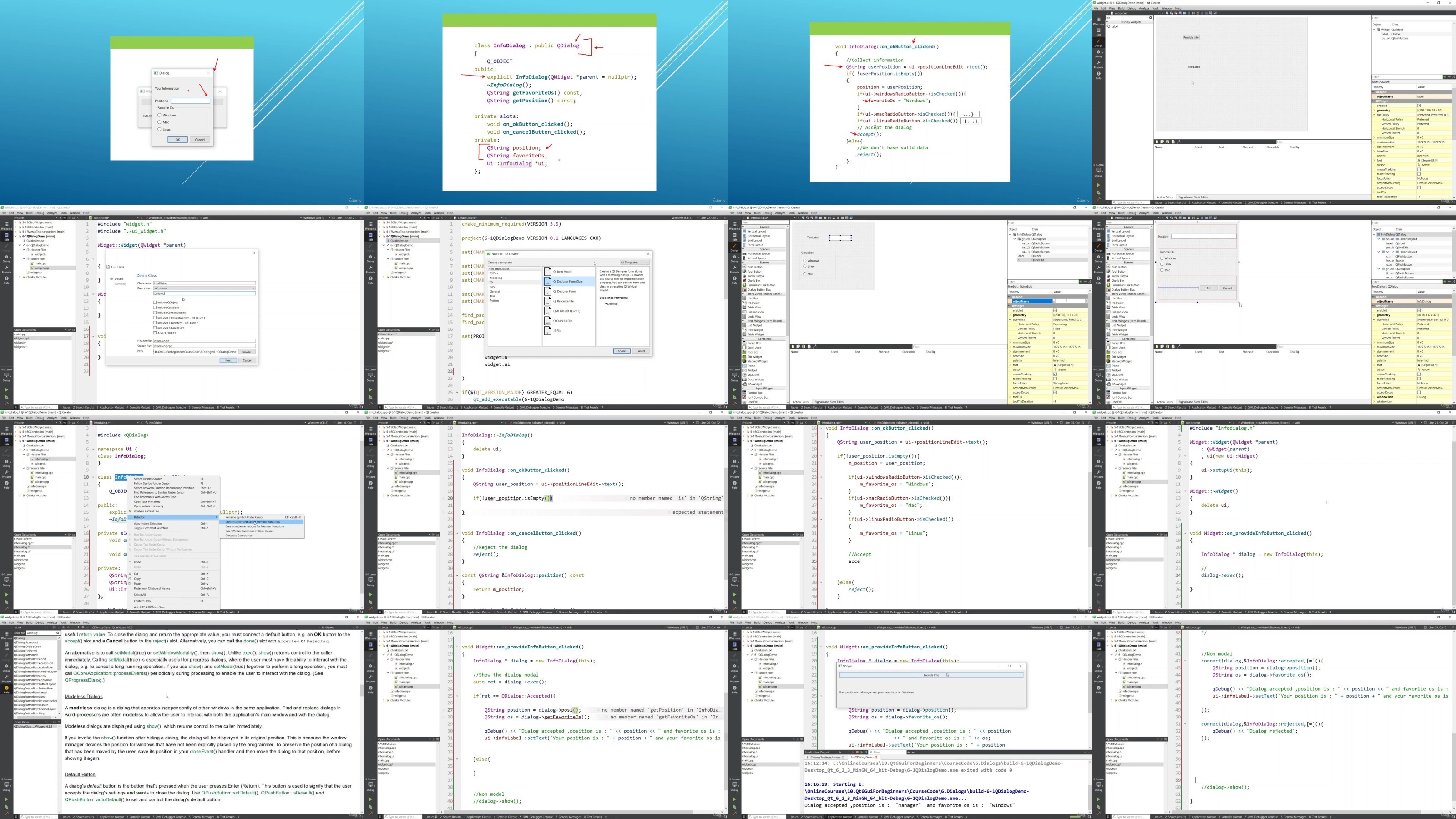
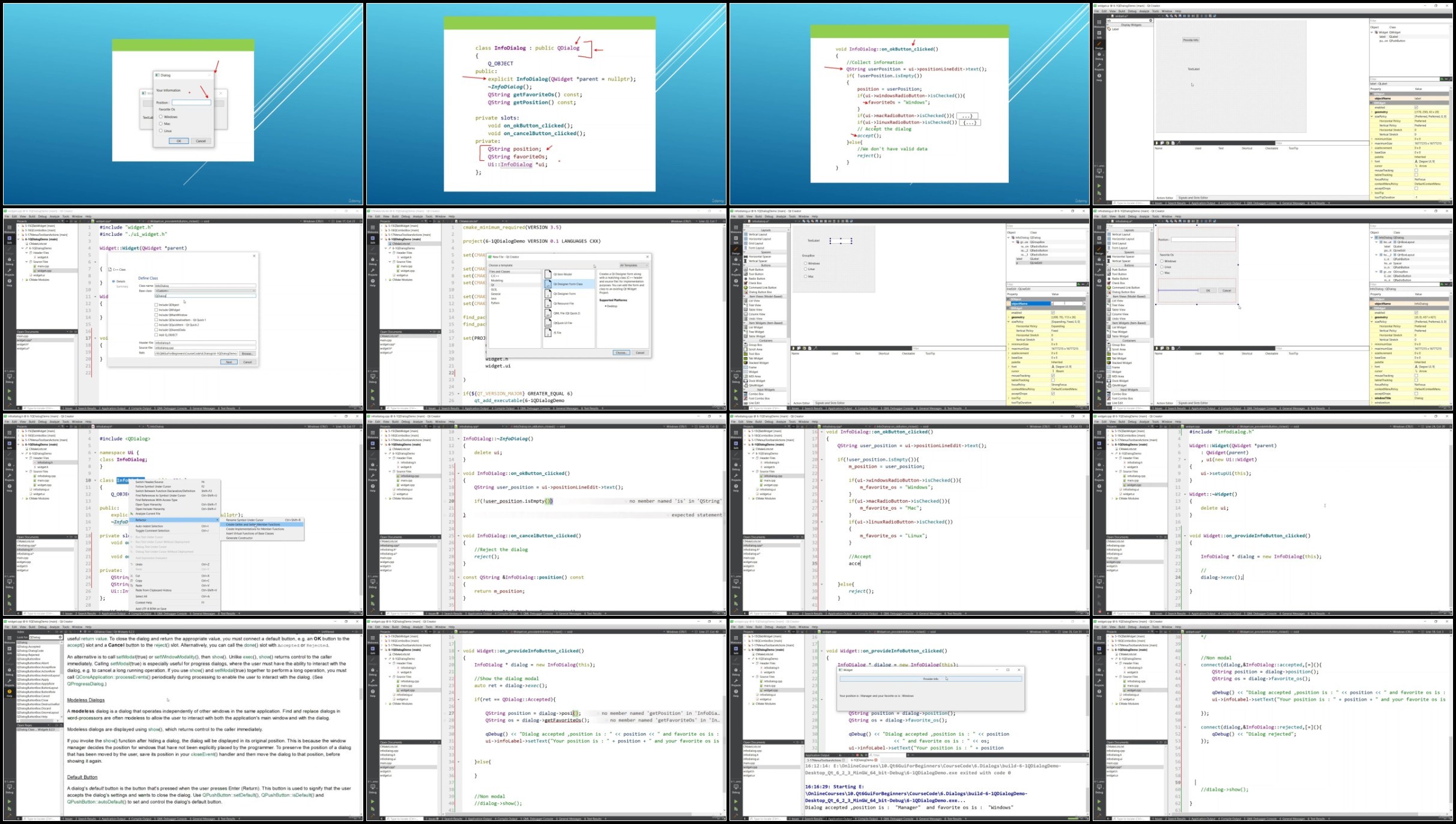
Dialogs are explored next , we look at QDialog and how to build your own custom dialog class from scratch , QDialogButtonBox, QMessageBox, QFontDialog, QFileDialog, QInputDialog and how they add a layer of interactivity to your Qt GUI applications.

We then go on and explore how to work with the Qt Resource System , Styling your Qt applications with QStyle, QPalette and Style Sheets, Saving your application settings with QSetting, Working with Files and Directories using QFile and QDir, working with the network capabilities of Qt where we :

See the different classes that are available to work with networks in Qt

Build an application to download web pages in our Qt Applications

Build an application to consume Rest APIs in your Qt Applications

and we wrap up the course looking at the Model View Architecture of the Qt framework where we learn about classes like

QListWidget

QTableWidget

QTreeWidget

QListView

QTableView

QTreeView

QStandardItemModel

QAbstractItemTableModel

QAbstractItemListModel

QStringListModel

and much more!

Qt has quite a huge user base and there are thousands of projects using both open source and commercial, including the one I am using to record this video right now. If you want to build cross platform graphical user interface applications using C++, this course is designed with the skill, patience and depth, needed to get you there as effisciently as possible. Please check out some of the preview videos and let's get you started building cross platform GUI applications using C++ and Qt 6.

Who this course is for
Anyone willing to Build Cross Platform Gui Software using Qt
Complete Beginners
Anyone willing to get a job building Qt Gui Applications
Students and Researchers willing to use Qt Gui features in their projects
SkYP2QIw_o.jpg


9e2b560482788cedeb3dac1800864f42.jpg

Qt 6 C++ GUI Development for Beginners : The Fundamentals
Genre: eLearning | MP4 | Video: h264, 1280x720 | Audio: AAC, 48.0 KHz
Language: English | Size: 11.2 GB | Duration: 18h 53m​

Build Cross Platform Desktop Applications and Run Them on Windows, Mac and Linux. Build once, Run Everywhere!

What you'll learn
The fundamentals of working with Qt to build C++ Gui Applications
Working with Qt Widget Classes
Working with Dialog Classes
Using the Qt Resource System
Styling Qt Applications
Working with Networks to fetch HTTP Data
Working with the File System
Model View Architecture

Requirements
Basic knowledge of working with Computers
Open mind and strong willingness to learn how to build Qt C++ Gui applications
Basic understanding of programming will be useful but not required
Description
Welcome to Qt 6 C++ GUI Development for Beginners.

Qt is a cross platform application development framework. It can be used to build Graphical User interfaces that can run on Windows, Mac Linux , mobile platforms like android and ios, even embedded devices.

This course will focus on using Qt Widgets to build robust cross platform desktop applications capable of running well on major desktop Operating Systems like Windows , Mac and Linux.

While Qt Widgets can technically run both on mobile and embedded, it's better and less painful to use QML, another technology provided by the Qt framework. If you want to target mobile and embedded, then please check our courses on QML and Qt Quick. This course doesn't QML , Mobile or embedded!

The course assumes no prior knowledge of Graphical User Interface Development and even provides a C++ refresher crash course for those in need of a helping hand to get up and running with C++ within the Qt environment. By the time you are done with the course, you'll not only be armed with knowledge you could use to build basic to intermediate Graphical user interfaces, but you will also have enough momentum to use the documentation to even learn more on your own. As with my other courses, I use every chance I get to show you how to use the documentation to find solutions on your own and faster.

Let's take a look at the content of the course.

We start with a complete beginner to both C++ and Qt in mind, and we take you through the the process of getting your environment set up on your platform of choice

We do a live install of Qt Creator on Windows

We do a live install of Qt Creator on Linux

We guide you though how you would install Qt Creator on a Mac

We then take you on a tour of the C++ programming language, covering the concepts deemed important to start working with Qt to build your shinny GUI applications. You don't need to be a C++ wizard to start writing your applications using Qt. One of the goals behind Qt itself is to be as easy to use as possible, helping you to focus on your application logic rather than the C++ complex plumbing. This does not mean that you can do with zero C++ knowledge though. That's why we take you on a tour to cover the basic concepts of the language covering topics like

Running your first console application and understanding the main function

Streams that help you write and read data from your C++ applications

Variables and Data Types

Basic C++ Operators and Control flow where among other things you learn about if clauses and loops

Build an app to guess numbers and put together the concepts learned so far

C++ Functions

C++ classes

Building your first Qt C++ GUI Application

Building a GUI Version of your Number guessing game

We then visit the fascinating concept signals and slots in Qt where you learn the most flexible way to respond to events :

We'll explore lambda functions in C++ in general, we'll need them to use their SIGNAL SLOT syntax

We explore different ways to connect signals to slots in Qt

We then do a concept enforcing demo for you to try them out

Next we dive in the Qt Widgets section and visit some of the most important widget classes in Qt :

QWidget

QMainWindow

QMessageBox

QPushButton

QLineEdit

QTextEdit

QLabel

QHBoxLayout, QVBoxLayout, QGridLayout

We visit size policies and stretches and how they help tie the knots in your layouts

QCheckBox and QRadioButton

QList

QComboBox

QListWidget

QTabWidget

QMenu, QToolBar, QAction

Dialogs are explored next , we look at QDialog and how to build your own custom dialog class from scratch , QDialogButtonBox, QMessageBox, QFontDialog, QFileDialog, QInputDialog and how they add a layer of interactivity to your Qt GUI applications.

We then go on and explore how to work with the Qt Resource System , Styling your Qt applications with QStyle, QPalette and Style Sheets, Saving your application settings with QSetting, Working with Files and Directories using QFile and QDir, working with the network capabilities of Qt where we :

See the different classes that are available to work with networks in Qt

Build an application to download web pages in our Qt Applications

Build an application to consume Rest APIs in your Qt Applications

and we wrap up the course looking at the Model View Architecture of the Qt framework where we learn about classes like

QListWidget

QTableWidget

QTreeWidget

QListView

QTableView

QTreeView

QStandardItemModel

QAbstractItemTableModel

QAbstractItemListModel

QStringListModel

and much more!

Qt has quite a huge user base and there are thousands of projects using both open source and commercial, including the one I am using to record this video right now. If you want to build cross platform graphical user interface applications using C++, this course is designed with the skill, patience and depth, needed to get you there as effisciently as possible. Please check out some of the preview videos and let's get you started building cross platform GUI applications using C++ and Qt 6.

Who this course is for
Anyone willing to Build Cross Platform Gui Software using Qt
Complete Beginners
Anyone willing to get a job building Qt Gui Applications
Students and Researchers willing to use Qt Gui features in their projects

5LrSKMuz_o.jpg


9e2b560482788cedeb3dac1800864f42.jpg

Qt 6 C++ GUI Development for Beginners : The Fundamentals
Genre: eLearning | MP4 | Video: h264, 1280x720 | Audio: AAC, 48.0 KHz
Language: English | Size: 11.2 GB | Duration: 18h 53m​

Build Cross Platform Desktop Applications and Run Them on Windows, Mac and Linux. Build once, Run Everywhere!

What you'll learn
The fundamentals of working with Qt to build C++ Gui Applications
Working with Qt Widget Classes
Working with Dialog Classes
Using the Qt Resource System
Styling Qt Applications
Working with Networks to fetch HTTP Data
Working with the File System
Model View Architecture

Requirements
Basic knowledge of working with Computers
Open mind and strong willingness to learn how to build Qt C++ Gui applications
Basic understanding of programming will be useful but not required
Description
Welcome to Qt 6 C++ GUI Development for Beginners.

Qt is a cross platform application development framework. It can be used to build Graphical User interfaces that can run on Windows, Mac Linux , mobile platforms like android and ios, even embedded devices.

This course will focus on using Qt Widgets to build robust cross platform desktop applications capable of running well on major desktop Operating Systems like Windows , Mac and Linux.

While Qt Widgets can technically run both on mobile and embedded, it's better and less painful to use QML, another technology provided by the Qt framework. If you want to target mobile and embedded, then please check our courses on QML and Qt Quick. This course doesn't QML , Mobile or embedded!

The course assumes no prior knowledge of Graphical User Interface Development and even provides a C++ refresher crash course for those in need of a helping hand to get up and running with C++ within the Qt environment. By the time you are done with the course, you'll not only be armed with knowledge you could use to build basic to intermediate Graphical user interfaces, but you will also have enough momentum to use the documentation to even learn more on your own. As with my other courses, I use every chance I get to show you how to use the documentation to find solutions on your own and faster.

Let's take a look at the content of the course.

We start with a complete beginner to both C++ and Qt in mind, and we take you through the the process of getting your environment set up on your platform of choice

We do a live install of Qt Creator on Windows

We do a live install of Qt Creator on Linux

We guide you though how you would install Qt Creator on a Mac

We then take you on a tour of the C++ programming language, covering the concepts deemed important to start working with Qt to build your shinny GUI applications. You don't need to be a C++ wizard to start writing your applications using Qt. One of the goals behind Qt itself is to be as easy to use as possible, helping you to focus on your application logic rather than the C++ complex plumbing. This does not mean that you can do with zero C++ knowledge though. That's why we take you on a tour to cover the basic concepts of the language covering topics like

Running your first console application and understanding the main function

Streams that help you write and read data from your C++ applications

Variables and Data Types

Basic C++ Operators and Control flow where among other things you learn about if clauses and loops

Build an app to guess numbers and put together the concepts learned so far

C++ Functions

C++ classes

Building your first Qt C++ GUI Application

Building a GUI Version of your Number guessing game

We then visit the fascinating concept signals and slots in Qt where you learn the most flexible way to respond to events :

We'll explore lambda functions in C++ in general, we'll need them to use their SIGNAL SLOT syntax

We explore different ways to connect signals to slots in Qt

We then do a concept enforcing demo for you to try them out

Next we dive in the Qt Widgets section and visit some of the most important widget classes in Qt :

QWidget

QMainWindow

QMessageBox

QPushButton

QLineEdit

QTextEdit

QLabel

QHBoxLayout, QVBoxLayout, QGridLayout

We visit size policies and stretches and how they help tie the knots in your layouts

QCheckBox and QRadioButton

QList

QComboBox

QListWidget

QTabWidget

QMenu, QToolBar, QAction

Dialogs are explored next , we look at QDialog and how to build your own custom dialog class from scratch , QDialogButtonBox, QMessageBox, QFontDialog, QFileDialog, QInputDialog and how they add a layer of interactivity to your Qt GUI applications.

We then go on and explore how to work with the Qt Resource System , Styling your Qt applications with QStyle, QPalette and Style Sheets, Saving your application settings with QSetting, Working with Files and Directories using QFile and QDir, working with the network capabilities of Qt where we :

See the different classes that are available to work with networks in Qt

Build an application to download web pages in our Qt Applications

Build an application to consume Rest APIs in your Qt Applications

and we wrap up the course looking at the Model View Architecture of the Qt framework where we learn about classes like

QListWidget

QTableWidget

QTreeWidget

QListView

QTableView

QTreeView

QStandardItemModel

QAbstractItemTableModel

QAbstractItemListModel

QStringListModel

and much more!

Qt has quite a huge user base and there are thousands of projects using both open source and commercial, including the one I am using to record this video right now. If you want to build cross platform graphical user interface applications using C++, this course is designed with the skill, patience and depth, needed to get you there as effisciently as possible. Please check out some of the preview videos and let's get you started building cross platform GUI applications using C++ and Qt 6.

Who this course is for
Anyone willing to Build Cross Platform Gui Software using Qt
Complete Beginners
Anyone willing to get a job building Qt Gui Applications
Students and Researchers willing to use Qt Gui features in their projects

5LrSKMuz_o.jpg


eaee7364c377ea93a080ad9096307fe8.jpg

Qt 5 C++ GUI Development For Beginners: The Fundamentals

WEBRip | English | MP4 | 1280 x 720 | AVC ~800 Kbps | 30 fps
AAC | 40 Kbps | 48.0 KHz | 1 channel | 14:31:14 | 5.14 GB Genre: Video Tutorial / Development, Software Engineering, QT Framework

We visit the fascinating concept signals and slots in Qt where you learn the most flexible way to respond to events.

Next we dive in the Qt Widgets section and visit some of the most important widget classes in Qt.

Dialogs are explored next, we look at QDialog and how to build your own custom dialog class from scratch, QDialogButtonBox, QMessageBox, QFontDialog, QFileDialog, QInputDialog and how they add a layer of interactivity to your Qt GUI applications.

We then go on and explore how to work with the Qt Resource System, Styling your Qt applications with QStyle, QPalette and Style Sheets, Saving your application settings with QSetting, Working with Files and Directories using QFile and QDir and we wrap up the course with a tour of the network capabilities of Qt.

This course was designed to help you succeed in becoming a Qt Gui application developer regardless of your current level of expertise. The only requirement is to bring in an open mind and a strong willingness to learn.

Content:

* Getting Started
Getting Started
Downloading and Installing Qt Creator on Windows
Teaser : Build your First Qt Gui App in 10 minutes!
Downloading and Installing Qt Creator-Linux and Mac
Qt-An Overview of Qt Creator and Tooling (Compilers,Debuggers)

* C++ Beginner Crash Course
Your First C++ console Program
Streams-Input and Output
C++ Variables and Data Types
C++ Operators and Flow Control
C++ Demo Game Program : Guess My Number
C++ Functions
C++ Classes Part 1 of 3
C++ Classes Part 2 of 3
C++ Classes Part 3 of 3
Your First Qt Gui Application
Demo-Guess Numbers Gui

* Signals And Slots
C++ Lambda Basics
Connecting Signals to Slots : 3 Different Ways
Demo -Your Try on Signals and Slots

* A Tour of Qt Widgets
QWidget Class Part 1 of 2
QWidget Class Part 2 of 2
QMainWindow Class
QMessageBox Class
QPushButton Class
QLineEdit Class
QTextEdit Class
QLabel Class
Qt Layouts
QHBoxLayout
QVBoxLayout
Size Policy and Stretches
QGridLayout
QCheckBox and QRadioButton Classes
The QList Class : Store your Objects in a List
QComboBox Class
QListWidge Class
QTabWidget Class
Menus and Toolbars : QAction, QMenu, QToolbar

* Working With Dialogs
QDialog Part 1 of 2
QDialog Part 2 of 2
QDialogButtonBox
QMessageBox
File Dialogs
Font Dialog
Color Dialog
QInputDialog

* Working with Resources
The Qt Resource System Explained
Working with Resource Files in your Qt Application

* Styling your Qt Applications
An Overview on Qt Styling Offerings
QPalette Used Right
Working with Style Sheets
Style Sheets in External Files
Demo : Doing More with Style Sheets

* Working with Settings
QSettings Explained
Working with QSettings in Qt App

* Working with Files and Directories
QFile: Reading and Writting Files
QDir : Manipulating Directories

* Model View Architecture Framework
Introduction to the Model View Framework of Qt
Your first try on QModelIndexes
Working with QFileSystemModel
Working with QStandardItemModel
Working with QStringListModel
Building your Custom Model
Working with Roles in the Model
Notifying the view of Changes in the Model
Managing View Header Data
QStandardItem API and QSelectionModel

* Working with Networks
An Overview of Qt Network Offerings
Downloading Html Pages in Your Qt App
Handling SSL Warnings/Errors when Downloading SSL Protected Data
Consuming REST APIs in your Qt App
Farewell and Next Steps

also You can find my other useful:

General
Complete name : 2. Working with Resource Files in your Qt Application.mp4
Format : MPEG-4
Format profile : Base Media
Codec ID : isom (isom)
File size : 60.5 MiB
Duration : 10 min 1 s
Overall bit rate mode : Variable
Overall bit rate : 845 kb/s
Encoded date : UTC 2020-02-08 14:10:21
Tagged date : UTC 2020-02-08 14:10:21

Video
ID : 1
Format : AVC
Format/Info : Advanced Video Codec
Format profile : [email protected]
Format settings : 4 Ref Frames
Format settings, CABAC : No
Format settings, RefFrames : 4 frames
Codec ID : avc1
Codec ID/Info : Advanced Video Coding
Duration : 10 min 0 s
Bit rate : 800 kb/s
Maximum bit rate : 3 257 kb/s
Width : 1 280 pixels
Height : 720 pixels
Display aspect ratio : 16:9
Frame rate mode : Constant
Frame rate : 30.000 FPS
Color space : YUV
Chroma subsampling : 4:2:0
Bit depth : 8 bits
Scan type : Progressive
Bits/(Pixel*Frame) : 0.029
Stream size : 57.4 MiB (95%)
Writing library : x264 core 155 r2901 7d0ff22
Encoding settings : cabac=0 / ref=2 / deblock=0:-3:-3 / analyse=0x3:0x113 / me=hex / subme=4 / psy=1 / psy_rd=2.00:0.70 / mixed_ref=0 / me_range=16 / chroma_me=1 / trellis=1 / 8x8dct=1 / cqm=0 / deadzone=21,11 / fast_pskip=1 / chroma_qp_offset=-2 / threads=9 / lookahead_threads=2 / sliced_threads=0 / nr=0 / decimate=1 / interlaced=0 / bluray_compat=0 / constrained_intra=0 / bframes=3 / b_pyramid=2 / b_adapt=1 / b_bias=0 / direct=1 / weightb=0 / open_gop=0 / weightp=0 / keyint=300 / keyint_min=30 / scenecut=40 / intra_refresh=0 / rc_lookahead=20 / rc=2pass / mbtree=1 / bitrate=800 / ratetol=1.0 / qcomp=0.60 / qpmin=0 / qpmax=69 / qpstep=4 / cplxblur=20.0 / qblur=0.5 / vbv_maxrate=17500 / vbv_bufsize=17500 / nal_hrd=none / filler=0 / ip_ratio=1.40 / aq=1:1.20
Encoded date : UTC 2020-02-08 20:47:22
Tagged date : UTC 2020-02-08 14:10:24

Audio
ID : 2
Format : AAC
Format/Info : Advanced Audio Codec
Format profile : HE-AAC / LC
Format settings : Explicit
Codec ID : mp4a-40-2
Duration : 10 min 1 s
Bit rate mode : Variable
Bit rate : 40.0 kb/s
Maximum bit rate : 44.8 kb/s
Channel(s) : 1 channel
Channel positions : Front: C
Sampling rate : 48.0 kHz / 24.0 kHz
Frame rate : 23.438 FPS (1024 SPF)
Compression mode : Lossy
Stream size : 2.87 MiB (5%)
Encoded date : UTC 2020-02-08 14:10:23
Tagged date : UTC 2020-02-08 14:10:24
Screenshots

✅ Exclusive eLearning Videos ← add to bookmarks

Feel free to contact me
when links are dead or want any repost

1RzUu1Ad_o.jpg


6d5299ff6de27fe98a75a760a3054f8d.jpg

Qt 5 C++ GUI Development For Beginners : The Fundamentals
2025-09-09
MP4 | Video: h264, 1920x1080 | Audio: AAC, 44.1 KHz
Language: English (US) | Size: 14.97 GB | Duration: 14h 41m​

Build Cross Platform C++ GUI Applications with Qt, Run them on Windows, Mac, Linux, Android, iOS and Embedded Devices

What you'll learn
The fundamentals of working with Qt to build C++ Gui Applications
Working with Qt Widget Classes
Working with Dialog Classes
Using the Qt Resource System
Styling Qt Applications
Working with Networks to fetch HTTP Data
Working with the File System
Model View Architecture

Requirements
Basic knowledge of working with Computers
Open mind and strong willingness to learn how to build Qt C++ Gui applications
Basic understanding of programming will be useful but not required

Description
Important note : There is an update of this course to Qt 6. If you're just starting out, that's what you should take. Take this if you have a specific reason to target Qt 5. This course will take you from zero to a level where you can write any Qt C++ Gui application you may want. It is aimed at complete beginners but people with varying levels of experience wishing to learn Qt C++ Gui will equally find it useful.Qt is second to none in the field of building cross platform GUI application based on C++. It can currently be used to build software that runs on virtually any platform out there: Windows, Mac, Linux, Android, IOS and even embedded systems. You basically build your software once and all you have to do is build it for your desired platform and voila !The course starts with a complete beginner to both C++ and Qt in mind, and we take you through the the process of getting your environment set up on your platform of choice :We do a live install of Qt Creator on WindowsWe do a live install of Qt Creator on LinuxWe guide you though how you would install Qt Creator on a MacWe guide you through Qt Creator showing you the tools that work together to get your application builtWe then take you on a tour of the C++ programming language, covering the concepts deemed important to start working with Qt to build your shinny GUI applications. You don't need to be a C++ wizard to start writing your applications using Qt. One of the goals behind Qt itself is to be as easy to use as possible, helping you to focus on your application logic rather than the C++ complex plumbing. This does not mean that you can do with zero C++ knowledge though. That's why we take you on a tour to cover the basic concepts of the language covering topics like:Running your first console application and understanding the main functionStreams that help you write and read data from your C++ applicationsVariables and Data TypesBasic C++ Operators and Control flow where among other things you learn about if clauses and loopsBuild an app to guess numbers and put together the concepts learned so farC++ FunctionsC++ classesBuilding your first Qt C++ GUI ApplicationBuilding a GUI Version of your Number guessing gameWe then visit the fascinating concept signals and slots in Qt where you learn the most flexible way to respond to events : We'll explore lambda functions in C++ in general, we'll need them to use their SIGNAL SLOT syntaxWe explore different ways to connect signals to slots in QtWe then do a concept enforcing demo for you to try them outNext we dive in the Qt Widgets section and visit some of the most important widget classes in Qt : QWigetQMainWindowQMessageBoxQPushButtonQLineEditQTextEditQLabelQHBoxLayout, QVBoxLayout, QGridLayoutWe visit size policies and stretches and how they help tie the knots in your layoutsQCheckBox and QRadioButtonQListQComboBoxQListWidgetQTabWidgetQMenu, QToolBar, QActionDialogs are explored next , we look at QDialog and how to build your own custom dialog class from scratch , QDialogButtonBox, QMessageBox, QFontDialog, QFileDialog, QInputDialog and how they add a layer of interactivity to your Qt GUI applications.We then go on and explore how to work with the Qt Resource System , Styling your Qt applications with QStyle, QPalette and Style Sheets, Saving your application settings with QSetting, Working with Files and Directories using QFile and QDir and we wrap up the course with a tour of the network capabilities of Qt where we : See the different classes that are available to work with networks in QtBuild an application to download web pages in our Qt ApplicationsBuild an application to consume Rest APIs in your Qt ApplicationsThis course was designed to help you succeed in becoming a Qt Gui application developer regardless of your current level of expertise. The only requirement is to bring in an open mind and a strong willingness to learn. Now, please check out some of the preview videos andl let's get you STARTED building cross platform GUI applications using Qt.

Who this course is for:
Anyone willing to Build Cross Platform Gui Software using Qt, Complete Beginners, Anyone willing to get a job building Qt Gui Applications, Students and Researchers willing to use Qt Gui features in their projects

For More Courses Visit & Bookmark Your Preferred Language Blog
From Here: - - - - - - - -


6jJY4e0A_o.jpg

 
Zurück
Oben Unten