• Regeln für den Software-Bereich:


    Allgemeines:

    - In erster Linie sind unsere Boardregeln zu beachten, zu finden HIER.
    - Software zur Audiobearbeitung sollte ausschließlich im Unterforum "Audio" eingestellt werden.
    - Für Cracks, Keygens oder sonstige Freischaltungssoftware gibt es das Unterforum "Freischaltung".
    - Portable Software bitte im entsprechenden Unterforum "Portable Software" eintragen.
    - Diskussionen zur Installation und anderen Problemen mit der Software, bitte im enstprechenden Unterforum "Talk" führen.
    - Bei Unklarheiten und Fragen zu den Regeln bitte die Moderatoren kontaktieren.


    Angebot erstellen

    - Die Struktur des Threadtitels muss wie folgt umgesetzt werden: Herstellername - Softwarename - Versionsnummer
    - Unnötige Zusätze im Threadtitel wie "HOT", "NEW" oder Punkte zwischen den Wörtern sind nicht erlaubt.
    - Achtet darauf immer nur die Hauptversion und deren Updates in einem Thread zusammenfassen, konkretes Beispiel: SoftwareXY v3.12 gehört in den selben Thread mit SoftwareXY v3.13; SoftwareXY v.4.1 gehört in einen neuen eigenen Thread. Ausgenommen hiervon sind Sammelthreads und Dauerangebote.
    - Bei nicht bekannten Herstellern oder Angebote einer privaten Software, ist die Programmbezeichnung + Versionsnummer ausreichend.
    - Besondere Beachtung gilt für den ersten Beitrag eines Angebots. Dort muss eine kurze Beschreibung der Software in deutscher Sprache angegeben werden. Für offizielle Releases ist es Pflicht die NFO im Beitrag einzustellen(Spoiler, siehe nächster Punkt).
    - Weitere Informationen wie NFOs oder Changelogs, versteckt ihr bitte in einem Spoiler.


    Software Suche

    - Für Suchanfragen haben wir das Unterforum "Suche" erstellt.
    - Auch hier sollte vorher die Suchfunktion benutzt werden, um Doppelthreads vorzubeugen. Sollte es bereits eine Suchanfrage geben, könnt ihr den Thread gerne mit einem "Danke" pushen.


    Trojaner- und Virusalarm

    - Falls Euer Virenscanner bei einem Angebot Alarm schlägt, solltet ihr zunächst Ruhe bewahren. Viele Virenscanner erkennen Cracks/Keygens oft fälschlicherweise als Bedrohung.
    - Prüft die verdächtige Datei zuerst mit http://virustotal.com , sollte es sich hierbei wirklich um eine Bedrohung handeln, meldet den Beitrag und/oder wendet euch mit dem Bericht von VirusTotal.com an einen Moderator.


    Unerwünschte Angebote

    - Keylogger, Spionagetools, alles rund ums Thema Hacking/Cracking ist nicht erwünscht.
  • Bitte registriere dich zunächst um Beiträge zu verfassen und externe Links aufzurufen.


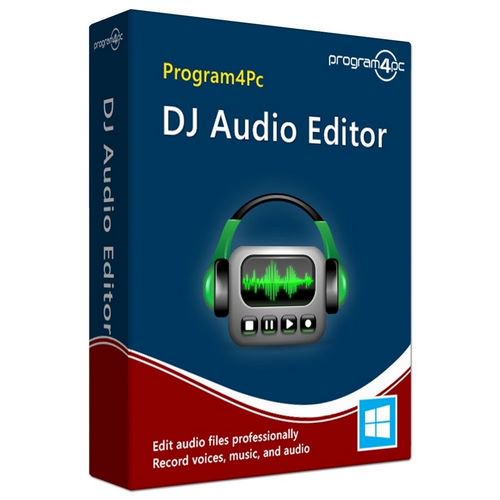
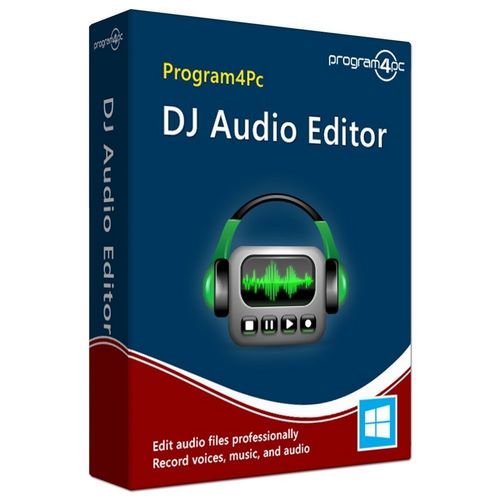
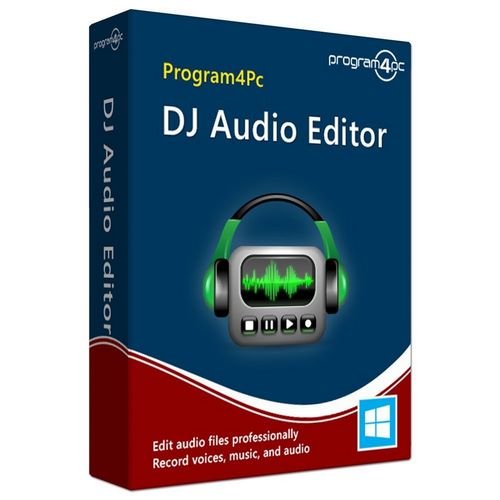
Program4Pc DJ Audio Editor v8

masterking

MyBoerse.bz Pro Member
Program4Pc DJ Audio Editor 8.0 Multilingual + Portable || Multi-Deutsch

dr8nj4ew.jpg


Der "DJ Audio Editor" erlaubt Ihnen unkompliziertes Schneiden und Bearbeiten von Audio-Files.
DJ Audio Editor
DJ Audio Editor
"DJ Audio Editor" ist ein praktisches Werkzeug zur Bearbeitung von Audio-Dateien.
Mit dem Tool beschneiden und kopieren Sie Audiofiles, fügen mehrere Tracks zu einem zusammen oder extrahieren einzelne Tonspuren.

Dazu kommen zahlreiche bekannte Effekte vom Delay über Flanger, Reverb und Phaser bis zu einfachen Fade-ins und Fade-outs, die sich jeweils über mehrere Schiebregler fein justieren lassen.
Auch verschiedene Filter (etwa Hoch- und Tiefpass) sind an Bord.

Mit dem Mausrad zoomen Sie beliebig weit in die Wellenform des aktuellen Tracks und können so genaueste Änderungen vornehmen.


FILEHOSTER:

Rapidgator

Alfafile


DOWNLOAD || 92 MB || Format: exe


Zuletzt bearbeitet:
Program4Pc DJ Audio Editor 8.1
Requirements:Windows 10, 8, 7, Vista
Overview:
This easy-to-use and well-organized audio editor software will let you explore and edit favorite songs and sounds in ways which you would never have imagined. You can add or detract hundreds of audio effects to your sound files, even create and save your own presets. Manipulate and enhance multi audio files with cut, join and trim functions simultaneously. Record audio from various inputs and save to all popular audio formats. Rip audio CD and convert to audio file, also edit audio tag and update song information easily.

Cvvoc1B.png

Main Features:
- Manipulate and edit audio files professionally
- Cut, join, split, trim, delete parts and mix audio files
- Record voices, music, and audio from any input source
- Apply various filters and effects easily
- Support wide range of media files including audio and video formats (multiple codecs)
- Rip and convert audio CD to audio file
- Edit audio tags and update song information
- Convert video to audio format (extract audio from video)

Cut, Join, Split, Trim, and Mix Audio Files
Personalizing audio files has never been easier with built-in Trim function, simply select your desire area and remove unwanted parts in just couple of clicks. There are several more functions available to edit audio and perform a complete audio editing and enhancing process including cut, join, split, delete parts and mix audio files.

Apply Audio Filters and Effects
Select between various built-in effects including Amplify, Fade In/Out, Compressor, Normalize, Invert, Mute, Echo, Chorus, Flanger, Phaser, Reverb, Vibrato, Tempo and Pitch Shift, Reverse, Noise and Silence Generator. DJ Audio Editor is also equipped with powerful and ready-to-apply filters for using on audio files such as Equalizer, Band Pass, Notch, Shelf, and Delete Silence which will make your audio editing experience more pleasant and fun with no hassle. You may go one step further and simply create and save custom preset for all effects and filters.

Record Audio from Any Input
Record audio data from various inputs like microphone, audio CDs, broadcasts, programs, and other input lines on a sound card. With just one click, you can specify bitrate, frequency and number of channels, edit recorded audio files, apply your desire filters and effects, and save to any audio format you like.

Rip and Convert Audio CD to Audio Format
DJ Audio Editor is equipped with an advanced CD Ripper tool which reads audio tracks from your CDs and allows you to convert, edit and save them professionally. Converted audio files have the highest quality, same as their original source and ready to load into audio editor for any additional editing process.

Save Audio in All Popular Formats
Edit any audio file and save to MP3, WAV, OGG, WMA, M4A, AAC, AMR, MP2, RA, AC3, FLAC, MKA, AU, AIFF, M4B, M4R with DJ Audio Editor, also may create special output format and save it as your own preset. All sound editing functions include Cut, Copy, Paste, Paste From File, Paste Mix, and Paste Mix from File are available to manipulate and edit audio file in seconds, powered by dedicated and fast processing engine which is compatible and works on every computer.

Extract and Convert Video to Audio
Easily extract, convert and edit audio from video file. You may have your favorite movie theme or video clip in audio format, save it on PC or external hardware with few clicks and enjoy it everywhere. By supporting any video format you will not miss your beloved video.

Edit Audio Tags and Update Song Information
DJ Audio Editor has a built-in audio tag editor which designed to be easy and intuitive to use. Simply add audio tags including title, artist, album, genre, and year to your music or edit current audio tags. Even add, remove or replace cover art to organize your music collection.
Release Notes:
Edit Audio Files Professionally
Most of us have some deep connection with music, and while many are just laid back and take songs as they are sung, other like to experiment and tinker with these sounds. But we can't all have a professional recording studio, but you can have the DJ Audio Editor. This easy-to-use and well-organized audio and music editing software will let you explore your favorite songs and sounds in ways which you would never have imagined. You no longer need huge mansions full of equipment to alter music, you can create and edit audio file with professional result. You can add or detract hundreds of audio effects to your sound files also can put several of these effects together to create your own unique effects and personalize your favorite songs much more then ever.

Music and Audio Editor Program
But, you might say, all these features are available in other audio editor programs, so why should this one be any different than the rest? Well, this audio editor supports practically every audio format that exists. The incredible filters allow you to add endless innovation to music creating and design, and also displaying a waveform or spectral image of audio file makes your work faster. Not only this, you are not confined to any one format after the editing, you can save the file you just edited in a vast array of formats so that your audio files are playable everywhere on any system. And all these features are getting completed with multi track editing which means you may edit several audio files simultaneously.

DJ Audio Editor 7:
- Professionally open, create, edit and save audio files. It's as simple as that!
- Waveform or spectral window display of the audio file gives you a visual idea of what exactly you are doing.
- The biggest advantage of this audio editor software is you can save files in absolutely any audio format.
- The DJ Audio Editor is equipped with hundreds of filters and effects and now you may go further and create your own preset.
- Cut, join, trim, split and mix audio files are available with couple of clicks.
- Now you can edit multi audio files in the same time in a single program and have full control over them.
- Rip audio CD and bring all audio tracks to DJ Audio Editor for further editing and saving to your preferred format.
- Record audio from any input source, whether microphone, audio CD or other input lines on sound card.
- Convert video to audio (extract audio from video and save it separately).
- Powerful 10 bands equalizer is provided to make your audio editing enhancement smoother then before.
- Better control on output audio with Gain volume and Balance volume for playback and recording channels
- Edit audio tags and update song information including title, artist, album, genre, year, and cover art easily.
- Supporting Audio format up to 192000Hz 32Bit is offering the highest possible audio quality.

More Info:
Download Instructions:
38.9 Mb
rar/zip archive
Language: English

 
Program4Pc DJ Audio Editor v8.1 Multilingual


e9037330ced68dc0cf5e7a5d69dc6bfd.jpg


Program4Pc DJ Audio Editor v8.1 Multilingual | 38 MB | Language: Multilanguage


This easy-to-use and well-organized audio editor software will let you explore and edit favorite songs and sounds in ways which you would never have imagined. You can add or detract hundreds of audio effects to your sound files, even create and save your own presets. Manipulate and enhance multi audio files with cut, join and trim functions simultaneously. Record audio from various inputs and save to all popular audio formats. Rip audio CD and convert to audio file, also edit audio tag and update song information easily.


Highlights:
- Manipulate and edit audio files professionally
- Cut, join, split, trim, delete parts and mix audio files
- Record voices, music, and audio from any input source
- Apply various filters and effects easily
- Support wide range of media files including audio and video formats (multiple codecs)
- Rip and convert audio CD to audio file
- Edit audio tags and update song information
- Convert video to audio format (extract audio from video)

Edit Audio Files Professionally
Most of us have some deep connection with music, and while many are just laid back and take songs as they are sung, other like to experiment and tinker with these sounds. But we can not all have a professional recording studio, but you can have the DJ Audio Editor. This easy-to-use and well-organized audio and music editing software will let you explore your favorite songs and sounds in ways which you would never have imagined. You no longer need huge mansions full of equipment to alter music, you can create and edit audio file with professional result. You can add or detract hundreds of audio effects to your sound files also can put several of these effects together to create your own unique effects and personalize your favorite songs much more then ever.

Music and Audio Editor Program
But, you might say, all these features are available in other audio editor programs, so why should this one be any different than the rest? Well, this audio editor supports practically every audio format that exists. The incredible filters allow you to add endless innovation to music creating and design, and also displaying a waveform or spectral image of audio file makes your work faster. Not only this, you are not confined to any one format after the editing, you can save the file you just edited in a vast array of formats so that your audio files are playable everywhere on any system. And all these features are getting completed with multi track editing which means you may edit several audio files simultaneously.

Main Features of DJ Audio Editor:
- Professionally open, create, edit and save audio files. Its as simple as that!
- Waveform or spectral window display of the audio file gives you a visual idea of what exactly you are doing.
- The biggest advantage of this audio editor software is you can save files in absolutely any audio format.
- The DJ Audio Editor is equipped with hundreds of filters and effects and now you may go further and create your own preset.
- Cut, join, trim, split and mix audio files are available with couple of clicks.
- Now you can edit multi audio files in the same time in a single program and have full control over them.
- Rip audio CD and bring all audio tracks to DJ Audio Editor for further editing and saving to your preferred format.
- Record audio from any input source, whether microphone, audio CD or other input lines on sound card.
- Convert video to audio (extract audio from video and save it separately).
- Powerful 10 bands equalizer is provided to make your audio editing enhancement smoother then before.
- Better control on output audio with Gain volume and Balance volume for playback and recording channels
- Edit audio tags and update song information including title, artist, album, genre, year, and cover art easily.
- Supporting Audio format up to 192000Hz 32Bit is offering the highest possible audio quality.

Cut, Join, Split, Trim, and Mix Audio Files
Personalizing audio files has never been easier with built-in Trim function, simply select your desire area and remove unwanted parts in just couple of clicks. There are several more functions available to edit audio and perform a complete audio editing and enhancing process including cut, join, split, delete parts and mix audio files.

Apply Audio Filters and Effects
Select between various built-in effects including Amplify, Fade In/Out, Compressor, Normalize, Invert, Mute, Echo, Chorus, Flanger, Phaser, Reverb, Vibrato, Tempo and Pitch Shift, Reverse, Noise and Silence Generator. DJ Audio Editor is also equipped with powerful and ready-to-apply filters for using on audio files such as Equalizer, Band Pass, Notch, Shelf, and Delete Silence which will make your audio editing experience more pleasant and fun with no hassle. You may go one step further and simply create and save custom preset for all effects and filters.

Record Audio from Any Input
Record audio data from various inputs like microphone, audio CDs, broadcasts, programs, and other input lines on a sound card. With just one click, you can specify bitrate, frequency and number of channels, edit recorded audio files, apply your desire filters and effects, and save to any audio format you like.

Rip and Convert Audio CD to Audio Format
DJ Audio Editor is equipped with an advanced CD Ripper tool which reads audio tracks from your CDs and allows you to convert, edit and save them professionally. Converted audio files have the highest quality, same as their original source and ready to load into audio editor for any additional editing process.

Save Audio in All Popular Formats
Edit any audio file and save to MP3, WAV, OGG, WMA, M4A, AAC, AMR, MP2, RA, AC3, FLAC, MKA, AU, AIFF, M4B, M4R with DJ Audio Editor, also may create special output format and save it as your own preset. All sound editing functions include Cut, Copy, Paste, Paste From File, Paste Mix, and Paste Mix from File are available to manipulate and edit audio file in seconds, powered by dedicated and fast processing engine which is compatible and works on every computer.

Extract and Convert Video to Audio
Easily extract, convert and edit audio from video file. You may have your favorite movie theme or video clip in audio format, save it on PC or external hardware with few clicks and enjoy it everywhere. By supporting any video format you will not miss your beloved video.

Edit Audio Tags and Update Song Information
DJ Audio Editor has a built-in audio tag editor which designed to be easy and intuitive to use. Simply add audio tags including title, artist, album, genre, and year to your music or edit current audio tags. Even add, remove or replace cover art to organize your music collection.

Minimum System Requirements:
- Supported OS: Windows 10, 8, 7, Vista
- Processor: 1 GHz or higher Intel or AMD compatible CPU
- .NET Framework 4.0
- Memory: 1 GB RAM
- Free Hard Disk Space: 100 MB or more
- Administrative permissions for program installation and activation

Homepage:


DOWNLOAD LINKS:



Program4Pc DJ Audio Editor v8.2 Multilingual


86ef02d3d55dac37cc7416e4ab75aeaa.jpg


Program4Pc DJ Audio Editor v8.2 Multilingual | 38 MB | Language: Multilanguage


This easy-to-use and well-organized audio editor software will let you explore and edit favorite songs and sounds in ways which you would never have imagined. You can add or detract hundreds of audio effects to your sound files, even create and save your own presets. Manipulate and enhance multi audio files with cut, join and trim functions simultaneously. Record audio from various inputs and save to all popular audio formats. Rip audio CD and convert to audio file, also edit audio tag and update song information easily.


Highlights:
- Manipulate and edit audio files professionally
- Cut, join, split, trim, delete parts and mix audio files
- Record voices, music, and audio from any input source
- Apply various filters and effects easily
- Support wide range of media files including audio and video formats (multiple codecs)
- Rip and convert audio CD to audio file
- Edit audio tags and update song information
- Convert video to audio format (extract audio from video)

Edit Audio Files Professionally
Most of us have some deep connection with music, and while many are just laid back and take songs as they are sung, other like to experiment and tinker with these sounds. But we can not all have a professional recording studio, but you can have the DJ Audio Editor. This easy-to-use and well-organized audio and music editing software will let you explore your favorite songs and sounds in ways which you would never have imagined. You no longer need huge mansions full of equipment to alter music, you can create and edit audio file with professional result. You can add or detract hundreds of audio effects to your sound files also can put several of these effects together to create your own unique effects and personalize your favorite songs much more then ever.

Music and Audio Editor Program
But, you might say, all these features are available in other audio editor programs, so why should this one be any different than the rest? Well, this audio editor supports practically every audio format that exists. The incredible filters allow you to add endless innovation to music creating and design, and also displaying a waveform or spectral image of audio file makes your work faster. Not only this, you are not confined to any one format after the editing, you can save the file you just edited in a vast array of formats so that your audio files are playable everywhere on any system. And all these features are getting completed with multi track editing which means you may edit several audio files simultaneously.

Main Features of DJ Audio Editor:
- Professionally open, create, edit and save audio files. Its as simple as that!
- Waveform or spectral window display of the audio file gives you a visual idea of what exactly you are doing.
- The biggest advantage of this audio editor software is you can save files in absolutely any audio format.
- The DJ Audio Editor is equipped with hundreds of filters and effects and now you may go further and create your own preset.
- Cut, join, trim, split and mix audio files are available with couple of clicks.
- Now you can edit multi audio files in the same time in a single program and have full control over them.
- Rip audio CD and bring all audio tracks to DJ Audio Editor for further editing and saving to your preferred format.
- Record audio from any input source, whether microphone, audio CD or other input lines on sound card.
- Convert video to audio (extract audio from video and save it separately).
- Powerful 10 bands equalizer is provided to make your audio editing enhancement smoother then before.
- Better control on output audio with Gain volume and Balance volume for playback and recording channels
- Edit audio tags and update song information including title, artist, album, genre, year, and cover art easily.
- Supporting Audio format up to 192000Hz 32Bit is offering the highest possible audio quality.

Cut, Join, Split, Trim, and Mix Audio Files
Personalizing audio files has never been easier with built-in Trim function, simply select your desire area and remove unwanted parts in just couple of clicks. There are several more functions available to edit audio and perform a complete audio editing and enhancing process including cut, join, split, delete parts and mix audio files.

Apply Audio Filters and Effects
Select between various built-in effects including Amplify, Fade In/Out, Compressor, Normalize, Invert, Mute, Echo, Chorus, Flanger, Phaser, Reverb, Vibrato, Tempo and Pitch Shift, Reverse, Noise and Silence Generator. DJ Audio Editor is also equipped with powerful and ready-to-apply filters for using on audio files such as Equalizer, Band Pass, Notch, Shelf, and Delete Silence which will make your audio editing experience more pleasant and fun with no hassle. You may go one step further and simply create and save custom preset for all effects and filters.

Record Audio from Any Input
Record audio data from various inputs like microphone, audio CDs, broadcasts, programs, and other input lines on a sound card. With just one click, you can specify bitrate, frequency and number of channels, edit recorded audio files, apply your desire filters and effects, and save to any audio format you like.

Rip and Convert Audio CD to Audio Format
DJ Audio Editor is equipped with an advanced CD Ripper tool which reads audio tracks from your CDs and allows you to convert, edit and save them professionally. Converted audio files have the highest quality, same as their original source and ready to load into audio editor for any additional editing process.

Save Audio in All Popular Formats
Edit any audio file and save to MP3, WAV, OGG, WMA, M4A, AAC, AMR, MP2, RA, AC3, FLAC, MKA, AU, AIFF, M4B, M4R with DJ Audio Editor, also may create special output format and save it as your own preset. All sound editing functions include Cut, Copy, Paste, Paste From File, Paste Mix, and Paste Mix from File are available to manipulate and edit audio file in seconds, powered by dedicated and fast processing engine which is compatible and works on every computer.

Extract and Convert Video to Audio
Easily extract, convert and edit audio from video file. You may have your favorite movie theme or video clip in audio format, save it on PC or external hardware with few clicks and enjoy it everywhere. By supporting any video format you will not miss your beloved video.

Edit Audio Tags and Update Song Information
DJ Audio Editor has a built-in audio tag editor which designed to be easy and intuitive to use. Simply add audio tags including title, artist, album, genre, and year to your music or edit current audio tags. Even add, remove or replace cover art to organize your music collection.

Minimum System Requirements:
- Supported OS: Windows 10, 8, 7, Vista
- Processor: 1 GHz or higher Intel or AMD compatible CPU
- .NET Framework 4.0
- Memory: 1 GB RAM
- Free Hard Disk Space: 100 MB or more
- Administrative permissions for program installation and activation

Homepage:


Größe: 38 MB
Sprache: Multilingual-Deutsch
Format: .rar / .exe
Plattform: Windows (32 Bit 64 Bit)


HOSTER:

K2s.cc (Keep2Share)

Rapidgator.net

Nitroflare.com

Uploadgig.com


DOWNLOAD


Zurück
Oben Unten