• Regeln für den Video-Bereich:

    In den Börsenbereich gehören nur Angebote die bereits den Allgemeinen Regeln entsprechen.

    Einteilung

    - Folgende Formate gehören in die angegeben Bereiche:
    - Filme: Encodierte Filme von BluRay, DVD, R5, TV, Screener sowie Telesyncs im Format DivX, XviD und x264.
    - DVD: Filme im Format DVD5, DVD9 und HD2DVD.
    - HD: Encodierte Filme mit der Auflösung 720p oder darüber von BluRay, DVD, R5, TV, Screener sowie Telesyncs im Format x264.
    - 3D: Encodierte Filme von BluRay, die in einem 3D Format vorliegen. Dies gilt auch für Dokus, Animation usw.
    - Serien: Cartoon/Zeichentrick, Anime, Tutorials, Dokumentationen, Konzerte/Musik, Sonstiges sind demnach in die entsprechenden Bereiche einzuordnen, auch wenn sie beispielsweise im High Definition-Format oder als DVD5/DVD9/HD2DVD vorliegen. Ausnahme 3D.
    - Bereich Englisch: Englische Releases gehören immer in diesen Bereich.
    - Bereich Talk: Der Bereich, in dem über die Releases diskutiert werden kann, darf, soll und erwünscht ist.


    Angebot/Beitrag erstellen

    - Ein Beitrag darf erst dann erstellt werden, wenn der Upload bei mindestens einem OCH komplett ist. Platzhalter sind untersagt.
    - Bei einem Scenerelease hat der Threadtitel ausschließlich aus dem originalen, unveränderten Releasenamen zu bestehen. Es dürfen keine Veränderungen wie z.B. Sterne, kleine Buchstaben o.ä. vorgenommen werden. Ausnahme Serienbörse:
    - Bei einem Sammelthread für eine Staffel entfällt aus dem Releasename natürlich der Name der Folge. Beispiel: Die Simpsons S21 German DVDRip XviD - ITG
    - Dementsprechend sind also u.a. verboten: Erweiterungen wie "Tipp", "empfehlenswert", "only", "reup", usw. / jegliche andere Zusatzinformation oder Ergänzung, welche nicht in obiger Beschreibung zu finden ist.

    Aufbau des Angebots und Threadtitel

    Der Titel nach folgendem Muster erstellt zu werden. <Name> [3D] [Staffel] [German] <Jahr> <Tonspur> [DL] [Auflösung] <Quelle> <Codec> - <Group>
    Beispiel: The Dark Knight German 2008 AC3 DVDRip XviD - iND
    Beispiel: The Dark Knight 2008 DTS DL BDRip x264 - iND
    Beispiel: The Dark Knight 2008 AC3 DL BDRip XviD - iND
    Beispiel: The Dark Knight German 2008 AC3 720p BluRay x264 iND
    Beispiel: The Dark Knight 2008 DTS DL 1080p BluRay x264 iND
    Beispiel: Die Simpsons S01 German AC3 DVDRip XviD iND
    Beispiel: Die Simpsons S20 German AC3 720p BluRay x264 iND
    Beispiel: Sword Art Online II Ger Sub 2014 AAC 1080p WEBRip x264 - peppermint
    Entsprechend sind also u.a. verboten: Sonderzeichen wie Klammern, Sterne, Ausrufezeichen, Unterstriche, Anführungszeichen / Erweiterungen wie "Tipp", "empfehlenswert", "only", "reup", usw. / jegliche andere Zusatzinformation oder Ergänzung, welche nicht in obiger Beschreibung zu finden ist
    Ausnahmen hiervon können in den Bereichen geregelt sein.

    Die Beiträge sollen wie folgt aufgebaut werden:
    Überschrift entspricht dem Threadtitel
    Cover
    kurze Inhaltsbeschreibung
    Format, Größe, Dauer sind gut lesbar für Downloader außerhalb des Spoilers zu vermerken
    Nfo sind immer Anzugeben und selbige immer im Spoiler in Textform.
    Sind keine Nfo vorhanden z.B. Eigenpublikationen, sind im Spoiler folgende Dateiinformationen zusätzlich anzugeben :
    Quelle
    Video (Auflösung und Bitrate)
    Ton (Sprache, Format und Bitrate der einzelnen Spuren)
    Untertitel (sofern vorhanden)
    Hosterangabe in Textform außerhalb eines Spoiler mit allen enthaltenen Hostern.
    Bei SD kann auf diese zusätzlichen Dateiinformationen verzichtet werden.

    Alle benötigten Passwörter sind, sofern vorhanden, in Textform im Angebot anzugeben.
    Spoiler im Spoiler mit Kommentaren :"Schon Bedankt?" sind unerwünscht.


    Releases

    - Sind Retail-Release verfügbar, sind alle anderen Variationen untersagt. Ausnahmen: Alle deutschen Retail-Release sind CUT, in diesem Fall sind dubbed UNCUT-Release zulässig.
    - Im Serien-Bereich gilt speziell: Wenn ein Retail vor Abschluss einer laufenden Staffel erscheint, darf diese Staffel noch zu Ende gebracht werden.62
    - Gleiche Releases sind unbedingt zusammenzufassen. Das bedeutet, es ist zwingend erforderlich, vor dem Erstellen eines Themas per Suchfunktion zu überprüfen, ob bereits ein Beitrag mit demselben Release besteht. Ist dies der Fall, ist der bereits vorhandene Beitrag zu verwenden.
    - P2P und Scene Releases dürfen nicht verändert oder gar unter einem iND Tag eingestellt werden.


    Support, Diskussionen und Suche

    - Supportanfragen sind entweder per PN oder im Bereich Talk zu stellen.
    - Diskussionen und Bewertungen sind im Talk Bereich zu führen. Fragen an die Uploader haben ausschließlich via PN zu erfolgen, und sind in den Angeboten untersagt.
    - Anfragen zu Upload-Wünschen sind nur im Bereich Suche Video erlaubt. Antworten dürfen nur auf Angebote von MyBoerse.bz verlinkt werden.


    Verbote

    - Untersagt sind mehrere Formate in einem einzigen Angebotsthread, wie beispielsweise das gleichzeitige Anbieten von DivX/XviD, 720p und 1080p in einem Thread. Pro Format, Release und Auflösung ist ein eigener Thread zu eröffnen.
    - Grundsätzlich ebenso verboten sind Dupes. Uploader haben sich an geeigneter Stelle darüber zu informieren, ob es sich bei einem Release um ein Dupe handelt.
    - Gefakte, nur teilweise lauffähige oder unvollständige Angebote sind untersagt. Dies gilt auch für eigene Publikationen, die augenscheinlich nicht selbst von z.B. einer DVD gerippt wurden. Laufende Serien, bei denen noch nicht alle Folgen verfügbar sind, dürfen erstellt und regelmäßig geupdatet werden.
    - Untersagt sind Angebote, welche nur und ausschließlich in einer anderen Sprache als deutsch oder englisch vorliegen. Ausnahmen sind VORHER mit den Moderatoren zu klären.


    Verstoß gegen die Regeln

    - Angebote oder Beiträge, die gegen die Forenregeln verstoßen, sind über den "Melden"-Button im Beitrag zu melden.
  • Bitte registriere dich zunächst um Beiträge zu verfassen und externe Links aufzurufen.

*** Bestes IPTV *** bester Preis *** gratis Test ***


Professional MS Office With AI - ChatGpt, Gemini Copilot

babymore87

MyBoerse.bz Pro Member
dd04959047a36615ad77cb525642ab87.avif

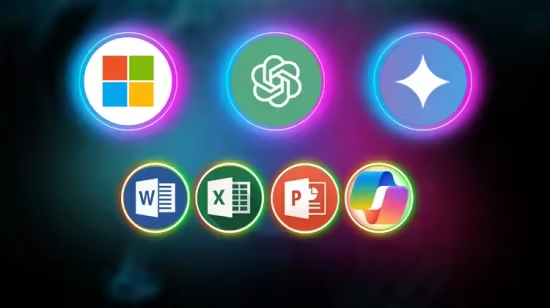
Free Download Professional MS Office With AI - ChatGpt, Gemini Copilot
Published 10/2025
MP4 | Video: h264, 1280x720 | Audio: AAC, 44.1 KHz, 2 Ch
Language: English | Duration: 8h 44m | Size: 3.1 GB
Microsoft Office Word, Excel & PowerPoint Mastery Course with AI - Automate Tasks Using ChatGPT, Gemini and Copilot

What you'll learn
Create polished reports, resumes, and proposals
Format documents professionally using styles, tables, and references
Use AI to generate, edit, and structure content quickly
Automate repetitive writing and formatting tasks
Master formulas, functions, data analysis, and pivot tables
Use AI tools to summarize, clean, and interpret data
Create dynamic dashboards for reporting and business use
Design visually compelling presentations
Use AI to generate content and layouts in seconds
Use ChatGPT for content creation, research, and formatting
Automate workflows across Word, Excel, and PowerPoint with Copilot
Requirements
No Previous Experience Required
Description
Master Microsoft Office and AI Tools - Work Smarter, Not HarderIn today's fast-paced world, Microsoft Office skills combined with AI-powered tools have become essential for students, professionals, freelancers, and job seekers.This Complete MS Office with AI Tools Masterclass is designed to take you from beginner to advanced level in Microsoft Word, Excel, and PowerPoint, while showing you how to integrate powerful AI tools like ChatGPT, Gemini, and Microsoft Copilot to automate tasks, save time, and boost productivity.Whether you want to analyze data in Excel, create professional reports in Word, or design stunning presentations in PowerPoint, this course provides step-by-step, practical training with real-world projects.What You Will LearnMicrosoft Word MasteryCreate professional reports, resumes, and documentsUse styles, formatting, tables, and references effectivelyAutomate writing tasks using ChatGPT and GeminiGenerate content, summaries, and templates with AIMicrosoft Excel MasteryLearn formulas, functions, charts, and pivot tablesAutomate repetitive tasks using Copilot and AI toolsAnalyze large datasets efficientlyBuild AI-assisted dashboards and reportsMicrosoft PowerPoint MasteryCreate engaging, professional presentationsUse AI to generate slide content and design ideasSave time with Copilot's smart suggestionsPresent confidently with AI-generated speaker notesAI Integration Across Office ToolsUse ChatGPT to write, summarize, and format contentUse Gemini for brainstorming and document enhancementUse Copilot to automate Office workflows and reduce manual workWhy This CourseBeginner to advanced structure with real-world projectsPractical AI-powered workflows to work faster and smarterJob-ready skills that are in high demandFuture-proof training that combines Microsoft Office expertise with AI integrationWho This Course Is ForAnyone aiming to build valuable Microsoft Office and AI skillsNo Prior Experience NeededThis course is designed for complete beginners as well as intermediate users who want to enhance their skills with AI integrations. All lessons are explained step by step through practical projects.By the End of This Course, You Will Be Able ToUse Microsoft Word, Excel, and PowerPoint with confidenceAutomate tasks and content creation using AI toolsBuild reports, presentations, and data analyses efficientlyStand out in the job market with modern productivity skillsEnroll today and start mastering Microsoft Office and AI tools to work smarter, save time, and boost your career opportunities.
Who this course is for
Anyone who aiming to build valuable Microsoft Office and AI skills
Homepage
Recommend Download Link Hight Speed | Please Say Thanks Keep Topic Live
No Password - Links are Interchangeable

 

e702d56a608f51ec2fb815f048933541.jpg

Professional MS Office With AI - ChatGpt, Gemini Copilot
Last updated 10/2025
Duration: 8h 44m | .MP4 1920x1080 30 fps(r) | AAC, 44100 Hz, 2ch | 3.02 GB
Genre: eLearning | Language: English​

Microsoft Office Word, Excel & PowerPoint Mastery Course with AI - Automate Tasks Using ChatGPT, Gemini and Copilot

What you'll learn
- Create polished reports, resumes, and proposals
- Format documents professionally using styles, tables, and references
- Use AI to generate, edit, and structure content quickly
- Automate repetitive writing and formatting tasks
- Master formulas, functions, data analysis, and pivot tables
- Use AI tools to summarize, clean, and interpret data
- Create dynamic dashboards for reporting and business use
- Design visually compelling presentations
- Use AI to generate content and layouts in seconds
- Use ChatGPT for content creation, research, and formatting
- Automate workflows across Word, Excel, and PowerPoint with Copilot

Requirements
- No Previous Experience Required

Description
Master Microsoft Office and AI Tools - Work Smarter, Not Harder

In today's fast-paced world, Microsoft Office skills combined with AI-powered tools have become essential for students, professionals, freelancers, and job seekers.This Complete MS Office with AI Tools Masterclass is designed to take you from beginner to advanced level in Microsoft Word, Excel, and PowerPoint, while showing you how to integrate powerful AI tools like ChatGPT, Gemini, and Microsoft Copilot to automate tasks, save time, and boost productivity.

Whether you want to analyze data in Excel, create professional reports in Word, or design stunning presentations in PowerPoint, this course provides step-by-step, practical training with real-world projects.

What You Will Learn

Microsoft Word Mastery

Create professional reports, resumes, and documents

Use styles, formatting, tables, and references effectively

Automate writing tasks using ChatGPT and Gemini

Generate content, summaries, and templates with AI

Microsoft Excel Mastery

Learn formulas, functions, charts, and pivot tables

Automate repetitive tasks using Copilot and AI tools

Analyze large datasets efficiently

Build AI-assisted dashboards and reports

Microsoft PowerPoint Mastery

Create engaging, professional presentations

Use AI to generate slide content and design ideas

Save time with Copilot's smart suggestions

Present confidently with AI-generated speaker notes

AI Integration Across Office Tools

Use ChatGPT to write, summarize, and format content

Use Gemini for brainstorming and document enhancement

Use Copilot to automate Office workflows and reduce manual work

Why This Course

Beginner to advanced structure with real-world projects

Practical AI-powered workflows to work faster and smarter

Job-ready skills that are in high demand

Future-proof training that combines Microsoft Office expertise with AI integration

Who This Course Is For

Anyone aiming to build valuable Microsoft Office and AI skills

No Prior Experience Needed

This course is designed for complete beginners as well as intermediate users who want to enhance their skills with AI integrations. All lessons are explained step by step through practical projects.

By the End of This Course, You Will Be Able To

Use Microsoft Word, Excel, and PowerPoint with confidence

Automate tasks and content creation using AI tools

Build reports, presentations, and data analyses efficiently

Stand out in the job market with modern productivity skills

Enroll today and start mastering Microsoft Office and AI tools to work smarter, save time, and boost your career opportunities.

Who this course is for:
- Anyone who aiming to build valuable Microsoft Office and AI skills


zyQRBaKt_o.jpg

 
Zurück
Oben Unten