



• Regeln für den Dokumente-Bereich:

    In den Börsenbereich gehören nur Angebote die bereits den Allgemeinen Regeln entsprechen.

    Allgemeines:

    Nicht erlaubt im Dokumente-Bereich sind:

    - indizierte Titel (inkl. Comics)
    - extremistische Werke, Zeitschriften und Comics (egal, welche Richtung)
    - jegliche Art von Pornographie
    - Anleitungen zu kriminellen Handlungen, gleich welcher Art
    - sadistische, menschenverachtende oder ähnliche Werke

    Nutzt den "Bedanken"-Button, bei Sammelthreads führen jegliche Kommentare, positiv wie negativ, sehr schnell zu einer Unübersichtlichkeit des Threads. Downmeldungen sind an den Uploader zu richten

    Vor dem Einstellen zu beachten:

    - Suchfunktion

    Vergewissert euch, dass es euer Dokument noch nicht im Board gibt, Doppelposts werden kommentarlos gelöscht. Ist es schon vorhanden, tragt es als Mirror im bestehenden Post ein.

    - Threadtitel

    Idealerweise ist sofort zu erkennen um was es sich handelt. Verseht euren Titel mit den relevanten Informationen, das hilft euch und damit auch uns und allen Suchenden erheblich weiter.

    Beispiel: [Thriller] Dan Brown - Inferno oder bei Magazinen:

    Computerbild - 14/2014 (es muss ersichtlich sein, um welche Ausgabe und welches Magazin es sich handelt)

    Folgende Präfixe stehen im Unterforum "Unterhaltung" zur Verfügung:

    [Humor]
    [Drama]
    [Erotik]
    [Fantasy]
    [Krimi]
    [Roman]
    [Thriller]
    [Horror]
    [Science Fiction]

    Inhalt des Beitrags:

    Folgende Pflichtangaben gilt es einzuhalten:

    - Autor
    - Titel
    - Präfix
    - Cover
    - Genre
    - Inhaltsbeschreibung
    - enthaltene Formate
    - Gesamtgröße des Downloads
    - Hoster
    - ggf. Passwort

    Nicht erlaubt sind alle Dateien, die den Download unnötig aufblähen um eine Affiliategrenze zu erreichen, wie zB. mp3-files, übergroße Bilder, etc.

    Ebenso nicht erlaubt sind sämtliche Dateien mit DRM, persönlichen Daten, etc., diese werden kommentarlos zu eurem eigenem Schutz gelöscht.

    Achtet bitte bei der Konvertierung der Formate auf die Lesbarkeit, ein epub, was nur einfach durch Calibre gejagt wird um ein PDF zu erhalten, ist zu 99% eben nicht lesbar. Wenn ihr es nicht könnt, dann lasst es besser oder lest euch ein, wie man es richtig macht.


    Unterforum Comics:

    Threadtitel:

    Ähnlich, wie bei Unterhaltung und Magazinen, sollte der Titel alle relevanten Informationen enthalten, hier bitte

    - den Titel des Comics
    - den Verlag (einige Comics sind in verschiedenen Verlagen erschienen)
    - das Erscheinungsjahr

    Erlaubt sind folgende Formate:

    - CBR
    - CBZ

    Grundsätzlich gilt: jede Version eines Comics erhält einen eigenen Thread, Ersteller eines Comics können ihre Bände gerne mit dem Zusatz (Original-Release) versehen.

    Bei Unsicherheiten zur korrekten Benennung bitte die Informationen von www.comicguide.de nutzen.

    Inhalt des Beitrags:

    Pflichtangaben hier sind:

    - Titel des Bandes und ggf. Nummer
    - Cover
    - falls bekannt technische Daten (DPI, Breite, Speicherqualität)
    - Größe des Downloads
    - Hoster
    - ggf. Passwort
    - falls bekannt Releasenamen
  • Bitte registriere dich zunächst um Beiträge zu verfassen und externe Links aufzurufen.


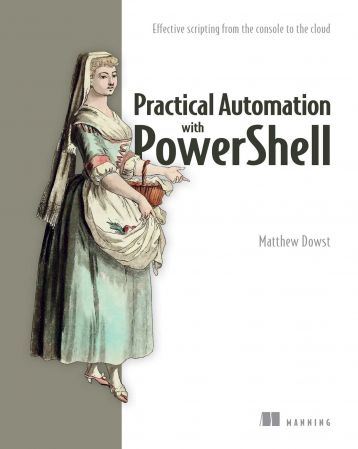
Practical Automation with PowerShell: Effective scripting from the console to the cloud

BaDshaH

MyBoerse.bz Pro Member
th-G5x9s-F2-FUO3l44-ZRb-HHDMd-Kf-Xfhfh-B2x.jpg


English | 2023 | ISBN: ‎ 1617299553 | 417 pages | True PDF | 13.93 MB​

Take PowerShell beyond simple scripts and build time-saving automations for your team, your users, and the world.

In Practical Automation with PowerShell you will learn how to:
  • Build PowerShell functions to automate common and complex tasks
  • Create smart automations that are adaptable to new challenges
  • Structure your code for sharing and reusability
  • Store and secure your automations
  • Execute automations with Azure Automation, Jenkins, Task Scheduler, and Cron
  • Share your automations with your team and non-technical colleagues
  • Store and retrieve data, credentials, and variables
  • Use source control solutions to maintain and test code changes
  • Provide front-end UI solutions for PowerShell automations

Practical Automation in PowerShell reveals how you can use PowerShell to build automation solutions for a huge number of common admin and DevOps tasks. Author Matthew Dowst uses his decades of experience to lay out a real blueprint for setting up an enterprise scripting environment with PowerShell. The book goes beyond the basics to show you how to handle the unforeseen complexities that can keep automations from becoming reusable and resilient. From the console to the cloud, you'll learn how to manage your code, avoid common pitfalls, and create sharable automations that are adaptable to different use cases.
Purchase of the print book includes a free eBook in PDF, Kindle, and ePub formats from Manning Publications.
About the Technology
The PowerShell scripting language is a force multiplier, giving you programmatic control over your whole data center. With this powerful tool, you can create reusable automations that radically improve consistency and productivity on your Ops team. This book shows you how to design, write, organize, and deploy scripts to automate operations on systems of all sizes, from local servers to enterprise clusters in the cloud.
About the Book
Practical Automation with PowerShell: Effective scripting from the console to the cloud shows you how to build PowerShell automations for local and cloud systems. In it, you'll find tips for identifying automatable tasks, techniques for structuring and managing scripts, and lots of well-explained example code. You'll even learn how to adapt existing scripts to new use cases and empower non-technical users through easy-to-understand SharePoint frontends.
What's Inside
  • Structure PowerShell code for sharing and reusability
  • Store and secure your automations
  • Execute automation with Azure Automation, Jenkins, Task Scheduler, and Cron
  • Store and retrieve data, credentials, and variables
  • Use source control solutions to maintain and test code changes

About the Reader
For sysadmin and IT professionals who manage backend systems.
About the Author
Matthew Dowst has over 15 years of experience in IT management and consulting.
Table of contents
PART 1
1 PowerShell automation
2 Get started automating
PART 2
3 Scheduling automation scripts
4 Handling sensitive data
5 PowerShell remote execution
6 Making adaptable automations
7 Working with SQL
8 Cloud-based automation
9 Working outside of PowerShell
10 Automation coding best practices
PART 3
11 End-user scripts and forms
12 Sharing scripts among a team
13 Testing your scripts
14 Maintaining your code

To Support My Work Buy Premium From My Links.​
 
Zurück
Oben Unten
