



• Regeln für den Video-Bereich:

    In den Börsenbereich gehören nur Angebote die bereits den Allgemeinen Regeln entsprechen.

    Einteilung

    - Folgende Formate gehören in die angegeben Bereiche:
    - Filme: Encodierte Filme von BluRay, DVD, R5, TV, Screener sowie Telesyncs im Format DivX, XviD und x264.
    - DVD: Filme im Format DVD5, DVD9 und HD2DVD.
    - HD: Encodierte Filme mit der Auflösung 720p oder darüber von BluRay, DVD, R5, TV, Screener sowie Telesyncs im Format x264.
    - 3D: Encodierte Filme von BluRay, die in einem 3D Format vorliegen. Dies gilt auch für Dokus, Animation usw.
    - Serien: Cartoon/Zeichentrick, Anime, Tutorials, Dokumentationen, Konzerte/Musik, Sonstiges sind demnach in die entsprechenden Bereiche einzuordnen, auch wenn sie beispielsweise im High Definition-Format oder als DVD5/DVD9/HD2DVD vorliegen. Ausnahme 3D.
    - Bereich Englisch: Englische Releases gehören immer in diesen Bereich.
    - Bereich Talk: Der Bereich, in dem über die Releases diskutiert werden kann, darf, soll und erwünscht ist.


    Angebot/Beitrag erstellen

    - Ein Beitrag darf erst dann erstellt werden, wenn der Upload bei mindestens einem OCH komplett ist. Platzhalter sind untersagt.
    - Bei einem Scenerelease hat der Threadtitel ausschließlich aus dem originalen, unveränderten Releasenamen zu bestehen. Es dürfen keine Veränderungen wie z.B. Sterne, kleine Buchstaben o.ä. vorgenommen werden. Ausnahme Serienbörse:
    - Bei einem Sammelthread für eine Staffel entfällt aus dem Releasename natürlich der Name der Folge. Beispiel: Die Simpsons S21 German DVDRip XviD - ITG
    - Dementsprechend sind also u.a. verboten: Erweiterungen wie "Tipp", "empfehlenswert", "only", "reup", usw. / jegliche andere Zusatzinformation oder Ergänzung, welche nicht in obiger Beschreibung zu finden ist.

    Aufbau des Angebots und Threadtitel

    Der Titel nach folgendem Muster erstellt zu werden. <Name> [3D] [Staffel] [German] <Jahr> <Tonspur> [DL] [Auflösung] <Quelle> <Codec> - <Group>
    Beispiel: The Dark Knight German 2008 AC3 DVDRip XviD - iND
    Beispiel: The Dark Knight 2008 DTS DL BDRip x264 - iND
    Beispiel: The Dark Knight 2008 AC3 DL BDRip XviD - iND
    Beispiel: The Dark Knight German 2008 AC3 720p BluRay x264 iND
    Beispiel: The Dark Knight 2008 DTS DL 1080p BluRay x264 iND
    Beispiel: Die Simpsons S01 German AC3 DVDRip XviD iND
    Beispiel: Die Simpsons S20 German AC3 720p BluRay x264 iND
    Beispiel: Sword Art Online II Ger Sub 2014 AAC 1080p WEBRip x264 - peppermint
    Entsprechend sind also u.a. verboten: Sonderzeichen wie Klammern, Sterne, Ausrufezeichen, Unterstriche, Anführungszeichen / Erweiterungen wie "Tipp", "empfehlenswert", "only", "reup", usw. / jegliche andere Zusatzinformation oder Ergänzung, welche nicht in obiger Beschreibung zu finden ist
    Ausnahmen hiervon können in den Bereichen geregelt sein.

    Die Beiträge sollen wie folgt aufgebaut werden:
    Überschrift entspricht dem Threadtitel
    Cover
    kurze Inhaltsbeschreibung
    Format, Größe, Dauer sind gut lesbar für Downloader außerhalb des Spoilers zu vermerken
    Nfo sind immer Anzugeben und selbige immer im Spoiler in Textform.
    Sind keine Nfo vorhanden z.B. Eigenpublikationen, sind im Spoiler folgende Dateiinformationen zusätzlich anzugeben :
    Quelle
    Video (Auflösung und Bitrate)
    Ton (Sprache, Format und Bitrate der einzelnen Spuren)
    Untertitel (sofern vorhanden)
    Hosterangabe in Textform außerhalb eines Spoiler mit allen enthaltenen Hostern.
    Bei SD kann auf diese zusätzlichen Dateiinformationen verzichtet werden.

    Alle benötigten Passwörter sind, sofern vorhanden, in Textform im Angebot anzugeben.
    Spoiler im Spoiler mit Kommentaren :"Schon Bedankt?" sind unerwünscht.


    Releases

    - Sind Retail-Release verfügbar, sind alle anderen Variationen untersagt. Ausnahmen: Alle deutschen Retail-Release sind CUT, in diesem Fall sind dubbed UNCUT-Release zulässig.
    - Im Serien-Bereich gilt speziell: Wenn ein Retail vor Abschluss einer laufenden Staffel erscheint, darf diese Staffel noch zu Ende gebracht werden.62
    - Gleiche Releases sind unbedingt zusammenzufassen. Das bedeutet, es ist zwingend erforderlich, vor dem Erstellen eines Themas per Suchfunktion zu überprüfen, ob bereits ein Beitrag mit demselben Release besteht. Ist dies der Fall, ist der bereits vorhandene Beitrag zu verwenden.
    - P2P und Scene Releases dürfen nicht verändert oder gar unter einem iND Tag eingestellt werden.


    Support, Diskussionen und Suche

    - Supportanfragen sind entweder per PN oder im Bereich Talk zu stellen.
    - Diskussionen und Bewertungen sind im Talk Bereich zu führen. Fragen an die Uploader haben ausschließlich via PN zu erfolgen, und sind in den Angeboten untersagt.
    - Anfragen zu Upload-Wünschen sind nur im Bereich Suche Video erlaubt. Antworten dürfen nur auf Angebote von MyBoerse.bz verlinkt werden.


    Verbote

    - Untersagt sind mehrere Formate in einem einzigen Angebotsthread, wie beispielsweise das gleichzeitige Anbieten von DivX/XviD, 720p und 1080p in einem Thread. Pro Format, Release und Auflösung ist ein eigener Thread zu eröffnen.
    - Grundsätzlich ebenso verboten sind Dupes. Uploader haben sich an geeigneter Stelle darüber zu informieren, ob es sich bei einem Release um ein Dupe handelt.
    - Gefakte, nur teilweise lauffähige oder unvollständige Angebote sind untersagt. Dies gilt auch für eigene Publikationen, die augenscheinlich nicht selbst von z.B. einer DVD gerippt wurden. Laufende Serien, bei denen noch nicht alle Folgen verfügbar sind, dürfen erstellt und regelmäßig geupdatet werden.
    - Untersagt sind Angebote, welche nur und ausschließlich in einer anderen Sprache als deutsch oder englisch vorliegen. Ausnahmen sind VORHER mit den Moderatoren zu klären.


    Verstoß gegen die Regeln

    - Angebote oder Beiträge, die gegen die Forenregeln verstoßen, sind über den "Melden"-Button im Beitrag zu melden.
  • Bitte registriere dich zunächst um Beiträge zu verfassen und externe Links aufzurufen.

*** Bestes IPTV *** bester Preis *** gratis Test ***


Power Bi: Microsoft Power Bi From Basics To Advanced

wowojeh111

MyBoerse.bz Pro Member
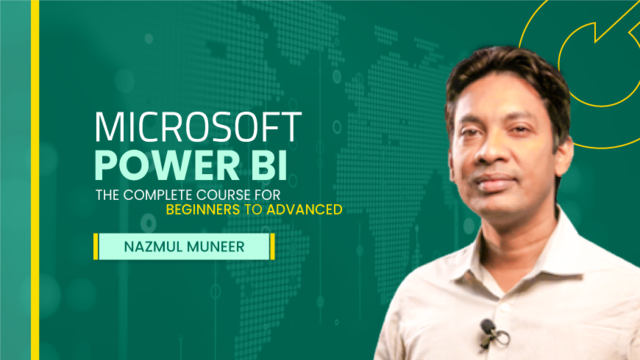
Microsoft-power-bi-beginners-to-advanced.png

Power Bi: Microsoft Power Bi From Basics To Advanced
Published 6/2025
MP4 | Video: h264, 1920x1080 | Audio: AAC, 44.1 KHz
Language: English | Size: 4.78 GB | Duration: 6h 25m
Straight to the Point Power BI Training. Become a data analyst. Learn powerbi, dax, power query, data modeling.​


What you'll learn
Transform raw data into actionable insights with Power Query and advanced data modeling.
Master DAX for powerful calculations, dynamic measures, and real-time analytics.
Build stunning interactive dashboards with best practices in data visualization.
Optimize database relationships for accuracy, speed, and efficiency.
Leverage Power BI Online to publish, share, and collaborate seamlessly.
Apply business intelligence techniques to solve real-world problems.
Gain job-ready skills to stand out in the data analytics market.
Requirements
No prior experience with Power BI is required, but basic knowledge of Excel and data handling is helpful. A Windows PC and Power BI Desktop installed are recommended.
Description
This Power BI course has been meticulously designed to provide a comprehensive introduction to Business Intelligence (BI) and data analytics, equipping participants with the necessary skills to import, transform, analyze, and visualize data effectively. Whether you are a beginner looking to enter the field or a seasoned professional aiming to enhance your expertise, this program covers fundamental and advanced techniques for building interactive reports and dashboards.Participants will learn how to connect and clean data from multiple sources, leveraging Power Query to structure and optimize datasets. The course provides in-depth training on data modeling and relationship management, enabling students to create well-structured data models that ensure accuracy and efficiency in analysis.A key component of the program is the mastery of DAX (Data Analysis Expressions), allowing learners to perform advanced calculations, aggregations, and data transformations. By applying these techniques, students will be able to extract deeper insights from their data and create dynamic measures that drive strategic decision-making.Beyond data manipulation, the course delves into effective storytelling with data, emphasizing best practices for report design, visualization, and dashboard creation. Students will gain hands-on experience in crafting compelling reports that communicate insights clearly and effectively.Additionally, the program explores Power BI Online, where participants will learn how to publish, share, and collaborate on reports and dashboards within an organization. They will also acquire troubleshooting skills to address common Power BI challenges, ensuring smooth and efficient workflows.By the end of the course, students will be able to design and develop professional-grade dashboards, apply Business Intelligence principles to real-world decision-making, and confidently utilize Power BI in a variety of professional settings.
Overview
Section 1: Introduction to Power BI
Lecture 1 What s Business Intelligence (BI)?
Lecture 2 What is Power BI?
Lecture 3 Installing Power BI
Lecture 4 Power BI Online Basics
Lecture 5 Navigating the Power BI Interface
Lecture 6 Connecting to Data Sources: Excel
Lecture 7 Connecting to Data Sources: Databases
Lecture 8 Data Basics: ETL in Power BI
Lecture 9 Quick Recap of Power BI Environment
Section 2: Data Transformation With Power Query
Lecture 10 Introduction to Power Query
Lecture 11 Data Cleaning: Removing Duplicates
Lecture 12 Handling Null Values
Lecture 13 Transforming Data Types
Lecture 14 Splitting and Merging Columns
Lecture 15 Creating Custom Columns
Lecture 16 Merging Queries: Basics
Lecture 17 Appending Queries: Basics
Lecture 18 Importing Data from Folders
Lecture 19 Creating a Calendar Table
Lecture 20 Date Tools in Power Query
Lecture 21 21. Optimizing Query Steps
Lecture 22 Handling Common Power Query Errors
Lecture 23 Disabling Load for Unused Queries
Lecture 24 Best Practices in Data Transformation
Lecture 25 Building a Basic Report with Transformed Data
Lecture 26 Hands-on Power Query Exercise
Section 3: Data Modeling and Exercise
Lecture 27 Introduction to Data Modeling
Lecture 28 Fact Tables vs. Dimension Tables
Lecture 29 Creating Table Relationships
Lecture 30 Understanding Cardinality
Lecture 31 Filter Direction and Its Impact
Lecture 32 Handling Blank Values in Reports
Lecture 33 Working with Multiple Fact Tables
Lecture 34 Hiding Fields in the Model
Lecture 35 Best Practices for Data Modeling
Section 4: DAX (Data Analysis Expressions)
Lecture 36 Introduction to DAX
Lecture 37 DAX Syntax and Operators
Lecture 38 Calculated Columns vs. Measures
Lecture 39 Basic DAX Functions: SUM and AVERAGE
Lecture 40 Using IF and SWITCH Functions
Lecture 41 Advanced Functions: RELATED and CALCULATE
Lecture 42 Time Intelligence Basics
Lecture 43 Creating KPIs with Measures
Lecture 44 Drill-Down Analysis in Reports
Lecture 45 Common Mistakes with DAX and Fixes
Lecture 46 Hands-on DAX Exercise: Sales Profit Analysis
Lecture 47 Recap of DAX Key Concepts
Section 5: Visualizations and Dashboards
Lecture 48 Introduction to Visualizations
Lecture 49 Creating Bar and Line Charts
Lecture 50 Working with Tables and Matrices
Lecture 51 Using Slicers and Filters
Lecture 52 Formatting Reports
Lecture 53 Applying Themes and Layouts
Lecture 54 Building a Dashboard in Power BI Online
Lecture 55 Sharing and Collaboration
Lecture 56 Storytelling with Data
Lecture 57 Common Reporting Pitfalls and Fixes
Lecture 58 Final Hands-On: Building a Complete Dashboard
Lecture 59 Recap and Next Steps
Section 6: Certification and Career Preparation
Lecture 60 Preparing for Microsoft Data Analyst Certification
Lecture 61 Building a Portfolio with Power BI
Lecture 62 Positioning Yourself as a Data Analyst
Beginners looking to master Power BI and data analytics from scratch.,Business professionals and analysts who want to create insightful dashboards.,Anyone transitioning into a data-driven career and seeking job-ready skills.,Professionals aiming to optimize decision-making with business intelligence.


 
Zurück
Oben Unten