• Regeln für den Software-Bereich:


    Allgemeines:

    - In erster Linie sind unsere Boardregeln zu beachten, zu finden HIER.
    - Software zur Audiobearbeitung sollte ausschließlich im Unterforum "Audio" eingestellt werden.
    - Für Cracks, Keygens oder sonstige Freischaltungssoftware gibt es das Unterforum "Freischaltung".
    - Portable Software bitte im entsprechenden Unterforum "Portable Software" eintragen.
    - Diskussionen zur Installation und anderen Problemen mit der Software, bitte im enstprechenden Unterforum "Talk" führen.
    - Bei Unklarheiten und Fragen zu den Regeln bitte die Moderatoren kontaktieren.


    Angebot erstellen

    - Die Struktur des Threadtitels muss wie folgt umgesetzt werden: Herstellername - Softwarename - Versionsnummer
    - Unnötige Zusätze im Threadtitel wie "HOT", "NEW" oder Punkte zwischen den Wörtern sind nicht erlaubt.
    - Achtet darauf immer nur die Hauptversion und deren Updates in einem Thread zusammenfassen, konkretes Beispiel: SoftwareXY v3.12 gehört in den selben Thread mit SoftwareXY v3.13; SoftwareXY v.4.1 gehört in einen neuen eigenen Thread. Ausgenommen hiervon sind Sammelthreads und Dauerangebote.
    - Bei nicht bekannten Herstellern oder Angebote einer privaten Software, ist die Programmbezeichnung + Versionsnummer ausreichend.
    - Besondere Beachtung gilt für den ersten Beitrag eines Angebots. Dort muss eine kurze Beschreibung der Software in deutscher Sprache angegeben werden. Für offizielle Releases ist es Pflicht die NFO im Beitrag einzustellen(Spoiler, siehe nächster Punkt).
    - Weitere Informationen wie NFOs oder Changelogs, versteckt ihr bitte in einem Spoiler.


    Software Suche

    - Für Suchanfragen haben wir das Unterforum "Suche" erstellt.
    - Auch hier sollte vorher die Suchfunktion benutzt werden, um Doppelthreads vorzubeugen. Sollte es bereits eine Suchanfrage geben, könnt ihr den Thread gerne mit einem "Danke" pushen.


    Trojaner- und Virusalarm

    - Falls Euer Virenscanner bei einem Angebot Alarm schlägt, solltet ihr zunächst Ruhe bewahren. Viele Virenscanner erkennen Cracks/Keygens oft fälschlicherweise als Bedrohung.
    - Prüft die verdächtige Datei zuerst mit http://virustotal.com , sollte es sich hierbei wirklich um eine Bedrohung handeln, meldet den Beitrag und/oder wendet euch mit dem Bericht von VirusTotal.com an einen Moderator.


    Unerwünschte Angebote

    - Keylogger, Spionagetools, alles rund ums Thema Hacking/Cracking ist nicht erwünscht.
  • Bitte registriere dich zunächst um Beiträge zu verfassen und externe Links aufzurufen.


PLAXIS 2D Connect Edition v20

KAMAL

MyBoerse.bz Pro Member

PLAXIS 2D Connect Edition v20 x64


42f3a148c79dad71ade707577123e61d.jpg


PLAXIS 2D Connect Edition v20 x64 | 764 MB


The PLAXIS product team has unveiled PLAXIS 2D CONNECT Edition V20 is a powerful and user friendly finite element package intended for two-dimensional analysis of deformation and stability in geotechnical engineering and rock mechanics.


PLAXIS 2D CE V20.00.00 Release notes - Release: August 2019
New and improved features

Scripting Reference manual as a Jupyter notebook
- Easily learn Python-based remote scripting in PLAXIS with the new Scripting Reference manual. Sample scripts for each of the commands in PLAXIS 2D and 3D are offered in a Jupyter notebook. These samples can be run live in the software to see and understand what happens. You can also edit and rerun the samples and see the effect of your changes, offering a great way of learning-by-doing.

Others
- To improve the support for scripting, material properties can now be set to an invalid state without directly getting an error message. The calculation still needs a valid dataset;
- A new validate command for materials was added which checks every property at once;
- PLAXIS Soiltest now supports command line and remote scripting;
- the checks in the checkgeometry command have been extended. In addition, it is now also possible to execute this command from the calculation modes;
- added command for checking the calculation conditions. These conditions are now also checked when running the calculate command;
- added interactive documentation for Python scripting layer (Python Notebooks);

Fixed issues
- Interface pore pressure generation when adjacent soil uses Interpolate pore pressures is now been resolve;
- Display of plastic points could lead to an error. This is now resolved;
- Various meshing issues have been resolved;
- Other minor issues
The PLAXIS 2D and 3D CONNECT Edition now has a Scripting reference manual, learn-by-doing by changing and running live script examples.

PLAXIS Geotechnical Finite Element Analysis Software
Conquer any geotechnical project with confidence using PLAXIS. Design and perform advanced finite element analysis of soil and rock deformation and stability, as well as soil structure interaction and groundwater and heat flow. You will have what it takes to handle advanced constitutive models for the simulation of the nonlinear and time-dependent behavior of soils. Apply hydrostatic and nonhydrostatic pore pressures, model structures and the interaction between the structures and the soil, and take on projects of all types such as excavations, foundations, embankments, tunnels, mines, dredging, and more.

PLAXIS 2D is a powerful and user friendly finite element package intended for two-dimensional analysis of deformation and stability in geotechnical engineering and rock mechanics. PLAXIS is used worldwide by top engineering companies and institutions in the civil and geotechnical engineering industry. Applications range from excavations, embankment and foundations to tunnelling, mining and reservoir geomechanics.

PLAXIS is equipped with a broad range of advanced features to model a diverse range of geotechnical problems, all from within a single integrated software package.
PLAXIS uses predefined structural elements and loading types in a CAD-like environment. This empowers the user with fast and efficient model creation, allowing more time to interpret the results.

In this showreel, we display some models of dams and embankments made in PLAXIS 2D.


Bentley Systems is a software development company that supports the professional needs of those responsible for creating and managing the world's infrastructure.
Product: PLAXIS
Version: 2D CONNECT Edition V20 (20.0.0.119)
Supported Architectures: x64
Website Home Page : Language: english
System Requirements: PC *
Supported Operating Systems: *
Size: 764.2 mb


System requirements - PLAXIS
Operating System requirements
Supported: Windows 7 Professional 64-bit, Windows 8 Professional 64-bit, Windows 10 Pro 64-bit
Recommended: Windows 10 Professional 64-bit (all with latest service packs applied)
Internet Connection
For the Subscription Entitlement Service (SES) Licensing used in all PLAXIS CONNECT Edition software an internet connection is required.
Graphics card
Required: GPU with 256 MB OpenGL 1.3
Bentley strongly recommends avoiding simple onboard graphics chips in favour of a discrete GPU from the nVidia GeForce or Quadro range with at least 128-bit bus and 1 GB of RAM, or equivalent solution from ATI/AMD.
Processor
Required: dual core CPU
Recommended: quad core CPU
Hard Disk
At least 2 GB free space on the partition where the Windows TEMP directory resides, and 2 GB free space on the partition where projects are saved. Large projects may require significantly more space on both partitions.
For best performance, ensure that the TEMP directory and the project directory reside on the same partition.
Random Access Memory (RAM)
Recommended for PLAXIS 2D: at least 4 GB. Large projects may require more.
Recommended for PLAXIS 3D: at least 8 GB. Large projects may require more.
Video modes
Required: 1024 x 768 pixels, 32-bit colour palette
Recommended: 1920 x 1080 pixels, 32-bit colour palette

1595da6026d4c8582d8b875682b2317c.jpg


DOWNLOAD LINKS:


PLAXIS 2D CONNECT Edition V20 Update 2 x64


d7f6fd1bf3982eb6d4ef60a4aca5e9bd.jpeg


PLAXIS 2D CONNECT Edition V20 Update 2 x64 | 848 MB | Language: English


The PLAXIS development team is pleased to announce the availability of PLAXIS 2D CONNECT Edition V20 Update 2 is a powerful and user friendly finite element package intended for two-dimensional analysis of deformation and stability in geotechnical engineering and rock mechanics.


PLAXIS 2D CONNECT Edition V20 Update 2
New and improved features

* the result files of intermediate steps in a calculation phase are now stored as single-precision floating point numbers, instead of double-precision floating point numbers. This reduces the file size of especially dynamic projects greatly.
* added clearmaterial command for removing the material assigned to a feature.
* added a tool for converting PLAXIS 2D Classic projects (p2d) into logfiles that can be executed in PLAXIS 2D CONNECT Edition
* technology preview: Added tool for exporting the FEM model and the calculation results to ParaView.

Fixed issues

A large number of issues have been addressed.
PLAXIS 2D CONNECT Edition V20 Update 1

New and improved features

* the user interface for the PLAXIS applications has been updated with new Bentley icons and images. A splash screen is now being shown at startup of the Input and Output applications.
* in the phase settings now it is possible to enable compression for result files. Compressed files are smaller in size but there is a small performance overhead when opening them in Output.
* improved the command for modifying soil layer levels: it is now possible to change several soil layer levels of a borehole at once, providing better performance.
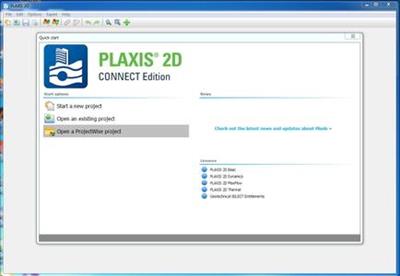
* the "Quick select" window is redesigned to show the latest news and the state of licences too. It also got a new look and feel and was renamed to "Quick start".
* Bentley Cloud Services menu, accessible from the File menu.It allows the association of a Connected Bentley project to a Plaxis project.
* addition of the following PLAXIS UDSM's: creep-sclay1s64.dll, eve_mc64.dll, frozen_soil64.dll, ghs64.dll, hbs64.dll (new release), iso_jrmc64.dll, masonry64.dll (new release), n2pc_salt64.dll, ngiadps64.dll, oc-clay64.dll (new release), pm4sand64.dll, shansep64.dll, swell64.dll and udsm_hps64.dll.
* technology preview: The geometry of SoilVision models can be imported.
* technology preview: Added "Westergaard Added Mass" feature that can be used to model the effects of any liquid against a structure under dynamic loading conditions (earthquakes). E.g. the inertial effects, or additional hydrostatic pressure of a mass of water or liquid against a dam or wall.
* technology preview: ProjectWise integration. Now it is possible to open a project from a ProjectWise datasource or add a local project to it.
* technology preview: added 2D to 3D converter in Expert menu
* technology preview: Command line autocomplete feature can be enabled and disabled from the Options menu.

Fixed issues

A large number of issues have been addressed.

PLAXIS 2D is a powerful and user friendly finite element package intended for two-dimensional analysis of deformation and stability in geotechnical engineering and rock mechanics. PLAXIS is used worldwide by top engineering companies and institutions in the civil and geotechnical engineering industry. Applications range from excavations, embankment and foundations to tunnelling, mining and reservoir geomechanics.
PLAXIS is equipped with a broad range of advanced features to model a diverse range of geotechnical problems, all from within a single integrated software package.
PLAXIS uses predefined structural elements and loading types in a CAD-like environment. This empowers the user with fast and efficient model creation, allowing more time to interpret the results.
In this showreel, we display some models of dams and embankments made in PLAXIS 2D.

Bentley Systems is a software development company that supports the professional needs of those responsible for creating and managing the world's infrastructure.


Product: PLAXIS
Version: 2D CONNECT Edition V20 Update 2 (version 20.2.0.83)
Supported Architectures: x64
Website Home Page :
Language: english
System Requirements: PC *
Supported Operating Systems: *
Size: 848.9 mb

System requirements - PLAXIS
Operating System requirements
Supported: Windows 7 Professional 64-bit, Windows 8 Professional 64-bit, Windows 10 Pro 64-bit
Recommended: Windows 10 Professional 64-bit (all with latest service packs applied)
Internet Connection
For the Subscription Entitlement Service (SES) Licensing used in all PLAXIS CONNECT Edition software an internet connection is required.
Graphics card
Required: GPU with 256 MB OpenGL 1.3
Bentley strongly recommends avoiding simple onboard graphics chips in favour of a discrete GPU from the nVidia GeForce or Quadro range with at least 128-bit bus and 1 GB of RAM, or equivalent solution from ATI/AMD.
Processor
Required: dual core CPU
Recommended: quad core CPU
Hard Disk
At least 2 GB free space on the partition where the Windows TEMP directory resides, and 2 GB free space on the partition where projects are saved. Large projects may require significantly more space on both partitions.
For best performance, ensure that the TEMP directory and the project directory reside on the same partition.
Random Access Memory (RAM)
Recommended for PLAXIS 2D: at least 4 GB. Large projects may require more.
Recommended for PLAXIS 3D: at least 8 GB. Large projects may require more.
Video modes
Required: 1024 x 768 pixels, 32-bit colour palette
Recommended: 1920 x 1080 pixels, 32-bit colour palette


b0680eea7d1d3359dfd9035ba41e72db.jpeg


DOWNLOAD LINKS:


Plaxis 2D CONNECT Edition v20 x64 Update 3


43098850a2e5a9ffc6b024cc6ad1ddd9.jpeg


Plaxis 2D CONNECT Edition v20 x64 Update 3 | 1.3 GB | Language: English


PLAXIS 2D is a powerful and user friendly finite element package intended for two-dimensional analysis of deformation and stability in geotechnical engineering and rock mechanics. PLAXIS is used worldwide by top engineering companies and institutions in the civil and geotechnical engineering industry. Applications range from excavations, embankment and foundations to tunnelling, mining and reservoir geomechanics.

PLAXIS is equipped with a broad range of advanced features to model a diverse range of geotechnical problems, all from within a single integrated software package.
PLAXIS uses predefined structural elements and loading types in a CAD-like environment. This empowers the user with fast and efficient model creation, allowing more time to interpret the results.

In some cases using the borehole tool is not the most efficient way to create the soil layering. This movie introduces the Soil polygon tool to show how you can model a rocky hillside.


Bentley Systems is a software development company that supports the professional needs of those responsible for creating and managing the world's infrastructure.


Product: PLAXIS 2D
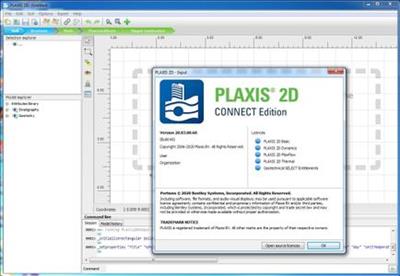
Version: CONNECT Edition V20 Update 3 (version 20.03.00.60)
Supported Architectures: x64
Website Home Page : Language: english
System Requirements: PC *
Supported Operating Systems: *
Size: 1.3 Gb

System requirements - PLAXIS
Operating System requirements
Supported: Windows 7 Professional 64-bit, Windows 8 Professional 64-bit, Windows 10 Pro 64-bit
Recommended: Windows 10 Professional 64-bit (all with latest service packs applied)
Internet Connection
For the Subscription Entitlement Service (SES) Licensing used in all PLAXIS CONNECT Edition software an internet connection is required.
Graphics card
Required: GPU with 256 MB OpenGL 1.3
Bentley strongly recommends avoiding simple onboard graphics chips in favour of a discrete GPU from the nVidia GeForce or Quadro range with at least 128-bit bus and 1 GB of RAM, or equivalent solution from ATI/AMD.
Processor
Required: dual core CPU
Recommended: quad core CPU
Hard Disk
At least 2 GB free space on the partition where the Windows TEMP directory resides, and 2 GB free space on the partition where projects are saved. Large projects may require significantly more space on both partitions.
For best performance, ensure that the TEMP directory and the project directory reside on the same partition.
Random Access Memory (RAM)
Recommended for PLAXIS 2D: at least 4 GB. Large projects may require more.
Recommended for PLAXIS 3D: at least 8 GB. Large projects may require more.
Video modes
Required: 1024 x 768 pixels, 32-bit colour palette
Recommended: 1920 x 1080 pixels, 32-bit colour palette.


f11a03aab6de876bff3d8a1a3d5eda3d.jpeg

9a947bd2d5870da034f0167768d64461.jpeg


DOWNLOAD LINKS:


Zurück
Oben Unten