• Regeln für den Software-Bereich:


    Allgemeines:

    - In erster Linie sind unsere Boardregeln zu beachten, zu finden HIER.
    - Software zur Audiobearbeitung sollte ausschließlich im Unterforum "Audio" eingestellt werden.
    - Für Cracks, Keygens oder sonstige Freischaltungssoftware gibt es das Unterforum "Freischaltung".
    - Portable Software bitte im entsprechenden Unterforum "Portable Software" eintragen.
    - Diskussionen zur Installation und anderen Problemen mit der Software, bitte im enstprechenden Unterforum "Talk" führen.
    - Bei Unklarheiten und Fragen zu den Regeln bitte die Moderatoren kontaktieren.


    Angebot erstellen

    - Die Struktur des Threadtitels muss wie folgt umgesetzt werden: Herstellername - Softwarename - Versionsnummer
    - Unnötige Zusätze im Threadtitel wie "HOT", "NEW" oder Punkte zwischen den Wörtern sind nicht erlaubt.
    - Achtet darauf immer nur die Hauptversion und deren Updates in einem Thread zusammenfassen, konkretes Beispiel: SoftwareXY v3.12 gehört in den selben Thread mit SoftwareXY v3.13; SoftwareXY v.4.1 gehört in einen neuen eigenen Thread. Ausgenommen hiervon sind Sammelthreads und Dauerangebote.
    - Bei nicht bekannten Herstellern oder Angebote einer privaten Software, ist die Programmbezeichnung + Versionsnummer ausreichend.
    - Besondere Beachtung gilt für den ersten Beitrag eines Angebots. Dort muss eine kurze Beschreibung der Software in deutscher Sprache angegeben werden. Für offizielle Releases ist es Pflicht die NFO im Beitrag einzustellen(Spoiler, siehe nächster Punkt).
    - Weitere Informationen wie NFOs oder Changelogs, versteckt ihr bitte in einem Spoiler.


    Software Suche

    - Für Suchanfragen haben wir das Unterforum "Suche" erstellt.
    - Auch hier sollte vorher die Suchfunktion benutzt werden, um Doppelthreads vorzubeugen. Sollte es bereits eine Suchanfrage geben, könnt ihr den Thread gerne mit einem "Danke" pushen.


    Trojaner- und Virusalarm

    - Falls Euer Virenscanner bei einem Angebot Alarm schlägt, solltet ihr zunächst Ruhe bewahren. Viele Virenscanner erkennen Cracks/Keygens oft fälschlicherweise als Bedrohung.
    - Prüft die verdächtige Datei zuerst mit http://virustotal.com , sollte es sich hierbei wirklich um eine Bedrohung handeln, meldet den Beitrag und/oder wendet euch mit dem Bericht von VirusTotal.com an einen Moderator.


    Unerwünschte Angebote

    - Keylogger, Spionagetools, alles rund ums Thema Hacking/Cracking ist nicht erwünscht.
  • Bitte registriere dich zunächst um Beiträge zu verfassen und externe Links aufzurufen.


PGWare Throttle v8


PGWare Throttle 8.10.24.2016 Multilingual


0039650d_mediumzqr2f.jpeg


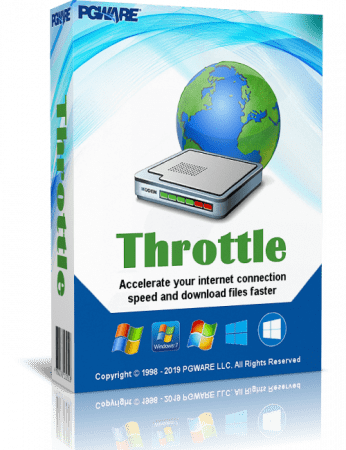
Throttle - utility designed to configure your modem for maximum performance that can result in a more than 200 percent increase in speed. You just choose your OS, connection type (14.4/28.8/33.6/56k, cable modem , DSL / ADSL modem , ISDN, Satellite, T1/T3/OC3/OC12 +, LAN , 3G- modems ) and press the "Go" . The program will do the rest !

As the developers , the program will change a number of key parameters of the modem , for example, improve the definition of the signal "busy", reduce the number of break connection , etc.

The program works with all types of modems under all operating systems family of Windows.

The main feature Throttle is that it does not " prioritizes " Internet traffic and application-specific protocols , limiting their priorities , but simply extends an existing connection to the network through a single configuration ( by using not always documented features of the operating system ) and does not establish any additional services unlike existing analogues. In addition, the program exists for a long time , has its official website and develops.

Additional Information:
• The program is simple and unpretentious Throttle : choose your operating system from Windows XP to Windows 8 , select your modem type and connection type , specify the slider - Speed ​​-> Fastest, click " Let's go " and reboot . This program puts the necessary preset settings in the registry ( recorded for each specific case in her memory ) , alter and optimize the network connection (TCP, QoS, etc.) and , voila, after restarting the network connection improves.
• Increase speed of course depends on many different reasons (for example, if the provider " cuts " you traffic ) , it is unrealistic large growth rate can not be achieved , however the network connection will not only be more stable but also much faster .
• It all depends of course on the particular compound , the provider , highways, which is your traffic , and of course the site , for example, or what . That is, if the site is a lot of " heavy " pictures , flash toys, embedded video and other things, then quickly it can not open , especially if it's full of advertising , etc.
• However , by using Throttle quite possibly stabilize their Internet- channel and add it speed as possible .

Key features:
• Compatible with Microsoft Windows 8, 7 , Vista, XP and Windows Server 2012, 2008, 2003 . 32-bit/64-bit.
• Instantly increases the speed of your Internet connection , allowing you to make downloads faster surfing the web faster and play online games without lag .
• Increases speed internet connection of all types, such as cable , DSL, U-Verse, Fios and analogue satellite and mobile phone (2G/3G/4G).
• Saves money by maximizing your current Internet connection without having to go to a higher package with your ISP.
• Easy-to- use program that allows you to make permanent changes to the computer and modem with one click.
• play online multiplayer games without delay.
• Changes in Windows, directly.
• Constant updates of the software , adding new performance settings , which allows you to take advantage of improvements that your system is capable of.

OS: Windows
Lang: Multi
Size: 4,03 MB
Format: .exe
Hoster: Uploaded
PW: boerse


Directload

​
 

PGWare Throttle 8.10.31.2016 Multilingual


0039650d_mediumzqr2f.jpeg


Throttle - utility designed to configure your modem for maximum performance that can result in a more than 200 percent increase in speed. You just choose your OS, connection type (14.4/28.8/33.6/56k, cable modem , DSL / ADSL modem , ISDN, Satellite, T1/T3/OC3/OC12 +, LAN , 3G- modems ) and press the "Go" . The program will do the rest !

As the developers , the program will change a number of key parameters of the modem , for example, improve the definition of the signal "busy", reduce the number of break connection , etc.

The program works with all types of modems under all operating systems family of Windows.

The main feature Throttle is that it does not " prioritizes " Internet traffic and application-specific protocols , limiting their priorities , but simply extends an existing connection to the network through a single configuration ( by using not always documented features of the operating system ) and does not establish any additional services unlike existing analogues. In addition, the program exists for a long time , has its official website and develops.

Additional Information:
• The program is simple and unpretentious Throttle : choose your operating system from Windows XP to Windows 8 , select your modem type and connection type , specify the slider - Speed ​​-> Fastest, click " Let's go " and reboot . This program puts the necessary preset settings in the registry ( recorded for each specific case in her memory ) , alter and optimize the network connection (TCP, QoS, etc.) and , voila, after restarting the network connection improves.
• Increase speed of course depends on many different reasons (for example, if the provider " cuts " you traffic ) , it is unrealistic large growth rate can not be achieved , however the network connection will not only be more stable but also much faster .
• It all depends of course on the particular compound , the provider , highways, which is your traffic , and of course the site , for example, or what . That is, if the site is a lot of " heavy " pictures , flash toys, embedded video and other things, then quickly it can not open , especially if it's full of advertising , etc.
• However , by using Throttle quite possibly stabilize their Internet- channel and add it speed as possible .

Key features:
• Compatible with Microsoft Windows 8, 7 , Vista, XP and Windows Server 2012, 2008, 2003 . 32-bit/64-bit.
• Instantly increases the speed of your Internet connection , allowing you to make downloads faster surfing the web faster and play online games without lag .
• Increases speed internet connection of all types, such as cable , DSL, U-Verse, Fios and analogue satellite and mobile phone (2G/3G/4G).
• Saves money by maximizing your current Internet connection without having to go to a higher package with your ISP.
• Easy-to- use program that allows you to make permanent changes to the computer and modem with one click.
• play online multiplayer games without delay.
• Changes in Windows, directly.
• Constant updates of the software , adding new performance settings , which allows you to take advantage of improvements that your system is capable of.

OS: Windows
Lang: Multi
Size: 4,03 MB
Format: .exe
Hoster: Uploaded
PW: boerse


Directload

​
 

PGWare Throttle 8.11.7.2016 Multilingual


0039650d_mediumzqr2f.jpeg


Throttle - utility designed to configure your modem for maximum performance that can result in a more than 200 percent increase in speed. You just choose your OS, connection type (14.4/28.8/33.6/56k, cable modem , DSL / ADSL modem , ISDN, Satellite, T1/T3/OC3/OC12 +, LAN , 3G- modems ) and press the "Go" . The program will do the rest !

As the developers , the program will change a number of key parameters of the modem , for example, improve the definition of the signal "busy", reduce the number of break connection , etc.

The program works with all types of modems under all operating systems family of Windows.

The main feature Throttle is that it does not " prioritizes " Internet traffic and application-specific protocols , limiting their priorities , but simply extends an existing connection to the network through a single configuration ( by using not always documented features of the operating system ) and does not establish any additional services unlike existing analogues. In addition, the program exists for a long time , has its official website and develops.

Additional Information:
• The program is simple and unpretentious Throttle : choose your operating system from Windows XP to Windows 8 , select your modem type and connection type , specify the slider - Speed ​​-> Fastest, click " Let's go " and reboot . This program puts the necessary preset settings in the registry ( recorded for each specific case in her memory ) , alter and optimize the network connection (TCP, QoS, etc.) and , voila, after restarting the network connection improves.
• Increase speed of course depends on many different reasons (for example, if the provider " cuts " you traffic ) , it is unrealistic large growth rate can not be achieved , however the network connection will not only be more stable but also much faster .
• It all depends of course on the particular compound , the provider , highways, which is your traffic , and of course the site , for example, or what . That is, if the site is a lot of " heavy " pictures , flash toys, embedded video and other things, then quickly it can not open , especially if it's full of advertising , etc.
• However , by using Throttle quite possibly stabilize their Internet- channel and add it speed as possible .

Key features:
• Compatible with Microsoft Windows 8, 7 , Vista, XP and Windows Server 2012, 2008, 2003 . 32-bit/64-bit.
• Instantly increases the speed of your Internet connection , allowing you to make downloads faster surfing the web faster and play online games without lag .
• Increases speed internet connection of all types, such as cable , DSL, U-Verse, Fios and analogue satellite and mobile phone (2G/3G/4G).
• Saves money by maximizing your current Internet connection without having to go to a higher package with your ISP.
• Easy-to- use program that allows you to make permanent changes to the computer and modem with one click.
• play online multiplayer games without delay.
• Changes in Windows, directly.
• Constant updates of the software , adding new performance settings , which allows you to take advantage of improvements that your system is capable of.

OS: Windows
Lang: Multi
Size: 4,06 MB
Format: .exe
Hoster: Uploaded
PW: boerse


Directload
​
 

PGWare Throttle 8.11.21.2016 Multilingual


0039650d_mediumzqr2f.jpeg


Throttle - utility designed to configure your modem for maximum performance that can result in a more than 200 percent increase in speed. You just choose your OS, connection type (14.4/28.8/33.6/56k, cable modem , DSL / ADSL modem , ISDN, Satellite, T1/T3/OC3/OC12 +, LAN , 3G- modems ) and press the "Go" . The program will do the rest !

As the developers , the program will change a number of key parameters of the modem , for example, improve the definition of the signal "busy", reduce the number of break connection , etc.

The program works with all types of modems under all operating systems family of Windows.

The main feature Throttle is that it does not " prioritizes " Internet traffic and application-specific protocols , limiting their priorities , but simply extends an existing connection to the network through a single configuration ( by using not always documented features of the operating system ) and does not establish any additional services unlike existing analogues. In addition, the program exists for a long time , has its official website and develops.

Additional Information:
• The program is simple and unpretentious Throttle : choose your operating system from Windows XP to Windows 8 , select your modem type and connection type , specify the slider - Speed ​​-> Fastest, click " Let's go " and reboot . This program puts the necessary preset settings in the registry ( recorded for each specific case in her memory ) , alter and optimize the network connection (TCP, QoS, etc.) and , voila, after restarting the network connection improves.
• Increase speed of course depends on many different reasons (for example, if the provider " cuts " you traffic ) , it is unrealistic large growth rate can not be achieved , however the network connection will not only be more stable but also much faster .
• It all depends of course on the particular compound , the provider , highways, which is your traffic , and of course the site , for example, or what . That is, if the site is a lot of " heavy " pictures , flash toys, embedded video and other things, then quickly it can not open , especially if it's full of advertising , etc.
• However , by using Throttle quite possibly stabilize their Internet- channel and add it speed as possible .

Key features:
• Compatible with Microsoft Windows 8, 7 , Vista, XP and Windows Server 2012, 2008, 2003 . 32-bit/64-bit.
• Instantly increases the speed of your Internet connection , allowing you to make downloads faster surfing the web faster and play online games without lag .
• Increases speed internet connection of all types, such as cable , DSL, U-Verse, Fios and analogue satellite and mobile phone (2G/3G/4G).
• Saves money by maximizing your current Internet connection without having to go to a higher package with your ISP.
• Easy-to- use program that allows you to make permanent changes to the computer and modem with one click.
• play online multiplayer games without delay.
• Changes in Windows, directly.
• Constant updates of the software , adding new performance settings , which allows you to take advantage of improvements that your system is capable of.

OS: Windows
Lang: Multi
Size: 4,04 MB
Format: .exe
Hoster: Uploaded
PW: boerse


Directload
​
 

PGWare Throttle 8.11.28.2016 Multilingual


0039650d_mediumzqr2f.jpeg


Throttle - utility designed to configure your modem for maximum performance that can result in a more than 200 percent increase in speed. You just choose your OS, connection type (14.4/28.8/33.6/56k, cable modem , DSL / ADSL modem , ISDN, Satellite, T1/T3/OC3/OC12 +, LAN , 3G- modems ) and press the "Go" . The program will do the rest !

As the developers , the program will change a number of key parameters of the modem , for example, improve the definition of the signal "busy", reduce the number of break connection , etc.

The program works with all types of modems under all operating systems family of Windows.

The main feature Throttle is that it does not " prioritizes " Internet traffic and application-specific protocols , limiting their priorities , but simply extends an existing connection to the network through a single configuration ( by using not always documented features of the operating system ) and does not establish any additional services unlike existing analogues. In addition, the program exists for a long time , has its official website and develops.

Additional Information:
• The program is simple and unpretentious Throttle : choose your operating system from Windows XP to Windows 8 , select your modem type and connection type , specify the slider - Speed ​​-> Fastest, click " Let's go " and reboot . This program puts the necessary preset settings in the registry ( recorded for each specific case in her memory ) , alter and optimize the network connection (TCP, QoS, etc.) and , voila, after restarting the network connection improves.
• Increase speed of course depends on many different reasons (for example, if the provider " cuts " you traffic ) , it is unrealistic large growth rate can not be achieved , however the network connection will not only be more stable but also much faster .
• It all depends of course on the particular compound , the provider , highways, which is your traffic , and of course the site , for example, or what . That is, if the site is a lot of " heavy " pictures , flash toys, embedded video and other things, then quickly it can not open , especially if it's full of advertising , etc.
• However , by using Throttle quite possibly stabilize their Internet- channel and add it speed as possible .

Key features:
• Compatible with Microsoft Windows 8, 7 , Vista, XP and Windows Server 2012, 2008, 2003 . 32-bit/64-bit.
• Instantly increases the speed of your Internet connection , allowing you to make downloads faster surfing the web faster and play online games without lag .
• Increases speed internet connection of all types, such as cable , DSL, U-Verse, Fios and analogue satellite and mobile phone (2G/3G/4G).
• Saves money by maximizing your current Internet connection without having to go to a higher package with your ISP.
• Easy-to- use program that allows you to make permanent changes to the computer and modem with one click.
• play online multiplayer games without delay.
• Changes in Windows, directly.
• Constant updates of the software , adding new performance settings , which allows you to take advantage of improvements that your system is capable of.

OS: Windows
Lang: Multi
Size: 4,04 MB
Format: .exe
Hoster: Uploaded
PW: boerse


Directload
​
 
PGWare Throttle 8.12.9.2019 Multilingual || Multi-Deutsch

vjmfk6o3.png


Mit dem Tool beschleunigen Sie Ihre Online-Verbindung total einfach!
Alles was Sie tun müssen, ist, Ihren Verbindungstyp (z.B. 56K, ISDN, DSL od. LAN) und Ihr Betriebssystem auszuwählen. und los geht es.


FILEHOSTER:

Rapidgator

Alfafile


DOWNLOAD || 3 MB || Format: exe


​
 
PGWare Throttle 8.5.18.2020

z6iRzuW.png


Throttle instantly upgrades your computer and modem to download files faster, browse the web faster and play games without lag. If you are tired of browsing the web and pages taking forever to load or you want to download large files faster, Throttle can instantly increase the speed of your internet. Throttle is one of the best internet acceleration software products available and works with Cable, DSL, U-Verse, Fios, dial-up, satellite and mobile phone (2G/3G/4G) internet connection types. You can easily upgrade you internet connection without having to pay extra monthly fees to your ISP using Throttle. Throttle is very safe to use and makes several Windows registry and system changes to increase the performance of your modem and internet speed; this allows you to browse the web faster, download files faster and play games without lag. These permanent changes made to your computer and modem improves how large data packets are sent between your computer and servers, it lowers the latency between your computer and servers, and how Internet Explorer simultaneously downloads images and files. With Throttle your internet will become much faster and the changes it makes to your computer are completely safe and permanent.

Faster Downloads
Instantly makes downloads from the internet faster. Don't wait while downloading large files, Throttle makes large downloads take much less time to finish.

Safe and Permanent
Changes made to your computer and modem with Throttle are completely safe and are permanent, run once and your internet is permanently faster.

Easy to Use
Simply download and install Throttle on your computer and click a single button. Browsing the web, downloading and online gaming are instantly faster.

Faster Internet Speed
Instantly increases the speed of your Cable, DSL, U-Verse, Fios and dial-up internet connection and improves the speed of your internet connection dramatically.

Throttle instantly increases the speed of your internet and immediately saves you money. Throttle allows you to take advantage of a faster internet without having to pay extra monthly fees to your ISP for a more expensive internet package; try our Throttle software and instantly increase the speed you can download files, browse the web and play online games. Throttle makes several Windows registry changes to improve how networking packets are transmitted and received, we increase the buffer sizes which allows data to be transmitted and processed faster on your computer, allowing games, web browsing and downloading files to work much faster.

Increasing the speed of your internet connection, browse the web faster and download files faster as well as saving monthly fees are as easy as installing Throttle. Simply download and install Throttle from our web site, click a single button and reboot your computer; upon reboot you will quickly see how fast your internet connection has transformed, browsing the web is now much more enjoyable and playing games online will become an incredibly fun lag-free experience.

Features:
Compatible with Microsoft Windows 10, 8, 7, Vista, XP & Windows Server 2012, 2008, 2003. 32-BIT/64-BIT ready.
Instantly increases the speed of your internet making downloads faster, surfing the web faster and playing online games without lag.
Increases the speed of all internet connection types such as Cable, DSL, U-Verse, Fios and dial-up satellite and mobile phone (2G/3G/4G).
Saves you money by maximizing your current internet connection without having to upgrade to a higher package with your ISP.
Easy to use software that allows you to make permanent changes to your computer and modem with a single click.
Playing online multiplayer games is now a lag-free experience due to many of the settings Throttle makes to the computer.
New and improved modern user interface, easy and intuitive to use and compliant with Windows user interface guidelines.
Software updates can be downloaded and installed directly from inside the application without having to visit our web site.

5.7 MB
rar/zip archive

Download Link:
 

PGWare Throttle v8.2.8.2021 Multilingual


86cbe248faf9810e08c7e8e7635de0c1.png


PGWare Throttle v8.2.8.2021 Multilingual | 5 MB | Language: Multilanguage


Throttle instantly upgrades your computer and modem to download files faster, browse the web faster and play games without lag. If you are tired of browsing the web and pages taking forever to load or you want to download large files faster, Throttle can instantly increase the speed of your internet. Throttle is one of the best internet acceleration software products available and works with Cable, DSL, U-Verse, Fios, dial-up, satellite and mobile phone (2G/3G/4G) internet connection types. You can easily upgrade you internet connection without having to pay extra monthly fees to your ISP using Throttle.


Throttle is very safe to use and makes several Windows registry and system changes to increase the performance of your modem and internet speed; this allows you to browse the web faster, download files faster and play games without lag. These permanent changes made to your computer and modem improves how large data packets are sent between your computer and servers, it lowers the latency between your computer and servers, and how Internet Explorer simultaneously downloads images and files. With Throttle your internet will become much faster and the changes it makes to your computer are completely safe and permanent.

Faster Downloads
Instantly makes downloads from the internet faster. Don't wait while downloading large files, Throttle makes large downloads take much less time to finish.

Safe and Permanent
Changes made to your computer and modem with Throttle are completely safe and are permanent, run once and your internet is permanently faster.

Easy to Use
Simply download and install Throttle on your computer and click a single button. Browsing the web, downloading and online gaming are instantly faster.

Faster Internet Speed
Instantly increases the speed of your Cable, DSL, U-Verse, Fios and dial-up internet connection and improves the speed of your internet connection dramatically.

Throttle instantly increases the speed of your internet and immediately saves you money. Throttle allows you to take advantage of a faster internet without having to pay extra monthly fees to your ISP for a more expensive internet package; try our Throttle software and instantly increase the speed you can download files, browse the web and play online games. Throttle makes several Windows registry changes to improve how networking packets are transmitted and received, we increase the buffer sizes which allows data to be transmitted and processed faster on your computer, allowing games, web browsing and downloading files to work much faster.

Increasing the speed of your internet connection, browse the web faster and download files faster as well as saving monthly fees are as easy as installing Throttle. Simply download and install Throttle from our web site, click a single button and reboot your computer; upon reboot you will quickly see how fast your internet connection has transformed, browsing the web is now much more enjoyable and playing games online will become an incredibly fun lag-free experience.

Features:

Compatible with Microsoft Windows 10, 8, 7, Vista, XP & Windows Server 2012, 2008, 2003. 32-BIT/64-BIT ready.
Instantly increases the speed of your internet making downloads faster, surfing the web faster and playing online games without lag.
Increases the speed of all internet connection types such as Cable, DSL, U-Verse, Fios and dial-up satellite and mobile phone (2G/3G/4G).
Saves you money by maximizing your current internet connection without having to upgrade to a higher package with your ISP.
Easy to use software that allows you to make permanent changes to your computer and modem with a single click.
Playing online multiplayer games is now a lag-free experience due to many of the settings Throttle makes to the computer.
New and improved modern user interface, easy and intuitive to use and compliant with Windows user interface guidelines.
Software updates can be downloaded and installed directly from inside the application without having to visit our web site.

Whats New?
New version with updated copyright.

Homepage:


Größe: 5 MB
Sprache: Multilingual-Deutsch
Format: .rar / .exe
Medizin: Crack / Patch
Plattform: Windows (32 Bit 64 Bit)


HOSTER:

K2s.cc (Keep2Share)

Rapidgator.net

Nitroflare.com

Uploadgig.com


DOWNLOAD


​
 
Zurück
Oben Unten