




babymore87
MyBoerse.bz Pro Member
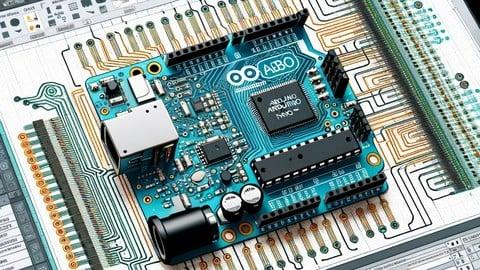
Free Download PCB Design - Make Arduino Nano using Altium Designer
Last updated: 11/2024
MP4 | Video: h264, 1280x720 | Audio: AAC, 44.1 KHz
Language: English | Size: 3.48 GB | Duration: 4h 19m
Learn Printed Circuit Board design by Making Arduino Nano in Altium Designer Software.
What you'll learn
Create and design a custom Arduino Nano in Altium Designer
Draw schematic of an Arduino Nano and wire components
Create your own custom components and component library
Compile design detect and eliminate design errors
Define board shape and size
Auto route to speed up the routing process
Route Printed Circuit Board (PCB)
Eliminate errors and reduce manufacturing board iterations by Using design rule checker
Requirements
Time, Dedication and Patience to learn and implement new knowledge.
A PC
Description
What students are saying:Arshdeep Malik says, "Excellent, very helpful, value for money."Zain Ul Haq says, "I learned to work with Altium designer that had once perceived as complex software to use. After taking this course I'm confident to work on Altium designer."Why you should take this course?Get the skills you need to become a professional PCB designer.Learn how to design and layout your own Printed Circuit Boards using Altium Designer software.Create Arduino Nano in Altium Designer software and then build it on a development platform (Nano board and Development Tool).Successfully set out, create, and edit your own PCB layout projects in Altium Designer software.Learn the latest industry standard tools and techniques for designing Printed Circuit Boards (PCBs).The course is suitable for beginners who want to get the skills they need to become a professional PCB designer.Welcome to this course.What is this course about:In this course, you will learn from start to finish, from zero to production ready on how to design a custom Arduino Nano Printed Circuit Board. It will help you improve your PCB design skills, which will help you get started freelancing or get a job in PCB design with Altium Designer since it's the most used PCB design tool.What you should expect after taking this course:Get started with PCB design using Altium Designer.Download and install Altium designer.Create your own component library to create components that you don't have a library for, which will help you freelance online since many jobs ask to create component libraries.Create the Arduino Nano Schematic in Altium designer.Wire components in Schematic view.Transfer the schematic into PCB.Place components on the board.Create a multilayer board.Route layers and place components on the board.Autoroute to save time.Eliminate design errors.Create Gerber files for your manufacturer.What you will learn
 esign custom Arduino Nano PCBs from scratch using Altium Designer.Develop skills in creating component libraries and schematic designs.Transfer schematics to PCB and create multilayer boards.Utilize autorouting and error elimination techniques.Generate Gerber files for manufacturing.Who is This Course For:Beginners interested in PCB design.Hobbyists and enthusiasts wanting to create custom PCBs.Aspiring freelancers and professionals aiming to work in PCB design.Anyone interested in learning Altium Designer for PCB projects.Requirements:No prior experience required.Basic knowledge of electronics is helpful.Willingness to learn and apply new skills.About the Instructor:Educational Engineering TeamTeam of Skilled Engineers Sharing Knowledge with the WorldEducational Engineering Team is a leading entity in the Microcontroller industry with over 13 Years of Experience in teaching and practical projects. We provide in-depth, step-by-step blueprints on taming complex topics in easy and digestible bite-sized videos.Having been in the Programming and Microcontroller business since 2007, we've catered to students' and educators' needs, teaching over 250k-THOUSAND students and counting through our 100+ courses on Udemy.Ashraf Said AlMadhoun is an educator, Mechatronics engineer, electronics and programming hobbyist, and Maker. He is the Chief Educational Engineer at Educational Engineering Team, a company founded to explore new trends and technologies and to educate the world.Our online courses have helped over 250,000 people globally to excel and make great careers in the industry.Educational Engineering Team offers Courses on:Circuit Design, Simulation, and PCB FabricationArduino, PIC Microcontroller, and Raspberry PiProgramming in C, Python, and other programming languagesPLC Industrial Programming and Automation3D Design and SimulationESP and IoT World
Overview
Section 1: Introduction & Getting Started
Lecture 1 Introduction
Lecture 2 Very Important Note: Review Process
Lecture 3 Download and Installing Altium Designer
Lecture 4 Altium Designer Interface Introduction
Section 2: Creating Component Libraries For Atmega
Lecture 5 Create Component Symbol & Add Pins
Lecture 6 Finishing the Schematic
Lecture 7 Creating Your Componenets Symbol - Making Footpring and PCB Layout
Lecture 8 Link footprint with Schematic Library
Lecture 9 Adding the new Library File to your Design
Lecture 10 Creating the Atmega Component Symbol
Lecture 11 Creating the Atmega PCB Footprint
Section 3: Schematic Circuit Design
Lecture 12 Adding Components and Placing them on Schematic
Lecture 13 Adding Components Libraries
Lecture 14 ATMEGA Schematic Connection
Lecture 15 USB Connector Schematic
Lecture 16 Header Pins for Nano Board
Lecture 17 Adding Resistors LED Indicators Voltage Regulator
Lecture 18 Annotating and Compiling Project
Section 4: PCB Design
Lecture 19 Getting Started with the PCB Design Solve Errors
Lecture 20 Drawing The Board Shape
Section 5: Placing PCB Items
Lecture 21 Placing PCB Items Atmega and Headers
Lecture 22 ICSP SWITCH Resistor array crystal microusb
Lecture 23 FTDI Regulator Capacitors
Section 6: Routing
Lecture 24 Manual Routing
Lecture 25 AutoRouting
Section 7: Improve Routing - Trial and Error
Lecture 26 How to make the autorouting work for you
Lecture 27 Improve AutoRouting Trial and Error
Section 8: Finishing the Board
Lecture 28 Greber File and Bill of Material
Section 9: Practice Test
Section 10: Who we are?
Lecture 29 Who We Are?
Section 11: Course Project
Lecture 30 Course Project
Section 12: Bonus Lecture: Coupons, Gifts and More
Lecture 31 Bonus Lecture
Learn basic to intermediate PCB design,Have a tech kickstarter idea, that you want to get of the ground,Want to create your own custom Arduino Printed Circuit Board (PCB).,Want to get a job in PCB design,Want to learn Altium Designer in the shortest possible time.,Want to get started creating cool gadgets
Homepage:
DOWNLOAD NOW: PCB Design - Make Arduino Nano using Altium Designer
Recommend Download Link Hight Speed | Please Say Thanks Keep Topic Live
No Password - Links are Interchangeable
