• Regeln für den Software-Bereich:


    Allgemeines:

    - In erster Linie sind unsere Boardregeln zu beachten, zu finden HIER.
    - Software zur Audiobearbeitung sollte ausschließlich im Unterforum "Audio" eingestellt werden.
    - Für Cracks, Keygens oder sonstige Freischaltungssoftware gibt es das Unterforum "Freischaltung".
    - Portable Software bitte im entsprechenden Unterforum "Portable Software" eintragen.
    - Diskussionen zur Installation und anderen Problemen mit der Software, bitte im enstprechenden Unterforum "Talk" führen.
    - Bei Unklarheiten und Fragen zu den Regeln bitte die Moderatoren kontaktieren.


    Angebot erstellen

    - Die Struktur des Threadtitels muss wie folgt umgesetzt werden: Herstellername - Softwarename - Versionsnummer
    - Unnötige Zusätze im Threadtitel wie "HOT", "NEW" oder Punkte zwischen den Wörtern sind nicht erlaubt.
    - Achtet darauf immer nur die Hauptversion und deren Updates in einem Thread zusammenfassen, konkretes Beispiel: SoftwareXY v3.12 gehört in den selben Thread mit SoftwareXY v3.13; SoftwareXY v.4.1 gehört in einen neuen eigenen Thread. Ausgenommen hiervon sind Sammelthreads und Dauerangebote.
    - Bei nicht bekannten Herstellern oder Angebote einer privaten Software, ist die Programmbezeichnung + Versionsnummer ausreichend.
    - Besondere Beachtung gilt für den ersten Beitrag eines Angebots. Dort muss eine kurze Beschreibung der Software in deutscher Sprache angegeben werden. Für offizielle Releases ist es Pflicht die NFO im Beitrag einzustellen(Spoiler, siehe nächster Punkt).
    - Weitere Informationen wie NFOs oder Changelogs, versteckt ihr bitte in einem Spoiler.


    Software Suche

    - Für Suchanfragen haben wir das Unterforum "Suche" erstellt.
    - Auch hier sollte vorher die Suchfunktion benutzt werden, um Doppelthreads vorzubeugen. Sollte es bereits eine Suchanfrage geben, könnt ihr den Thread gerne mit einem "Danke" pushen.


    Trojaner- und Virusalarm

    - Falls Euer Virenscanner bei einem Angebot Alarm schlägt, solltet ihr zunächst Ruhe bewahren. Viele Virenscanner erkennen Cracks/Keygens oft fälschlicherweise als Bedrohung.
    - Prüft die verdächtige Datei zuerst mit http://virustotal.com , sollte es sich hierbei wirklich um eine Bedrohung handeln, meldet den Beitrag und/oder wendet euch mit dem Bericht von VirusTotal.com an einen Moderator.


    Unerwünschte Angebote

    - Keylogger, Spionagetools, alles rund ums Thema Hacking/Cracking ist nicht erwünscht.
  • Bitte registriere dich zunächst um Beiträge zu verfassen und externe Links aufzurufen.


ON1 Portrait AI 2022 v16

ON1 Portrait AI 2022.1 v16.1.0.11675 (x64) + Portable
7f3212cd2105ff9baeed1ujyg.jpeg


ON1 Portrait AI 2022.1 v16.1.0.11675 (x64) + Portable

Größe: 332/357 MB
Sprache: Multi/Deutsch
Format: RAR/EXE/ISO
Plattform: Windows 7/8/10/11
(64-Bit)

Hoster:
RapidGator
Ddownload


Sie werden nie wieder ein Produkt zur Porträtbearbeitung benötigen. Mit ON1 Portrait AI ist eine makellose Retusche nur einen Klick entfernt. Es verwendet maschinelles Lernen, um jedes Gesicht auf Ihrem Foto zu finden und automatisch großartig aussehen zu lassen. Es analysiert jedes Gesicht und fügt Haut, Augen und Mund genau die richtige Menge an Retuschen hinzu, sodass Sie im Handumdrehen professionelle Ergebnisse erzielen.

Sie werden nie wieder ein Produkt zur Porträtbearbeitung benötigen. Mit ON1 Portrait AI ist eine makellose Retusche nur einen Klick entfernt. Es verwendet maschinelles Lernen, um jedes Gesicht auf Ihrem Foto zu finden und automatisch großartig aussehen zu lassen. Es analysiert jedes Gesicht und fügt Haut, Augen und Mund genau die richtige Menge an Retuschen hinzu, sodass Sie im Handumdrehen professionelle Ergebnisse erzielen.
Erhalten Sie makellose, natürlich aussehende Haut
- Automatische AI-Retusche für jedes Gesicht
- Unabhängige Anpassungen für jedes Gesicht
- Auf Frequenztrennung basierende Hautretusche
Die Retuschierwerkzeuge und die Kontrolle, die Sie brauchen
Die Retuschieroptionen sind einfach erstaunlich, einschließlich Hautglättung, Glanzreduzierung, Entfernung von Hautunreinheiten, Gesichtsformung und Augen- und Zahnaufhellung, nur um loszulegen.
Lassen Sie KI die harte Arbeit für Sie erledigen
Findet automatisch jedes Gesicht in Ihrem Foto, analysiert es und fügt basierend auf Ihren Vorlieben genau die richtige Menge an Retusche hinzu.
Keine langwierigen Bearbeitungssitzungen mehr
Lassen Sie die KI für sich arbeiten, indem Sie einen ganzen Ordner mit Fotos stapelweise verarbeiten. Für jedes Foto findet Portrait AI jedes Gesicht und fügt automatisch die richtige Menge an Retusche hinzu. Es ist perfekt, um Ihre Fotos vor der Lieferung zu prüfen.
Passen Sie jede Person individuell an
Jedes Gesicht in Ihrem Foto verfügt über unabhängige Steuerelemente und Anpassungen. Beispielsweise können Sie in einem Hochzeitsfoto unterschiedliche Einstellungen für Braut und Bräutigam verwenden.
Ihre Bearbeitungen sind nicht destruktiv
Alle Ihre Anpassungen und Bearbeitungen sind zerstörungsfrei. Sie können sie später erneut bearbeiten und das Originalfoto wird nicht verändert.
Sie steuern, wie bearbeitet wird
Alles ist automatisch, aber Sie haben auch die volle manuelle Kontrolle. Sie können die Augen- und Mundpositionen manuell anpassen, die Hautmaske mit Farbe verfeinern und hartnäckige Schönheitsfehler mit Pinseln entfernen.
Gesichtsform und Beleuchtung verbessern
Korrigieren Sie häufige Fehler bei der Wahl der Linse und der Beleuchtung, indem Sie Aufhelllicht hinzufügen, um das Gesicht aufzuhellen, oder das Gesicht neu formen, um die Kinnlinie zu verdünnen oder die Augengröße auszugleichen.
Die Macht der Verwendung von Frequenztrennung
Die Hautretusche verwendet eine Frequenztrennung, um die natürliche Hautstruktur beizubehalten und gleichzeitig Farb- und Tonänderungen auf der Haut zu reduzieren. Es schafft eine makellose, aber natürlich aussehende Haut.
Einfaches Entfernen von Schönheitsfehlern
Feine Schönheitsfehler können automatisch reduziert werden, während größere Schönheitsfehler mit dem integrierten inhaltsbewussten Radiergummi und Klonstempel entfernt werden können.

A9527873DB.png


ON1 Portrait AI 2022.1 v16.1.0.11675 (x64)

Multilingual/Deutsch // Crack UZ1 // 64-Bit

7lbug3sokho.jpg


Beschreibung:

Sie werden nie wieder ein Produkt zur Porträtbearbeitung brauchen. Makellose Retusche ist mit ON1 Portrait AI nur einen Klick entfernt. Es verwendet maschinelles Lernen, um jedes Gesicht auf Ihrem Foto zu finden und es automatisch großartig aussehen zu lassen. Es analysiert jedes Gesicht und retuschiert Haut, Augen und Mund genau in der richtigen Menge, sodass Sie im Handumdrehen professionelle Ergebnisse erzielen.

Erhalten Sie makellose, natürlich aussehende Haut
- Automatische KI-Retusche für jedes Gesicht
- Unabhängige Anpassungen für jedes Gesicht
- Auf Frequenztrennung basierende Hautretusche

Die Retuschierwerkzeuge und die Kontrolle, die Sie brauchen
Die Retuscheoptionen sind einfach erstaunlich, einschließlich Hautglättung, Glanzreduktion, Entfernung von Hautunreinheiten, Gesichtsformung und Augen- und Zahnaufhellung, nur um zu beginnen.

Lassen Sie KI die harte Arbeit für Sie erledigen
Findet automatisch jedes Gesicht auf Ihrem Foto, analysiert es und fügt genau die richtige Menge an Retusche hinzu, basierend auf Ihren Vorlieben.

Keine langwierigen Bearbeitungssitzungen mehr
Lassen Sie die KI für Sie arbeiten, indem Sie einen ganzen Ordner mit Fotos stapelweise verarbeiten. Für jedes Foto findet Portrait AI jedes Gesicht und fügt automatisch die richtige Menge an Retusche hinzu. Es ist perfekt, um Ihre Fotos vor der Auslieferung zu prüfen.

Passen Sie jede Person individuell an
Jedes Gesicht in Ihrem Foto verfügt über unabhängige Steuerelemente und Anpassungen. So können Sie beispielsweise auf einem Hochzeitsfoto verschiedene Einstellungen für das Brautpaar verwenden.

Ihre Bearbeitungen sind zerstörungsfrei
Alle Ihre Anpassungen und Bearbeitungen sind nicht destruktiv. Sie können sie später erneut bearbeiten und das Originalfoto wird nicht verändert.

Sie haben die Kontrolle über die Bearbeitung
Alles ist automatisch, aber Sie haben auch die volle manuelle Kontrolle. Sie können die Augen- und Mundposition manuell anpassen, die Hautmaske mit Farbe verfeinern und hartnäckige Hautunreinheiten mit Pinseln entfernen.

Verbessern Sie die Gesichtsform und Beleuchtung
Korrigieren Sie häufige Fehler bei der Linsenauswahl und Beleuchtung, indem Sie Fülllicht hinzufügen, um das Gesicht aufzuhellen, oder das Gesicht neu modellieren, um die Kinnlinie zu verdünnen oder die Augengröße auszugleichen.

Die Macht der Frequenztrennung
Die Hautretusche verwendet Frequenztrennung, um die natürliche Hauttextur beizubehalten und gleichzeitig Farb- und Tonveränderungen auf der Haut zu reduzieren. Es schafft makellose, aber natürlich aussehende Haut.

Flecken leicht entfernen
Feine Schönheitsfehler können automatisch reduziert werden, während größere Schönheitsfehler mit dem integrierten inhaltsbewussten Radierer und Klonstempel entfernt werden können.

Zähne aufhellen
Auch Zähne und Lippen werden automatisch erkannt. Sie können das Lächeln ganz einfach aufhellen und die Farbe und Sättigung der Lippen anpassen.

Augen verbessern
Augen werden automatisch erkannt und verbessert. Das Weiß kann aufgehellt und die Iris geschärft werden.

Plug-in zu Ihrem Workflow
ON1 Portrait AI ist die perfekte Lösung für fast jeden Workflow. Erhalten Sie in Sekundenschnelle erstaunliche Retuschierergebnisse, wenn Sie ON1 Portrait AI als Plug-in verwenden für:

- Adobe Photoshop
- Adobe Lightroom Classic
- Adobe Photoshop-Elemente
- Affinity Photo
- Capture One (bald verfügbar)
- Apple-Fotos
- Corel Paintshop Pro

_________________________________________________

Größe: 332 MB
Sprache: Multi/Deutsch
Format: RAR/EXE (1x gepackt)
Plattform: Windows 10/11 (64-Bit)
Hoster: RapidGator|Ddownload|Nitroflare
________________________________________

4E1D80F74F.png


ON1 Portrait AI 2022.1 v16.1.0.11675 (x64) Deutsch-Multilanguage

on1-portrait-aijvkqb.jpg


ON1 Portrait AI 2022.1 v16.1.0.11675 (x64) Deutsch-Multilanguage || Größe: 332 MB || Sprache: Deutsch-Multilanguage


Beschreibung:


Sprache: Deutsch und Multilanguage
Dateigröße: 332 MB
Format: .Rar und .Exe
Plattform: Windows 11, 10 (64 Bit)
Passwort: Wird nicht benötigt
Medizin: Crack + Anleitung
Hoster: ddownload.com , uploadgig.com , nitroflare.com , rapidgator.net

Mirrors sind untereinander kompatibel


Download Links


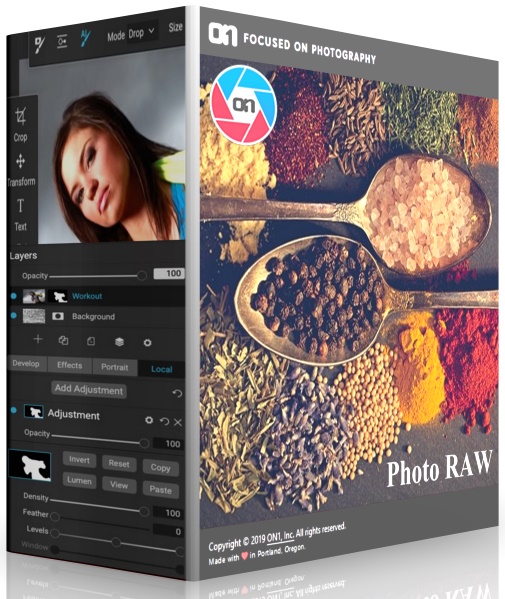
ON1 Photo RAW 2022.1 16.1.0.11675 Portable by conservator

ON1 Photo RAW 2022.1 16.1.0.11675 Portable by conservator

442f42dff3aa8b0d8e81582020dc43c2.jpg

Windows® 10 (64-bit only)
Interface language: Multilanguage / Russian / English
File size: 1.8 GB

ON1 Photo RAW - Includes key updates to a fast, non-destructive RAW processing engine. Now photographers have a tool with quick photo management, precise photo processing, hundreds of customizable photo effects, convenient and beautiful HDR stitching, panoramas, masking and blending adjustments, working with layers and much more - all in one application.

Almost every feature and most of the improvements made to the app in the 2022 version are a direct result of the community's involvement in the ON1 Photo RAW project, and the development team is committed to continuing this kind of collaboration. This work led to the creation of ON1 Photo RAW as an application designed by photographers for photographers.

Key Features of ON1 Photo RAW Editor:
• ON1 HDR - Capture stunning HDR photos. The program is able to analyze and process all the information and series taken with bracketing (test results show that the program does this seven times faster than other HDR applications weeks). Unique algorithms straighten photos and remove ghosting due to subject movement between exposures. The program provides full non-destructive editing with natural results, in addition, it is possible to create truly surreal paintings.
• Pano Stitching - Combine multiple photos into one panoramic or matrix photo. The program automatically aligns photos, even if they were not taken from a tripod, and blends them easily. Also available is the option to embed panoramic metadata for Facebook panning.
• Global Mask Editing Tools - mask editing tools, these include new Fensity and Feather sliders that allow you to change the density or opacity of the masks, as well as blurring the mask to soften the overlay effect.
• Luminosity Mask Updates - Adjust mask levels to increase contrast or brightness, and set the tonal area to only affect a specific area. These updates allow users to target only the desired area based on the photo.
Color Range Masks - create a mask from the selected range of colors.
• Blur and Chisel Mask Tools - ON1 Effects now includes the Blur and Chisel mask tools. The Blur tool is ideal for softening or blurring a mask selectively. The Chisel tool allows the user to selectively press or drag an edge to remove ghosting. All of these new masking options are re-editable and non-destructive.
• Versions - Versions are virtual copies of the same photo. Each version created can include non-destructive adjustments, including cropping, retouching, and adjustments. Versions work just like any other photo without taking up more space on your computer
• Updated UI - free modern interface, where the photo is in the spotlight. Custom name filters and layers make it easy to work with, you can also choose your own UI color
• Paint with Color Brush - painting with a selected color can be ideal for smoothing skin and creating annotation layers, or you can work on just the color itself, leaving the main luminosity unchanged to change the color of objects such as eyes
• Selectively Add or Remove Noise - Remove noise from areas such as the sky, or add noise for an artistic effect.
• ON1 Photo for Mobile - take the best shots with you with the free ON1 mobile app. This is a great way to share your portfolio. The tool also allows you to sync new photos taken on your phones back to your work computer so that those photos are ready for editing.
• Additional Camera & Lens Support - Added support for cameras Nikon D850, Olympus EM-10 III and Panasonic DMC-G85, as well as many new lenses.

Features of ON1 Photo RAW 2022:
ON1 Photo RAW 2022 allows photographers to view and catalog their photos from the very beginning of their workflow - it's one of the fastest ways to manage photos. The fast photo browser is ideal for quickly viewing and ranking photos without the need for a tedious import process. Once the photos are ranked and culled, the next step is to easily catalog those photos, as is done in most other editors.

The application implements the principle of non-destructive photo processing, this applies to basic functions such as exposure, contrast, color, shadows, highlights, lens correction and transformation tools. There are also hundreds of unique photo effects on offer, perfect for finishing off your photo editing. Photographers will have complete control over the application of effects using masking brushes, gradient masks and local settings. Each effect is also fully customizable and any processing can be saved as a custom preset.

Many editing technologies, such as real-time blending options, can be applied to smart layers, smart photos, and various masks, making ON1 Photo RAW 2022 an advanced bitmap editor without the need to launch a third-party application. The ability to combine photos along with layers, masks, and selectively apply filters and effects to RAW files gives users a big advantage.

ON1 Photo RAW 2022 editor is not only for RAW files, the file formats supported are JPEG, TIF, PSD, PSB, PNG and DNG, which can be processed with all the power and abundance of editing tools in the application. ON1 Photo RAW 2021 can also be seamlessly integrated into current workflows - the application integrates as a plug-in for Adobe® Lightroom® and Photoshop®, along with what can act as a complete standalone photo editor. The 2021 version also integrates with major cloud services allowing you to upload, manage and edit photos on multiple computers. It also allows users to sync photos and edits across multiple computers or studios.

New Features in ON1 Photo RAW 2022 :
- Quickly Add Clouds to Your Dull Skies
- Retouch an Entire Portrait Shoot Automatically
- Create Stunning Sunsets in Seconds
- View Your Photos in All of Their Beauty
- Refresh Smiles in a Few Simple Clicks
- Selectively Edit Like Never Before Using Color Selection
- A Better Way to Erase Away Unwanted Distractions
- Find Your Duplicate Photos in Seconds
- Easy Change Colors of Objects in Your Photos
- Quickly Find All Photos from Your Favorite Location
- Make the Eyes Pop in Seconds
- The Best Photoshop Plugin for Editing Portraits
- Presenting Photos for Your Clients

Features List:

New ON1 Portrait AI
Flawless retouching is just a click away with the new Portrait AI tab inside of Edit. It uses machine learning to find every face in your photo and make them look great, automatically. It analyzes each face and adds just the right amount of retouching to the skin, eyes, and mouth, giving you professional results in no time at all.

New Smart Organize
The New Smart Organize mode in Browse lets you take control over your cluttered photo archive. Not only can it find duplicates, but it can find and group photos that have a similar appearance, location or time. It can help you cull your library to find just the best photos in a series
New Spot Healing Brush
A new modern approach to removing distractions like dust spots, power-lines and unwanted people from your photos. The Spot Healing Brush is not only faster than current tools, it maintains full non-destructive adjustments for each spot you remove.

New Custom Brush Shapes
Brushing has taken a quantum-leap in control and creativity. Now you can choose from a variety of custom brush shapes or even import your own.

New Plug-in Support for Affinity Photo and Corel PaintShop Pro
Now you can extend your workflow in Affinity Photo and Corel PaintShop Pro by access Develop, Effects, and Portrait right inside the apps you use. Capture One support coming soon!

New Quick Slideshow
Need to quickly show a client their photos? With the Quick Slideshow you are only a click away from a full-screen slideshow complete with user adjustable delay and an elegant dissolve transition.

New Camera Based Presets
Now you can automatically apply a preset to any new photos from a specific camera. If you always find yourself making the same adjustments, just make a preset and apply it automatically to photos from that camera. This is super handy if you have created a custom camera profile or if you have converted a camera to infrared.

New Color-Sensitive Gradient Masks
Everyone knows how powerful the gradient mask tool is. You can quickly create straight, reflected or round radiant masks that are re-editable and blendable with brush masks. Now you can combine the color-sensitive power we created for the Perfect Brush with the gradient masks. When enabled, it detects the color under the gradient and applies the mask to only that adjustable color range. It makes it a breeze to mask areas like skies while maintaining things like or trees that go into the buildings sky.

New Batch HDR and Pano
Save time by batch processing your HDR brackets or panoramas. Simply organize your brackets into sub-folders, then let Browse build your new HDR and panos for you. This is a life-saver for real estate shooters.

New User Interface Improvements
We have taken a measured approach to updating the user interface. Based on user feedback we have improved common controls like sliders to have more precision and a longer area for labels so we can be more descriptive. We have also made sure that Layers and the Edit module tabs don't scroll out of view on a small display or when you have a large stack of filters.

New Color Fill Layers
We have brought back color fill layers to the Layers pane. They are a great way to set a background color for a composite layout. They are also handy when used with the new custom brush shapes for painting in objects like grass, trees, and clouds.

New Replace Color Filter
Easily change the color of an object to any new color. It's perfect for tweaking or totally changing the color of eyes, flowers, buildings, and apparel.

System Requirements :
- Windows 10 (current maintenance releases, 64-bit only)
- Processor: Intel Core i5, Xeon, or better
- RAM: 16+ GB
- Disk: 1.5 GB for installation, SSD
- Display: OpenGL 4.2-compatible video card with 2GB dedicated video RAM, 1920x1080 resolution

Whats New in ON1 Photo RAW 2022.1
Dnomi.gif

 
ON1 Portrait AI 2022.5 16.5.1.12526 (x64)

Multilingual / inkl. Crack


4b7c5692d9ddb9e04dc13ahj6c.jpg


Details:

Größe: 329 MB
Sprache: Multilingual-Deutsch
Format: .rar / .exe
Medizin: Present
Plattform: Windows 10, 11 (64Bit)
Hoster: Rapidgator.net, Turbobit.net,Nitroflare.com

Beschreibung :

ou Will Never Need Another Portrait Editing Product. Flawless retouching is just a click away with ON1 Portrait AI. It uses machine learning to find every face in your photo and make them look great, automatically. It analyzes each face and adds just the right amount of retouching to the skin, eyes and mouth, giving you professional results in no time at all.

Get Flawless, Natural Looking Skin
- AI Automatic Retouching for Every Face
- Independent Adjustments for Each Face
- Frequency Separation Based Skin Retouching

The Retouching Tools and Control You Need
The retouching options are simply amazing including skin smoothing, shine reduction, blemish removal, face sculpting and eye and teeth whitening just to get started.

Let AI Do the Hard Work for You
Automatically finds each face in your photo, analyzes them, and adds just the right amount of retouching, based on your preferences.

No More Drawn Out Editing Sessions
Put the AI to work for you by batch processing an entire folder of photos. For each photo, Portrait AI will find each face and add the right amount of retouching automatically. It's perfect for proofing your photos before delivery.

Adjust Each Person Individually
Each face in your photo has independent controls and adjustments. For example, you can use different settings for the bride and groom in a wedding photo.

Your Edits are Non-Destructive
All of your adjustments and edits are non-destructive. You can re-edit them later and the original photo is not altered.

You Control How to Edit
Everything is automatic, but you have full manual control as well. You can manually adjust the eye and mouth positions, paint to refine the skin mask, and use brushes to remove stubborn blemishes.

Improve Face Shape and Lighting
Correct common errors in lens choice and lighting by adding fill-light to lighten the face or resculpt the face to thin the jawline or balance out eye size.

The Power of Using Frequency Separation
The skin retouching uses frequency separation to maintain natural skin texture while reducing color and tonal changes across the skin. It creates flawless but natural-looking skin.

Easily Remove Blemishes
Fine blemishes can be reduced automatically, while larger blemishes can be removed with the built-in content aware eraser and clone stamp.

Whiten Teeth
Teeth and lips are detected automatically too. You can easily brighten the smile and adjust the color and saturation of the lips.

Enhance Eyes
Eyes are automatically detected and enhanced. The whites can be brightened and the iris can be sharpened.

Plug-in to Your Workflow
ON1 Portrait AI is the perfect fit for almost any workflow. Get amazing retouching results in seconds when using ON1 Portrait AI as a plug-in for:

- Adobe Photoshop
- Adobe Lightroom Classic
- Adobe Photoshop Elements
- Affinity Photo
- Capture One (coming soon)
- Apple Photos
- Corel Paintshop Pro

Download :

Turbobit


Rapidgator


Nitroflare


ON1 Portrait AI 2022.5 16.5.1.12526 (x64) Multilingual


784a55d6d25b7642c6d74d1146a9cae4.png


ON1 Portrait AI 2022.5 16.5.1.12526 (x64) Multilingual


Sie werden nie wieder ein Produkt zur Porträtbearbeitung benötigen. Mit ON1 Portrait AI ist eine makellose Retusche nur einen Klick entfernt. Es verwendet maschinelles Lernen, um jedes Gesicht auf Ihrem Foto zu finden und automatisch großartig aussehen zu lassen. Es analysiert jedes Gesicht und fügt Haut, Augen und Mund genau die richtige Menge an Retuschen hinzu, sodass Sie im Handumdrehen professionelle Ergebnisse erzielen.


Sprache: Deutsch, Multi | Größe: 330 MB | Format: RAR, EXE | Plattform: Windows 10, 11 (64Bit)


Hoster:
UploadGig.com | RapidGator.net | DDownload.com | NitroFlare.com


DOWNLOAD Links:


ON1 Portrait AI 2022.5 v16.5.1.12526

Multilingual/Deutsch // Crack UZ1 // 64-Bit

7lbug3sokho.jpg


Beschreibung:

Sie werden nie wieder ein Produkt zur Porträtbearbeitung brauchen. Makellose Retusche ist mit ON1 Portrait AI nur einen Klick entfernt. Es verwendet maschinelles Lernen, um jedes Gesicht auf Ihrem Foto zu finden und es automatisch großartig aussehen zu lassen. Es analysiert jedes Gesicht und retuschiert Haut, Augen und Mund genau in der richtigen Menge, sodass Sie im Handumdrehen professionelle Ergebnisse erzielen.

Erhalten Sie makellose, natürlich aussehende Haut
- Automatische KI-Retusche für jedes Gesicht
- Unabhängige Anpassungen für jedes Gesicht
- Auf Frequenztrennung basierende Hautretusche

Die Retuschierwerkzeuge und die Kontrolle, die Sie brauchen
Die Retuscheoptionen sind einfach erstaunlich, einschließlich Hautglättung, Glanzreduktion, Entfernung von Hautunreinheiten, Gesichtsformung und Augen- und Zahnaufhellung, nur um zu beginnen.

Lassen Sie KI die harte Arbeit für Sie erledigen
Findet automatisch jedes Gesicht auf Ihrem Foto, analysiert es und fügt genau die richtige Menge an Retusche hinzu, basierend auf Ihren Vorlieben.

Keine langwierigen Bearbeitungssitzungen mehr
Lassen Sie die KI für Sie arbeiten, indem Sie einen ganzen Ordner mit Fotos stapelweise verarbeiten. Für jedes Foto findet Portrait AI jedes Gesicht und fügt automatisch die richtige Menge an Retusche hinzu. Es ist perfekt, um Ihre Fotos vor der Auslieferung zu prüfen.

Passen Sie jede Person individuell an
Jedes Gesicht in Ihrem Foto verfügt über unabhängige Steuerelemente und Anpassungen. So können Sie beispielsweise auf einem Hochzeitsfoto verschiedene Einstellungen für das Brautpaar verwenden.

Ihre Bearbeitungen sind zerstörungsfrei
Alle Ihre Anpassungen und Bearbeitungen sind nicht destruktiv. Sie können sie später erneut bearbeiten und das Originalfoto wird nicht verändert.

Sie haben die Kontrolle über die Bearbeitung
Alles ist automatisch, aber Sie haben auch die volle manuelle Kontrolle. Sie können die Augen- und Mundposition manuell anpassen, die Hautmaske mit Farbe verfeinern und hartnäckige Hautunreinheiten mit Pinseln entfernen.

Verbessern Sie die Gesichtsform und Beleuchtung
Korrigieren Sie häufige Fehler bei der Linsenauswahl und Beleuchtung, indem Sie Fülllicht hinzufügen, um das Gesicht aufzuhellen, oder das Gesicht neu modellieren, um die Kinnlinie zu verdünnen oder die Augengröße auszugleichen.

Die Macht der Frequenztrennung
Die Hautretusche verwendet Frequenztrennung, um die natürliche Hauttextur beizubehalten und gleichzeitig Farb- und Tonveränderungen auf der Haut zu reduzieren. Es schafft makellose, aber natürlich aussehende Haut.

Flecken leicht entfernen
Feine Schönheitsfehler können automatisch reduziert werden, während größere Schönheitsfehler mit dem integrierten inhaltsbewussten Radierer und Klonstempel entfernt werden können.
Zähne aufhellen
Auch Zähne und Lippen werden automatisch erkannt. Sie können das Lächeln ganz einfach aufhellen und die Farbe und Sättigung der Lippen anpassen.

Augen verbessern
Augen werden automatisch erkannt und verbessert. Das Weiß kann aufgehellt und die Iris geschärft werden.

Plug-in zu Ihrem Workflow
ON1 Portrait AI ist die perfekte Lösung für fast jeden Workflow. Erhalten Sie in Sekundenschnelle erstaunliche Retuschierergebnisse, wenn Sie ON1 Portrait AI als Plug-in verwenden für:

- Adobe Photoshop
- Adobe Lightroom Classic
- Adobe Photoshop-Elemente
- Affinity Photo
- Capture One (bald verfügbar)
- Apple-Fotos
- Corel Paintshop Pro

_________________________________________________

Größe: 343 MB
Sprache: Multi/Deutsch
Format: RAR/EXE (1x gepackt)
Plattform: Windows 10/11 (64-Bit)
Hoster: RapidGator|Ddownload|Nitroflare
________________________________________


ON1 Portrait AI 2022.5 v16.5.1.12526 (x64) Multilingual


7db16d05d37d3cae80085sjiw.jpeg


ON1 Portrait AI 2022.5 v16.5.1.12526 (x64) Multilingual | 332 MB | Language: Multilanguage


Homepage:


Größe: 332 MB
Sprache: Multilingual-Deutsch
Format: .rar / .exe
Medizin: Present
Plattform: Windows 11/10
Bit depth: 64bit


HOSTER:

K2s.cc (Keep2share)

Rapidgator.net

Nitroflare.com

Uploadgig.com


DOWNLOAD


Zurück
Oben Unten