KAMAL
MyBoerse.bz Pro Member
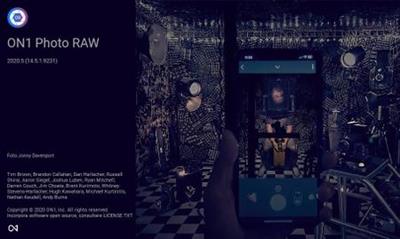
ON1 Photo RAW 2020.5 v14.5.0.9199 (x64) Multilingual (Portable)
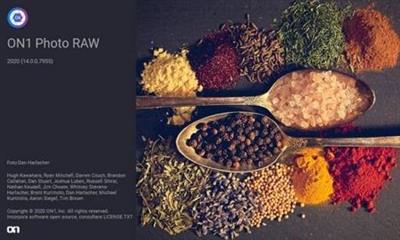
ON1 Photo RAW 2020.5 v14.5.0.9199 (x64) Multilingual (Portable) FiXED | 1.28 GB | Language: Multilanguage
ON1 Photo RAW 2020 - This professional-grade photo organizer, raw processor, layered editor, and effects app, includes everything you need in one photography application. The newest features include AI-powered features AI Match and AI Auto, four filters in Effects (Weather, Sun Flare, Color Balance, Channel Mixer), improved decoding of raw files (especially for Fujifilm), custom camera profiles with X-Rite, SmugMug integration, improved noise reduction, a map view, a Print Module, speed/performance enhancements, and much more!
What do you photograph?
ON1 Photo RAW 2020 puts the primary photo editing needs for every photographer regardless of what they shoot - without having to bounce between multiple pieces of software. Get the professional photo editing tools you need for the professional results you need while keeping your workflow efficient, powerful, and simple.
Create Photos with Impact.
ON1 Photo RAW 2020 puts the primary photo editing needs for every photographer regardless of what they shoot - without having to bounce between multiple pieces of software. Get the professional photo editing tools you need for the professional results you need while keeping your workflow efficient, powerful, and simple.
Get Professional Results with the Hottest Looks & Styles.
We've curated hundreds of the most popular looks and styles seen throughout the industry. Our team of experts overhauled the preset library to give you the trendiest looks with these amazing new one-click presets.
Everything a Photographer Needs in One Application.
ON1 is an open system giving you control over photo organization, storage, editing, creative style, and how you purchase. While most mainstream software solutions restrict your organization and editing in closed systems, ON1 gives you an open system for complete control over your storage, organization, and editing.
New Creative Products Coming Soon!An All-New ON1 Photography Ecosystem.
There will be several free updates to ON1 Photo RAW 2020 which will include some incredible new capabilities.
NOTE: This portable release supported Win7, Win8/8.1, Win10 (64-bit ONLY)
Home Page -
DOWNLOAD LINKS:
ON1 Photo RAW 2020.5 v14.5.0.9199 (x64) Multilingual (Portable) FiXED | 1.28 GB | Language: Multilanguage
ON1 Photo RAW 2020 - This professional-grade photo organizer, raw processor, layered editor, and effects app, includes everything you need in one photography application. The newest features include AI-powered features AI Match and AI Auto, four filters in Effects (Weather, Sun Flare, Color Balance, Channel Mixer), improved decoding of raw files (especially for Fujifilm), custom camera profiles with X-Rite, SmugMug integration, improved noise reduction, a map view, a Print Module, speed/performance enhancements, and much more!
What do you photograph?
ON1 Photo RAW 2020 puts the primary photo editing needs for every photographer regardless of what they shoot - without having to bounce between multiple pieces of software. Get the professional photo editing tools you need for the professional results you need while keeping your workflow efficient, powerful, and simple.
Create Photos with Impact.
ON1 Photo RAW 2020 puts the primary photo editing needs for every photographer regardless of what they shoot - without having to bounce between multiple pieces of software. Get the professional photo editing tools you need for the professional results you need while keeping your workflow efficient, powerful, and simple.
Get Professional Results with the Hottest Looks & Styles.
We've curated hundreds of the most popular looks and styles seen throughout the industry. Our team of experts overhauled the preset library to give you the trendiest looks with these amazing new one-click presets.
Everything a Photographer Needs in One Application.
ON1 is an open system giving you control over photo organization, storage, editing, creative style, and how you purchase. While most mainstream software solutions restrict your organization and editing in closed systems, ON1 gives you an open system for complete control over your storage, organization, and editing.
New Creative Products Coming Soon!An All-New ON1 Photography Ecosystem.
There will be several free updates to ON1 Photo RAW 2020 which will include some incredible new capabilities.
NOTE: This portable release supported Win7, Win8/8.1, Win10 (64-bit ONLY)
Home Page -
DOWNLOAD LINKS: