• Regeln für den Software-Bereich:


    Allgemeines:

    - In erster Linie sind unsere Boardregeln zu beachten, zu finden HIER.
    - Software zur Audiobearbeitung sollte ausschließlich im Unterforum "Audio" eingestellt werden.
    - Für Cracks, Keygens oder sonstige Freischaltungssoftware gibt es das Unterforum "Freischaltung".
    - Portable Software bitte im entsprechenden Unterforum "Portable Software" eintragen.
    - Diskussionen zur Installation und anderen Problemen mit der Software, bitte im enstprechenden Unterforum "Talk" führen.
    - Bei Unklarheiten und Fragen zu den Regeln bitte die Moderatoren kontaktieren.


    Angebot erstellen

    - Die Struktur des Threadtitels muss wie folgt umgesetzt werden: Herstellername - Softwarename - Versionsnummer
    - Unnötige Zusätze im Threadtitel wie "HOT", "NEW" oder Punkte zwischen den Wörtern sind nicht erlaubt.
    - Achtet darauf immer nur die Hauptversion und deren Updates in einem Thread zusammenfassen, konkretes Beispiel: SoftwareXY v3.12 gehört in den selben Thread mit SoftwareXY v3.13; SoftwareXY v.4.1 gehört in einen neuen eigenen Thread. Ausgenommen hiervon sind Sammelthreads und Dauerangebote.
    - Bei nicht bekannten Herstellern oder Angebote einer privaten Software, ist die Programmbezeichnung + Versionsnummer ausreichend.
    - Besondere Beachtung gilt für den ersten Beitrag eines Angebots. Dort muss eine kurze Beschreibung der Software in deutscher Sprache angegeben werden. Für offizielle Releases ist es Pflicht die NFO im Beitrag einzustellen(Spoiler, siehe nächster Punkt).
    - Weitere Informationen wie NFOs oder Changelogs, versteckt ihr bitte in einem Spoiler.


    Software Suche

    - Für Suchanfragen haben wir das Unterforum "Suche" erstellt.
    - Auch hier sollte vorher die Suchfunktion benutzt werden, um Doppelthreads vorzubeugen. Sollte es bereits eine Suchanfrage geben, könnt ihr den Thread gerne mit einem "Danke" pushen.


    Trojaner- und Virusalarm

    - Falls Euer Virenscanner bei einem Angebot Alarm schlägt, solltet ihr zunächst Ruhe bewahren. Viele Virenscanner erkennen Cracks/Keygens oft fälschlicherweise als Bedrohung.
    - Prüft die verdächtige Datei zuerst mit http://virustotal.com , sollte es sich hierbei wirklich um eine Bedrohung handeln, meldet den Beitrag und/oder wendet euch mit dem Bericht von VirusTotal.com an einen Moderator.


    Unerwünschte Angebote

    - Keylogger, Spionagetools, alles rund ums Thema Hacking/Cracking ist nicht erwünscht.
  • Bitte registriere dich zunächst um Beiträge zu verfassen und externe Links aufzurufen.


Nik Complete Collection 3 By DxO v3

Meera169

Banned
dbdfca2462ed4576b721eb5b2675c301.jpg


Nik Collection by DxO 3.0.7 (x64) Multilingual/Deutsch + Cracked | 580.58 MB

Information:


Nik Collection 3 by DxO 3.0.7 x64 Final


4e5857fe6ac892ddcc511ddeb2c91ac6.png


Nik Collection 3 by DxO 3.0.7 x64 Final | 947 MB | Language: Multilanguage


Nik Collection - the most complete collection of plug-ins for Adobe Photoshop and Lightroom using proprietary U Point technology, which allows you to subtly adjust the brightness, contrast, color saturation and other parameters of individual objects or areas of the photograph. With these plugins you can adjust the sharpness of digital image, perform color correction, retouching, styling, get rid of the noise of any type on the photo.


Analog Efex Pro 2 - adding optical effects, simulation of film photography
Color Efex Pro 4 - set of filters and effects for color correction
Dfine 2 - tools for noise reduction
HDR Efex Pro 2 - Create HDR image from ordinary photos
Sharpener Pro 3 - enhancing detail, image sharpness
Silver Efex Pro 2 - stylized black-and-white photo
Viveza 2 - of color management of individual objects or areas without the use of masks
Perspective Efex NEW! - effects and adjust the depth of field, correction of perspective and optical distortion (Russian language is not available).Nik Collection 3 by DxO 3.0.7 x64.


Year: 2020
Version: 3.0.7
Developer: DxO
Bit depth: 64bit
Language: Multilingual (Russian present)
Medicine: Present
System requirements:
Windows 8.1, 10 (64-bit)
Adobe Photoshop CS5 (64-bit) - CC 2020 (64-bit)
Adobe Lightroom 3 - Classic CC 2020
Intel Core 2 / AMD Athlon 64 X2 and above (Intel Core i5 recommended)
4 GB RAM (8 GB recommended)
4 GB HDD.


DOWNLOAD LINKS:


Nik Collection by DxO 3.0.8 (x64) Multilingual


3b10013ad0efbab2f357c67750425c1f.jpeg


Nik Collection by DxO 3.0.8 (x64) Multilingual | 548 MB | Language: Multilanguage


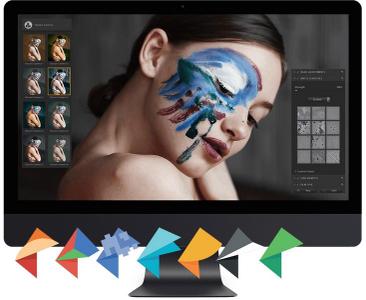
Nik Collection 3 By DxO is the world's most exciting and creative suite of photo plugins for Adobe Photoshop and Lightroom. With a range of stunning visual effects and some brilliant new editing tools, Nik Collection 3 gives you total creative control over your photos!


MORE THAN 200 PRESETS
Get access to more than 200 stunning creative effects with a click of a mouse. Nik Collection 3 By DxO includes brilliantly creative plugins like Color Efex Pro, for injecting color and atmosphere into your photos. Presets will help you craft classic black-and-white shots using the superb Silver Efex Pro plugin. Nik Collection presets have been developed by award-winning photographers to bring a unique style to your photography. Combine presets and open up a million inspired possibilities that will take your photos to the next creative level.

UNLOCK CREATIVITY FROM INSIDE ADOBE PHOTOSHOP
The brilliant new Nik Selective Tool brings Nik Collection 3 plugins right into the heart of your favorite image-editing software and will save your loads of time and clicks. The new Last Edit feature lets you re-apply your last edits with just one click of a mouse. The new Quick Edit option can re-apply the last plugins you used without needing to launch the plugin interface. Access favorite presets for Silver Efex Pro and HDR Efex Pro, as well as your favorite Color Efex Pro effects. These new features give you an even-more-effective workflow, especially when editing a series of similar images.

NON-DESTRUCTIVE WORKFLOW FOR ADOBE LIGHTROOM USERS
The non-destructive workflow is a completely new feature and exclusive to Nik Collection 3. By using the TIFF MULTIPAGE file format, Nik Collection 3 can combine an input file with your original Lightroom edits as well as any changes you've made using Nik Collection 3 plugins. Save both sets of edits in a single file.
The plugins can open an image in Adobe Lightroom Classic without changing any of the filters that were applied the last time the file was saved. Return to edits as many times as you like without losing any original adjustments made with Adobe Lightroom Classic. Non-destructive workflow gives maximum flexibility when editing and is a huge improvement for users of Adobe Lightroom Classic and DxO PhotoLab.

GEOMETRIC CORRECTIONS
Perspective Efex automatically corrects geometric distortions in your photos. It's the quickest and easiest way to fix even the most complex geometric distortions. Either by using reference lines or automatic correction, Perspective Efex can correct any unsightly leading lines in urban and architectural photos, no matter how complex. It's your best tool to correct keystoning.
Using a one-of-a-kind database created from DxO's optical modules, Perspective Efex also removes all types of distortion, including barrel, pincushion, and fisheye distortion. Perspective Efex, is the only plugin on the market that can automatically correct distortions to the shapes of bodies and faces located along the edges of wide-angle photos, resulting in images that accurately reflect reality.

MINIATURE EFFECT
Take control of the focal point in your photos. Place the emphasis exactly where it works best. With two blur gradients and the flexibility to apply blur just where you want it, Nik's Miniature Effect can create the perfect amount of transition from sharpness to blur. Add dramatically shallow focus to food shots or turn regular photos into miniature scenes. This brilliant tool even lets you simulate wide-aperture settings for superb and convincing bokeh effects.

U POINT™ - DESIGNED FOR PRECISION
Based on Control Points, U POINT technology lets you flexibly apply local adjustments and tweak settings on specific areas of an image. Alterations can include attributes such as Brightness, Contrast, Saturation, Structure, and much more! The system is ideal for selecting areas that aren't completely round and selections can even be extended to areas that are partially shaded.

COLOR EFEX PRO - YOUR LAUNCHPAD TO CREATIVITY
Perhaps the best-loved and most-popular Nik Collection plugin. With more than 50 different filters and a raft of exciting image recipes, Color Efex pro will inject color and atmosphere into your photos. Add some instant sunshine with the Sunlight filter or create an atmospheric and moody landscape using Color Efex Pro's Fog filter. Change the color of leaves with the Foliage filter or conjure up a sober mood with the eerie Midnight filter. Color Efex Pro is the quickest and easiest way to add color, mood, and atmosphere to your photos with a creative look that's as unique as you are.

BLACK & WHITE PHOTOGRAPHY
Black and white photos are so much more than simply desaturated color images. Truly great black and white images feature fine-tuning of contrast, structure, grain, and tone. Nik Collection 3's Silver Efex Pro is the professional's favorite black-and-white plugin thanks to its unique set of algorithms and superbly creative tools. With its ultra-fine adjustments for brightness, soft contrast, white levels, as well as an advanced Grain Engine, Silver Efex Pro accurately recreates the classic look of the most iconic black and white film types of years gone by.

MAXIMUM CREATIVITY FROM A BYGONE AGE
With Analog Efex Pro you can create evocative and atmospheric vintage photos using a spectacular range of analog effects. Capture the old-time 'look and feel' of photos taken with classic cameras and lenses. Recreate the look of filmstock long since disappeared. Quickly and easily apply selective blur, bokeh, light leaks, lens vignetting - and even scratches - to your images. Analog Efex Pro provides you with an amazing arsenal of more than 80 tools and vintage effects for you to create images with an authentic antique atmosphere.

GET HIGH DYNAMIC RANGE IN A CLICK
Great HDR images are created using multiple photos shot at different exposure using your camera's bracket function. Compiling all those images into one great HDR photo takes tremendous skill and experience. Nik Collection's HDR Efex Pro takes all the guesswork out of turning multiple exposures into stunning HDR images. HDR Efex Pro can even use intelligent tone mapping to reproduce stunning HDR effects from a single exposure.

GET YOURSELF A SHARPER IMAGE
Nik Collection 3 By DxO includes the brilliant Sharpener Pro plugin with its two unique sharpening stages for creating ultra-crisp images. The first stage pulls out just the right amount of detail from your images to ensure the photos are perfectly prepared ready for you to adjust. The second stage guides you through the process of applying just the right amount of sharpening, so your photos are ready for their final destination, whether that's a photo printer or a large display screen.

TURN DOWN THE NOISE!
Digital noise is just a fact of digital photographic life, especially when photos taken at lower light levels. Unlike most noise-reduction tools, Nik Collection's Dfine plugin is unique. Dfine is a wavelet noise reduction algorithm-based tool. It transforms an image into a map of spacial frequencies and then identifies and removes the unwanted noise. Using its unique noise algorithms, Dfine can automatically remove the right amount of digital noise from your photos without impacting on their sharpness or presence.

System Requirements:
- Intel Core® 2 or AMD Athlon™ 64 X2 or higher (Intel Core® i5 or higher recommended)
- 4 GB of RAM (8 GB recommended)
- 4 GB or more of available hard-disk space
- Microsoft® Windows® 8.1 (64 bits), or Microsoft® Windows® 10 (64 bits and still supported by Microsoft®)
- Microsoft Surface are not supported
- Adobe Photoshop CS5 (64 bits) through CC 2020
- Adobe Photoshop Elements 13 (64 bits) through 2020 (apart from HDR Efex Pro 2, which is not compatible with Photoshop Elements)
- Adobe Photoshop Lightroom 3 through Classic CC 2020
Requirements to support HiDPI monitors:
- Microsoft Windows 10.1607 and later
- Adobe Photoshop CC 2015.5 and later (if launched from Adobe Photoshop)
GPU Compatibility:
- Starting from: NVIDIA GeForce 8 Series, ATI Radeon HD2000 Series, and Intel HD Graphics 2000 Series.
- If no compatible card is available, GPU acceleration will be disabled, and the CPU will be used.


Home Page -


DOWNLOAD LINKS:


Zuletzt bearbeitet:
Nik Collection by DxO v3.0.8 (x64)

Multilingual/Deutsch / inkl. Crack + Anleitung / 64-Bit

nikcoverw3ky7.jpg


Beschreibung:

Nik Collection 3 By DxO ist die weltweit aufregendste und kreativste Suite von Foto-Plugins für Adobe Photoshop und Lightroom. Mit einer Reihe atemberaubender visueller Effekte und einigen brillanten neuen Bearbeitungswerkzeugen bietet Ihnen Nik Collection 3 die totale kreative Kontrolle über Ihre Fotos!

MEHR ALS 200 PRESETS
Erhalten Sie per Mausklick Zugriff auf mehr als 200 atemberaubende kreative Effekte. Nik Collection 3 By DxO enthält brillant kreative Plugins wie Color Efex Pro, mit denen Sie Ihren Fotos Farbe und Atmosphäre verleihen können. Mithilfe von Voreinstellungen können Sie mit dem hervorragenden Silver Efex Pro-Plugin klassische Schwarzweißaufnahmen erstellen. Die Presets der Nik Collection wurden von preisgekrönten Fotografen entwickelt, um Ihrer Fotografie einen einzigartigen Stil zu verleihen. Kombinieren Sie Voreinstellungen und eröffnen Sie eine Million inspirierter Möglichkeiten, die Ihre Fotos auf die nächste kreative Ebene bringen.

KREATIVITÄT VON INSIDE ADOBE PHOTOSHOP ENTSPERREN
Das brillante neue Nik Selective Tool bringt Nik Collection 3-Plugins direkt in das Herz Ihrer bevorzugten Bildbearbeitungssoftware und spart Ihnen viel Zeit und Klicks. Mit der neuen Funktion "Letzte Bearbeitung" können Sie Ihre letzten Änderungen mit nur einem Mausklick erneut anwenden. Mit der neuen Option "Schnelle Bearbeitung" können Sie die zuletzt verwendeten Plugins erneut anwenden, ohne die Plugin-Oberfläche starten zu müssen. Greifen Sie auf die bevorzugten Voreinstellungen für Silver Efex Pro und HDR Efex Pro sowie auf Ihre bevorzugten Color Efex Pro-Effekte zu. Diese neuen Funktionen bieten Ihnen einen noch effektiveren Workflow, insbesondere beim Bearbeiten einer Reihe ähnlicher Bilder.

NICHT ZERSTÖRENDER WORKFLOW FÜR ADOBE LIGHTROOM-BENUTZER
Der zerstörungsfreie Workflow ist eine völlig neue Funktion und exklusiv für Nik Collection 3. Durch die Verwendung des TIFF MULTIPAGE-Dateiformats kann Nik Collection 3 eine Eingabedatei mit Ihren ursprünglichen Lightroom-Änderungen sowie allen Änderungen kombinieren, die Sie mit Nik Collection vorgenommen haben 3 Plugins. Speichern Sie beide Bearbeitungssätze in einer einzigen Datei.

Die Plugins können ein Bild in Adobe Lightroom Classic öffnen, ohne einen der Filter zu ändern, die beim letzten Speichern der Datei angewendet wurden. Kehren Sie so oft zu den Änderungen zurück, wie Sie möchten, ohne die ursprünglichen Anpassungen zu verlieren, die mit Adobe Lightroom Classic vorgenommen wurden. Der zerstörungsfreie Workflow bietet maximale Flexibilität bei der Bearbeitung und ist eine enorme Verbesserung für Benutzer von Adobe Lightroom Classic und DxO PhotoLab.

GEOMETRISCHE KORREKTUREN
Perspektive Efex korrigiert automatisch geometrische Verzerrungen in Ihren Fotos. Dies ist der schnellste und einfachste Weg, um selbst die komplexesten geometrischen Verzerrungen zu beheben. Mit Hilfe von Referenzlinien oder automatischer Korrektur kann Perspective Efex alle unansehnlichen Leitlinien in Stadt- und Architekturfotos korrigieren, egal wie komplex sie sind. Es ist das beste Werkzeug, um das Keystoning zu korrigieren.

Mit einer einzigartigen Datenbank, die aus den optischen Modulen von DxO erstellt wurde, entfernt Perspective Efex auch alle Arten von Verzerrungen, einschließlich Lauf-, Nadelkissen- und Fischaugenverzerrungen. Perspective Efex ist das einzige Plugin auf dem Markt, das Verzerrungen der Körper- und Gesichtsformen an den Rändern von Weitwinkelfotos automatisch korrigieren kann, sodass Bilder entstehen, die die Realität genau widerspiegeln.

MINIATUREFFEKT
Übernehmen Sie die Kontrolle über den Brennpunkt Ihrer Fotos. Platzieren Sie die Betonung genau dort, wo es am besten funktioniert. Mit zwei Unschärfegradienten und der Flexibilität, Unschärfe genau dort anzuwenden, wo Sie es möchten, kann der Miniatureffekt von Nik den perfekten Übergang von Schärfe zu Unschärfe schaffen. Fügen Sie Food-Aufnahmen einen dramatisch flachen Fokus hinzu oder verwandeln Sie normale Fotos in Miniaturszenen. Mit diesem brillanten Tool können Sie sogar Einstellungen mit großer Blende simulieren, um hervorragende und überzeugende Bokeh-Effekte zu erzielen.

U POINT ™ - FÜR PRÄZISION ENTWICKELT
Basierend auf Kontrollpunkten können Sie mit der U POINT-Technologie lokale Anpassungen und Optimierungseinstellungen flexibel auf bestimmte Bereiche eines Bildes anwenden. Änderungen können Attribute wie Helligkeit, Kontrast, Sättigung, Struktur und vieles mehr enthalten! Das System ist ideal für die Auswahl von Bereichen, die nicht vollständig rund sind, und die Auswahl kann sogar auf Bereiche erweitert werden, die teilweise schattiert sind.

COLOR EFEX PRO - IHR LAUNCHPAD ZUR KREATIVITÄT
Vielleicht das beliebteste und beliebteste Nik Collection-Plugin. Mit mehr als 50 verschiedenen Filtern und einer Reihe aufregender Bildrezepte bringt Color Efex Pro Farbe und Atmosphäre in Ihre Fotos. Fügen Sie mit dem Sonnenlichtfilter sofort Sonnenschein hinzu oder schaffen Sie mit dem Nebelfilter von Color Efex Pro eine atmosphärische und stimmungsvolle Landschaft. Ändern Sie die Farbe der Blätter mit dem Laubfilter oder zaubern Sie mit dem unheimlichen Mitternachtsfilter eine nüchterne Stimmung. Color Efex Pro ist der schnellste und einfachste Weg, Ihren Fotos Farbe, Stimmung und Atmosphäre mit einem kreativen Aussehen zu verleihen, das so einzigartig ist wie Sie.

SCHWARZE & WEISSE FOTOGRAFIE
Schwarzweißfotos sind so viel mehr als nur entsättigte Farbbilder. Wirklich großartige Schwarzweißbilder bieten eine Feinabstimmung von Kontrast, Struktur, Körnung und Ton. Das Silver Efex Pro von Nik Collection 3 ist dank seiner einzigartigen Algorithmen und äußerst kreativen Tools das beliebteste Schwarzweiß-Plugin des Profis. Mit seiner ultrafeinen EinstellungSilver Efex Pro bietet Helligkeit, weichen Kontrast, Weißwerte sowie eine fortschrittliche Grain Engine und stellt den klassischen Look der bekanntesten Schwarz-Weiß-Filmtypen vergangener Jahre präzise wieder her.

MAXIMALE KREATIVITÄT AUS VERGANGENEM ALTER
Mit Analog Efex Pro können Sie mit einer spektakulären Auswahl an analogen Effekten eindrucksvolle und atmosphärische Vintage-Fotos erstellen. Erfassen Sie das alte Erscheinungsbild von Fotos, die mit klassischen Kameras und Objektiven aufgenommen wurden. Stellen Sie das Aussehen von Filmmaterial wieder her, das längst verschwunden ist. Wenden Sie schnell und einfach selektive Unschärfe, Bokeh, leichte Lecks, Vignettierung der Linse und sogar Kratzer auf Ihre Bilder an. Analog Efex Pro bietet Ihnen ein erstaunliches Arsenal von mehr als 80 Werkzeugen und Vintage-Effekten, mit denen Sie Bilder mit einer authentischen antiken Atmosphäre erstellen können.

Holen Sie sich mit einem Klick einen hohen dynamischen Bereich
Hervorragende HDR-Bilder werden mit mehreren Fotos erstellt, die mit der Belichtungsreihenfunktion Ihrer Kamera bei unterschiedlicher Belichtung aufgenommen wurden. Das Zusammenstellen all dieser Bilder zu einem großartigen HDR-Foto erfordert enorme Fähigkeiten und Erfahrung. Mit dem HDR Efex Pro von Nik Collection müssen Sie nicht nur mehrere Belichtungen in atemberaubende HDR-Bilder verwandeln. HDR Efex Pro kann sogar intelligente Tonzuordnungen verwenden, um atemberaubende HDR-Effekte aus einer einzigen Belichtung zu reproduzieren.

Holen Sie sich ein schärferes Bild
Nik Collection 3 By DxO enthält das brillante Sharpener Pro-Plugin mit seinen zwei einzigartigen Schärfstufen zum Erstellen gestochen scharfer Bilder. In der ersten Phase werden genau die richtigen Details aus Ihren Bildern entfernt, um sicherzustellen, dass die Fotos perfekt vorbereitet sind und für die Anpassung bereit sind. Die zweite Phase führt Sie durch den Vorgang, bei dem genau das richtige Maß an Schärfen angewendet wird, damit Ihre Fotos für das endgültige Ziel bereit sind, unabhängig davon, ob es sich um einen Fotodrucker oder einen großen Bildschirm handelt.

Schalten Sie den Lärm aus!
Digitales Rauschen ist nur eine Tatsache des digitalen fotografischen Lebens, insbesondere wenn Fotos mit niedrigeren Lichtverhältnissen aufgenommen werden. Im Gegensatz zu den meisten Tools zur Rauschunterdrückung ist das Dfine-Plugin von Nik Collection einzigartig. Dfine ist ein auf einem Wavelet-Rauschreduzierungsalgorithmus basierendes Tool. Es wandelt ein Bild in eine Karte mit Raumfrequenzen um und identifiziert und entfernt dann das unerwünschte Rauschen. Mit seinen einzigartigen Rauschalgorithmen kann Dfine automatisch die richtige Menge an digitalem Rauschen von Ihren Fotos entfernen, ohne deren Schärfe oder Präsenz zu beeinträchtigen.

_________________________________________________

Größe: 548 MB
Sprache: Multi/Deutsch
Format: Exe
Plattform: Windows (64-Bit)
Hoster: RapidGator.net, Alfafile.net, Ddownload.com
________________________________________

6637C582D6.png


Zurück
Oben Unten