• Regeln für den Software-Bereich:


    Allgemeines:

    - In erster Linie sind unsere Boardregeln zu beachten, zu finden HIER.
    - Software zur Audiobearbeitung sollte ausschließlich im Unterforum "Audio" eingestellt werden.
    - Für Cracks, Keygens oder sonstige Freischaltungssoftware gibt es das Unterforum "Freischaltung".
    - Portable Software bitte im entsprechenden Unterforum "Portable Software" eintragen.
    - Diskussionen zur Installation und anderen Problemen mit der Software, bitte im enstprechenden Unterforum "Talk" führen.
    - Bei Unklarheiten und Fragen zu den Regeln bitte die Moderatoren kontaktieren.


    Angebot erstellen

    - Die Struktur des Threadtitels muss wie folgt umgesetzt werden: Herstellername - Softwarename - Versionsnummer
    - Unnötige Zusätze im Threadtitel wie "HOT", "NEW" oder Punkte zwischen den Wörtern sind nicht erlaubt.
    - Achtet darauf immer nur die Hauptversion und deren Updates in einem Thread zusammenfassen, konkretes Beispiel: SoftwareXY v3.12 gehört in den selben Thread mit SoftwareXY v3.13; SoftwareXY v.4.1 gehört in einen neuen eigenen Thread. Ausgenommen hiervon sind Sammelthreads und Dauerangebote.
    - Bei nicht bekannten Herstellern oder Angebote einer privaten Software, ist die Programmbezeichnung + Versionsnummer ausreichend.
    - Besondere Beachtung gilt für den ersten Beitrag eines Angebots. Dort muss eine kurze Beschreibung der Software in deutscher Sprache angegeben werden. Für offizielle Releases ist es Pflicht die NFO im Beitrag einzustellen(Spoiler, siehe nächster Punkt).
    - Weitere Informationen wie NFOs oder Changelogs, versteckt ihr bitte in einem Spoiler.


    Software Suche

    - Für Suchanfragen haben wir das Unterforum "Suche" erstellt.
    - Auch hier sollte vorher die Suchfunktion benutzt werden, um Doppelthreads vorzubeugen. Sollte es bereits eine Suchanfrage geben, könnt ihr den Thread gerne mit einem "Danke" pushen.


    Trojaner- und Virusalarm

    - Falls Euer Virenscanner bei einem Angebot Alarm schlägt, solltet ihr zunächst Ruhe bewahren. Viele Virenscanner erkennen Cracks/Keygens oft fälschlicherweise als Bedrohung.
    - Prüft die verdächtige Datei zuerst mit http://virustotal.com , sollte es sich hierbei wirklich um eine Bedrohung handeln, meldet den Beitrag und/oder wendet euch mit dem Bericht von VirusTotal.com an einen Moderator.


    Unerwünschte Angebote

    - Keylogger, Spionagetools, alles rund ums Thema Hacking/Cracking ist nicht erwünscht.
  • Bitte registriere dich zunächst um Beiträge zu verfassen und externe Links aufzurufen.


NI LabVIEW NXG v5

KAMAL

MyBoerse.bz Pro Member
NI LabVIEW NXG 5.0 Beta x64

16431a49196ed7d01124e82b0087ad95.jpg


NI LabVIEW NXG 5.0 Beta x64 | 13.9 GB


National Instruments is pleased to announce the availability of exclusive preview of LabVIEW NXG 5.0 beta. Explore exciting LabVIEW NXG technologies NI is working on with the latest LabVIEW NXG beta.


Latest LabVIEW NXG Beta
Explore exciting LabVIEW NXG technologies NI is working on with the latest LabVIEW NXG beta. Highlighted technologies in the current beta:

- Call Python Scripts
- Debug with Boolean Conditional Breakpoints

LabVIEW NXG is the next generation of LabVIEW, assisting engineering workflows with interactively acquiring, analyzing, and visualizing data sets. Combined with built-in, drag-and-drop engineering user interface development and inherent data exploration, LabVIEW NXG is the ideal tool to turn data collection into real insights.

LabVIEW NXG is the next generation of LabVIEW and it will eventually become the standard for LabVIEW once it becomes a superset of LabVIEW features. One of the biggest differences is the improved user experience, especially for new users and new projects. LabVIEW. LabVIEW NXG has the ability to recognize third-party hardware and automatically download and install the necessary drivers. But tools for deploying the software with certain hardware like LabVIEW Real-Time Module, LabVIEW FPGA Module, and CompaqRIO platform are not available in LabVIEW NXG.

LabVIEW NXG has also been streamlined to simplify the customization of test-and-measurement systems. The new drag-and-drop UI creation editor is focused on reducing the development time for common tasks.

LabVIEW NXG also gives users an easier way to publish web VIs or web clients that can be used from standard browsers. This would allow someone to remotely run and validate test from the browser of a different computer. The new compiler is able to turn block diagrams into JAVA scripts rather than just machine code.

Introduction to LabVIEW NXG
About National Instruments. Since 1976, National Instruments has equipped engineers and scientists with tools that accelerate productivity, innovation and discovery. NI's graphical system design approach to engineering provides an integrated software and hardware platform that speeds the development of any system needing measurement and control. The company's long-term vision and focus on improving society through its technology supports the success of its customers, employees, suppliers and shareholders.


Product: NI LabVIEW NXG
Version: 5.0.0 beta
Supported Architectures: x64
Website Home Page :
Language: english
System Requirements: PC *
Supported Operating Systems: *
Size: 13.9 Gb

System Requirements
LabVIEW NXG has the following minimum system requirements:
- Pentium 4 G1 equivalent (Intel i5 equivalent or higher recommended)
- 10 GB disk space (20 GB or higher recommended)
- 1 GB RAM
- .NET Framework 4.6.2
- 1024 x 768 resolution (1366 x 768 or higher recommended)
Supported Operating Systems
LabVIEW NXG 5.0 supports the 64-bit version of the following operating systems:
- Windows 10 (version 1903)/8.1 Update 1*/7 SP1**
- Windows Server 2012 R2*
- Windows Server 2008 R2 SP1**
* NI software installs VC2015 Runtime and .NET 4.6.2. Windows 8.1 requires Microsoft updates to support these items.
* NI software is signed with a SHA-256 certificate. Windows 7 SP1 and Windows Server 2008 R2 SP1 require Microsoft updates to support SHA-256.


DOWNLOAD LINKS:



NI LabView NXG 5.0 x64 Multilingual


7afdcb28ae2a5cd50a0a029479beb0d0.png


NI LabView NXG 5.0 x64 Multilingual | 3.7 GB


Languages: English, Deutsch, 한국어, 中文, 日本語, Français.


National Instruments is pleased to announce the availability of LabVIEW NXG 5.0. Explore exciting LabVIEW NXG technologies NI is working on with the latest LabVIEW NXG.

LabVIEW NXG is the next generation of LabVIEW, assisting engineering workflows with interactively acquiring, analyzing, and visualizing data sets. Combined with built-in, drag-and-drop engineering user interface development and inherent data exploration, LabVIEW NXG is the ideal tool to turn data collection into real insights.

LabVIEW NXG is the next generation of LabVIEW and it will eventually become the standard for LabVIEW once it becomes a superset of LabVIEW features. One of the biggest differences is the improved user experience, especially for new users and new projects. LabVIEW. LabVIEW NXG has the ability to recognize third-party hardware and automatically download and install the necessary drivers. But tools for deploying the software with certain hardware like LabVIEW Real-Time Module, LabVIEW FPGA Module, and CompaqRIO platform are not available in LabVIEW NXG.

LabVIEW NXG has also been streamlined to simplify the customization of test-and-measurement systems. The new drag-and-drop UI creation editor is focused on reducing the development time for common tasks.

LabVIEW NXG also gives users an easier way to publish web VIs or web clients that can be used from standard browsers. This would allow someone to remotely run and validate test from the browser of a different computer. The new compiler is able to turn block diagrams into JAVA scripts rather than just machine code.

Introduction to LabVIEW NXG
About National Instruments. Since 1976, National Instruments has equipped engineers and scientists with tools that accelerate productivity, innovation and discovery. NI's graphical system design approach to engineering provides an integrated software and hardware platform that speeds the development of any system needing measurement and control. The company's long-term vision and focus on improving society through its technology supports the success of its customers, employees, suppliers and shareholders.


Product: NI LabVIEW NXG
Version: 5.0.0
Supported Architectures: x64
Website Home Page :
Language: English, Français, Deutsch, 日本語, 한국어, 中文
System Requirements: PC *
Supported Operating Systems: *
Size: 3.7 Gb

System Requirements
LabVIEW NXG has the following minimum system requirements:
- Pentium 4 G1 equivalent (Intel i5 equivalent or higher recommended)
- 10 GB disk space (20 GB or higher recommended)
- 1 GB RAM
- .NET Framework 4.6.2
- 1024 x 768 resolution (1366 x 768 or higher recommended)
Supported Operating Systems
LabVIEW NXG 5.0 supports the 64-bit version of the following operating systems:
- Windows 10 (version 1903)/8.1 Update 1*/7 SP1**
- Windows Server 2012 R2*
- Windows Server 2008 R2 SP1**
* NI software installs VC2015 Runtime and .NET 4.6.2. Windows 8.1 requires Microsoft updates to support these items.
* NI software is signed with a SHA-256 certificate. Windows 7 SP1 and Windows Server 2008 R2 SP1 require Microsoft updates to support SHA-256.


DOWNLOAD LINKS:



LabVIEW NXG v5.0.0 2020

Englisch / inkl. License Activator + Anleitung

labnxginalruj1r.jpg


Beschreibung:

LabVIEW NXG ist die nächste Generation der LabVIEW-Entwicklungssoftware. Als einziges Tool zum Konfigurieren, Automatisieren und Visualisieren von Daten reduziert es Ihre Zeit bis zur ersten Messung mit automatischer NI- und Instrumententreiberverwaltung von Drittanbietern, sodass Sie sich darauf konzentrieren können, Ihr System mit einem integrierten Drag-and-Drop-Logik-Entwurfsansatz schnell anzupassen und umfasste Mathematik, Signalverarbeitung und Analyse IP. Mit LabVIEW NXG können Sie Code, der in anderer Software und Open-Source-Sprachen entwickelt wurde, in Software-Interoperabilitätstools von Drittanbietern integrieren. Sie können auch intuitiv Benutzeroberflächen entwerfen, um Test- und Messsysteme zu bedienen und Ihre Ergebnisse anzuzeigen.

Die neueste Version von LabVIEW NXG enthält die folgenden Hauptfunktionen:

- Zeigen Sie die Hierarchie der VIs und Klassen an
- Schließen Sie Paketabhängigkeiten ein, wenn Sie ein Projekt freigeben
- Rufen Sie MATLAB®-Funktionen oder -Skripte mit der Schnittstelle für MATLAB auf
- Rufen Sie registrierte .NET-Assemblys auf
- LabVIEW NXG FPGA-Modul mit Unterstützung für USRP- und Kintex-7-FlexRIO-Ziele
- LabVIEW NXG-Webmodul-Unterstützung für allgemeine Ereignisse und Eigenschaften
- Integrieren Sie JavaScript-Bibliotheken in WebVIs

_________________________________________________

Größe: 3.51 GB
Sprache: Englisch
Format: Iso
Plattform: Windows (32 oder 64-Bit)
Hoster: RapidGator.net, Alfafile.net, Ddownload.com
________________________________________

E63C9214F2.png


NI LabVIEW NXG 5.0 FPGA Module x64 Multilingual


6e0aeaf04a83187b086a1ac03749d883.jpeg


NI LabVIEW NXG 5.0 FPGA Module x64 Multilingual | 7.3 GB | Language: Multilanguage


Languages: English, Français, Deutsch, 日本語, 한국어, 中文.

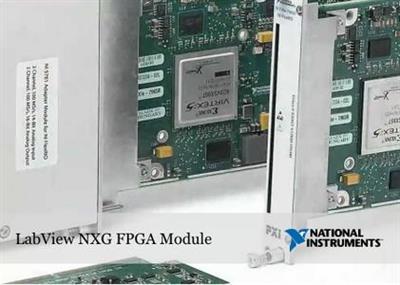
National Instruments is pleased to announce the availability of NI LabVIEW NXG 5.0 FPGA Module. This Module enables engineers and scientists to develop, debug, and deploy custom FPGA code for NI hardware with user-programmable FPGAs.


New Features and Changes - Date: May 19, 2020
Refer to the list below to learn what's new or changed in the LabVIEW NXG 5.0 FPGA Module.
New Features

- Support for C series FPGA targets-Use the new Read Write I/O (G Dataflow) and Read Write I/O (Clock-Driven Logic) nodes to perform FPGA I/O operations on C series FPGA targets outside or inside a Clock-Driven Loop. Use the new Set Output Enable (G Dataflow) node to determine whether to allow the C series digital input and output resource to write data outside a Clock-Driven Loop.
- Accessing local FIFOs outside a Clock-Driven Loop-Use the following new FIFO nodes to manipulate FIFO data outside a Clock-Driven Loop:
. Clear FIFO (G Dataflow)
. FIFO Property (G Dataflow)
. Flush FIFO (G Dataflow)
. Peek FIFO (G Dataflow)
. Read FIFO (G Dataflow)
. Write FIFO (G Dataflow)

The LabVIEW NXG FPGA Module is the next generation of LabVIEW development software for FPGAs. The module provides an integrated development environment, easy hardware and resource organization, and improved simulation and debugging features to help you more easily program FPGAs. You can create FPGA VIs to define custom hardware for tasks such as digital signal processing, closed-loop control, digital protocol communication, and fault detection. You can also use the LabVIEW NXG FPGA Module to integrate existing hardware description language (HDL) code as well as third-party IP.

Introduction to the LabVIEW FPGA NXG Module for High-Performance Applications

Since 1976, National Instruments has equipped engineers and scientists with tools that accelerate productivity, innovation and discovery. NI's graphical system design approach to engineering provides an integrated software and hardware platform that speeds the development of any system needing measurement and control. The company's long-term vision and focus on improving society through its technology supports the success of its customers, employees, suppliers and shareholders.


Product: NI LabVIEW NXG 5.0 FPGA Module
Version: 8.1.0
Supported Architectures: x64
Website Home Page :
Language: English, Français, Deutsch, 日本語, 한국어, 中文
System Requirements: PC *
Supported Operating Systems: *
Software Prerequisites: *
Supported Hardware: *
Size: 7.3 Gb

System Requirements
- LabVIEW NXG 5.0
- At least 35 GB of free disk space
- 8 GB RAM
Supported Operating System
The LabVIEW NXG 5.0 FPGA Module supports the following operating systems:
- Windows 10 (version 1909) / 8.1 Update 1* / 7 SP1* (64-bit)
- Windows Server 2016
- Windows Server 2012 R2 Update*
- Windows Server 2008 R2 SP1**
Note: On Windows 8.1/Server 2012 R2/Server 2008 R2 SP1, some features, such as local compile, Optimized FPGA VIs, simulation of FPGA code that includes Xilinx IP or HDL code, are not supported because these features require the Xilinx compilation tools which do not support these OSes. Using these features on these OSes may result in unpredictable results.
* NI software installs VC2015 Runtime and .NET 4.6.2. Windows 8.1 and Windows Server 2012 R2 require Microsoft updates to support these items.
** NI software is signed with a SHA-256 certificate. Windows 7 SP1, Windows Embedded Standard 7 SP1, and Windows Server 2008 R2 SP1 require Microsoft updates to support SHA-256.
Supported Hardware and Drivers
This product supports the following hardware:
This product supports the following CompactRIO Controllers.
- cRIO-9040
- cRIO-9041
- cRIO-9042
- cRIO-9043
- cRIO-9045
- cRIO-9046
- cRIO-9047
- cRIO-9048
- cRIO-9049
- cRIO-9053
- cRIO-9054
- cRIO-9055
- cRIO-9057
- cRIO-9058
This product supports the following C Series Modules.
- NI 9201
- NI 9203
- NI 9205
- NI 9206
- NI 9221
- NI 9263
- NI 9264
- NI 9265
- NI 9266
- NI 9269
- NI 9401
This product supports the following PXI FPGA Modules for FlexRIO:
- PXIe-7971
- PXIe-7972
- PXIe-7975
- PXIe-7976
This product supports the following FlexRIO Adapter Modules:
Digitizer Adapter Modules for FlexRIO
- NI-5732
- NI-5733
- NI-5734
- NI-5751B
- NI-5761
- NI-5771
- NI-5772
Signal Generator Adapter Modules for FlexRIO
- AT-1212
Transceiver Adapter Modules for FlexRIO
- NI-5782
- NI-5783
RF Adapter Modules for FlexRIO
- NI-5791
- NI-5792
- NI-5793
Digital I/O Adapter Modules for FlexRIO
- NI-6581B
- NI-6583
- NI-6584
- NI-6585B
- NI-6589
This product supports the following USRP Software Defined Radio Reconfigurable Devices:
- USRP-2940
- USRP-2942
- USRP-2943
- USRP-2944
- USRP-2950
- USRP-2952
- USRP-2953
- USRP-2954
This product supports the following NI drivers:
- FlexRIO
- NI CompactRIO
- NI-USRP


DOWNLOAD LINKS:


NI LabVIEW NXG v5.1 with Drivers x64 Multilingual


119278d02f43261438345cacd6a085a5.jpeg


NI LabVIEW NXG v5.1 with Drivers x64 Multilingual | 30.4 GB | Language: Multilanguage


The National Instruments development team is pleased to announce the availability of LabVIEW NXG 5.1 is a science and engineering-focused programming environment for designing and testing systems within a visual code diagram.


Since 1976, National Instruments has equipped engineers and scientists with tools that accelerate productivity, innovation and discovery. NI's graphical system design approach to engineering provides an integrated software and hardware platform that speeds the development of any system needing measurement and control. The company's long-term vision and focus on improving society through its technology supports the success of its customers, employees, suppliers and shareholders.

Product: NI LabVIEW
Version: NXG 5.0.0 Build 8.4.0.49153 with Drivers*
Supported Architectures: x64
Website Home Page : Language: English, Français, Deutsch, 日本語, 한국어, 中文
System Requirements: PC **
Size: 30.4 Gb


ni-labview-nxg-5.0.0_8.4.0.49153-0 f1_offline.iso
ni-labview-nxg-5.0.0_8.4.0_offline.iso

System Requirements
LabVIEW NXG has the following minimum system requirements:

- Pentium 4 G1 equivalent (Intel i5 equivalent or higher recommended)
- 10 GB disk space (20 GB or higher recommended)
- Installation on a solid state drive (SSD) recommended
- 2 GB RAM (8 GB or higher recommended)
- .NET Framework 4.6.2
- 1024 x 768 resolution (1366 x 768 or higher recommended)

Supported Operating Systems
LabVIEW NXG 5.1 supports the 64-bit version of the following operating systems:

- Windows 10 (version 1909)/8.1 Update 1*/7 SP1**
- Windows Server 2016
- Windows Server 2012 R2*
- Windows Server 2008 R2 SP1**
* NI software installs VC2015 Runtime and .NET 4.6.2. Windows 8.1 requires Microsoft updates to support these items.
* NI software is signed with a SHA-256 certificate. Windows 7 SP1 and Windows Server 2008 R2 SP1 require Microsoft updates to support SHA-256.


Größe: 30.4 GB
Sprache: Multilingual-Deutsch
Format: .rar / .iso
Plattform: Windows (64 Bit)


HOSTER:

K2s.cc (Keep2Share)

Rapidgator.net

Nitroflare.com

Uploadgig.com


DOWNLOAD


NI LabVIEW NXG v5.1 FPGA Module x64 Multilingual


923bcfa1b5bd62235b013e7569a12198.jpeg


NI LabVIEW NXG v5.1 FPGA Module x64 Multilingual | 7.3 GB | Language: Multilanguage


National Instruments is pleased to announce the availability of NI LabVIEW NXG 5.1 FPGA Module. This module enables engineers and scientists to develop, debug, and deploy custom FPGA code for NI hardware with user-programmable FPGAs.

Since 1976, National Instrumentshas equipped engineers and scientists with tools that accelerate productivity, innovation and discovery. NI's graphical system design approach to engineering provides an integrated software and hardware platform that speeds the development of any system needing measurement and control. The company's long-term vision and focus on improving society through its technology supports the success of its customers, employees, suppliers and shareholders.


Product:NI LabVIEW NXG 5.1 FPGA Module
Version:8.4.0
Supported Architectures:x64
Website Home Page : Language:English, Français, Deutsch, 日本語, 한국어, 中文
System Requirements:pC *
Size:7.3 Gb


System Requirements:
- LabVIEW NXG 5.1
- At least 35 GB of free disk space
- 8 GB RAM

Supported Operating System:
The LabVIEW NXG 5.1 FPGA Module supports the following operating systems:

- Windows 10 (version 2004) / 8.1 Update 1* / 7 SP1* (64-bit)
- Windows Server 2016
- Windows Server 2012 R2 Update*
- Windows Server 2008 R2 SP1**

Note: The Xilinx Compilation Tools are not supported on Windows 8.1/Server 2012 R2/Server 2008 R2 SP1. The following features that depend on a local installation of the Xilinx Compilation Tools are not supported on these operating systems: local bitfile compilation, Optimized FPGA VIs, simulation of IP Integration Nodes, and simulation of Xilinx IP Nodes.

* NI software installs VC2015 Runtime and .NET 4.6.2. Windows 8.1 and Windows Server 2012 R2 require Microsoft updates to support these items.
** NI software is signed with a SHA-256 certificate. Windows 7 SP1, Windows Embedded Standard 7 SP1, and Windows Server 2008 R2 SP1 require Microsoft updates to support SHA-256.

Supported Hardware and Drivers
This product supports the following hardware:

Data Acquisition and Control: CompactRIO Controllers

cRIO-9040
cRIO-9041
cRIO-9042
cRIO-9043
cRIO-9045
cRIO-9046
cRIO-9047
cRIO-9048
cRIO-9049
cRIO-9053
cRIO-9054
cRIO-9055
cRIO-9057
cRIO-9058
Electronic Test and Instrumentation: FlexRIO with Modular I/O

PXIe-7971
PXIe-7972
PXIe-7975
PXIe-7976

This product supports the following FlexRIO Adapter Modules:

- Digitizer Adapter Modules for FlexRIO
NI-5732
NI-5733
NI-5734
NI-5751B
NI-5761
NI-5771
NI-5772
- Signal Generator Adapter Modules for FlexRIO
AT-1212
- Transceiver Adapter Modules for FlexRIO
NI-5782
NI-5783
- RF Adapter Modules for FlexRIO
NI-5791
NI-5792
NI-5793
- Digital I/O Adapter Modules for FlexRIO
NI-6581B
NI-6583
NI-6584
NI-6585B
NI-6589
Software Defined Radio: USRP

USRP-2940
USRP-2942
USRP-2943
USRP-2944
USRP-2950
USRP-2952
USRP-2953
USRP-2954

This product supports the following NI drivers:

FlexRIO
NI CompactRIO
NI-USRP


Größe: 7.3 GB
Sprache: Multilingual-Deutsch
Format: .rar / .exe / .iso
Medizin: Crack / Patch
Plattform: Windows (64 Bit)


HOSTER:

K2s.cc (Keep2Share)

Rapidgator.net

Nitroflare.com

Uploadgig.com


DOWNLOAD


Zurück
Oben Unten