KAMAL
MyBoerse.bz Pro Member
NextLimit Maxwell 5 version 5.0.0 for Cinema 4D
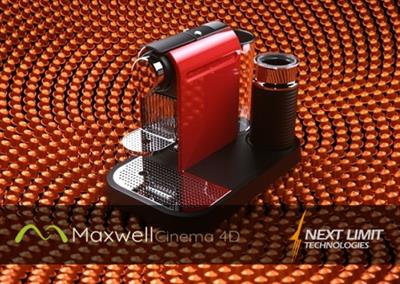
NextLimit Maxwell 5 version 5.0.0 for Cinema 4D | 720 MB
The Next Limit development team is pleased to announce the availability of Maxwell 5 version 5.0.0 for Cinema 4D. This product has been designed for rendering in Cinema 4D with a Maxwell toolbar. It brings you advanced Maxwell Render technology in a simple package.
ADDITIONS:
- Added a button and menu option for Maxwell Cloud
- Added a button to control the used GPUs for the GPU render engine.
- New "Multilight group" property in the Maxwell material editor for emitters.
CHANGeS:
- Maxwell Grass Initial Angle default value changed from 10º to 80º (so it points up as it should).
- Now the plugin Help option opens the new Maxwell 5 documentation pages.
- UI text "Quality" changed to "Engine" at the Render Engine popup selection.
FIXES:
- Adding geometry while Fire was running could cause some missing triangles in the exported geometry.
KNOWN ISSUES:
- Fire may show the materials incorrectly assigned to certain objects when Fire is running and you are editing a new material in the material editor at the same time; a Fire refresh will get everything back to normal. This doesn't affect the main render.
- Changing Fire from CPU to GPU while running may show some missing triangles; refreshing Fire will show everything fine again. This doesn't affect the main render.
Maxwell Render is an unbiased spectral ray-tracing designed to simulate light and materials exactly as they behave in real world. Maxwell Render makes perfect images, films and animations from 3D models and scenes. It is the complete solution for anyone who demands immaculate results on a deadline. Maxwell Render offers maximum quality, speed, and compatibility for architects, designers and VFX artists.
Maxwell 5 includes several new features and improvements: procedural textures, multi-GPU rendering, Maxwell Cloud, 4K compatibility and much more.
Maxwell | Cinema 4D offers seamless integration, allowing you to work comfortably within the Cinema 4D interface. This product has been specifically designed for rendering in Cinema 4D with a simple yet comprehensive Maxwell toolbar.
Check in this video how the new GPU fire feature works in Maxwell 5
Next Limit was founded in 1998 by engineers Victor Gonzalez and Ignacio Vargas with a common vision of developing cutting edge simulation tecnologies. RealFlow was the first product released. In the following years new products came to life, such as: Maxwell Render, CaronteFX and XFlow CFD. In 2018 Victor Gonzalez became the sole owner of the group, expanding the company portfolio toward new markets and industries. Since then the portfolio has been updated with three new solutions: Anyverse, BeGraph and RoomBox.
Product: Next Limit Maxwell 5
Version: 5.0.0 for Cinema 4D
Supported Architectures: x64
Website Home Page :
Language: english
System Requirements: PC *
Supported Operating Systems: *
Software Prerequisites: Cinema4D R14 - R21
Size: 720.2 mb
The minimum system requirements for Maxwell Render are as follows:
- Windows Server 2008 R2 SP1, Windows 7, 8, 8.1, Windows Server 2012, Windows 10 or Windows Server 2016.
- 2 GHz Intel Core2 processor, AMD Athlon 64 or better
- 1GB RAM minimum. 16 GB of RAM memory is highly recommended
- 1.7 GB available hard disk space for installation
- Accelerated OpenGL drivers
- 3 button mouse recommended
DOWNLOAD LINKS:
NextLimit Maxwell 5 version 5.0.0 for Cinema 4D | 720 MB
The Next Limit development team is pleased to announce the availability of Maxwell 5 version 5.0.0 for Cinema 4D. This product has been designed for rendering in Cinema 4D with a Maxwell toolbar. It brings you advanced Maxwell Render technology in a simple package.
ADDITIONS:
- Added a button and menu option for Maxwell Cloud
- Added a button to control the used GPUs for the GPU render engine.
- New "Multilight group" property in the Maxwell material editor for emitters.
CHANGeS:
- Maxwell Grass Initial Angle default value changed from 10º to 80º (so it points up as it should).
- Now the plugin Help option opens the new Maxwell 5 documentation pages.
- UI text "Quality" changed to "Engine" at the Render Engine popup selection.
FIXES:
- Adding geometry while Fire was running could cause some missing triangles in the exported geometry.
KNOWN ISSUES:
- Fire may show the materials incorrectly assigned to certain objects when Fire is running and you are editing a new material in the material editor at the same time; a Fire refresh will get everything back to normal. This doesn't affect the main render.
- Changing Fire from CPU to GPU while running may show some missing triangles; refreshing Fire will show everything fine again. This doesn't affect the main render.
Maxwell Render is an unbiased spectral ray-tracing designed to simulate light and materials exactly as they behave in real world. Maxwell Render makes perfect images, films and animations from 3D models and scenes. It is the complete solution for anyone who demands immaculate results on a deadline. Maxwell Render offers maximum quality, speed, and compatibility for architects, designers and VFX artists.
Maxwell 5 includes several new features and improvements: procedural textures, multi-GPU rendering, Maxwell Cloud, 4K compatibility and much more.
Maxwell | Cinema 4D offers seamless integration, allowing you to work comfortably within the Cinema 4D interface. This product has been specifically designed for rendering in Cinema 4D with a simple yet comprehensive Maxwell toolbar.
Check in this video how the new GPU fire feature works in Maxwell 5
Next Limit was founded in 1998 by engineers Victor Gonzalez and Ignacio Vargas with a common vision of developing cutting edge simulation tecnologies. RealFlow was the first product released. In the following years new products came to life, such as: Maxwell Render, CaronteFX and XFlow CFD. In 2018 Victor Gonzalez became the sole owner of the group, expanding the company portfolio toward new markets and industries. Since then the portfolio has been updated with three new solutions: Anyverse, BeGraph and RoomBox.
Product: Next Limit Maxwell 5
Version: 5.0.0 for Cinema 4D
Supported Architectures: x64
Website Home Page :
Language: english
System Requirements: PC *
Supported Operating Systems: *
Software Prerequisites: Cinema4D R14 - R21
Size: 720.2 mb
The minimum system requirements for Maxwell Render are as follows:
- Windows Server 2008 R2 SP1, Windows 7, 8, 8.1, Windows Server 2012, Windows 10 or Windows Server 2016.
- 2 GHz Intel Core2 processor, AMD Athlon 64 or better
- 1GB RAM minimum. 16 GB of RAM memory is highly recommended
- 1.7 GB available hard disk space for installation
- Accelerated OpenGL drivers
- 3 button mouse recommended
DOWNLOAD LINKS: