• Regeln für den Software-Bereich:


    Allgemeines:

    - In erster Linie sind unsere Boardregeln zu beachten, zu finden HIER.
    - Software zur Audiobearbeitung sollte ausschließlich im Unterforum "Audio" eingestellt werden.
    - Für Cracks, Keygens oder sonstige Freischaltungssoftware gibt es das Unterforum "Freischaltung".
    - Portable Software bitte im entsprechenden Unterforum "Portable Software" eintragen.
    - Diskussionen zur Installation und anderen Problemen mit der Software, bitte im enstprechenden Unterforum "Talk" führen.
    - Bei Unklarheiten und Fragen zu den Regeln bitte die Moderatoren kontaktieren.


    Angebot erstellen

    - Die Struktur des Threadtitels muss wie folgt umgesetzt werden: Herstellername - Softwarename - Versionsnummer
    - Unnötige Zusätze im Threadtitel wie "HOT", "NEW" oder Punkte zwischen den Wörtern sind nicht erlaubt.
    - Achtet darauf immer nur die Hauptversion und deren Updates in einem Thread zusammenfassen, konkretes Beispiel: SoftwareXY v3.12 gehört in den selben Thread mit SoftwareXY v3.13; SoftwareXY v.4.1 gehört in einen neuen eigenen Thread. Ausgenommen hiervon sind Sammelthreads und Dauerangebote.
    - Bei nicht bekannten Herstellern oder Angebote einer privaten Software, ist die Programmbezeichnung + Versionsnummer ausreichend.
    - Besondere Beachtung gilt für den ersten Beitrag eines Angebots. Dort muss eine kurze Beschreibung der Software in deutscher Sprache angegeben werden. Für offizielle Releases ist es Pflicht die NFO im Beitrag einzustellen(Spoiler, siehe nächster Punkt).
    - Weitere Informationen wie NFOs oder Changelogs, versteckt ihr bitte in einem Spoiler.


    Software Suche

    - Für Suchanfragen haben wir das Unterforum "Suche" erstellt.
    - Auch hier sollte vorher die Suchfunktion benutzt werden, um Doppelthreads vorzubeugen. Sollte es bereits eine Suchanfrage geben, könnt ihr den Thread gerne mit einem "Danke" pushen.


    Trojaner- und Virusalarm

    - Falls Euer Virenscanner bei einem Angebot Alarm schlägt, solltet ihr zunächst Ruhe bewahren. Viele Virenscanner erkennen Cracks/Keygens oft fälschlicherweise als Bedrohung.
    - Prüft die verdächtige Datei zuerst mit http://virustotal.com , sollte es sich hierbei wirklich um eine Bedrohung handeln, meldet den Beitrag und/oder wendet euch mit dem Bericht von VirusTotal.com an einen Moderator.


    Unerwünschte Angebote

    - Keylogger, Spionagetools, alles rund ums Thema Hacking/Cracking ist nicht erwünscht.
  • Bitte registriere dich zunächst um Beiträge zu verfassen und externe Links aufzurufen.


Nevercenter Silo 2021

finding_nimo

MyBoerse.bz Pro Member

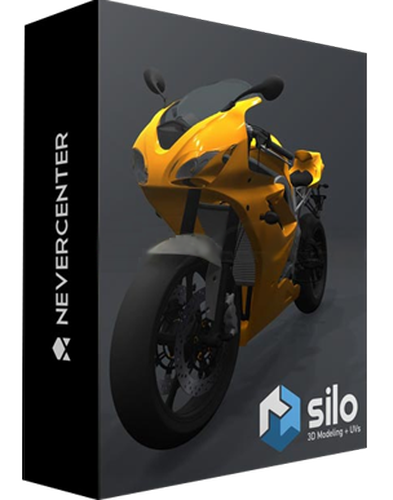
Nevercenter Silo 2021.1.1 (x64) Professional

3cc29338f8fe76b31f7e5a2a4a1bc32d.jpg


Nevercenter Silo 2021.1.1 (x64) Professional | 37 MB | Language: English


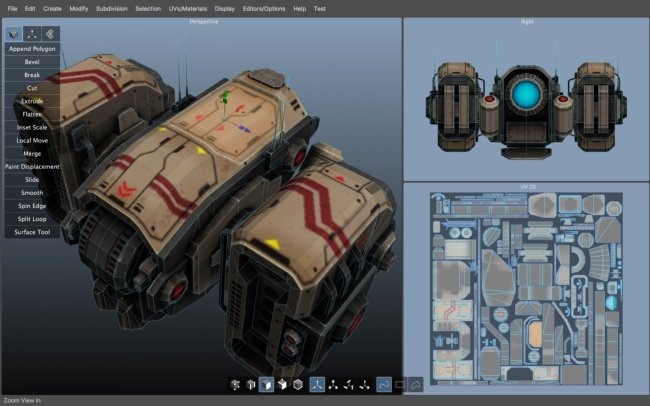
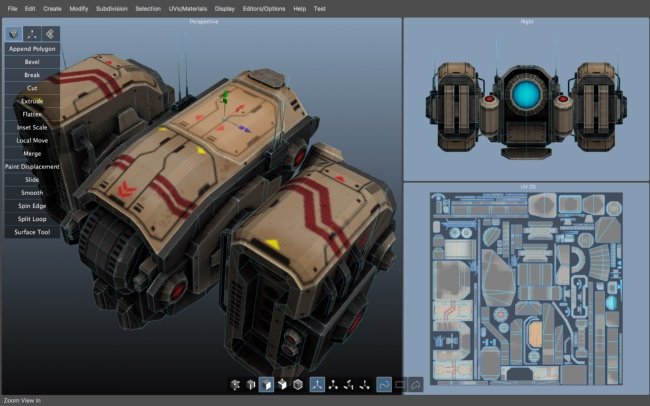
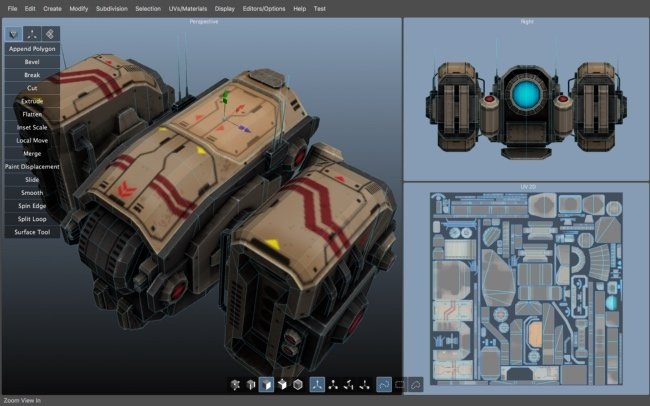
Silo 2 is a focused 3D modeling application with the ability to effortlessly switch between organically sculpting high-polygon models and precisely controlling hard-edged surfaces. It can be used for anything from creating 3D characters for video games and movies to quickly exploring 3D architectural ideas. Silo brings 3D modeling zen to artists via a clean, focused environment and a streamlined toolset, honed over years of development. It was initially born of our own frustration with the needless complexity and slow, unmanageable workflows of all-in-one graphics software.


We single-mindedly devoted Silo to modeling, discovering that the modeling workflow could be made much simpler without sacrificing any power. This unique approach has attracted in equal number students, hobbyists, and professional artists in film, games, architecture, and other fields looking to maximize their production.

Zen Workflow
Silo's careful design and its focus on pure modeling allows it to have a free, uncluttered feeling which is simply not possible in larger applications. Whether you are working to precise specifications or sketching out your thoughts, it is much easier to do so in a calm, focused modeling environment. This benefits professionals who are coming to Silo to escape slower, more complex software. It also benefits hobbyists and students, who are able to learn everything they need without having to deal with anything they don't need.

File Formats
Silo supports import and export of .sia, .sib, .obj, .3ds, .dxf, and .fac, as well as the export only of .stl, .pov, and .rib.

Advanced Polygonal Modeling
Silo offers a comprehensive set of interactive, context-sensitive tools for rapid polygonal modeling. The workflow is focused on having a few powerful, intelligent tools, rather than a separate command or option for every conceivable function. Additionally, "sticky key" functionality allows tools to behave differently if a hotkey is held down. Key modeling tools include Break, Tweak, Cut, Bevel, Slide, Scale, Extrude, Polygon Tool, Edge Tool, unlimited Undo and Redo, and more. Modeling can be performed with or without manipulators, including the Universal Manipulator which combines rotate, scale, and translate into a single manipulator.

Comprehensive Selection Tools
Robust selection tools are the key to great modeling, and a quick look at the Selection menu shows Silo's development has focused heavily on this area. Some highlights? Multi Select mode allows users to select vertices, edges and faces without changing selection modes. Tweak selection allows a user to grab, move, and deselect a component with a single click. That and many other tools work with Soft Selection, which smoothly distributes changes throughout a shape. Paint, Area, and Lasso selection types are supported. Select Visible and Select Thru functions are both available - by default, use the left mouse button for Select Visible commands, and the middle mouse button for Select Thru. A separate Undo is available for cycling through recent selections.

Subdivision Surfaces
Subdivision surfaces offer a smooth, high polygon shape, and are easily accessible in Silo. Using default shortcuts, simply press c to subdivide as many levels as you want, and v to unsubdivide. Modeling can be performed in real time at any subdivision level with updates shown directly on the subdivided shape. Edges can be creased to keep them sharp at all subdivision levels.

Unparalleled Customization
Designed to fit into any pipeline, Silo is the most customizable modeler available. That includes complete customization of the mouse, keyboard, and graphical interface, allowing it to closely emulate other applications a user may be familiar with, or perform tasks (such as assigning up to 40 different commands to a typical mouse with keyboard modifiers) which no other application can. Favorite tricks include assigning undo/redo, grow/shrink selection, and to the scrollwheel, or simply putting frequently used commands on the right mouse button with modifiers. Silo's button pages allow users to create their own multi-page interfaces, and assign any command to any image. The interface and color scheme are also highly customizable. Customizations can be easily imported, exported, and shared. Even the Primitives menu can be customized with frequently used models or settings.

Advanced UV Editing
Silo offers multiple types of unwrapping, including LSCM, Planar Region, XYZ, Per Face, and By Neighbors, which heals UVs based on the UVs based on the surrounding area. Different unwrapping methods can even be used on parts of the same mesh for optimal results. UVs are preserved during modeling operations, so modeling and UV editing can be freely interchanged with little to no cleanup. (This is particularly useful when a last-minute modeling change needs to be made to a "finished" model.) Clutter is significantly reduced by allowing regular geometry editing tools (such as Break, Merge, Tweak, Slide, and Soft Selection) to be used to edit UVs wherever it makes sense. Even the displacement brushes, particularly the Smooth brush, are very useful when applied to smoothing out UVs.

Displacement Painting
Finally, brush-based displacement painting has been well-integrated into a traditional modeling environement. Silo's brushes integrate seamlessly with the rest of the modeling toolset. If the model is subdivided, the brushes will affect the subdivided shape directly, otherwise they will affect regular geometry. As with UVs, displacement is preserved where possible during modeling changes, so the brushes can be used alongside other tools as the model develops, rather than solely at the end of the process. Painting is smooth and natural, and works well with tablets. Displacement maps and normal maps can be generated and exported from any subdivision level, or even from two completely separate objects.

Retopology
With the popularity of displacement painting in Silo and other applications, as well as the common usage of 3d scanners, modelers are frequently asked to create a new, well-formed model with a high-poly shape for reference. This process is frequently known as retopologization, and Silo's Topology Tool provides an innovative solution by allowing users to directly draw new topology onto an object using a pen-like tool. Silo also offers Surface Snapping, which effectively turns every tool into a topology tool by snapping edited geometry to an underlying shape, and the Surface Tool, which allows users to quickly in interactively draw out and tweak strips of polygons.

Scene Editor
Complex Scenes can be easily managed in Silo via the Scene Editor, which displays the scene in a tree-like structure and allows layer-like editing of objects and groups. Selection, display mode, locking, and visibility can all be quickly modified from the editor.

Numerical Editor
Silo offers precise numerical control of the position, rotation, scale, size, distance, and angle of selected geometry via the Numerical Editor.

Snapping
Three powerful snapping modes are available in Silo. Grid snapping snaps to the customizable workgrid, Component snapping snaps to the vertices, edges, and faces of an object, and Surface snapping smoothly snaps to the surface of unselected objects. These snapping modes affect nearly all geometry editing commands.


Größe: 37 MB
Sprache: English
Format: .rar / .exe
Medizin: Crack / Patch
Plattform: Windows (64 Bit)


HOSTER:

K2s.cc (Keep2share)

Rapidgator.net

Nitroflare.com

Uploadgig.com


DOWNLOAD



​
 

Nevercenter Silo 2021.2 (x64) Professional


933dce1fb06abb51c9d8d4f3efdf7694.jpg


Nevercenter Silo 2021.2 (x64) Professional | 37 MB | Language: English


Silo 2 is a focused 3D modeling application with the ability to effortlessly switch between organically sculpting high-polygon models and precisely controlling hard-edged surfaces. It can be used for anything from creating 3D characters for video games and movies to quickly exploring 3D architectural ideas. Silo brings 3D modeling zen to artists via a clean, focused environment and a streamlined toolset, honed over years of development. It was initially born of our own frustration with the needless complexity and slow, unmanageable workflows of all-in-one graphics software. We single-mindedly devoted Silo to modeling, discovering that the modeling workflow could be made much simpler without sacrificing any power. This unique approach has attracted in equal number students, hobbyists, and professional artists in film, games, architecture, and other fields looking to maximize their production.


Zen Workflow
Silo's careful design and its focus on pure modeling allows it to have a free, uncluttered feeling which is simply not possible in larger applications. Whether you are working to precise specifications or sketching out your thoughts, it is much easier to do so in a calm, focused modeling environment. This benefits professionals who are coming to Silo to escape slower, more complex software. It also benefits hobbyists and students, who are able to learn everything they need without having to deal with anything they don't need.

File Formats
Silo supports import and export of .sia, .sib, .obj, .3ds, .dxf, and .fac, as well as the export only of .stl, .pov, and .rib.

Advanced Polygonal Modeling
Silo offers a comprehensive set of interactive, context-sensitive tools for rapid polygonal modeling. The workflow is focused on having a few powerful, intelligent tools, rather than a separate command or option for every conceivable function. Additionally, "sticky key" functionality allows tools to behave differently if a hotkey is held down. Key modeling tools include Break, Tweak, Cut, Bevel, Slide, Scale, Extrude, Polygon Tool, Edge Tool, unlimited Undo and Redo, and more. Modeling can be performed with or without manipulators, including the Universal Manipulator which combines rotate, scale, and translate into a single manipulator.

Comprehensive Selection Tools
Robust selection tools are the key to great modeling, and a quick look at the Selection menu shows Silo's development has focused heavily on this area. Some highlights? Multi Select mode allows users to select vertices, edges and faces without changing selection modes. Tweak selection allows a user to grab, move, and deselect a component with a single click. That and many other tools work with Soft Selection, which smoothly distributes changes throughout a shape. Paint, Area, and Lasso selection types are supported. Select Visible and Select Thru functions are both available - by default, use the left mouse button for Select Visible commands, and the middle mouse button for Select Thru. A separate Undo is available for cycling through recent selections.

Subdivision Surfaces
Subdivision surfaces offer a smooth, high polygon shape, and are easily accessible in Silo. Using default shortcuts, simply press c to subdivide as many levels as you want, and v to unsubdivide. Modeling can be performed in real time at any subdivision level with updates shown directly on the subdivided shape. Edges can be creased to keep them sharp at all subdivision levels.

Unparalleled Customization
Designed to fit into any pipeline, Silo is the most customizable modeler available. That includes complete customization of the mouse, keyboard, and graphical interface, allowing it to closely emulate other applications a user may be familiar with, or perform tasks (such as assigning up to 40 different commands to a typical mouse with keyboard modifiers) which no other application can. Favorite tricks include assigning undo/redo, grow/shrink selection, and to the scrollwheel, or simply putting frequently used commands on the right mouse button with modifiers. Silo's button pages allow users to create their own multi-page interfaces, and assign any command to any image. The interface and color scheme are also highly customizable. Customizations can be easily imported, exported, and shared. Even the Primitives menu can be customized with frequently used models or settings.

Advanced UV Editing
Silo offers multiple types of unwrapping, including LSCM, Planar Region, XYZ, Per Face, and By Neighbors, which heals UVs based on the UVs based on the surrounding area. Different unwrapping methods can even be used on parts of the same mesh for optimal results. UVs are preserved during modeling operations, so modeling and UV editing can be freely interchanged with little to no cleanup. (This is particularly useful when a last-minute modeling change needs to be made to a "finished" model.) Clutter is significantly reduced by allowing regular geometry editing tools (such as Break, Merge, Tweak, Slide, and Soft Selection) to be used to edit UVs wherever it makes sense. Even the displacement brushes, particularly the Smooth brush, are very useful when applied to smoothing out UVs.

Displacement Painting
Finally, brush-based displacement painting has been well-integrated into a traditional modeling environement. Silo's brushes integrate seamlessly with the rest of the modeling toolset. If the model is subdivided, the brushes will affect the subdivided shape directly, otherwise they will affect regular geometry. As with UVs, displacement is preserved where possible during modeling changes, so the brushes can be used alongside other tools as the model develops, rather than solely at the end of the process. Painting is smooth and natural, and works well with tablets. Displacement maps and normal maps can be generated and exported from any subdivision level, or even from two completely separate objects.

Retopology
With the popularity of displacement painting in Silo and other applications, as well as the common usage of 3d scanners, modelers are frequently asked to create a new, well-formed model with a high-poly shape for reference. This process is frequently known as retopologization, and Silo's Topology Tool provides an innovative solution by allowing users to directly draw new topology onto an object using a pen-like tool. Silo also offers Surface Snapping, which effectively turns every tool into a topology tool by snapping edited geometry to an underlying shape, and the Surface Tool, which allows users to quickly in interactively draw out and tweak strips of polygons.

Scene Editor
Complex Scenes can be easily managed in Silo via the Scene Editor, which displays the scene in a tree-like structure and allows layer-like editing of objects and groups. Selection, display mode, locking, and visibility can all be quickly modified from the editor.

Numerical Editor
Silo offers precise numerical control of the position, rotation, scale, size, distance, and angle of selected geometry via the Numerical Editor.

Snapping
Three powerful snapping modes are available in Silo. Grid snapping snaps to the customizable workgrid, Component snapping snaps to the vertices, edges, and faces of an object, and Surface snapping smoothly snaps to the surface of unselected objects. These snapping modes affect nearly all geometry editing commands.


Größe: 37 MB
Sprache: English
Format: .rar / .exe
Medizin: Crack / Patch
Plattform: Windows 10 , Windows 8/8.1 , Windows 7
Bit depth: 64bit


HOSTER:

K2s.cc (Keep2share)

Rapidgator.net

Nitroflare.com

Uploadgig.com


DOWNLOAD



​
 
Nevercenter Silo Professional 2021.30 (x64)

Englisch // Crack // 64-Bit

silo-softhouse22k5d.png


Beschreibung:

Silo 2 ist eine fokussierte 3D-Modellierungsanwendung mit der Fähigkeit, mühelos zwischen organisch modellierenden High-Polygon-Modellen und präziser Steuerung von Oberflächen mit harten Kanten zu wechseln. Es kann für alles verwendet werden, von der Erstellung von 3D-Charakteren für Videospiele und Filme bis hin zur schnellen Erkundung von 3D-Architekturideen.

Silo bietet Künstlern 3D-Modellierungszen über eine saubere, fokussierte Umgebung und ein optimiertes Toolset, das in jahrelanger Entwicklung verfeinert wurde. Es entstand ursprünglich aus unserer eigenen Frustration über die unnötige Komplexität und die langsamen, unüberschaubaren Workflows von All-in-One-Grafiksoftware. Wir haben Silo zielstrebig der Modellierung gewidmet und festgestellt, dass der Modellierungs-Workflow viel einfacher gemacht werden könnte, ohne auf Leistung zu verzichten. Dieser einzigartige Ansatz hat eine gleiche Anzahl von Studenten, Hobbyisten und professionellen Künstlern in den Bereichen Film, Spiele, Architektur und anderen Bereichen angezogen, die ihre Produktion maximieren möchten.

_________________________________________________

Größe: 38 MB
Sprache: Englisch
Format: RAR/EXE (1x gepackt)
Plattform: Windows 7/8/10 (64-Bit)
Hoster: RapidGator|Ddownload|Nitroflare
________________________________________

0D74B9925E.png


​
 
Nevercenter Silo Professional 2021.50 (x64)

Englisch // Crack // 64-Bit

silo-softhouse22k5d.png


Beschreibung:

Silo 2021 ist eine fokussierte 3D-Modellierungsanwendung mit der Fähigkeit, mühelos zwischen organisch modellierenden High-Polygon-Modellen und präziser Steuerung von Oberflächen mit harten Kanten zu wechseln. Es kann für alles verwendet werden, von der Erstellung von 3D-Charakteren für Videospiele und Filme bis hin zur schnellen Erkundung von 3D-Architekturideen.

Silo bietet Künstlern 3D-Modellierungszen über eine saubere, fokussierte Umgebung und ein optimiertes Toolset, das in jahrelanger Entwicklung verfeinert wurde. Es entstand ursprünglich aus unserer eigenen Frustration über die unnötige Komplexität und die langsamen, unüberschaubaren Workflows von All-in-One-Grafiksoftware. Wir haben Silo zielstrebig der Modellierung gewidmet und festgestellt, dass der Modellierungs-Workflow viel einfacher gemacht werden könnte, ohne auf Leistung zu verzichten. Dieser einzigartige Ansatz hat eine gleiche Anzahl von Studenten, Hobbyisten und professionellen Künstlern in den Bereichen Film, Spiele, Architektur und anderen Bereichen angezogen, die ihre Produktion maximieren möchten.

_________________________________________________

Größe: 39 MB
Sprache: Englisch
Format: RAR/EXE (1x gepackt)
Plattform: Windows 7/8/10/11 (64-Bit)
Hoster: RapidGator|Ddownload|Nitroflare
________________________________________

CD222DBE81.png


​
 
Zurück
Oben Unten