



• Regeln für den Video-Bereich:

    In den Börsenbereich gehören nur Angebote die bereits den Allgemeinen Regeln entsprechen.

    Einteilung

    - Folgende Formate gehören in die angegeben Bereiche:
    - Filme: Encodierte Filme von BluRay, DVD, R5, TV, Screener sowie Telesyncs im Format DivX, XviD und x264.
    - DVD: Filme im Format DVD5, DVD9 und HD2DVD.
    - HD: Encodierte Filme mit der Auflösung 720p oder darüber von BluRay, DVD, R5, TV, Screener sowie Telesyncs im Format x264.
    - 3D: Encodierte Filme von BluRay, die in einem 3D Format vorliegen. Dies gilt auch für Dokus, Animation usw.
    - Serien: Cartoon/Zeichentrick, Anime, Tutorials, Dokumentationen, Konzerte/Musik, Sonstiges sind demnach in die entsprechenden Bereiche einzuordnen, auch wenn sie beispielsweise im High Definition-Format oder als DVD5/DVD9/HD2DVD vorliegen. Ausnahme 3D.
    - Bereich Englisch: Englische Releases gehören immer in diesen Bereich.
    - Bereich Talk: Der Bereich, in dem über die Releases diskutiert werden kann, darf, soll und erwünscht ist.


    Angebot/Beitrag erstellen

    - Ein Beitrag darf erst dann erstellt werden, wenn der Upload bei mindestens einem OCH komplett ist. Platzhalter sind untersagt.
    - Bei einem Scenerelease hat der Threadtitel ausschließlich aus dem originalen, unveränderten Releasenamen zu bestehen. Es dürfen keine Veränderungen wie z.B. Sterne, kleine Buchstaben o.ä. vorgenommen werden. Ausnahme Serienbörse:
    - Bei einem Sammelthread für eine Staffel entfällt aus dem Releasename natürlich der Name der Folge. Beispiel: Die Simpsons S21 German DVDRip XviD - ITG
    - Dementsprechend sind also u.a. verboten: Erweiterungen wie "Tipp", "empfehlenswert", "only", "reup", usw. / jegliche andere Zusatzinformation oder Ergänzung, welche nicht in obiger Beschreibung zu finden ist.

    Aufbau des Angebots und Threadtitel

    Der Titel nach folgendem Muster erstellt zu werden. <Name> [3D] [Staffel] [German] <Jahr> <Tonspur> [DL] [Auflösung] <Quelle> <Codec> - <Group>
    Beispiel: The Dark Knight German 2008 AC3 DVDRip XviD - iND
    Beispiel: The Dark Knight 2008 DTS DL BDRip x264 - iND
    Beispiel: The Dark Knight 2008 AC3 DL BDRip XviD - iND
    Beispiel: The Dark Knight German 2008 AC3 720p BluRay x264 iND
    Beispiel: The Dark Knight 2008 DTS DL 1080p BluRay x264 iND
    Beispiel: Die Simpsons S01 German AC3 DVDRip XviD iND
    Beispiel: Die Simpsons S20 German AC3 720p BluRay x264 iND
    Beispiel: Sword Art Online II Ger Sub 2014 AAC 1080p WEBRip x264 - peppermint
    Entsprechend sind also u.a. verboten: Sonderzeichen wie Klammern, Sterne, Ausrufezeichen, Unterstriche, Anführungszeichen / Erweiterungen wie "Tipp", "empfehlenswert", "only", "reup", usw. / jegliche andere Zusatzinformation oder Ergänzung, welche nicht in obiger Beschreibung zu finden ist
    Ausnahmen hiervon können in den Bereichen geregelt sein.

    Die Beiträge sollen wie folgt aufgebaut werden:
    Überschrift entspricht dem Threadtitel
    Cover
    kurze Inhaltsbeschreibung
    Format, Größe, Dauer sind gut lesbar für Downloader außerhalb des Spoilers zu vermerken
    Nfo sind immer Anzugeben und selbige immer im Spoiler in Textform.
    Sind keine Nfo vorhanden z.B. Eigenpublikationen, sind im Spoiler folgende Dateiinformationen zusätzlich anzugeben :
    Quelle
    Video (Auflösung und Bitrate)
    Ton (Sprache, Format und Bitrate der einzelnen Spuren)
    Untertitel (sofern vorhanden)
    Hosterangabe in Textform außerhalb eines Spoiler mit allen enthaltenen Hostern.
    Bei SD kann auf diese zusätzlichen Dateiinformationen verzichtet werden.

    Alle benötigten Passwörter sind, sofern vorhanden, in Textform im Angebot anzugeben.
    Spoiler im Spoiler mit Kommentaren :"Schon Bedankt?" sind unerwünscht.


    Releases

    - Sind Retail-Release verfügbar, sind alle anderen Variationen untersagt. Ausnahmen: Alle deutschen Retail-Release sind CUT, in diesem Fall sind dubbed UNCUT-Release zulässig.
    - Im Serien-Bereich gilt speziell: Wenn ein Retail vor Abschluss einer laufenden Staffel erscheint, darf diese Staffel noch zu Ende gebracht werden.62
    - Gleiche Releases sind unbedingt zusammenzufassen. Das bedeutet, es ist zwingend erforderlich, vor dem Erstellen eines Themas per Suchfunktion zu überprüfen, ob bereits ein Beitrag mit demselben Release besteht. Ist dies der Fall, ist der bereits vorhandene Beitrag zu verwenden.
    - P2P und Scene Releases dürfen nicht verändert oder gar unter einem iND Tag eingestellt werden.


    Support, Diskussionen und Suche

    - Supportanfragen sind entweder per PN oder im Bereich Talk zu stellen.
    - Diskussionen und Bewertungen sind im Talk Bereich zu führen. Fragen an die Uploader haben ausschließlich via PN zu erfolgen, und sind in den Angeboten untersagt.
    - Anfragen zu Upload-Wünschen sind nur im Bereich Suche Video erlaubt. Antworten dürfen nur auf Angebote von MyBoerse.bz verlinkt werden.


    Verbote

    - Untersagt sind mehrere Formate in einem einzigen Angebotsthread, wie beispielsweise das gleichzeitige Anbieten von DivX/XviD, 720p und 1080p in einem Thread. Pro Format, Release und Auflösung ist ein eigener Thread zu eröffnen.
    - Grundsätzlich ebenso verboten sind Dupes. Uploader haben sich an geeigneter Stelle darüber zu informieren, ob es sich bei einem Release um ein Dupe handelt.
    - Gefakte, nur teilweise lauffähige oder unvollständige Angebote sind untersagt. Dies gilt auch für eigene Publikationen, die augenscheinlich nicht selbst von z.B. einer DVD gerippt wurden. Laufende Serien, bei denen noch nicht alle Folgen verfügbar sind, dürfen erstellt und regelmäßig geupdatet werden.
    - Untersagt sind Angebote, welche nur und ausschließlich in einer anderen Sprache als deutsch oder englisch vorliegen. Ausnahmen sind VORHER mit den Moderatoren zu klären.


    Verstoß gegen die Regeln

    - Angebote oder Beiträge, die gegen die Forenregeln verstoßen, sind über den "Melden"-Button im Beitrag zu melden.
  • Bitte registriere dich zunächst um Beiträge zu verfassen und externe Links aufzurufen.

*** Bestes IPTV *** bester Preis *** gratis Test ***


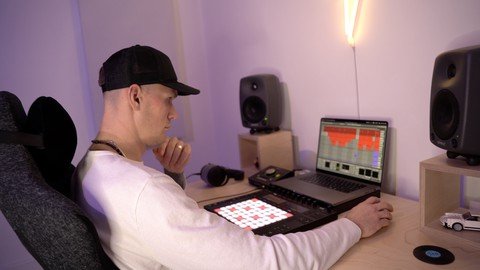
Music Production How To Make Tech House Track In 2023

Tutorials

MyBoerse.bz Pro Member
927aee9923fa4ad9c1c1365b8d361008.jpeg

Published 1/2023
MP4 | Video: h264, 1280x720 | Audio: AAC, 44.1 KHz
Language: English | Size: 2.69 GB | Duration: 4h 27m
If you want to learn how to make dance music from a real artist, then this music production course is for you!

What you'll learn
Start by setting the tempo, making a kick drum and creating a basic beat around it using a drum machine or drum samples. Make sure to use a 4/4 time signature
Add a bassline using a synth or a sample. It should complement the beat and provide a solid foundation for the track.
Add a lead melody using a synth or samples. It should be catchy and memorable, and it should stand out over the beat and bassline.
Use effects like reverb, delay, and compression to create a sense of space and depth in the track.
Use automation to add movement and variation to the track. For example, you could use automation to bring in and out different elements of the track over time.
Finally make sure to mix and master your track to ensure it sounds polished and professional.
Requirements
Good understanding of how Digital Audio Workstation works
A computer or a laptop
Set of headphones of monitor speakers
Ableton Live or a DAW of your choice, methods used will apply to any DAW
Plug-ins like Serum, Spire, Sylenth1, FabFilter Total bundle, etc is good to have but not necessary by any means, similar results can be achieved with stock plug-ins that come with your DAW
Description
Class OverviewIn this class, we will delve into the world of dance music production. You will learn the basics of creating a dance track from start to finish using most popular digital audio workstation Ableton Live.This music production class will teach you everything you need to know to be able to make professional sounding house tracks that you'll be proud of.We will begin by discussing the essential elements of a dance track such as beat, bassline, and melody. Next, we will explore different techniques for creating and arranging these elements to build a cohesive track.You will learn how to use various software instruments, samples, and effects to create sounds that are unique and engaging. We will also cover the mixing and mastering to give your track a professional sound.Throughout the class, you will have the opportunity to work on a track of your own, putting the concepts and techniques you learn into practice. By the end of the class, you will have the knowledge and skills to create your own dance tracks and take your music production to the next level.This class is for:Someone who would like to learn from an actual artist that regularly signs music to record labels, has his music charting on Beatport and generates hundreds of thousands of streams on Spotify.More advanced music makers who know the ins and outs of a digital audio workstation of their choice but struggle to finish their tracks.Beginners also but if you get stuck at some point, note what is that you need to learn, go and research that topic online, and then come back and continue with the class. By the end of the class you will have a great understanding of what it takes to make dance music.You will learn:How to synthesise a punchy kick that you can edit and re-use in future projectsHow to construct original drums from scratch without using a single splice loopHow to make a bouncy baseline using FM synthHow to layer a massive hook synth sound and get more out of it using unique resampling techniqueHow to easily turn an 8 bar loop into a full trackHow to add huge amount of tension to your breakdownHow to smooth out transitions between sections and add ear candy with cool unique soundsHow to creatively and effectively mix a track using groupsAnd finally how to master the track so it's loud and ready to played in a clubWhy should you take it?If you been watching endless tutorial on YouTube about random music production tricks, tips and techniques but still not finishing your songs due to the lack of concrete guidance I highly recommend you giving this class a shot. I'm certain you will finish songs if you follow along from start to finish.All you need is:A computer or a laptopSet of headphones of monitor speakersAbleton Live or a DAW of your choice, methods will apply to any DAWPlug-ins like Serum, Spire, Sylenth1, FabFilter Total bundle, etc is good to have but not necessary by any means, similar results can be achieved with stock plug-ins that come with your DAWSo, what are you waiting for?Join me in this class and let's make some dance music together!
Overview
Section 1: How To Make Tech House Track In 2023
Lecture 1 Kick
Lecture 2 Drums And Percussions (part 1)
Lecture 3 Drums And Percussions (part 2)
Lecture 4 Bass
Lecture 5 Synths
Lecture 6 Vocal
Lecture 7 Arrangement
Lecture 8 Fx
Lecture 9 Mixing
Lecture 10 Mastering
Lecture 11 Track Playthrough
This class is for someone who would like to learn from an actual artist that regularly signs music to record labels, has his music charting on Beatport and generates hundreds of thousands of streams on Spotify. This course is for dance music creators who know the ins and outs of a digital audio workstation of their choice but struggle to finish their tracks or want to expand and learn cool new techniques. For beginners will be very useful to see this course to be able to have a great understanding of what it takes to make dance music track from scratch. And if you are a beginner and decided to take this more advanced class make sure to pause the class if you not familiar with any of the concepts discussed, go and research the topic in question online and once you a have and understanding, come back to the course and carry on.


Homepage


Recommend Download Link Hight Speed | Please Say Thanks Keep Topic Live
Links are Interchangeable - No Password - Single Extraction

 
Zurück
Oben Unten