• Regeln für den Software-Bereich:


    Allgemeines:

    - In erster Linie sind unsere Boardregeln zu beachten, zu finden HIER.
    - Software zur Audiobearbeitung sollte ausschließlich im Unterforum "Audio" eingestellt werden.
    - Für Cracks, Keygens oder sonstige Freischaltungssoftware gibt es das Unterforum "Freischaltung".
    - Portable Software bitte im entsprechenden Unterforum "Portable Software" eintragen.
    - Diskussionen zur Installation und anderen Problemen mit der Software, bitte im enstprechenden Unterforum "Talk" führen.
    - Bei Unklarheiten und Fragen zu den Regeln bitte die Moderatoren kontaktieren.


    Angebot erstellen

    - Die Struktur des Threadtitels muss wie folgt umgesetzt werden: Herstellername - Softwarename - Versionsnummer
    - Unnötige Zusätze im Threadtitel wie "HOT", "NEW" oder Punkte zwischen den Wörtern sind nicht erlaubt.
    - Achtet darauf immer nur die Hauptversion und deren Updates in einem Thread zusammenfassen, konkretes Beispiel: SoftwareXY v3.12 gehört in den selben Thread mit SoftwareXY v3.13; SoftwareXY v.4.1 gehört in einen neuen eigenen Thread. Ausgenommen hiervon sind Sammelthreads und Dauerangebote.
    - Bei nicht bekannten Herstellern oder Angebote einer privaten Software, ist die Programmbezeichnung + Versionsnummer ausreichend.
    - Besondere Beachtung gilt für den ersten Beitrag eines Angebots. Dort muss eine kurze Beschreibung der Software in deutscher Sprache angegeben werden. Für offizielle Releases ist es Pflicht die NFO im Beitrag einzustellen(Spoiler, siehe nächster Punkt).
    - Weitere Informationen wie NFOs oder Changelogs, versteckt ihr bitte in einem Spoiler.


    Software Suche

    - Für Suchanfragen haben wir das Unterforum "Suche" erstellt.
    - Auch hier sollte vorher die Suchfunktion benutzt werden, um Doppelthreads vorzubeugen. Sollte es bereits eine Suchanfrage geben, könnt ihr den Thread gerne mit einem "Danke" pushen.


    Trojaner- und Virusalarm

    - Falls Euer Virenscanner bei einem Angebot Alarm schlägt, solltet ihr zunächst Ruhe bewahren. Viele Virenscanner erkennen Cracks/Keygens oft fälschlicherweise als Bedrohung.
    - Prüft die verdächtige Datei zuerst mit http://virustotal.com , sollte es sich hierbei wirklich um eine Bedrohung handeln, meldet den Beitrag und/oder wendet euch mit dem Bericht von VirusTotal.com an einen Moderator.


    Unerwünschte Angebote

    - Keylogger, Spionagetools, alles rund ums Thema Hacking/Cracking ist nicht erwünscht.
  • Bitte registriere dich zunächst um Beiträge zu verfassen und externe Links aufzurufen.


MusConv Ultimate v4

Bleed

Warez Upper
MusConv Ultimate v4.9.1

Englisch / Installieren, Anleitung lesen + Fertig

musconvultimate0ajns.jpg


Beschreibung:

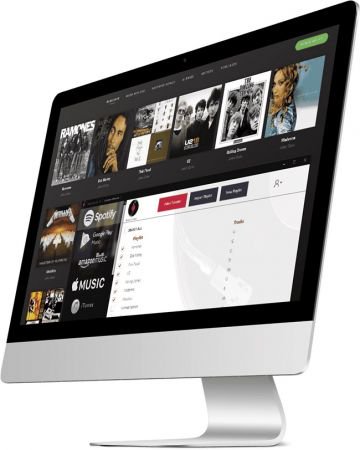
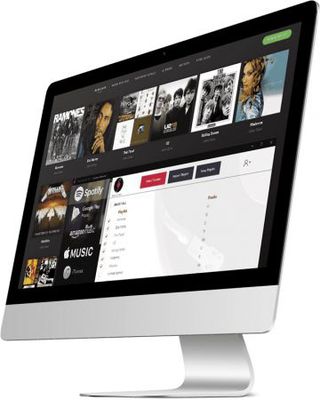
Möchten Sie Ihre Wiedergabelisten und Songs über verschiedene Musikdienste übertragen?

MusConv wird Ihnen helfen! Bewegen Sie sich, wohin Sie wollen! Spotify, Apple Musik, Google Musik, iTunes, Amazon Musik, YouTube, YouTube Musik, Deezer, Tidal, SoundCloud, Pandora, Napster, Last.fm, Slacker Radio, Yandex Musik und mehr!

Eigenschaften:

_________________________________________________

Größe: 71 MB
Sprache: Englisch
Format: Exe
Plattform: Windows (32 oder 64-Bit)
Hoster: Share-Online, RapidGator, FileFactory
________________________________________

DOWNLOAD:


========================
 
MusConv Ultimate 4.9.22 || Englisch

mk4pgjv6.jpg


Möchten Sie Ihre Wiedergabelisten und Songs über verschiedene Musikdienste übertragen?

MusConv wird Ihnen helfen! Bewegen Sie sich, wohin Sie wollen!
Spotify, Apple Musik, Google Musik, iTunes, Amazon Musik, YouTube, YouTube Musik, Deezer,
Tidal, SoundCloud, Pandora, Napster, Last.fm, Slacker Radio, Yandex Musik und mehr!

System Requirements:
- Windows 10
- Windows 8
- Windows 7


FILEHOSTER:

Rapidgator

Alfafile


DOWNLOAD || 77 MB || Format: exe

 
MusConv Ultimate 4.9.49 Repack


d5d88a5aefa677a0af8cb552e17cdb08.jpg


MusConv Ultimate 4.9.49 Repack | 159 MB


Wanna transfer your playlists and songs across various music services? MusConv will help you! Move wherever you want! Spotify, Apple Music, Google Music, iTunes, Amazon Music, YouTube, YouTube Music, Deezer, Tidal, SoundCloud, Pandora, Napster, Last.fm, Slacker Radio, Yandex Music and more!


Transfer From Spotify
* Import Spotify playlist to Amazon Music
* Transfer Spotify playlist to Apple Music
* Import Spotify playlist to Google Play Music
* Transfer Spotify playlist to Tidal
* Transfer Spotify playlist to YouTube
* Transfer Spotify playlist to Deezer
* Transfer Spotify playlist to SoundCloud
* Transfer Spotify playlist to CSV
* Spotify to iTunes
* Spotify to Pandora
* Spotify to Qobuz
* Spotify to Napster
* Spotify to Yandex Music

Transfer From Amazon Music
* Amazon Music to Spotify
* Amazon Music to Google Music
* Amazon Music to Apple Music
* Amazon Music to Youtube
* Amazon Music to SoundCloud
* Amazon Music to Tidal
* Amazon Music to Deezer
* Amazon Music to iTunes
* Amazon Music to Qobuz
* Amazon Music to Napster
* Amazon Music to Yandex Music
* Amazon Music to Shazam
* Amazon Music to iHeartRadio
* Amazon Music to Slacker Radio
* Amazon Music to Last.fm
* Amazon Music to CSV
* Amazon Music to Pandora

Transfer From Google Play Music
* Google Music to Amazon Music
* Google Music to Spotify
* Google Music to Apple Music
* Google Music to YouTube
* Google Music to SoundCloud
* Google Music to Deezer
* Google Music to Pandora
* Google Music to CSV
* Google Music to Qobuz
* Google Music to Napster
* Google Music to Tidal
* Google Music to iTunes
* Google Music to Yandex Music

Transfer From iTunes
* Transfer iTunes to Amazon Music
* Transfer iTunes to Spotify
* Transfer iTunes to Google Music
* iTunes to Apple Music
* Transfer iTunes to Tidal
* Transfer iTunes to SoundCloud
* iTunes to Deezer
* Transfer iTunes to CSV
* iTunes to Shazam
* iTunes to Napster
* iTunes to iHeartRadio
* iTunes to Yandex Music
* iTunes to Qobuz
* iTunes to Pandora

Transfer From Apple Music
* Apple Music To Spotify
* Apple Music To Amazon Music
* Apple Music To Google Music
* Apple Music To YouTube
* Apple Music To SoundCloud
* Apple Music To Deezer
* Apple Music To Pandora
* Apple Music To Tidal
* Apple Music To CSV
* Apple Music To Qobuz
* Apple Music To Napster
* Apple Music To Yandex Music
Transfer From Youtube
* YouTube To Apple Music
* YouTube To SoundCloud
* YouTube To iTunes
* YouTube To Spotify

Transfer From SoundCloud
* SoundCloud To Spotify
* SoundCloud To Apple Music
* SoundCloud To Amazon Music
* SoundCloud To YouTube
* SoundCloud To Google Play Music
* SoundCloud To Tidal
* SoundCloud To CSV

Transfer From CSV
* Transfer CSV to Amazon Music
* Transfer CSV to Apple Music

Transfer From Deezer
* Deezer To Spotify
* Deezer To Apple Music
* Deezer To Amazon Music
* Deezer To Google Music
* Deezer To YouTube
* Deezer To iTunes
* Deezer To Tidal
* Deezer To SoundCloud
* Deezer To Pandora
* Deezer To CSV
* Deezer To Napster
* Deezer To Qobuz
* Deezer To Shazam
* Deezer To iHeartRadio
* Deezer To Slacker Radio
* Deezer To Last.fm
* Deezer To Yandex Music

Transfer From Tidal
* Tidal To Spotify
* Tidal To Apple Music
* Tidal To Amazon Music
* Tidal To Google Play Music
* Tidal To Youtube
* Tidal To SoundCloud

Tidal To CSV
* Amazon Music vs Spotify
* Amazon Music vs Google Play Music
* Amazon Music vs iTunes
* Amazon Music vs Tidal
* Spotify vs Apple Music
* Spotify vs iTunes
* Spotify vs Tidal
* Spotify vs SoundCloud
* Google Play Music vs Spotify
* Google Play Music vs Apple Music
* Google Play Music vs Tidal
* Google Play Music vs iTunes

System Requirements:
* Windows 10
* Windows 8
* Windows 7


Home Page -


DOWNLOAD LINKS:


MusConv Ultimate 4.9.625 Multilingual
Requirements:Windows 7/8/10
Overview:
Wanna transfer your playlists and songs across various music services? MusConv will help you! Move wherever you want! Spotify, Apple Music, Google Music, iTunes, Amazon Music, YouTube, YouTube Music, Deezer, Tidal, SoundCloud, Pandora, Napster, Last.fm, Slacker Radio, Yandex Music and more!

8OnZLrL.jpg

Transfer From Spotify
* Import Spotify playlist to Amazon Music
* Transfer Spotify playlist to Apple Music
* Import Spotify playlist to Google Play Music
* Transfer Spotify playlist to Tidal
* Transfer Spotify playlist to YouTube
* Transfer Spotify playlist to Deezer
* Transfer Spotify playlist to SoundCloud
* Transfer Spotify playlist to CSV
* Spotify to iTunes
* Spotify to Pandora
* Spotify to Qobuz
* Spotify to Napster
* Spotify to Yandex Music

Transfer From Amazon Music
* Amazon Music to Spotify
* Amazon Music to Google Music
* Amazon Music to Apple Music
* Amazon Music to Youtube
* Amazon Music to SoundCloud
* Amazon Music to Tidal
* Amazon Music to Deezer
* Amazon Music to iTunes
* Amazon Music to Qobuz
* Amazon Music to Napster
* Amazon Music to Yandex Music
* Amazon Music to Shazam
* Amazon Music to iHeartRadio
* Amazon Music to Slacker Radio
* Amazon Music to Last.fm
* Amazon Music to CSV
* Amazon Music to Pandora

Transfer From Google Play Music
* Google Music to Amazon Music
* Google Music to Spotify
* Google Music to Apple Music
* Google Music to YouTube
* Google Music to SoundCloud
* Google Music to Deezer
* Google Music to Pandora
* Google Music to CSV
* Google Music to Qobuz
* Google Music to Napster
* Google Music to Tidal
* Google Music to iTunes
* Google Music to Yandex Music

Transfer From iTunes
* Transfer iTunes to Amazon Music
* Transfer iTunes to Spotify
* Transfer iTunes to Google Music
* iTunes to Apple Music
* Transfer iTunes to Tidal
* Transfer iTunes to SoundCloud
* iTunes to Deezer
* Transfer iTunes to CSV
* iTunes to Shazam
* iTunes to Napster
* iTunes to iHeartRadio
* iTunes to Yandex Music
* iTunes to Qobuz
* iTunes to Pandora

Transfer From Apple Music
* Apple Music To Spotify
* Apple Music To Amazon Music
* Apple Music To Google Music
* Apple Music To YouTube
* Apple Music To SoundCloud
* Apple Music To Deezer
* Apple Music To Pandora
* Apple Music To Tidal
* Apple Music To CSV
* Apple Music To Qobuz
* Apple Music To Napster
* Apple Music To Yandex Music

Transfer From Youtube
* YouTube To Apple Music
* YouTube To SoundCloud
* YouTube To iTunes
* YouTube To Spotify

Transfer From SoundCloud
* SoundCloud To Spotify
* SoundCloud To Apple Music
* SoundCloud To Amazon Music
* SoundCloud To YouTube
* SoundCloud To Google Play Music
* SoundCloud To Tidal
* SoundCloud To CSV

Transfer From CSV
* Transfer CSV to Amazon Music
* Transfer CSV to Apple Music

Transfer From Deezer
* Deezer To Spotify
* Deezer To Apple Music
* Deezer To Amazon Music
* Deezer To Google Music
* Deezer To YouTube
* Deezer To iTunes
* Deezer To Tidal
* Deezer To SoundCloud
* Deezer To Pandora
* Deezer To CSV
* Deezer To Napster
* Deezer To Qobuz
* Deezer To Shazam
* Deezer To iHeartRadio
* Deezer To Slacker Radio
* Deezer To Last.fm
* Deezer To Yandex Music

Transfer From Tidal
* Tidal To Spotify
* Tidal To Apple Music
* Tidal To Amazon Music
* Tidal To Google Play Music
* Tidal To Youtube
* Tidal To SoundCloud

Tidal To CSV
* Amazon Music vs Spotify
* Amazon Music vs Google Play Music
* Amazon Music vs iTunes
* Amazon Music vs Tidal
* Spotify vs Apple Music
* Spotify vs iTunes
* Spotify vs Tidal
* Spotify vs SoundCloud
* Google Play Music vs Spotify
* Google Play Music vs Apple Music
* Google Play Music vs Tidal
* Google Play Music vs iTunes

More Info:
Download Instructions:
171.45 Mb
rar/zip archive
Language: Multilingual


 
MusConv Ultimate v4.9.627


f21ed190840a5934cf6a5207c83b0d28.jpg


MusConv Ultimate v4.9.627 | 171 MB | Language: English


MusConv - the easiest way to transfer your music data! Wanna transfer your playlists and songs across various music services? MusConv will help you! Move wherever you want! Spotify, Apple Music, Google Music, iTunes, Amazon Music, YouTube, YouTube Music, Deezer, Tidal, SoundCloud, Pandora, Napster, Last.fm, Slacker Radio, Yandex Music and more!


Features:
MusConv moves playlists and songs across various services Spotify, Apple Music, Google Music, Amazon Music, YouTube, iTunes, Deezer, Tidal, SoundCloud and others!
- Transfer your playlists, tracks, albums and artists between all streaming platforms.
- Playlist management (Delete, Merge, Split, Clone...) Playlist management (Merge, Split, Clone...)
- 30+ music services supported 30+ music services supported.
- Export CSV, XML,TXT... Export CSV, XML,TXT...
- 20+ playlist file formats supported 20+ playlist file formats supported.
- Import M3U, WPL, XML, CSV, XSPF, Web URL Import M3U, WPL, XML, CSV, XSPF, Web URL.

Features only in Ultimate:
- Transfer unlimited tracks
- Transfer unlimited playlists
- Supports over 30 music services
- Supports over 20 playlist file formats
- Transfer multiple playlists at once
- Delete duplicate tracks in your playlists
- Apple Music support

System Requirements:
- Windows 10
- Windows 8
- Windows 7

Homepage:


DOWNLOAD LINKS:


MusConv Ultimate v4.9.628

th_1jcyp07pllfye9mmvl8djkh.jpg


MusConv Ultimate v4.9.628

Größe: 171 MB
Sprache: Englisch
Format: Exe
Plattform: Windows

MusConv - der einfachste Weg, um Ihre Musikdaten zu übertragen! Möchten Sie Ihre Wiedergabelisten und Songs auf verschiedene Musikdienste übertragen? MusConv wird Ihnen helfen! Bewegen Sie sich, wohin Sie wollen! Spotify, Apple Musik, Google Musik, iTunes, Amazon Musik, YouTube, YouTube Musik, Deezer, Gezeiten, SoundCloud, Pandora, Napster, Last.fm, Slacker Radio, Yandex Musik und mehr! Eigenschaften:
MusConv verschiebt Wiedergabelisten und Songs über verschiedene Dienste hinweg - Spotify, Apple Music, Google Music, Amazon Music, YouTube, iTunes, Deezer, Tidal, SoundCloud und andere!


Uploaded.net
Oboom.com
Rapidgator.net


MusConv Ultimate v4.9.634 Repack (x86/x64)


0b2d96ceaab48d667bad4637d29dc045.jpeg


MusConv Ultimate v4.9.634 Repack (x86/x64) | 174 MB | Language: English


Wanna transfer your playlists and songs across various music services? MusConv will help you! Move wherever you want! Spotify, Apple Music, Google Music, iTunes, Amazon Music, YouTube, YouTube Music, Deezer, Tidal, SoundCloud, Pandora, Napster, Last.fm, Slacker Radio, Yandex Music and more!


Transfer From Spotify
* Import Spotify playlist to Amazon Music
* Transfer Spotify playlist to Apple Music
* Import Spotify playlist to Google Play Music
* Transfer Spotify playlist to Tidal
* Transfer Spotify playlist to YouTube
* Transfer Spotify playlist to Deezer
* Transfer Spotify playlist to SoundCloud
* Transfer Spotify playlist to CSV
* Spotify to iTunes
* Spotify to Pandora
* Spotify to Qobuz
* Spotify to Napster
* Spotify to Yandex Music

Transfer From Amazon Music
* Amazon Music to Spotify
* Amazon Music to Google Music
* Amazon Music to Apple Music
* Amazon Music to Youtube
* Amazon Music to SoundCloud
* Amazon Music to Tidal
* Amazon Music to Deezer
* Amazon Music to iTunes
* Amazon Music to Qobuz
* Amazon Music to Napster
* Amazon Music to Yandex Music
* Amazon Music to Shazam
* Amazon Music to iHeartRadio
* Amazon Music to Slacker Radio
* Amazon Music to Last.fm
* Amazon Music to CSV
* Amazon Music to Pandora

Transfer From Google Play Music
* Google Music to Amazon Music
* Google Music to Spotify
* Google Music to Apple Music
* Google Music to YouTube
* Google Music to SoundCloud
* Google Music to Deezer
* Google Music to Pandora
* Google Music to CSV
* Google Music to Qobuz
* Google Music to Napster
* Google Music to Tidal
* Google Music to iTunes
* Google Music to Yandex Music

Transfer From iTunes
* Transfer iTunes to Amazon Music
* Transfer iTunes to Spotify
* Transfer iTunes to Google Music
* iTunes to Apple Music
* Transfer iTunes to Tidal
* Transfer iTunes to SoundCloud
* iTunes to Deezer
* Transfer iTunes to CSV
* iTunes to Shazam
* iTunes to Napster
* iTunes to iHeartRadio
* iTunes to Yandex Music
* iTunes to Qobuz
* iTunes to Pandora

Transfer From Apple Music
* Apple Music To Spotify
* Apple Music To Amazon Music
* Apple Music To Google Music
* Apple Music To YouTube
* Apple Music To SoundCloud
* Apple Music To Deezer
* Apple Music To Pandora
* Apple Music To Tidal
* Apple Music To CSV
* Apple Music To Qobuz
* Apple Music To Napster
* Apple Music To Yandex Music

Transfer From Youtube
* YouTube To Apple Music
* YouTube To SoundCloud
* YouTube To iTunes
* YouTube To Spotify

Transfer From SoundCloud
* SoundCloud To Spotify
* SoundCloud To Apple Music
* SoundCloud To Amazon Music
* SoundCloud To YouTube
* SoundCloud To Google Play Music
* SoundCloud To Tidal
* SoundCloud To CSV

Transfer From CSV
* Transfer CSV to Amazon Music
* Transfer CSV to Apple Music

Transfer From Deezer
* Deezer To Spotify
* Deezer To Apple Music
* Deezer To Amazon Music
* Deezer To Google Music
* Deezer To YouTube
* Deezer To iTunes
* Deezer To Tidal
* Deezer To SoundCloud
* Deezer To Pandora
* Deezer To CSV
* Deezer To Napster
* Deezer To Qobuz
* Deezer To Shazam
* Deezer To iHeartRadio
* Deezer To Slacker Radio
* Deezer To Last.fm
* Deezer To Yandex Music

Transfer From Tidal
* Tidal To Spotify
* Tidal To Apple Music
* Tidal To Amazon Music
* Tidal To Google Play Music
* Tidal To Youtube
* Tidal To SoundCloud

Tidal To CSV
* Amazon Music vs Spotify
* Amazon Music vs Google Play Music
* Amazon Music vs iTunes
* Amazon Music vs Tidal
* Spotify vs Apple Music
* Spotify vs iTunes
* Spotify vs Tidal
* Spotify vs SoundCloud
* Google Play Music vs Spotify
* Google Play Music vs Apple Music
* Google Play Music vs Tidal
* Google Play Music vs iTunes

System Requirements:
* Windows 10
* Windows 8
* Windows 7

Home Page -


Größe: 174 MB
Sprache: English
Format: .rar / .exe
Medizin: Crack / Patch
Plattform: Windows (32 Bit 64 Bit)


HOSTER:

K2s.cc (Keep2Share)

Rapidgator.net

Nitroflare.com

Uploadgig.com


DOWNLOAD


MusConv Ultimate 4.10.201

Englisch // Crack Madara


46668482fy.jpg


Beschreibung:

MusConv – der einfachste Weg, Ihre Musikdaten zu übertragen!

MusConv überträgt Wiedergabelisten, Alben, gefolgte Künstler und beliebte Songs über verschiedene Dienste hinweg – Spotify, Apple Music, Amazon Music, YouTube, YouTube Music, iTunes, Deezer, Tidal, SoundCloud, Pandora und über 125 Musikdienste!

_________________________________________________

Größe: 92 MB
Sprache: Englisch
Format: RAR/EXE (1x gepackt)
Plattform: Windows 7/8/10/11 (32/64-bit)
Hoster: RapidGator|Ddownload
________________________________________


Zurück
Oben Unten