• Regeln für den Video-Bereich:

    In den Börsenbereich gehören nur Angebote die bereits den Allgemeinen Regeln entsprechen.

    Einteilung

    - Folgende Formate gehören in die angegeben Bereiche:
    - Filme: Encodierte Filme von BluRay, DVD, R5, TV, Screener sowie Telesyncs im Format DivX, XviD und x264.
    - DVD: Filme im Format DVD5, DVD9 und HD2DVD.
    - HD: Encodierte Filme mit der Auflösung 720p oder darüber von BluRay, DVD, R5, TV, Screener sowie Telesyncs im Format x264.
    - 3D: Encodierte Filme von BluRay, die in einem 3D Format vorliegen. Dies gilt auch für Dokus, Animation usw.
    - Serien: Cartoon/Zeichentrick, Anime, Tutorials, Dokumentationen, Konzerte/Musik, Sonstiges sind demnach in die entsprechenden Bereiche einzuordnen, auch wenn sie beispielsweise im High Definition-Format oder als DVD5/DVD9/HD2DVD vorliegen. Ausnahme 3D.
    - Bereich Englisch: Englische Releases gehören immer in diesen Bereich.
    - Bereich Talk: Der Bereich, in dem über die Releases diskutiert werden kann, darf, soll und erwünscht ist.


    Angebot/Beitrag erstellen

    - Ein Beitrag darf erst dann erstellt werden, wenn der Upload bei mindestens einem OCH komplett ist. Platzhalter sind untersagt.
    - Bei einem Scenerelease hat der Threadtitel ausschließlich aus dem originalen, unveränderten Releasenamen zu bestehen. Es dürfen keine Veränderungen wie z.B. Sterne, kleine Buchstaben o.ä. vorgenommen werden. Ausnahme Serienbörse:
    - Bei einem Sammelthread für eine Staffel entfällt aus dem Releasename natürlich der Name der Folge. Beispiel: Die Simpsons S21 German DVDRip XviD - ITG
    - Dementsprechend sind also u.a. verboten: Erweiterungen wie "Tipp", "empfehlenswert", "only", "reup", usw. / jegliche andere Zusatzinformation oder Ergänzung, welche nicht in obiger Beschreibung zu finden ist.

    Aufbau des Angebots und Threadtitel

    Der Titel nach folgendem Muster erstellt zu werden. <Name> [3D] [Staffel] [German] <Jahr> <Tonspur> [DL] [Auflösung] <Quelle> <Codec> - <Group>
    Beispiel: The Dark Knight German 2008 AC3 DVDRip XviD - iND
    Beispiel: The Dark Knight 2008 DTS DL BDRip x264 - iND
    Beispiel: The Dark Knight 2008 AC3 DL BDRip XviD - iND
    Beispiel: The Dark Knight German 2008 AC3 720p BluRay x264 iND
    Beispiel: The Dark Knight 2008 DTS DL 1080p BluRay x264 iND
    Beispiel: Die Simpsons S01 German AC3 DVDRip XviD iND
    Beispiel: Die Simpsons S20 German AC3 720p BluRay x264 iND
    Beispiel: Sword Art Online II Ger Sub 2014 AAC 1080p WEBRip x264 - peppermint
    Entsprechend sind also u.a. verboten: Sonderzeichen wie Klammern, Sterne, Ausrufezeichen, Unterstriche, Anführungszeichen / Erweiterungen wie "Tipp", "empfehlenswert", "only", "reup", usw. / jegliche andere Zusatzinformation oder Ergänzung, welche nicht in obiger Beschreibung zu finden ist
    Ausnahmen hiervon können in den Bereichen geregelt sein.

    Die Beiträge sollen wie folgt aufgebaut werden:
    Überschrift entspricht dem Threadtitel
    Cover
    kurze Inhaltsbeschreibung
    Format, Größe, Dauer sind gut lesbar für Downloader außerhalb des Spoilers zu vermerken
    Nfo sind immer Anzugeben und selbige immer im Spoiler in Textform.
    Sind keine Nfo vorhanden z.B. Eigenpublikationen, sind im Spoiler folgende Dateiinformationen zusätzlich anzugeben :
    Quelle
    Video (Auflösung und Bitrate)
    Ton (Sprache, Format und Bitrate der einzelnen Spuren)
    Untertitel (sofern vorhanden)
    Hosterangabe in Textform außerhalb eines Spoiler mit allen enthaltenen Hostern.
    Bei SD kann auf diese zusätzlichen Dateiinformationen verzichtet werden.

    Alle benötigten Passwörter sind, sofern vorhanden, in Textform im Angebot anzugeben.
    Spoiler im Spoiler mit Kommentaren :"Schon Bedankt?" sind unerwünscht.


    Releases

    - Sind Retail-Release verfügbar, sind alle anderen Variationen untersagt. Ausnahmen: Alle deutschen Retail-Release sind CUT, in diesem Fall sind dubbed UNCUT-Release zulässig.
    - Im Serien-Bereich gilt speziell: Wenn ein Retail vor Abschluss einer laufenden Staffel erscheint, darf diese Staffel noch zu Ende gebracht werden.62
    - Gleiche Releases sind unbedingt zusammenzufassen. Das bedeutet, es ist zwingend erforderlich, vor dem Erstellen eines Themas per Suchfunktion zu überprüfen, ob bereits ein Beitrag mit demselben Release besteht. Ist dies der Fall, ist der bereits vorhandene Beitrag zu verwenden.
    - P2P und Scene Releases dürfen nicht verändert oder gar unter einem iND Tag eingestellt werden.


    Support, Diskussionen und Suche

    - Supportanfragen sind entweder per PN oder im Bereich Talk zu stellen.
    - Diskussionen und Bewertungen sind im Talk Bereich zu führen. Fragen an die Uploader haben ausschließlich via PN zu erfolgen, und sind in den Angeboten untersagt.
    - Anfragen zu Upload-Wünschen sind nur im Bereich Suche Video erlaubt. Antworten dürfen nur auf Angebote von MyBoerse.bz verlinkt werden.


    Verbote

    - Untersagt sind mehrere Formate in einem einzigen Angebotsthread, wie beispielsweise das gleichzeitige Anbieten von DivX/XviD, 720p und 1080p in einem Thread. Pro Format, Release und Auflösung ist ein eigener Thread zu eröffnen.
    - Grundsätzlich ebenso verboten sind Dupes. Uploader haben sich an geeigneter Stelle darüber zu informieren, ob es sich bei einem Release um ein Dupe handelt.
    - Gefakte, nur teilweise lauffähige oder unvollständige Angebote sind untersagt. Dies gilt auch für eigene Publikationen, die augenscheinlich nicht selbst von z.B. einer DVD gerippt wurden. Laufende Serien, bei denen noch nicht alle Folgen verfügbar sind, dürfen erstellt und regelmäßig geupdatet werden.
    - Untersagt sind Angebote, welche nur und ausschließlich in einer anderen Sprache als deutsch oder englisch vorliegen. Ausnahmen sind VORHER mit den Moderatoren zu klären.


    Verstoß gegen die Regeln

    - Angebote oder Beiträge, die gegen die Forenregeln verstoßen, sind über den "Melden"-Button im Beitrag zu melden.
  • Bitte registriere dich zunächst um Beiträge zu verfassen und externe Links aufzurufen.

*** Bestes IPTV *** bester Preis *** gratis Test ***


Microsoft Power BI - Up & Running With Power BI Service 2021

0nelove

MyBoerse.bz Pro Member
fcf33f7229f5320a79ee9e69464844a2.jpg

Microsoft Power BI - Up & Running With Power BI Service 2021
MP4 | Video: h264, 1280x720 | Audio: AAC, 44.1 KHz, 2 Ch
Genre: eLearning | Language: English + srt | Duration: 100 lectures (7h 52m) | Size: 1.96 GB

Master Power BI Service & learn advanced data analysis & data visualization w/ a top business intelligence instructor
What you'll learn:
Publish professional-quality business intelligence reports to the cloud
Automate reports and dashboards with gateways, dataflows, and scheduled refresh
Explore and analyze data with natural language Q&A, quick insights, bookmarks and data-driven alerts
Collaborate and share with other users and teams online and in real time
Configure user roles and row-level security to maintain data quality and control
Master the latest tools and features availlable in Power BI Service (2021)
Connect data from flat files, Excel workbooks, Sharepoint folders, SQL databases, and more
Build job-ready skills for a career in Data Analysis or Business Intelligence

Requirements
Students are STRONGLY ENCOURAGED to complete our Up & Running with Power BI Desktop course first
Several features covered in this course require a PRO plan (60 day free trial, then $9.99/month)
A work or school email address is required to sign up for a Power BI Service account (no gmail, aol, hotmail, etc.)

Description
IMPORTANT NOTE:

In order to cover the latest features and provide the best learning experience for our students, this course was completely rebuilt in 2021, with all-new topics, resources, datasets and hands-on projects.

As a reminder, this is PART 2 of our Microsoft Power BI series, which covers Power BI Desktop (Part 1) and Power BI Service (Part 2). We strongly recommend completing our Power BI Desktop course before taking this one!

__________

This top-rated course offers a practical and project-based guide to mastering Power BI in the cloud, including powerful tools like gateways, dataflows, row-level security, data-driven alerts, and much more.

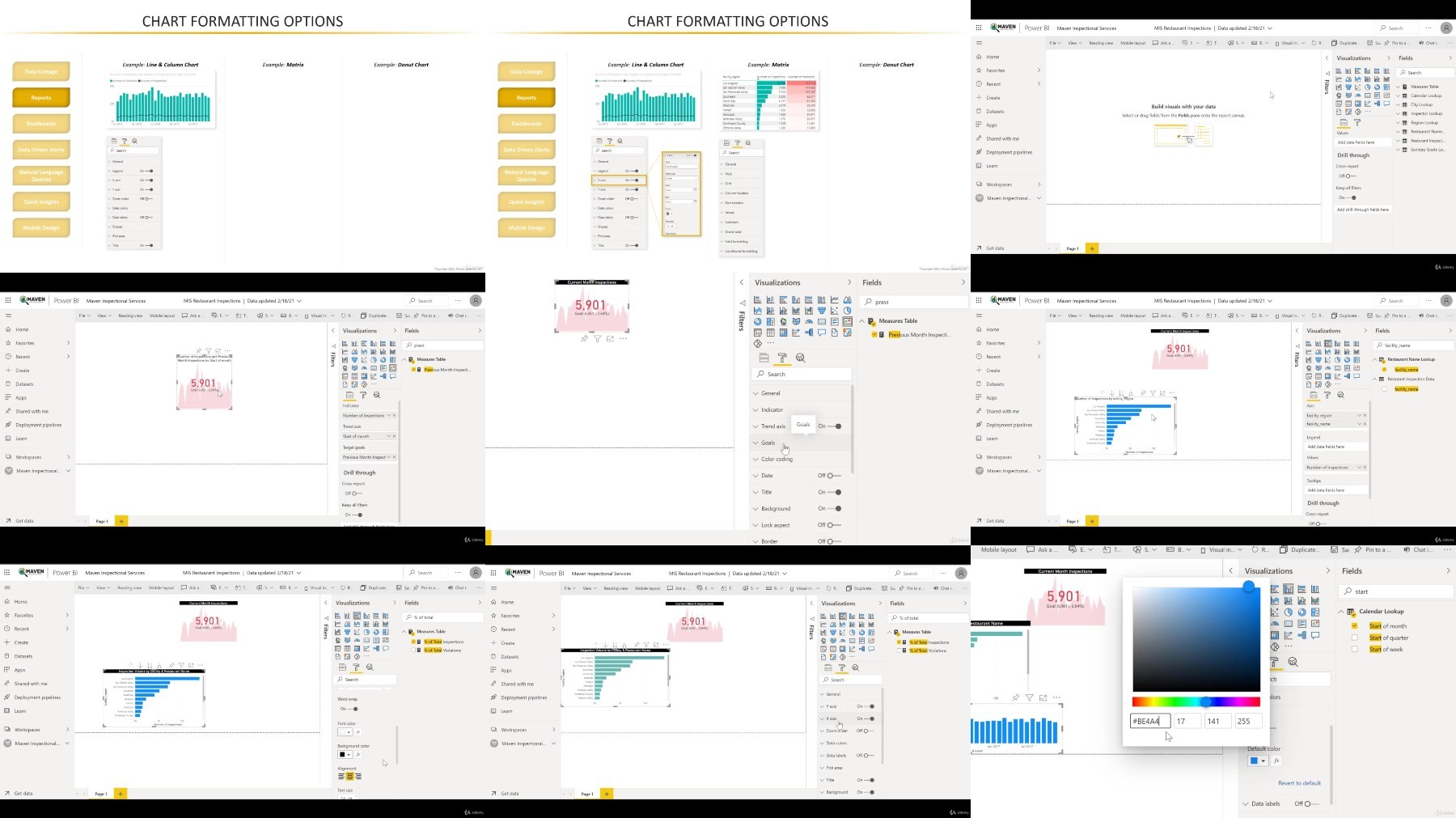
You'll be playing the role of a data analyst for Maven Inspectional Services, a restaurant health inspection agency based in Los Angeles. Your objective? Use Power BI Service -- and the skills you develop throughout the course -- to build scalable reports & dashboards to deliver insights across the entire organization.

Here are just a few of the topics we'll cover:

Administration Tools

Admin roles, tenant settings, custom branding, etc.

Connecting to Data

Connection types, gateways, dataflows, scheduled refresh, etc.

Reports & Dashboards

Data lineage, bookmarks, data-driven alerts, Q&A, mobile, etc.

Sharing & Collaboration

User roles, apps, publish to web, usage reports, etc.

Row-Level Security

Static vs. dynamic RLS, testing roles, etc.

PREVIEW: Premium Per User

Key features, incremental refresh, UX, etc.

By the end of the course, you'll have a deep, practical understanding of Power BI Service, along with the skills and confidence you need to apply these tools to your own real-world projects and analyses.

Whether you're a casual Power BI user, aspiring analyst, or business intelligence professional, this course will give you the tools you need to become an absolute Power BI ROCKSTAR -- guaranteed.

__________

Join today and get immediate, lifetime access to the following:

8+ hours of high quality videos

100+ page Power BI Service ebook (PDF)

Power BI project files & sample data

Course quizzes & homework (with solutions)

Expert support & Q&A forum

30-day money-back guarantee

We can't wait to see you in the course!

-Aaron (Lead Power BI Instructor, Maven Analytics)

__________

Hear why our Power BI Desktop and Power BI Service courses are the TOP-RATED on Udemy:

"I totally loved this Power BI course! Everything was very easy to understand, but it moved at a fast enough pace that I never got bored. I learned SO much and had fun doing it. In fact, at the end of the day, I didn't want to stop learning -- I wanted to keep charging on to the next lesson!"

-Ann S.

"Amazing! 5+ stars if you ask me! Concise, superbly organized and prepared. I have learned a ton about Power BI Service and in addition I have learned how to create a great course as well. Enjoyed the course from start to finish."

-Nikola H.

"Hands-down the best Power BI courses on Udemy. Courses are well prepared and very hands-on, and the instructor makes the whole experience easy and fun. I recommend it 100%!"

-Jorge M.

"Where can I leave a 6 star rating?"

-Carlos B.

Looking for the full business intelligence stack? Search for "Maven Analytics" to browse our full course library, including Excel, Power BI, MySQL, and Tableau courses!

Who this course is for
Anyone looking for complete, comprehesive deep dive into Microsoft Power BI Service (2021)
Users who are familiar with Power BI Desktop and want to learn how to publish, share & collaborate in the cloud
Aspiring data professionals and teams looking to master the #1 business intelligence tool on the market
Students who want a comprehensive, engaging, and project-based approach to training
Anyone looking to pursue a career in Data Analysis or Business Intelligence

Download

 

fef67d44ab075a49f55ad6632b4dfe62.jpg

Microsoft Power BI - Up & Running With Power BI Service 2021
.MP4, AVC, 1280x720, 30 fps | English, AAC, 2 Ch | 7h 41m | 2.43 GB
Instructor: Aaron Parry​

Master Power BI Service & learn advanced data analysis & data visualization w/ a top business intelligence instructor

What you'll learn

Publish professional-quality business intelligence reports to the cloud
Automate reports and dashboards with gateways, dataflows, and scheduled refresh
Explore and analyze data with natural language Q&A, quick insights, bookmarks and data-driven alerts
Collaborate and share with other users and teams online and in real time
Configure user roles and row-level security to maintain data quality and control
Master the latest tools and features availlable in Power BI Service (2021)
Connect data from flat files, Excel workbooks, Sharepoint folders, SQL databases, and more
Build job-ready skills for a career in Data Analysis or Business Intelligence

Requirements

Students are STRONGLY ENCOURAGED to complete our Up & Running with Power BI Desktop course first
Several features covered in this course require a PRO plan (60 day free trial, then $9.99/month)
A work or school email address is required to sign up for a Power BI Service account (no gmail, aol, hotmail, etc.)

Description

IMPORTANT NOTE:

In order to cover the latest features and provide the best learning experience for our students, this course was completely rebuilt in 2021, with all-new topics, resources, datasets and hands-on projects.

As a reminder, this is PART 2 of our Microsoft Power BI series, which covers Power BI Desktop (Part 1) and Power BI Service (Part 2). We strongly recommend completing our Power BI Desktop course before taking this one!
__________

This top-rated course offers a practical and project-based guide to mastering Power BI in the cloud, including powerful tools like gateways, dataflows, row-level security, data-driven alerts, and much more.

You'll be playing the role of a data analyst for Maven Inspectional Services, a restaurant health inspection agency based in Los Angeles. Your objective? Use Power BI Service - and the skills you develop throughout the course - to build scalable reports & dashboards to deliver insights across the entire organization.

Here are just a few of the topics we'll cover:

Administration Tools

Admin roles, tenant settings, custom branding, etc.

Connecting to Data

Connection types, gateways, dataflows, scheduled refresh, etc.

Reports & Dashboards

Data lineage, bookmarks, data-driven alerts, Q&A, mobile, etc.

Sharing & Collaboration

User roles, apps, publish to web, usage reports, etc.

Row-Level Security

Static vs. dynamic RLS, testing roles, etc.

PREVIEW: Premium Per User

Key features, incremental refresh, UX, etc.

By the end of the course, you'll have a deep, practical understanding of Power BI Service, along with the skills and confidence you need to apply these tools to your own real-world projects and analyses.

Whether you're a casual Power BI user, aspiring analyst, or business intelligence professional, this course will give you the tools you need to become an absolute Power BI ROCKSTAR - guaranteed.

Who this course is for:

Anyone looking for complete, comprehesive deep dive into Microsoft Power BI Service (2021)
Users who are familiar with Power BI Desktop and want to learn how to publish, share & collaborate in the cloud
Aspiring data professionals and teams looking to master the #1 business intelligence tool on the market
Students who want a comprehensive, engaging, and project-based approach to training
Anyone looking to pursue a career in Data Analysis or Business Intelligence


WQt6phmJ_o.jpg


Zurück
Oben Unten