• Regeln für den Video-Bereich:

    In den Börsenbereich gehören nur Angebote die bereits den Allgemeinen Regeln entsprechen.

    Einteilung

    - Folgende Formate gehören in die angegeben Bereiche:
    - Filme: Encodierte Filme von BluRay, DVD, R5, TV, Screener sowie Telesyncs im Format DivX, XviD und x264.
    - DVD: Filme im Format DVD5, DVD9 und HD2DVD.
    - HD: Encodierte Filme mit der Auflösung 720p oder darüber von BluRay, DVD, R5, TV, Screener sowie Telesyncs im Format x264.
    - 3D: Encodierte Filme von BluRay, die in einem 3D Format vorliegen. Dies gilt auch für Dokus, Animation usw.
    - Serien: Cartoon/Zeichentrick, Anime, Tutorials, Dokumentationen, Konzerte/Musik, Sonstiges sind demnach in die entsprechenden Bereiche einzuordnen, auch wenn sie beispielsweise im High Definition-Format oder als DVD5/DVD9/HD2DVD vorliegen. Ausnahme 3D.
    - Bereich Englisch: Englische Releases gehören immer in diesen Bereich.
    - Bereich Talk: Der Bereich, in dem über die Releases diskutiert werden kann, darf, soll und erwünscht ist.


    Angebot/Beitrag erstellen

    - Ein Beitrag darf erst dann erstellt werden, wenn der Upload bei mindestens einem OCH komplett ist. Platzhalter sind untersagt.
    - Bei einem Scenerelease hat der Threadtitel ausschließlich aus dem originalen, unveränderten Releasenamen zu bestehen. Es dürfen keine Veränderungen wie z.B. Sterne, kleine Buchstaben o.ä. vorgenommen werden. Ausnahme Serienbörse:
    - Bei einem Sammelthread für eine Staffel entfällt aus dem Releasename natürlich der Name der Folge. Beispiel: Die Simpsons S21 German DVDRip XviD - ITG
    - Dementsprechend sind also u.a. verboten: Erweiterungen wie "Tipp", "empfehlenswert", "only", "reup", usw. / jegliche andere Zusatzinformation oder Ergänzung, welche nicht in obiger Beschreibung zu finden ist.

    Aufbau des Angebots und Threadtitel

    Der Titel nach folgendem Muster erstellt zu werden. <Name> [3D] [Staffel] [German] <Jahr> <Tonspur> [DL] [Auflösung] <Quelle> <Codec> - <Group>
    Beispiel: The Dark Knight German 2008 AC3 DVDRip XviD - iND
    Beispiel: The Dark Knight 2008 DTS DL BDRip x264 - iND
    Beispiel: The Dark Knight 2008 AC3 DL BDRip XviD - iND
    Beispiel: The Dark Knight German 2008 AC3 720p BluRay x264 iND
    Beispiel: The Dark Knight 2008 DTS DL 1080p BluRay x264 iND
    Beispiel: Die Simpsons S01 German AC3 DVDRip XviD iND
    Beispiel: Die Simpsons S20 German AC3 720p BluRay x264 iND
    Beispiel: Sword Art Online II Ger Sub 2014 AAC 1080p WEBRip x264 - peppermint
    Entsprechend sind also u.a. verboten: Sonderzeichen wie Klammern, Sterne, Ausrufezeichen, Unterstriche, Anführungszeichen / Erweiterungen wie "Tipp", "empfehlenswert", "only", "reup", usw. / jegliche andere Zusatzinformation oder Ergänzung, welche nicht in obiger Beschreibung zu finden ist
    Ausnahmen hiervon können in den Bereichen geregelt sein.

    Die Beiträge sollen wie folgt aufgebaut werden:
    Überschrift entspricht dem Threadtitel
    Cover
    kurze Inhaltsbeschreibung
    Format, Größe, Dauer sind gut lesbar für Downloader außerhalb des Spoilers zu vermerken
    Nfo sind immer Anzugeben und selbige immer im Spoiler in Textform.
    Sind keine Nfo vorhanden z.B. Eigenpublikationen, sind im Spoiler folgende Dateiinformationen zusätzlich anzugeben :
    Quelle
    Video (Auflösung und Bitrate)
    Ton (Sprache, Format und Bitrate der einzelnen Spuren)
    Untertitel (sofern vorhanden)
    Hosterangabe in Textform außerhalb eines Spoiler mit allen enthaltenen Hostern.
    Bei SD kann auf diese zusätzlichen Dateiinformationen verzichtet werden.

    Alle benötigten Passwörter sind, sofern vorhanden, in Textform im Angebot anzugeben.
    Spoiler im Spoiler mit Kommentaren :"Schon Bedankt?" sind unerwünscht.


    Releases

    - Sind Retail-Release verfügbar, sind alle anderen Variationen untersagt. Ausnahmen: Alle deutschen Retail-Release sind CUT, in diesem Fall sind dubbed UNCUT-Release zulässig.
    - Im Serien-Bereich gilt speziell: Wenn ein Retail vor Abschluss einer laufenden Staffel erscheint, darf diese Staffel noch zu Ende gebracht werden.62
    - Gleiche Releases sind unbedingt zusammenzufassen. Das bedeutet, es ist zwingend erforderlich, vor dem Erstellen eines Themas per Suchfunktion zu überprüfen, ob bereits ein Beitrag mit demselben Release besteht. Ist dies der Fall, ist der bereits vorhandene Beitrag zu verwenden.
    - P2P und Scene Releases dürfen nicht verändert oder gar unter einem iND Tag eingestellt werden.


    Support, Diskussionen und Suche

    - Supportanfragen sind entweder per PN oder im Bereich Talk zu stellen.
    - Diskussionen und Bewertungen sind im Talk Bereich zu führen. Fragen an die Uploader haben ausschließlich via PN zu erfolgen, und sind in den Angeboten untersagt.
    - Anfragen zu Upload-Wünschen sind nur im Bereich Suche Video erlaubt. Antworten dürfen nur auf Angebote von MyBoerse.bz verlinkt werden.


    Verbote

    - Untersagt sind mehrere Formate in einem einzigen Angebotsthread, wie beispielsweise das gleichzeitige Anbieten von DivX/XviD, 720p und 1080p in einem Thread. Pro Format, Release und Auflösung ist ein eigener Thread zu eröffnen.
    - Grundsätzlich ebenso verboten sind Dupes. Uploader haben sich an geeigneter Stelle darüber zu informieren, ob es sich bei einem Release um ein Dupe handelt.
    - Gefakte, nur teilweise lauffähige oder unvollständige Angebote sind untersagt. Dies gilt auch für eigene Publikationen, die augenscheinlich nicht selbst von z.B. einer DVD gerippt wurden. Laufende Serien, bei denen noch nicht alle Folgen verfügbar sind, dürfen erstellt und regelmäßig geupdatet werden.
    - Untersagt sind Angebote, welche nur und ausschließlich in einer anderen Sprache als deutsch oder englisch vorliegen. Ausnahmen sind VORHER mit den Moderatoren zu klären.


    Verstoß gegen die Regeln

    - Angebote oder Beiträge, die gegen die Forenregeln verstoßen, sind über den "Melden"-Button im Beitrag zu melden.
  • Bitte registriere dich zunächst um Beiträge zu verfassen und externe Links aufzurufen.

*** Bestes IPTV *** bester Preis *** gratis Test ***


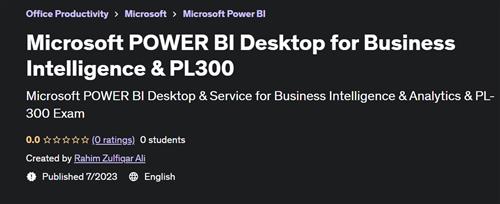
Microsoft POWER BI Desktop for Business Intelligence & PL300

Tutorials

MyBoerse.bz Pro Member
38bed59f64f1e1f833259fc9e808f1ef.jpeg

Free Download Microsoft POWER BI Desktop for Business Intelligence & PL300
Published 7/2023
Created by Rahim Zulfiqar Ali
MP4 | Video: h264, 1280x720 | Audio: AAC, 44.1 KHz, 2 Ch
Genre: eLearning | Language: English | Duration: 49 Lectures ( 8h 54m ) | Size: 4.24 GB

Microsoft POWER BI Desktop & Service for Business Intelligence & Analytics & PL-300 Exam
What you'll learn
Build professional-quality business intelligence reports from the ground up
Blend and transform raw data into beautiful interactive dashboards
Students will have the required knowledge to dive deeper into Power BI and find out more about its advanced features
Build and optimize data models and DAX measures
Extract, profile, clean, transform, and load data from different sources
Publish reports and dashboards to Power BI Service
Develop the exact skills you need to ace the PL-300 Power BI certification exam
Requirements
Microsoft Power BI Desktop (FREE Download)
This course is designed for PC/Windows users (currently not available for Mac)
For the majority of the course you must have a computer with Windows as operating system
Basic understanding of data analysis is a plus but not required
Description
If you're a data professional or aspiring analyst looking to learn the top business intelligence platform on the market, you've come to the right place.You want to analyze data from single or multiple sources? You want to create your individual datasets based on these sources and transform your results into beautiful and easy-to-make visualizations? You also want to share your results with colleagues or collaborate on your projects? Finally, you want to be able to access your data from multiple devices?Then the Power BI tools are the tools to choose for you!POWER BI SKILLS ARE IN HIGH DEMANDAs companies worldwide implement Power BI solutions, there's a big gap in the job market for skilled professionals. People who learn Power BI today, will be first in line for the best jobs tomorrow. Get access to our best-selling Power BI course now and become a highly sought-after Power BI professional.In this course you will learn why Power BI offers you a comprehensive set of Business Intelligence tools for your data analysis goals and how to use these tools to fulfill all of the above tasks - and more. Imagine to quickly structure your data, to easily add calculations to it and to create and publish nice-looking charts in just a few minutes.This is what you will learn:Get to know the different tools of the Power BI universe and learn how to use themUnderstand Power BI Desktop and its componentsLearn how to use the Query Editor to connect Power BI to various source types, how to work on the Data Model and understand the difference between those two stepsLearn how to filter and format data, how pivoting and unpivoting worksHow to work in the different views of the Data ModelHow to create calculated columns and measuresHow to build relationships between different tablesHow to create a report with different interactive visualization typesLearn how to use Power BI Pro to create dashboards and to share and publish your resultsHow to access your results from multiple devices using Power BI MobileAnd more!
Who this course is for
Data analysts and Excel users hoping to develop advanced data modeling, dashboard design, and business intelligence skills
Aspiring data professionals looking to master the #1 business intelligence tool on the market
Students who want a comprehensive, engaging, and highly interactive approach to training
Anyone looking to pursue a career in data analysis or business intelligence
Power BI users looking to sharpen and certify their skills
Aspiring analysts or business intelligence professionals seeking to add industry-recognized credentials to the resume
Anyone looking for a hands-on, comprehensive guide to clearing the Microsoft PL-300 Exam
Homepage


Recommend Download Link Hight Speed | Please Say Thanks Keep Topic Live
Links are Interchangeable - Single Extraction
 

1d90c75009844f6aa42499d63dec0b38.jpg

Microsoft Power BI Desktop for Business Intelligence
Last updated 5/2024
Duration: 16h28m | .MP4 1920x1080, 30 fps(r) | AAC, 44100 Hz, 2ch | 7.06 GB
Genre: eLearning | Language: English​

Master Power BI Desktop for data prep, data analysis, data visualization &amp; dashboard design w/ top Power BI instructors!

What you'll learn
Build professional-quality business intelligence reports from the ground up
Blend and transform raw data into beautiful interactive visuals & dashboards
Design and implement the same tools used by professional data analysts and data scientists
Showcase your skills with two full-scale course projects (with step-by-step solutions)
Explore powerful artificial intelligence tools and advanced data analysis & visualization techniques
Learn from a #1 best-selling instructor and professional Power BI developer

Requirements
Microsoft Power BI Desktop (free download)
This course is designed for PC/Windows users (currently not available for Mac)
Experience with Excel Power Query, Power Pivot & DAX is a plus, but not required

Description
Welcome to the
#1 best-selling Power BI Desktop course
- completely rebuilt for 2023/2024!
If you're a data professional or aspiring analyst looking to learn the top business intelligence platform on the market, you've come to the right place. With more than
100,000 perfect 5-star reviews
from students around the world, this is the course you've been looking for.
Throughout the course, you'll learn from top instructors on the Maven Analytics team and put your skills to the test with
hands-on projects
and
unique, real-world assignments
.
THE COURSE PROJECT:
You'll play the role of Business Intelligence Analyst for
AdventureWorks Cycles
, a fictional manufacturing company. Your role is to transform raw data into professional-quality reports and dashboards to track KPIs, compare regional performance, analyze product-level trends, and identify high-value customers.
But don't worry, we'll be here to guide you along every step of the way, with intuitive, crystal clear explanations and helpful pro tips to take you from zero to expert - guaranteed.
This course is designed to follow the
key stages of the business intelligence workflow
(data prep, data modeling, exploratory data analysis, data visualization & dashboard design) and simulate real-world tasks that data professionals encounter every day on the job:
STAGE 1
:
Connecting & Shaping Data
In this stage we'll focus on building automated workflows to extract, clean, transform, and load our project data using Power Query, and explore common data connectors, storage modes, profiling tools, table transformations, and more:
Data connectors
Storage & import modes
Query editing tools
Table transformations
Connecting to a database
Extracting data from the web
QA & Profiling tools
Text, numerical, date & time tools
Rolling calendars
Index & conditional columns
Grouping & aggregating
Pivoting & unpivoting
Merging & appending queries
Data source parameters
Importing Excel models
STAGE 2
:
Creating a Relational Data Model
In stage 2 we'll review data modeling best practices, introduce topics like cardinality, normalization, filter flow and star schemas, and begin to build our AdventureWorks data model from the ground up:
Database normalization
Fact & dimension tables
Primary & foreign keys
Star & snowflake schemas
Active & inactive relationships
Relationship cardinality
Filter context & flow
Bi-directional filters
Model layouts
Data formats & categories
Hierarchies
STAGE 3
:
Adding Calculated Fields with DAX
In stage 3 we'll introduce data analysis expressions (DAX). We'll create calculated columns and measures, explore topics like row and filter context, and practice applying powerful tools like filter functions, iterators, and time intelligence patterns:
DAX vs. M
Calculated columns & measures
Implicit, explicit & quick measures
Measure calculation steps
DAX syntax & operators
Math & stats functions
Conditional & logical functions
The SWITCH function
Text functions
Date & time functions
The RELATED function
CALCULATE, FILTER & ALL
Iterator (X) functions
Time intelligence patterns
STAGE 4
:
Visualizing Data with Reports
Stage 4 is about bringing our data to LIFE with reports and dashboards. We'll review data viz best practices, building and format basic charts, and add interactivity with bookmarks, slicer panels, parameters, tooltips, report navigation, and more:
Data viz best practices
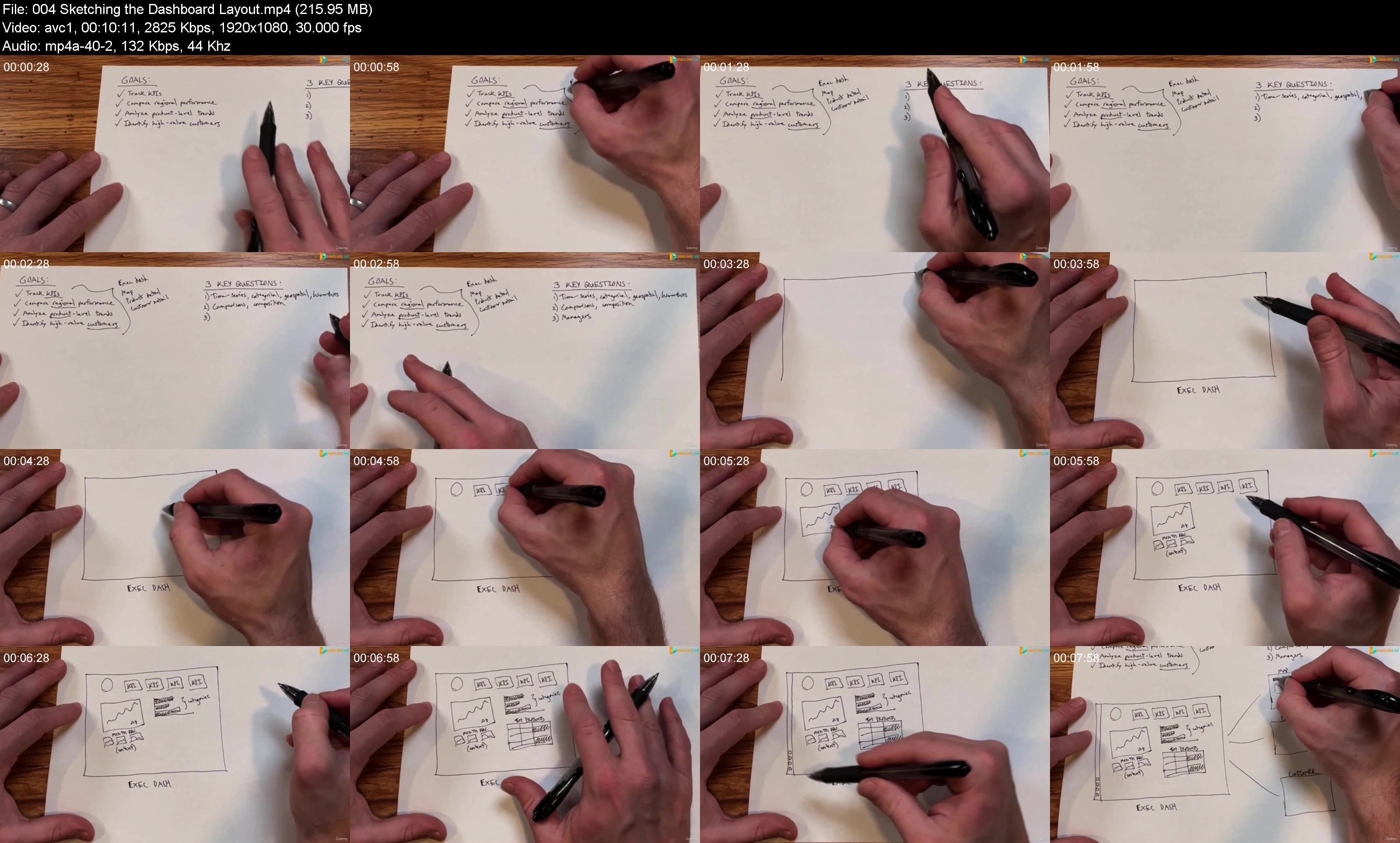
Dashboard design framework
Cards & KPIs
Line charts, trend lines & forecasts
On-object formatting
Table & matrix visuals
Conditional formatting
Top N filtering
Map visuals
Drill up, drill down & drillthrough
Report slicers & interactions
Bookmarks & page navigation
Numeric & fields parameters
Custom tooltips
Importing custom visuals
Managing & viewing roles (RLS)
Mobile layouts
Publishing to Power BI Service
We'll also introduce
brand new features
as they are released, powerful
artificial Intelligence tools
like decomposition trees, key influencers, smart narratives and natural language Q&A, and
performance optimization techniques
to keep your reports running smoothly at scale.
Ready to get started? Join today and get
immediate, lifetime access
to:
15+ hours of high-quality video
200+ page Power BI ebook
25 homework assignments & solutions
Downloadable course project files
Expert Q&A support forum
30-day money-back guarantee
If you're looking for the ONE course to help you build job-ready Power BI skills, you've come to the right place.
Happy learning!
-Chris & Aaron (
Maven Analytics
)
See why this is one of the TOP-RATED Power BI courses in the world:
"I believe this is the best Power BI course out there. I spent £1400 to attend a 3-day Power BI crash course, and have to confess it's nothing compared to the knowledge, skills, expertise and understanding derived from this course. I am forever grateful to Chris and the Maven Analytics team for doing such amazing work and to Udemy for making this available."
-Isaac Mensah
"Resources are awesome. Presenter is brilliant. I found this course more useful than the official Power BI course from Microsoft. Things are easy to follow, and presentations are high quality."
-Jacobus M.
"Chris is a skilled communicator and does a great job of explaining a complex tool like Microsoft Power BI. His 'pro-tips' are great for new user productivity and gaining a sense of the big picture, and I value his best practices on building and managing Power BI queries and reports. I'm feeling much more confident to dig in and use Power BI on my own projects!"
-Bill Jerrow
"Simply put, this course is AMAZING! The instructor literally takes you step-by-step from knowing nothing about Power BI into nearly an expert! I have had experience working with Power BI even in a corporate setting in the past, and I was still blown away by the level of granularity Chris was able to casually explain in a way that made sense. The hands-on exercises are THE perfect way to reinforce the concepts you learn throughout the course and connect theory to application. Can't speak enough to how great this course is, I will definitely be coming back to it as a reference guide in my work and would recommend it to anyone looking to learn Power BI!"
-Ikenna Egbosimba
"I've been in university classrooms for much of my life and Chris is a university level instructor."
-Allan Searl
Looking for the full business intelligence stack?
Search for
"
Maven Analytics
"
to browse our full course library, including
Excel, Power BI, MySQL
,
Tableau
,
Alteryx
&
Python
!
Who this course is for:
Anyone looking for a hands-on, project-based introduction to Microsoft Power BI Desktop
Data analysts and Excel users hoping to develop advanced data modeling, dashboard design, and business intelligence skills
Aspiring data professionals looking to master the #1 business intelligence tool on the market
Students who want a comprehensive, engaging, and highly interactive approach to training
Anyone looking to pursue a career in data analysis, analytics or business intelligence




L9zvZntJ_o.jpg

 
Zurück
Oben Unten