



• Regeln für den Video-Bereich:

    In den Börsenbereich gehören nur Angebote die bereits den Allgemeinen Regeln entsprechen.

    Einteilung

    - Folgende Formate gehören in die angegeben Bereiche:
    - Filme: Encodierte Filme von BluRay, DVD, R5, TV, Screener sowie Telesyncs im Format DivX, XviD und x264.
    - DVD: Filme im Format DVD5, DVD9 und HD2DVD.
    - HD: Encodierte Filme mit der Auflösung 720p oder darüber von BluRay, DVD, R5, TV, Screener sowie Telesyncs im Format x264.
    - 3D: Encodierte Filme von BluRay, die in einem 3D Format vorliegen. Dies gilt auch für Dokus, Animation usw.
    - Serien: Cartoon/Zeichentrick, Anime, Tutorials, Dokumentationen, Konzerte/Musik, Sonstiges sind demnach in die entsprechenden Bereiche einzuordnen, auch wenn sie beispielsweise im High Definition-Format oder als DVD5/DVD9/HD2DVD vorliegen. Ausnahme 3D.
    - Bereich Englisch: Englische Releases gehören immer in diesen Bereich.
    - Bereich Talk: Der Bereich, in dem über die Releases diskutiert werden kann, darf, soll und erwünscht ist.


    Angebot/Beitrag erstellen

    - Ein Beitrag darf erst dann erstellt werden, wenn der Upload bei mindestens einem OCH komplett ist. Platzhalter sind untersagt.
    - Bei einem Scenerelease hat der Threadtitel ausschließlich aus dem originalen, unveränderten Releasenamen zu bestehen. Es dürfen keine Veränderungen wie z.B. Sterne, kleine Buchstaben o.ä. vorgenommen werden. Ausnahme Serienbörse:
    - Bei einem Sammelthread für eine Staffel entfällt aus dem Releasename natürlich der Name der Folge. Beispiel: Die Simpsons S21 German DVDRip XviD - ITG
    - Dementsprechend sind also u.a. verboten: Erweiterungen wie "Tipp", "empfehlenswert", "only", "reup", usw. / jegliche andere Zusatzinformation oder Ergänzung, welche nicht in obiger Beschreibung zu finden ist.

    Aufbau des Angebots und Threadtitel

    Der Titel nach folgendem Muster erstellt zu werden. <Name> [3D] [Staffel] [German] <Jahr> <Tonspur> [DL] [Auflösung] <Quelle> <Codec> - <Group>
    Beispiel: The Dark Knight German 2008 AC3 DVDRip XviD - iND
    Beispiel: The Dark Knight 2008 DTS DL BDRip x264 - iND
    Beispiel: The Dark Knight 2008 AC3 DL BDRip XviD - iND
    Beispiel: The Dark Knight German 2008 AC3 720p BluRay x264 iND
    Beispiel: The Dark Knight 2008 DTS DL 1080p BluRay x264 iND
    Beispiel: Die Simpsons S01 German AC3 DVDRip XviD iND
    Beispiel: Die Simpsons S20 German AC3 720p BluRay x264 iND
    Beispiel: Sword Art Online II Ger Sub 2014 AAC 1080p WEBRip x264 - peppermint
    Entsprechend sind also u.a. verboten: Sonderzeichen wie Klammern, Sterne, Ausrufezeichen, Unterstriche, Anführungszeichen / Erweiterungen wie "Tipp", "empfehlenswert", "only", "reup", usw. / jegliche andere Zusatzinformation oder Ergänzung, welche nicht in obiger Beschreibung zu finden ist
    Ausnahmen hiervon können in den Bereichen geregelt sein.

    Die Beiträge sollen wie folgt aufgebaut werden:
    Überschrift entspricht dem Threadtitel
    Cover
    kurze Inhaltsbeschreibung
    Format, Größe, Dauer sind gut lesbar für Downloader außerhalb des Spoilers zu vermerken
    Nfo sind immer Anzugeben und selbige immer im Spoiler in Textform.
    Sind keine Nfo vorhanden z.B. Eigenpublikationen, sind im Spoiler folgende Dateiinformationen zusätzlich anzugeben :
    Quelle
    Video (Auflösung und Bitrate)
    Ton (Sprache, Format und Bitrate der einzelnen Spuren)
    Untertitel (sofern vorhanden)
    Hosterangabe in Textform außerhalb eines Spoiler mit allen enthaltenen Hostern.
    Bei SD kann auf diese zusätzlichen Dateiinformationen verzichtet werden.

    Alle benötigten Passwörter sind, sofern vorhanden, in Textform im Angebot anzugeben.
    Spoiler im Spoiler mit Kommentaren :"Schon Bedankt?" sind unerwünscht.


    Releases

    - Sind Retail-Release verfügbar, sind alle anderen Variationen untersagt. Ausnahmen: Alle deutschen Retail-Release sind CUT, in diesem Fall sind dubbed UNCUT-Release zulässig.
    - Im Serien-Bereich gilt speziell: Wenn ein Retail vor Abschluss einer laufenden Staffel erscheint, darf diese Staffel noch zu Ende gebracht werden.62
    - Gleiche Releases sind unbedingt zusammenzufassen. Das bedeutet, es ist zwingend erforderlich, vor dem Erstellen eines Themas per Suchfunktion zu überprüfen, ob bereits ein Beitrag mit demselben Release besteht. Ist dies der Fall, ist der bereits vorhandene Beitrag zu verwenden.
    - P2P und Scene Releases dürfen nicht verändert oder gar unter einem iND Tag eingestellt werden.


    Support, Diskussionen und Suche

    - Supportanfragen sind entweder per PN oder im Bereich Talk zu stellen.
    - Diskussionen und Bewertungen sind im Talk Bereich zu führen. Fragen an die Uploader haben ausschließlich via PN zu erfolgen, und sind in den Angeboten untersagt.
    - Anfragen zu Upload-Wünschen sind nur im Bereich Suche Video erlaubt. Antworten dürfen nur auf Angebote von MyBoerse.bz verlinkt werden.


    Verbote

    - Untersagt sind mehrere Formate in einem einzigen Angebotsthread, wie beispielsweise das gleichzeitige Anbieten von DivX/XviD, 720p und 1080p in einem Thread. Pro Format, Release und Auflösung ist ein eigener Thread zu eröffnen.
    - Grundsätzlich ebenso verboten sind Dupes. Uploader haben sich an geeigneter Stelle darüber zu informieren, ob es sich bei einem Release um ein Dupe handelt.
    - Gefakte, nur teilweise lauffähige oder unvollständige Angebote sind untersagt. Dies gilt auch für eigene Publikationen, die augenscheinlich nicht selbst von z.B. einer DVD gerippt wurden. Laufende Serien, bei denen noch nicht alle Folgen verfügbar sind, dürfen erstellt und regelmäßig geupdatet werden.
    - Untersagt sind Angebote, welche nur und ausschließlich in einer anderen Sprache als deutsch oder englisch vorliegen. Ausnahmen sind VORHER mit den Moderatoren zu klären.


    Verstoß gegen die Regeln

    - Angebote oder Beiträge, die gegen die Forenregeln verstoßen, sind über den "Melden"-Button im Beitrag zu melden.
  • Bitte registriere dich zunächst um Beiträge zu verfassen und externe Links aufzurufen.

*** Bestes IPTV *** bester Preis *** gratis Test ***


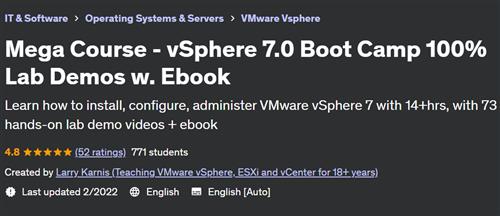
Mega Course - vSphere 7.0 Boot Camp 100% Lab Demos w. Ebook

Tutorials

MyBoerse.bz Pro Member
7b043bb0cd78a59e3c94859212d450a0.jpeg

Free Download Mega Course - vSphere 7.0 Boot Camp 100% Lab Demos w. Ebook
Last updated 2/2022
Created by Larry Karnis (Teaching VMware vSphere, ESXi and vCenter for 18+ years)
MP4 | Video: h264, 1280x720 | Audio: AAC, 44.1 KHz, 2 Ch
Genre: eLearning | Language: English + srt | Duration: 74 Lectures ( 14h 40m ) | Size: 3.8 GB

Learn how to install, configure, administer VMware vSphere 7 with 14+hrs, with 73 hands-on lab demo videos + ebook
What you'll learn:
Install and configure ESXi 7.0 from scratch
Install and configure vCenter Server appliance 7.0 from scratch
Create and configure basic and advanced Standard and Distributed vSwitches
Create, size, deploy and mange Virtual Machines including Hot Plug vHardware
Connect to and use NFS and iSCSI Shared Storage
Work with VMFS volumes including manage capacity and review / set multipathing
Design and implement VMotion and Load Balanced DRS Clusters
Provide 99.99+% VM uptime with VMware High Availability Clusters
Provide 100% VM uptime with VMware Fault Tolerance
Patch and Update ESXi hosts with VMware Lifecycle Manager
Requirements:
Basic understanding of computer hardware, operating systems and storage
Familiarity with Ethernet and TCP/IP networks
Familiarity with Windows or Linux
Strong desire to build your skills and invest in your future
Description:
About This CourseAre you the kind of person who learns best by doing? Do courses with just Power Point voice-overs leave you cold?&nbsp;If so, then this course is for you, because the only Power Points you'll see are in the introduction and end of class lectures.In this course offers 14+ hours and 73 videos of lab task demonstrations - the equivalent of attending a 5-day vSphere 7.0 Boot Camp course at a fraction of the price. I'll show you how to build, configure, administer, run, scale vSphere 7.0. I'll also show you how to deliver better than 99.99% service availability. This course consists exclusively of 100% Hands-on Lab demos videos of a real VMware vSphere 7.0 installation. I'll take you from first-principles (powering on a new server) to a completed, working Compute Load Balancing / Storage Load Balancing / Failure Recovery cluster and everything in between.I've organized this course into Sections - that focus on the most important vSphere 7.0 features. Each Section has one or more step-by-step Hands-on Lab demo video(s)... with voice overs to explain what I am doing and why I am doing it. I&nbsp;cover best practices, things to watch out for, issues / concerns, bugs in VMware's software and much more.There are 6 free-preview lectures (first lecture of Sections 1-6) offering over 70 minutes of free content. I encourage you to watch these lectures to see if this course is for you. You also get our free sample vSphere 7.0 Boot Camp Lab PDF ebook.How to Use This CourseIf you are new to vSphere or are wondering how all of the vSphere pieces fit together, start at the beginning and see how it's done. If you are more experienced, jump to the Section that covers exactly what you need to know.The nice thing about this approach is that you can use it for many purposes:Learn how to install, configure and administer a complete, working vSphere 7.0 systemUse individual lessons to learn how to do specific tasks (perhaps before you do them at work)Compare what I've done in my environment to your environment to see if there are vSphere features that you could be usingReview your installation. Is it well designed and well implemented? Is it configured consistently? Is it scaleable?&nbsp;Is it redundant?&nbsp;These are critically important questions. Use this course to get the answersWhat Does This Course Cover?&nbsp; &nbsp;Basics: ESXi, vCenter installation, configuration&nbsp; &nbsp;Networking:&nbsp;Introductory, advanced vSwitch networking, jumbo frames, pNIC teaming, dvSwitches&nbsp; &nbsp;Virtual Machines:&nbsp;Build, configure, right size, deploy, VMware Tools snapshot, hot-plug vHardware&nbsp; &nbsp;Rapid VM&nbsp;Deployment:&nbsp;Guest OS&nbsp;Customization, cold clone, hot clone, rapidly deploy&nbsp; &nbsp;Storage:&nbsp;NFS, iSCSI, VMFS, Multipathing, Capacity Mgt, Raw Device Maps, Content Libraries &nbsp; &nbsp;Administration: ESXi and vCenter permissions. Infrastructure monitoring with Alarms&nbsp; &nbsp;Compute Resource Management:&nbsp;Resource Pools, Cold Migrate, VMotion, Storage VMotion, DRS clusters&nbsp; &nbsp;Maximize VM availability:&nbsp;vSphere High Availability clusters, Fault Tolerant protected VMsHow Will This Course Benefit You?&nbsp;If you are new to vSphere 7.0See tasks in the order they are normally done See how to do each task, step-by-stepExplanations as you go help build knowledgeIf you are experienced with legacy versions of vSphereSee how to complete 73 tasks in vSphere 7.0 using VMware's updated interfaceLearn about new vSphere 7.0 features and capabilitiesAre you an experienced vSphere 7.0 administratorUse this course as a vSphere 7.0 how-to-do-it reference guideGo directly to advanced topics that you need to learn nowReview / refresh yourself before you perform tasks in productionYour Ultimate vSphere 7.0 How-to Reference Guide Go to any section whenever you need to review or brush up on your skills on how to get the job done. See exactly, step-by-step how to complete each task. Note the best practices, tips or pitfalls I explain while I'm taking you through each task.My goal in developing this course is to for you to view it as an indispensable how-to-get-it-done reference guide. So sign up and let me know if I've succeeded!CaveatsThis course includes all of the lab recordings of our Mega Course - VMware vSphere 7.0 Boot Camp Parts 1, 2 and 3. If you have already purchased those courses, you do not need to purchase this course.This course does not include access to live labs.
Who this course is for:
Anyone who is currently working as an IT administrator
Help desk and junior IT staff who want to build skills to advance their career
Anyone who is breaking into IT and who wants to add vSphere 7.0 to their skill set
vSphere 4.x, 5.x or 6.x administrators who want to see how it is done in vSphere 7.0
Hyper-V administrators who want to upgrade their skills to VMware vSphere 7.0
Homepage


Recommend Download Link Hight Speed | Please Say Thanks Keep Topic Live
No Password - Links are Interchangeable

 
Zurück
Oben Unten