




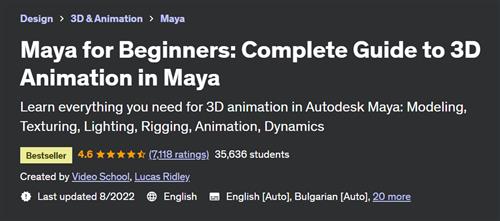
Free Download Maya for Beginners - Complete Guide to 3D Animation in Maya
Last updated 8/2022
Duration: 26h 44m | Video: .MP4, 1280x720 30 fps | Audio: AAC, 48 kHz, 2ch | Size: 16.1 GB
Genre: eLearning | Language: English
Learn everything you need for 3D animation in Autodesk Maya: Modeling, Texturing, Lighting, Rigging, Animation, Dynamics
What you'll learn
You will become comfortable using Autodesk Maya to model, texture, rig, animate, dynamics, light, and render
Build and design your own 3D objects
Animate your 3D objects with keyframes
Modeling, shading, texturing, lighting beautiful designs
Rendering your projects for high quality playback
Rigging a 3D character for animation
Simulating dynamic effects like water, cloth, and smoke
You will know how to put together an entire 3D animated scene!
Requirements
You should have Autodesk Maya to follow along with the course
Autodesk provides a free 1-year educational version and 30-day free trial of Maya from their website
3-button mouse
Description
You can do your own 3D animations in Autodesk Maya!
Learn everything you need to know to get started - taught by a Hollywood professional!
As the industry standard 3D animation software, learning Autodesk Maya is a great skill to help you land a job in the film, music and gaming industry. In this course, you'll learn how to create your entire animation from scratch.
What will you learn?
Getting started with Maya and understanding the interface
Modeling your own objects and scenes
Shading your objects
Creating proper UVs
Texturing your objects
Lighting your scene and creating shadows
Rendering your project
Rigging characters to prepare for animations
Animating with keyframes
Motion graphics animation (MASH) toolkit
Simulating dynamic effects like cloth and smoke
Putting together an entire scene
Learn by doing real world projects!
Throughout this entire course, you'll be working on a
Dia de Los Muertos
inspired scene with a complete animated skeleton. By the end of the course, you'll truly be inspired by your own skills, and confident in using Autodesk Maya.
What do you get when you enroll?
25+ hours of easy-to-follow tutorials
Bonus animation demonstrations
Downloadable project files for every step of the course
Premium support to help you as you take the course
Why learn from us?
Lucas Ridley is a professional 3D animator who has worked on Hollywood films such as Steven Spielberg's Ready Player One. His students love him, and we're sure you're going to enjoy this class.
Lucas breaks down the most complicated steps of animating in Autodesk Maya, so that you can easily start animating on your own!
Phil Ebiner is the founder of Video School Online, and has taught over one million students around the world with our top-rated courses. We only partner with the best instructors, so you'll know that you're getting a great course with this one!
Our 30-day 100% money-back guarantee!
We want you to be happy. If there's any reason you aren't enjoying the course, and getting what you expected, we'll refund your money.
We can't wait to see you in the course!
Cheers,
Phil + Lucas
Who this course is for
We designed this course for complete beginners who want to get started with Autodesk Maya.
We designed this course for anyone that wants to learn 3D animation, and the tools used by professional animators in the film industry.
We designed this course for beginner Autodesk Maya users who want to take their skills to a more advanced next level.
Homepage
Recommend Download Link Hight Speed | Please Say Thanks Keep Topic Live
No Password - Links are Interchangeable
