




KAMAL
MyBoerse.bz Pro Member
Materialise Magics 24.1 x64
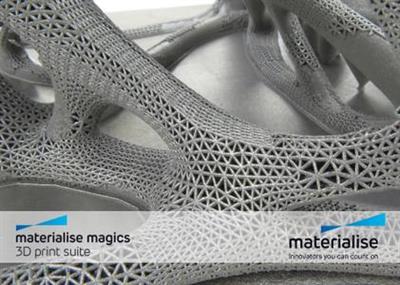
Materialise Magics 24.1 x64 | 992 MB | Language: English
The Materialise development team has announced the release of its Magics 24.10 software platform for increased productivity and efficiency for 3D printing. This update supports Metal Binding Jetting, special parts nesting for Sinter module, improved algorithms for simulation and more.
Materialise Magics What's new - Version 24.1
General enhancements
3D view manipulation
Hold Alt key and right mouse button inside the rotation circle and drag the mouse horizontally or vertically to rotate the view respectively along the vertical or horizontal direction.Zoom in and out more accurately with respect to the cursor position.
Save folder options
Choose between saving all selected parts to their original folder or to the folder of the last part loaded. Change the preferred method in "Application working folder" page in Settings.
Parts sorting
Benefit from an alphanumeric order when sorting parts by their names (e.g. in Part List toolpage).
Materialise Magics is a smart, versatile data preparation and stl editor software for 3D Printing and Additive Manufacturing equipped with a customizable, intuitive user interface. This industry-leading software efficiently guides you through every step of your Additive Manufacturing (AM) or 3D printing workflow.
With the latest version of Magics, the industry-standard data and build preparation software, the focus is on speeding up all features and processes in an effort to help you save more time and energy than ever before.
To enable this, Materialise Magics 24 comes with brand new features such as the Bounding Box Nester, Transfer Support, Chamfer, and STEP workflow. Additionally, 3D nesting is approximately 30 times faster than in the previous version of Magics, and improvements were made to 50% of all Magics actions, features, and processes, enabling smooth flows and overall time gain. The outcome? Increased productivity and easier workflow.
What's new in Materialise Magics 24
About Materialise. Materialise incorporates nearly three decades of 3D printing experience into a range of software solutions and 3D printing services, which together form the backbone of the 3D printing industry. Materialise's open and flexible solutions enable players in a wide variety of industries, including healthcare, automotive, aerospace, art and design, and consumer goods, to build innovative 3D printing applications that aim to make the world a better and healthier place. Headquartered in Belgium, with branches worldwide, Materialise combines the largest group of software developers in the industry with one of the largest 3D printing facilities in the world.
Product: Materialise Magics
Version: 24.1 with MatConvert 8.5.1
Supported Architectures: x64
Website Home Page : Language: english
System Requirements: PC *
Size: 992 mb
DOWNLOAD LINKS:
Materialise Magics 24.1 x64 | 992 MB | Language: English
The Materialise development team has announced the release of its Magics 24.10 software platform for increased productivity and efficiency for 3D printing. This update supports Metal Binding Jetting, special parts nesting for Sinter module, improved algorithms for simulation and more.
Materialise Magics What's new - Version 24.1
General enhancements
3D view manipulation
Hold Alt key and right mouse button inside the rotation circle and drag the mouse horizontally or vertically to rotate the view respectively along the vertical or horizontal direction.Zoom in and out more accurately with respect to the cursor position.
Save folder options
Choose between saving all selected parts to their original folder or to the folder of the last part loaded. Change the preferred method in "Application working folder" page in Settings.
Parts sorting
Benefit from an alphanumeric order when sorting parts by their names (e.g. in Part List toolpage).
Materialise Magics is a smart, versatile data preparation and stl editor software for 3D Printing and Additive Manufacturing equipped with a customizable, intuitive user interface. This industry-leading software efficiently guides you through every step of your Additive Manufacturing (AM) or 3D printing workflow.
With the latest version of Magics, the industry-standard data and build preparation software, the focus is on speeding up all features and processes in an effort to help you save more time and energy than ever before.
To enable this, Materialise Magics 24 comes with brand new features such as the Bounding Box Nester, Transfer Support, Chamfer, and STEP workflow. Additionally, 3D nesting is approximately 30 times faster than in the previous version of Magics, and improvements were made to 50% of all Magics actions, features, and processes, enabling smooth flows and overall time gain. The outcome? Increased productivity and easier workflow.
What's new in Materialise Magics 24
About Materialise. Materialise incorporates nearly three decades of 3D printing experience into a range of software solutions and 3D printing services, which together form the backbone of the 3D printing industry. Materialise's open and flexible solutions enable players in a wide variety of industries, including healthcare, automotive, aerospace, art and design, and consumer goods, to build innovative 3D printing applications that aim to make the world a better and healthier place. Headquartered in Belgium, with branches worldwide, Materialise combines the largest group of software developers in the industry with one of the largest 3D printing facilities in the world.
Product: Materialise Magics
Version: 24.1 with MatConvert 8.5.1
Supported Architectures: x64
Website Home Page : Language: english
System Requirements: PC *
Size: 992 mb
DOWNLOAD LINKS:
