• Regeln für den Video-Bereich:

    In den Börsenbereich gehören nur Angebote die bereits den Allgemeinen Regeln entsprechen.

    Einteilung

    - Folgende Formate gehören in die angegeben Bereiche:
    - Filme: Encodierte Filme von BluRay, DVD, R5, TV, Screener sowie Telesyncs im Format DivX, XviD und x264.
    - DVD: Filme im Format DVD5, DVD9 und HD2DVD.
    - HD: Encodierte Filme mit der Auflösung 720p oder darüber von BluRay, DVD, R5, TV, Screener sowie Telesyncs im Format x264.
    - 3D: Encodierte Filme von BluRay, die in einem 3D Format vorliegen. Dies gilt auch für Dokus, Animation usw.
    - Serien: Cartoon/Zeichentrick, Anime, Tutorials, Dokumentationen, Konzerte/Musik, Sonstiges sind demnach in die entsprechenden Bereiche einzuordnen, auch wenn sie beispielsweise im High Definition-Format oder als DVD5/DVD9/HD2DVD vorliegen. Ausnahme 3D.
    - Bereich Englisch: Englische Releases gehören immer in diesen Bereich.
    - Bereich Talk: Der Bereich, in dem über die Releases diskutiert werden kann, darf, soll und erwünscht ist.


    Angebot/Beitrag erstellen

    - Ein Beitrag darf erst dann erstellt werden, wenn der Upload bei mindestens einem OCH komplett ist. Platzhalter sind untersagt.
    - Bei einem Scenerelease hat der Threadtitel ausschließlich aus dem originalen, unveränderten Releasenamen zu bestehen. Es dürfen keine Veränderungen wie z.B. Sterne, kleine Buchstaben o.ä. vorgenommen werden. Ausnahme Serienbörse:
    - Bei einem Sammelthread für eine Staffel entfällt aus dem Releasename natürlich der Name der Folge. Beispiel: Die Simpsons S21 German DVDRip XviD - ITG
    - Dementsprechend sind also u.a. verboten: Erweiterungen wie "Tipp", "empfehlenswert", "only", "reup", usw. / jegliche andere Zusatzinformation oder Ergänzung, welche nicht in obiger Beschreibung zu finden ist.

    Aufbau des Angebots und Threadtitel

    Der Titel nach folgendem Muster erstellt zu werden. <Name> [3D] [Staffel] [German] <Jahr> <Tonspur> [DL] [Auflösung] <Quelle> <Codec> - <Group>
    Beispiel: The Dark Knight German 2008 AC3 DVDRip XviD - iND
    Beispiel: The Dark Knight 2008 DTS DL BDRip x264 - iND
    Beispiel: The Dark Knight 2008 AC3 DL BDRip XviD - iND
    Beispiel: The Dark Knight German 2008 AC3 720p BluRay x264 iND
    Beispiel: The Dark Knight 2008 DTS DL 1080p BluRay x264 iND
    Beispiel: Die Simpsons S01 German AC3 DVDRip XviD iND
    Beispiel: Die Simpsons S20 German AC3 720p BluRay x264 iND
    Beispiel: Sword Art Online II Ger Sub 2014 AAC 1080p WEBRip x264 - peppermint
    Entsprechend sind also u.a. verboten: Sonderzeichen wie Klammern, Sterne, Ausrufezeichen, Unterstriche, Anführungszeichen / Erweiterungen wie "Tipp", "empfehlenswert", "only", "reup", usw. / jegliche andere Zusatzinformation oder Ergänzung, welche nicht in obiger Beschreibung zu finden ist
    Ausnahmen hiervon können in den Bereichen geregelt sein.

    Die Beiträge sollen wie folgt aufgebaut werden:
    Überschrift entspricht dem Threadtitel
    Cover
    kurze Inhaltsbeschreibung
    Format, Größe, Dauer sind gut lesbar für Downloader außerhalb des Spoilers zu vermerken
    Nfo sind immer Anzugeben und selbige immer im Spoiler in Textform.
    Sind keine Nfo vorhanden z.B. Eigenpublikationen, sind im Spoiler folgende Dateiinformationen zusätzlich anzugeben :
    Quelle
    Video (Auflösung und Bitrate)
    Ton (Sprache, Format und Bitrate der einzelnen Spuren)
    Untertitel (sofern vorhanden)
    Hosterangabe in Textform außerhalb eines Spoiler mit allen enthaltenen Hostern.
    Bei SD kann auf diese zusätzlichen Dateiinformationen verzichtet werden.

    Alle benötigten Passwörter sind, sofern vorhanden, in Textform im Angebot anzugeben.
    Spoiler im Spoiler mit Kommentaren :"Schon Bedankt?" sind unerwünscht.


    Releases

    - Sind Retail-Release verfügbar, sind alle anderen Variationen untersagt. Ausnahmen: Alle deutschen Retail-Release sind CUT, in diesem Fall sind dubbed UNCUT-Release zulässig.
    - Im Serien-Bereich gilt speziell: Wenn ein Retail vor Abschluss einer laufenden Staffel erscheint, darf diese Staffel noch zu Ende gebracht werden.62
    - Gleiche Releases sind unbedingt zusammenzufassen. Das bedeutet, es ist zwingend erforderlich, vor dem Erstellen eines Themas per Suchfunktion zu überprüfen, ob bereits ein Beitrag mit demselben Release besteht. Ist dies der Fall, ist der bereits vorhandene Beitrag zu verwenden.
    - P2P und Scene Releases dürfen nicht verändert oder gar unter einem iND Tag eingestellt werden.


    Support, Diskussionen und Suche

    - Supportanfragen sind entweder per PN oder im Bereich Talk zu stellen.
    - Diskussionen und Bewertungen sind im Talk Bereich zu führen. Fragen an die Uploader haben ausschließlich via PN zu erfolgen, und sind in den Angeboten untersagt.
    - Anfragen zu Upload-Wünschen sind nur im Bereich Suche Video erlaubt. Antworten dürfen nur auf Angebote von MyBoerse.bz verlinkt werden.


    Verbote

    - Untersagt sind mehrere Formate in einem einzigen Angebotsthread, wie beispielsweise das gleichzeitige Anbieten von DivX/XviD, 720p und 1080p in einem Thread. Pro Format, Release und Auflösung ist ein eigener Thread zu eröffnen.
    - Grundsätzlich ebenso verboten sind Dupes. Uploader haben sich an geeigneter Stelle darüber zu informieren, ob es sich bei einem Release um ein Dupe handelt.
    - Gefakte, nur teilweise lauffähige oder unvollständige Angebote sind untersagt. Dies gilt auch für eigene Publikationen, die augenscheinlich nicht selbst von z.B. einer DVD gerippt wurden. Laufende Serien, bei denen noch nicht alle Folgen verfügbar sind, dürfen erstellt und regelmäßig geupdatet werden.
    - Untersagt sind Angebote, welche nur und ausschließlich in einer anderen Sprache als deutsch oder englisch vorliegen. Ausnahmen sind VORHER mit den Moderatoren zu klären.


    Verstoß gegen die Regeln

    - Angebote oder Beiträge, die gegen die Forenregeln verstoßen, sind über den "Melden"-Button im Beitrag zu melden.
  • Bitte registriere dich zunächst um Beiträge zu verfassen und externe Links aufzurufen.

++ Premium IPTV ++ 7000 Live Sender ++ UHD Qualität ++ Mediathek mit 18.000 Inhalten ++


VenneTV


Mastering Of Git & Github

Omar555

MyBoerse.bz Pro Member
3fd978cc24d94b09abd62eac04c0d10a.jpg

Last updated 1/2024
MP4 | Video: h264, 1280x720 | Audio: AAC, 44.1 KHz, 2 Ch
Language: English | Duration: 6h 24m | Size: 2.38 GB
​


Master the Git Workflow and Collaborate Effectively with Github: A Comprehensive Bootcamp for Beginners and Beyond
What you'll learn
Version Control fundamentals
Git Architecture
Basic operations of Git
Deep Dive in Git and learn all topics
Deep info in GitHub
Requirements
No programming experience needed
Description
Git (a version control system) and GitHub (a cloud provider for Git managed projects) form an outstanding combination to provide the best possible experience to create and maintain a clearly structured project history!This course guides everyone (no prior knowledge is required!) through the core steps to use these tools in your daily projects with ease.What is Version Control?Saving &amp; accessing data and tracking changes is what version control is all about. No matter if you're working on a private or a professional development project, code evolves, changes and continuously gets improved. A clean version management structure is therefore key to successfully manage the progress of your projects.What is Git?Git is a 100% free version management tool, specifically created for and used by developers all over the world to manage project code history locally on their machines (Windows, macOS, Linux/Unix).What is GitHub?GitHub is an online service, it is also free for many use cases (an account is all you need) and brings Git's local "file-tracking" strengths to the cloud. Storing project code online, updating code, accessing other team members' code or collaborating on large-scale projects inside your organization - all possible with the help of GitHub!Why Should I Know these Tools?Version control is key to manage projects efficiently so not knowing Git and GitHub makes your daily developer life a lot more complicated. The same apply if you're currently looking for a new job in the industry, version control is required in any developer projects these days, so not knowing Git &amp; GitHub puts you behind your competition!Although Git and GitHub are user friendly, both come with their own logic and "language". Getting started can therefore be a bit cumbersome, and this is where this course comes into play!What do I Learn in this Course?This course starts at the very basics, no prior Git or GitHub knowledge is required! You'll learn how to use Git and how to write Git commands in the Mac Terminal or the Windows Command Prompt (optional refreshers on both are also part of the course).Starting with the first initialization of a so-called Git repository, we'll build up your knowledge step-by-step and understand the what &amp; why behind concepts like branches, commits, the staging area, merging &amp; rebasing, cloning, pushing &amp; pulling branches and a lot more!What's Inside this Course?Understand how Git works behind the scenesExplain the difference Git objects: trees, blobs, commits, and annotated tagsMaster the essential Git workflow: adding &amp; committingWork with Git branchesPerform Git merges and resolve merge conflictsUse Git diff to reveal changes over timeUndo changes using git restore, git revert, and git resetWork with local and remote repositoriesRetrieve "lost" work using git reflogWrite custom and powerful Git aliasesUnderstand how Git works behind the scenes and understand local &amp; remote as well as local-tracking &amp; remote-tracking branchesDive into advanced Git features like merging, branching and the stash and learn how to manage merge conflictsBring Git's power to the cloud with GitHubLearn how to contribute to open-source projects via forks &amp; pull requestsMark releases and versions using Git tagsMaster collaboration workflows: pull requests, "fork &amp; clone".Host static websites using GitHub Pages
Who this course is for
Software developers
Embedded Software Engineer
Homepage
Screenshots


 

294f1a0300ba78f6140a4361519c2da3.jpg

Mastering Git
.MP4, AVC, 1280x720, 30 fps | English, AAC, 2 Ch | 3h 2m | 373 MB
Instructor: Paolo Perrotta​

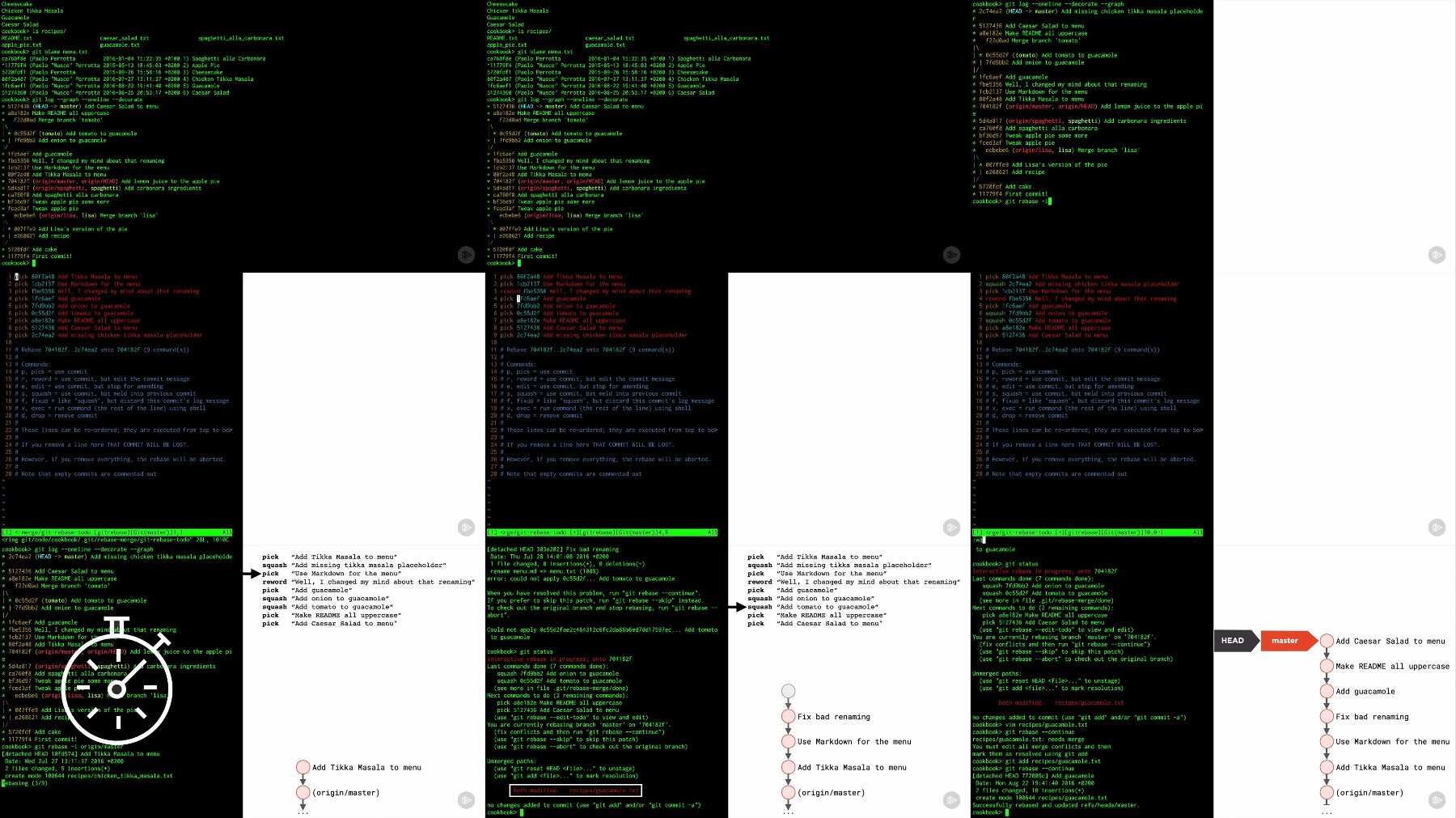
If you already have some experience with Git, this is the training that will make you an expert. From a deep look at the fundamental commands, to the design of a distributed workflow, this training will give you a full overview of the Git toolset.

What you'll learn

You could be using Git for quite some time, and still get that nagging feeling that you're missing something. This ideal follow-up to "How Git Works" gives you the information you need to deeply understand Git's most useful features. In this course, Mastering Git, you'll tackle the more advanced Git topics, learn the Git way of thinking, and focus on how to actually get stuff done with Git, day in and day out.

First, you'll discover how to use Git fluently in your daily job. Next, you'll be taught how to move information around in Git and how to investigate and change your history in Git. Then, you'll move on to fixing any mistakes that you make while working with Git. Finally, you'll explore how to organize a shared Git workflow for your team.

By the end of this course, You'll have the knowledge and skills to up your game and become a power user of Git.


zcckgdh3_o.jpg

 
Zurück
Oben Unten