




Mastering Duotones in Adobe Photoshop
Content Source:
Genre / Category: File Size :810MB
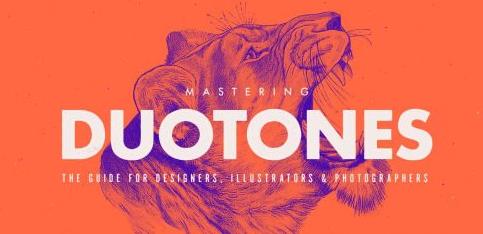
Level up your toning skills and create your very best duotones yet with our in-depth guide to creating trendy duotones in different moods.
Duotones and gradient overlays are everywhere now, and to make them look just right it takes a little bit of practice and some skill. It is more than just slapping a gradient map over an image! Besides the use of duotones in photography, duotoning is a powerful colouring technique which can be used to bring to life black & white designs, illustrations or sketches, or simplify and make more graphic originally full-colour images.
I am Evgeniya Righini-Brand, and for this class I put together my skills and experience as both graphic designer and photographer, to step-by-step walk you through the process of creating eye-catching trendy duotones in Photoshop.
In this class I'll show:
how to prepare images to make them pop when they are toned;
where to look for colour inspiration and how to pair colours to create different looks of both modern trendy and classic photographic toning;
how to apply duotones and gradient overlays to any types of individual images or multi-image compositions;
how to optimise your workflow by managing presets and creating and using toning actions;
and how to prepare your images for web and print using both process and spot colours.
At the end I'll also share a few tips for taking your duotones further.
This class is for graphic and web designers, illustrators and photographers who are looking to add an edge to their work and make a statement through the trendy graphic look and use of exciting colour combinations. Whether you want to create your very first duotone image or perfect your toning skills and workflow, this is the class for you!
Contest:
For the first 3 weeks of this class we'll be running a special contest: we'll be giving away 3 Duotoning Photoshop Kits containing toning presets and actions, and one lucky winner will also get a 1 year Skillshare Premium Membership. All you need to do to enter is create a project in this class and share your gradient experiments before Monday, 3rd July 2017.
I'm super excited to see your duotones! Join now and let's make something awesome!
Research:
Duotones - research & inspiration board on Pinterest.
______________
Class Outline
Introduction and overview. In this graphic designing tutorial, you'll learn how to prepare images for effective toning, combine colors to create a range of trendy and classic duotone looks, optimize workflow with presets and actions using graphic designing software, and save images for print and web.
Why and what to duotone. Graphic designer Evgeniya Righini-Brand will show you some examples of graphic design art, illustration and photography which incorporate duotones. You'll examine the types of projects where this design technique works best.
Setting up the workspace for efficient workflow. You'll learn how to set up a workspace in Photoshop with all the panels necessary for the toning process.
Black and white adjustments. You'll learn how to get the most out of color images when converting them to black and white using non-destructive adjustments in Photoshop.
Adjusting contrast using curves. You'll learn how to further adjust tones, brightness and contrast in any images using non-destructive Curves adjustment layer.
Cutting images out of their backgrounds. You'll learn the latest Photoshop technique for isolating important elements in your photographs, illustrations of designs using the Select and Mask tool.
Sourcing colors. Don't get stuck looking at the Color Picker in Photoshop. Evgeniya will share color research tips and show you where to source colors from both on a computer, and from your surroundings.
Collating colors in Photoshop. You'll learn how add your new found colors into Photoshop by loading color swatches and sampling colors from images with the Eyedropper tool.
Creating your own color schemes. You'll learn how to create color groups in the Adobe Color Themes extension by utilising the Color Wheel mode and Color Harmony Rules available in Photoshop.
Duotoning images with gradient maps. Evgeniya will show you how to use the Gradient Map adjustment layer to tone your images and will explain how to use the Gradient Editor to set up and adjust gradients.
Introduction to using colors for duotones. Evgeniya will introduce her general approach to categorizing duotones, and show you how to set up and use the Colour Picker window to adjust colors.
Creating modern duotone looks. Evgeniya will demonstrate the process of creating different modern duotone looks in Photoshop, explain the rules for combining colours with an attention to detail you won't find in other Photoshop design tutorials, and share what each type of duotone look can be used for.
Imitating classic photographic looks. You'll explore Photographic Toning presets available in Photoshop, learn about what effects were traditionally created using photographic techniques in a darkroom by toning, tinting and split-toning and learn how to pair colours to put a modern twist on classic looks.
Toning images with gradients. You'll learn an alternative technique of toning images in Photoshop by using and adjusting Gradient Fill layers or by manually painting color spots and utilising Blending Modes to achieve the desired effect.
Toning cut-outs and separate backgrounds. You'll explore several ways to add your own digital background design to a photograph and how to tone them together and separately from each other.
Toning collages and overlapping images. You'll learn how to use multiple images to create a digital collage and utilise the Blending Modes to combine these images into a single design.
Managing gradient presets. Evgeniya will show you how to save your gradient presets and how to manage them using the Preset Manager in Photoshop.
Creating actions to optimize workflow. You'll learn how to create and adapt your own fool-proof clearly labeled toning actions in Photoshop, manage your actions using the Actions Panel, and batch process your images.
Saving and converting duotones for web and print. You'll learn how to save images for sharing online, convert them for printing in CMYK, and how to use the Duotone Color Mode in Photoshop for preparing duotones for print with Spot Colors.
Ideas for Further Development & Conclusion. Evgeniya will share some ideas of how to use duotones in graphic design and illustration projects, and what you can combine duotoned images with to produce exciting experimental digital art in Photoshop.
Recommend Download Link Hight Speed | Please Say Thanks Keep Topic Live
Links are Interchangeable - No Password - Single Extraction
