



• Regeln für den Video-Bereich:

    In den Börsenbereich gehören nur Angebote die bereits den Allgemeinen Regeln entsprechen.

    Einteilung

    - Folgende Formate gehören in die angegeben Bereiche:
    - Filme: Encodierte Filme von BluRay, DVD, R5, TV, Screener sowie Telesyncs im Format DivX, XviD und x264.
    - DVD: Filme im Format DVD5, DVD9 und HD2DVD.
    - HD: Encodierte Filme mit der Auflösung 720p oder darüber von BluRay, DVD, R5, TV, Screener sowie Telesyncs im Format x264.
    - 3D: Encodierte Filme von BluRay, die in einem 3D Format vorliegen. Dies gilt auch für Dokus, Animation usw.
    - Serien: Cartoon/Zeichentrick, Anime, Tutorials, Dokumentationen, Konzerte/Musik, Sonstiges sind demnach in die entsprechenden Bereiche einzuordnen, auch wenn sie beispielsweise im High Definition-Format oder als DVD5/DVD9/HD2DVD vorliegen. Ausnahme 3D.
    - Bereich Englisch: Englische Releases gehören immer in diesen Bereich.
    - Bereich Talk: Der Bereich, in dem über die Releases diskutiert werden kann, darf, soll und erwünscht ist.


    Angebot/Beitrag erstellen

    - Ein Beitrag darf erst dann erstellt werden, wenn der Upload bei mindestens einem OCH komplett ist. Platzhalter sind untersagt.
    - Bei einem Scenerelease hat der Threadtitel ausschließlich aus dem originalen, unveränderten Releasenamen zu bestehen. Es dürfen keine Veränderungen wie z.B. Sterne, kleine Buchstaben o.ä. vorgenommen werden. Ausnahme Serienbörse:
    - Bei einem Sammelthread für eine Staffel entfällt aus dem Releasename natürlich der Name der Folge. Beispiel: Die Simpsons S21 German DVDRip XviD - ITG
    - Dementsprechend sind also u.a. verboten: Erweiterungen wie "Tipp", "empfehlenswert", "only", "reup", usw. / jegliche andere Zusatzinformation oder Ergänzung, welche nicht in obiger Beschreibung zu finden ist.

    Aufbau des Angebots und Threadtitel

    Der Titel nach folgendem Muster erstellt zu werden. <Name> [3D] [Staffel] [German] <Jahr> <Tonspur> [DL] [Auflösung] <Quelle> <Codec> - <Group>
    Beispiel: The Dark Knight German 2008 AC3 DVDRip XviD - iND
    Beispiel: The Dark Knight 2008 DTS DL BDRip x264 - iND
    Beispiel: The Dark Knight 2008 AC3 DL BDRip XviD - iND
    Beispiel: The Dark Knight German 2008 AC3 720p BluRay x264 iND
    Beispiel: The Dark Knight 2008 DTS DL 1080p BluRay x264 iND
    Beispiel: Die Simpsons S01 German AC3 DVDRip XviD iND
    Beispiel: Die Simpsons S20 German AC3 720p BluRay x264 iND
    Beispiel: Sword Art Online II Ger Sub 2014 AAC 1080p WEBRip x264 - peppermint
    Entsprechend sind also u.a. verboten: Sonderzeichen wie Klammern, Sterne, Ausrufezeichen, Unterstriche, Anführungszeichen / Erweiterungen wie "Tipp", "empfehlenswert", "only", "reup", usw. / jegliche andere Zusatzinformation oder Ergänzung, welche nicht in obiger Beschreibung zu finden ist
    Ausnahmen hiervon können in den Bereichen geregelt sein.

    Die Beiträge sollen wie folgt aufgebaut werden:
    Überschrift entspricht dem Threadtitel
    Cover
    kurze Inhaltsbeschreibung
    Format, Größe, Dauer sind gut lesbar für Downloader außerhalb des Spoilers zu vermerken
    Nfo sind immer Anzugeben und selbige immer im Spoiler in Textform.
    Sind keine Nfo vorhanden z.B. Eigenpublikationen, sind im Spoiler folgende Dateiinformationen zusätzlich anzugeben :
    Quelle
    Video (Auflösung und Bitrate)
    Ton (Sprache, Format und Bitrate der einzelnen Spuren)
    Untertitel (sofern vorhanden)
    Hosterangabe in Textform außerhalb eines Spoiler mit allen enthaltenen Hostern.
    Bei SD kann auf diese zusätzlichen Dateiinformationen verzichtet werden.

    Alle benötigten Passwörter sind, sofern vorhanden, in Textform im Angebot anzugeben.
    Spoiler im Spoiler mit Kommentaren :"Schon Bedankt?" sind unerwünscht.


    Releases

    - Sind Retail-Release verfügbar, sind alle anderen Variationen untersagt. Ausnahmen: Alle deutschen Retail-Release sind CUT, in diesem Fall sind dubbed UNCUT-Release zulässig.
    - Im Serien-Bereich gilt speziell: Wenn ein Retail vor Abschluss einer laufenden Staffel erscheint, darf diese Staffel noch zu Ende gebracht werden.62
    - Gleiche Releases sind unbedingt zusammenzufassen. Das bedeutet, es ist zwingend erforderlich, vor dem Erstellen eines Themas per Suchfunktion zu überprüfen, ob bereits ein Beitrag mit demselben Release besteht. Ist dies der Fall, ist der bereits vorhandene Beitrag zu verwenden.
    - P2P und Scene Releases dürfen nicht verändert oder gar unter einem iND Tag eingestellt werden.


    Support, Diskussionen und Suche

    - Supportanfragen sind entweder per PN oder im Bereich Talk zu stellen.
    - Diskussionen und Bewertungen sind im Talk Bereich zu führen. Fragen an die Uploader haben ausschließlich via PN zu erfolgen, und sind in den Angeboten untersagt.
    - Anfragen zu Upload-Wünschen sind nur im Bereich Suche Video erlaubt. Antworten dürfen nur auf Angebote von MyBoerse.bz verlinkt werden.


    Verbote

    - Untersagt sind mehrere Formate in einem einzigen Angebotsthread, wie beispielsweise das gleichzeitige Anbieten von DivX/XviD, 720p und 1080p in einem Thread. Pro Format, Release und Auflösung ist ein eigener Thread zu eröffnen.
    - Grundsätzlich ebenso verboten sind Dupes. Uploader haben sich an geeigneter Stelle darüber zu informieren, ob es sich bei einem Release um ein Dupe handelt.
    - Gefakte, nur teilweise lauffähige oder unvollständige Angebote sind untersagt. Dies gilt auch für eigene Publikationen, die augenscheinlich nicht selbst von z.B. einer DVD gerippt wurden. Laufende Serien, bei denen noch nicht alle Folgen verfügbar sind, dürfen erstellt und regelmäßig geupdatet werden.
    - Untersagt sind Angebote, welche nur und ausschließlich in einer anderen Sprache als deutsch oder englisch vorliegen. Ausnahmen sind VORHER mit den Moderatoren zu klären.


    Verstoß gegen die Regeln

    - Angebote oder Beiträge, die gegen die Forenregeln verstoßen, sind über den "Melden"-Button im Beitrag zu melden.
  • Bitte registriere dich zunächst um Beiträge zu verfassen und externe Links aufzurufen.

*** Bestes IPTV *** bester Preis *** gratis Test ***


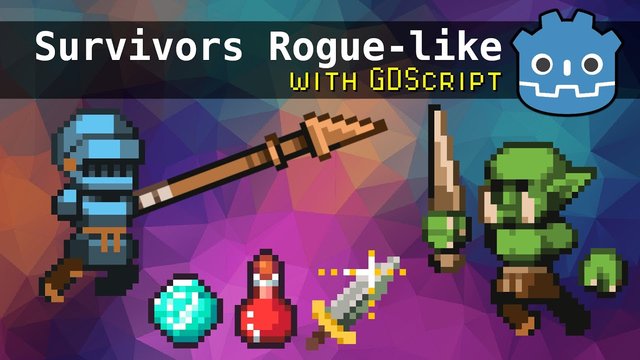
Master Godot 4: Craft A Survivors Roguelike With Gdscript

wowojeh111

MyBoerse.bz Pro Member
hq720.jpg

Master Godot 4: Craft A Survivors Roguelike With Gdscript
Published 7/2025
Created by Chris Tutorials
MP4 | Video: h264, 1280x720 | Audio: AAC, 44.1 KHz, 2 Ch
Level: Beginner | Genre: eLearning | Language: English | Duration: 60 Lectures ( 11h 50m ) | Size: 11 GB​


Craft a Roguelike Auto-Battler with Godot 4 & GDScript
What you'll learn
Develop a "Survivors Like" game from scratch using Godot 4.4.1 and GDScript
Implement top-down 2D character movement and controls.
Set up game assets, audio, and useful plugins like Limbo AI for state machines and Collapse Folders for editing workflow.
Work with Godot's 2D scene system, nodes, and editor UI integration.
Handle game mechanics such as player stats, experience, leveling, damage, and item pickups.
Apply state machines for enemy AI behavior (e.g., idle, chasing, death).
Manage various game elements, including projectiles, hitboxes, hurtboxes, and randomized drops.
Requirements
This course is for beginner to intermediate programmers. It uses GDScript, an easy-to-learn language. No extensive prior programming experience is required; concepts are taught slowly.
Familiarity with basic computer operations for downloading and installing software.
Download and install the Godot Engine 4.4.1 (non-mono version is recommended for web export)
Description
Want to build your own action-packed roguelike auto-battler, even if you're new to coding? This beginner-friendly course walks you step-by-step through creating a complete 2D game - Script Survivors - using Godot 4 and GDScript, Godot's powerful and beginner-friendly scripting language. With no prior coding or game development experience required, you'll learn by doing, and build a polished prototype from scratch!What You'll Learn:Master GDScript Basics and Best Practices: Write clean, reusable code with proper naming conventions (e.g., snake_case), export variables for easy tweaking, and self-documenting scripts using comments for maintainability.Build Core Gameplay Mechanics: Implement auto-attacking weapons (like spears and scythes), enemy spawning systems with adjustable difficulty curves, experience (EXP) collection, and a dynamic player leveling system with impactful upgrades.Leverage Godot's Scene and Node System: Organize your game using scenes for modularity (e.g., player, enemies, and world scenes), nodes for game objects (CharacterBody2D, Sprite2D), and timers for precise event scheduling.Create Engaging Combat Systems: Design health and damage mechanics, including collision shapes for precise interactions, invincibility frames, and multi-target weapon upgrades for satisfying gameplay.Add Polish with UI and Save Systems: Build intuitive user interfaces (e.g., high score displays, level-up screens) using control nodes and implement a JSON-based save/load system to track high scores for enemies defeated and survival time.Use State Machines for Smarter Logic: Utilize the Limbo AI plugin to manage character and enemy behaviors (e.g., idle, run, attack states), simplifying complex logic and preparing you for advanced AI patterns.Apply Real Game Development Patterns: Learn transferable skills like encapsulation (e.g., GameManager and SaveLoad scripts), resource management (e.g., PlayerContext), and project organization for scalability to larger projects.By the End of This Course, You'll:Have a fully playable 2D action game with enemies, upgrades, and a main menu, ready to showcase in your portfolio.Confidently navigate Godot's editor, from the project manager to the inspector, and use tools like the AnimationPlayer and atlas textures for pixel-perfect visuals.Be equipped to create your own games with a strong foundation in Godot 4, GDScript, and game development workflows, ready to tackle new projects with ease.Why This Course?Beginner-Friendly: Starts from the basics, with clear explanations of Godot's interface, GDScript syntax, and game dev concepts, ensuring a smooth learning curve.Hands-On Learning: Follow along to build "Script Survivors," a complete prototype with pixel art, chiptune music, and sound effects, guided by practical examples.Real-World Skills: Learn professional techniques like state machines, JSON serialization, and modular design, preparing you for bigger game dev projects.Jump in now and start crafting addictive action games that keep players coming back for more!
Who this course is for
New game creators with no coding skills, excited to build an addictive Vampire Survivors-style action game in Godot 4.
Beginners seeking a hands-on path to learn GDScript and create a complete 2D roguelike from scratch.
Aspiring developers finishing with a portfolio piece, eager to showcase a playable game to kickstart their game dev career.
Hobbyists building confidence to design and animate pixel art characters, ready to explore their own game ideas with a solid Godot foundation.

 

724283d9d521b31527493cd989448824.jpg

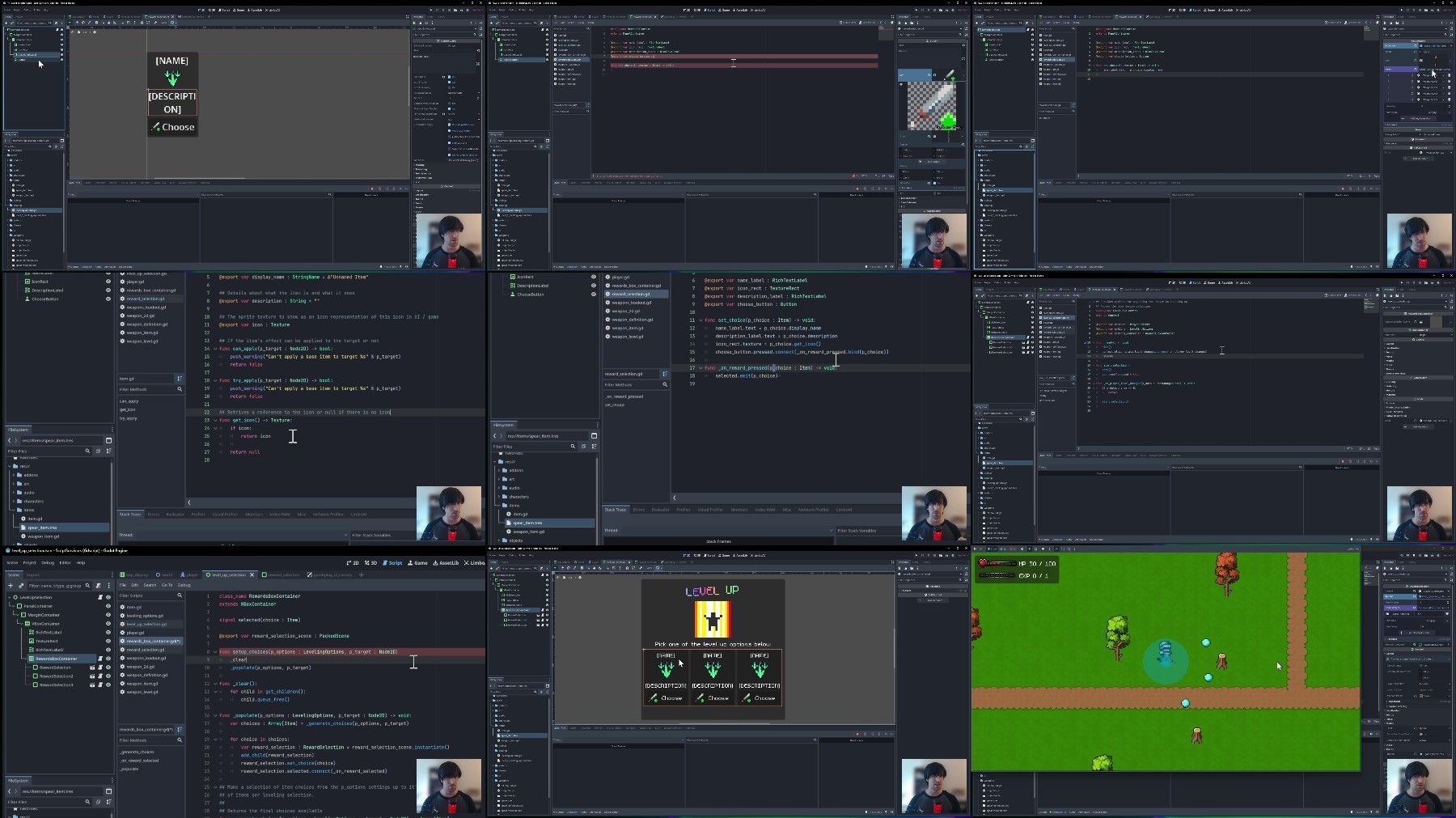
Master Godot 4: Craft a Survivors Roguelike with GDScript
Published 7/2025
Duration: 11h 50m | .MP4 1280x720 30 fps(r) | AAC, 44100 Hz, 2ch | 10.9 GB
Genre: eLearning | Language: English​

Craft a Roguelike Auto-Battler with Godot 4 & GDScript

What you'll learn
- Develop a "Survivors Like" game from scratch using Godot 4.4.1 and GDScript
- Implement top-down 2D character movement and controls.
- Set up game assets, audio, and useful plugins like Limbo AI for state machines and Collapse Folders for editing workflow.
- Work with Godot's 2D scene system, nodes, and editor UI integration.
- Handle game mechanics such as player stats, experience, leveling, damage, and item pickups.
- Apply state machines for enemy AI behavior (e.g., idle, chasing, death).
- Manage various game elements, including projectiles, hitboxes, hurtboxes, and randomized drops.

Requirements
- This course is for beginner to intermediate programmers. It uses GDScript, an easy-to-learn language. No extensive prior programming experience is required; concepts are taught slowly.
- Familiarity with basic computer operations for downloading and installing software.
- Download and install the Godot Engine 4.4.1 (non-mono version is recommended for web export)

Description
Want to build your own action-packed roguelike auto-battler, even if you're new to coding?This beginner-friendly course walks you step-by-step through creating a complete 2D game -Script Survivors- using Godot 4 and GDScript, Godot's powerful and beginner-friendly scripting language. With no prior coding or game development experience required, you'll learn by doing, and build a polished prototype from scratch!

What You'll Learn:

Master GDScript Basics and Best Practices: Write clean, reusable code with proper naming conventions (e.g., snake_case), export variables for easy tweaking, and self-documenting scripts using comments for maintainability.

Build Core Gameplay Mechanics: Implement auto-attacking weapons (like spears and scythes), enemy spawning systems with adjustable difficulty curves, experience (EXP) collection, and a dynamic player leveling system with impactful upgrades.

Leverage Godot's Scene and Node System: Organize your game using scenes for modularity (e.g., player, enemies, and world scenes), nodes for game objects (CharacterBody2D, Sprite2D), and timers for precise event scheduling.

Create Engaging Combat Systems: Design health and damage mechanics, including collision shapes for precise interactions, invincibility frames, and multi-target weapon upgrades for satisfying gameplay.

Add Polish with UI and Save Systems: Build intuitive user interfaces (e.g., high score displays, level-up screens) using control nodes and implement a JSON-based save/load system to track high scores for enemies defeated and survival time.

Use State Machines for Smarter Logic: Utilize the Limbo AI plugin to manage character and enemy behaviors (e.g., idle, run, attack states), simplifying complex logic and preparing you for advanced AI patterns.

Apply Real Game Development Patterns: Learn transferable skills like encapsulation (e.g., GameManager and SaveLoad scripts), resource management (e.g., PlayerContext), and project organization for scalability to larger projects.

By the End of This Course, You'll:

Have afully playable 2D action gamewith enemies, upgrades, and a main menu, ready to showcase in your portfolio.

Confidently navigateGodot's editor, from the project manager to the inspector, and use tools like the AnimationPlayer and atlas textures for pixel-perfect visuals.

Be equipped tocreate your own gameswith a strong foundation in Godot 4, GDScript, and game development workflows, ready to tackle new projects with ease.

Why This Course?

Beginner-Friendly: Starts from the basics, with clear explanations of Godot's interface, GDScript syntax, and game dev concepts, ensuring a smooth learning curve.

Hands-On Learning: Follow along to build "Script Survivors," a complete prototype with pixel art, chiptune music, and sound effects, guided by practical examples.

Real-World Skills: Learn professional techniques like state machines, JSON serialization, and modular design, preparing you for bigger game dev projects.

Jump in now and start crafting addictive action games that keep players coming back for more!

Who this course is for:
- New game creators with no coding skills, excited to build an addictive Vampire Survivors-style action game in Godot 4.
- Beginners seeking a hands-on path to learn GDScript and create a complete 2D roguelike from scratch.
- Aspiring developers finishing with a portfolio piece, eager to showcase a playable game to kickstart their game dev career.
- Hobbyists building confidence to design and animate pixel art characters, ready to explore their own game ideas with a solid Godot foundation.


Please check out others courses in your favourite language and bookmark them
- - - -

96Pr6MIq_o.jpg

 
Zurück
Oben Unten