



• Regeln für den Dokumente-Bereich:

    In den Börsenbereich gehören nur Angebote die bereits den Allgemeinen Regeln entsprechen.

    Allgemeines:

    Nicht erlaubt im Dokumente-Bereich sind:

    - indizierte Titel (inkl. Comics)
    - extremistische Werke, Zeitschriften und Comics (egal, welche Richtung)
    - jegliche Art von Pornographie
    - Anleitungen zu kriminellen Handlungen, gleich welcher Art
    - sadistische, menschenverachtende oder ähnliche Werke

    Nutzt den "Bedanken"-Button, bei Sammelthreads führen jegliche Kommentare, positiv wie negativ, sehr schnell zu einer Unübersichtlichkeit des Threads. Downmeldungen sind an den Uploader zu richten

    Vor dem Einstellen zu beachten:

    - Suchfunktion

    Vergewissert euch, dass es euer Dokument noch nicht im Board gibt, Doppelposts werden kommentarlos gelöscht. Ist es schon vorhanden, tragt es als Mirror im bestehenden Post ein.

    - Threadtitel

    Idealerweise ist sofort zu erkennen um was es sich handelt. Verseht euren Titel mit den relevanten Informationen, das hilft euch und damit auch uns und allen Suchenden erheblich weiter.

    Beispiel: [Thriller] Dan Brown - Inferno oder bei Magazinen:

    Computerbild - 14/2014 (es muss ersichtlich sein, um welche Ausgabe und welches Magazin es sich handelt)

    Folgende Präfixe stehen im Unterforum "Unterhaltung" zur Verfügung:

    [Humor]
    [Drama]
    [Erotik]
    [Fantasy]
    [Krimi]
    [Roman]
    [Thriller]
    [Horror]
    [Science Fiction]

    Inhalt des Beitrags:

    Folgende Pflichtangaben gilt es einzuhalten:

    - Autor
    - Titel
    - Präfix
    - Cover
    - Genre
    - Inhaltsbeschreibung
    - enthaltene Formate
    - Gesamtgröße des Downloads
    - Hoster
    - ggf. Passwort

    Nicht erlaubt sind alle Dateien, die den Download unnötig aufblähen um eine Affiliategrenze zu erreichen, wie zB. mp3-files, übergroße Bilder, etc.

    Ebenso nicht erlaubt sind sämtliche Dateien mit DRM, persönlichen Daten, etc., diese werden kommentarlos zu eurem eigenem Schutz gelöscht.

    Achtet bitte bei der Konvertierung der Formate auf die Lesbarkeit, ein epub, was nur einfach durch Calibre gejagt wird um ein PDF zu erhalten, ist zu 99% eben nicht lesbar. Wenn ihr es nicht könnt, dann lasst es besser oder lest euch ein, wie man es richtig macht.


    Unterforum Comics:

    Threadtitel:

    Ähnlich, wie bei Unterhaltung und Magazinen, sollte der Titel alle relevanten Informationen enthalten, hier bitte

    - den Titel des Comics
    - den Verlag (einige Comics sind in verschiedenen Verlagen erschienen)
    - das Erscheinungsjahr

    Erlaubt sind folgende Formate:

    - CBR
    - CBZ

    Grundsätzlich gilt: jede Version eines Comics erhält einen eigenen Thread, Ersteller eines Comics können ihre Bände gerne mit dem Zusatz (Original-Release) versehen.

    Bei Unsicherheiten zur korrekten Benennung bitte die Informationen von www.comicguide.de nutzen.

    Inhalt des Beitrags:

    Pflichtangaben hier sind:

    - Titel des Bandes und ggf. Nummer
    - Cover
    - falls bekannt technische Daten (DPI, Breite, Speicherqualität)
    - Größe des Downloads
    - Hoster
    - ggf. Passwort
    - falls bekannt Releasenamen
  • Bitte registriere dich zunächst um Beiträge zu verfassen und externe Links aufzurufen.

*** Bestes IPTV *** bester Preis *** gratis Test ***


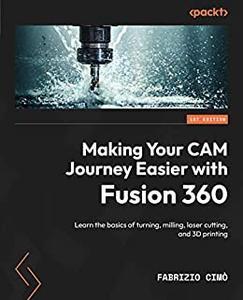
Making Your CAM Journey Easier with Fusion 360 Learn the basics of turning, milling, laser cutting, and 3D printing

visoft

MyBoerse.bz Pro Member
7b595fdd9e5767a8f518c5cae19750c9.jpeg

Free Download Making Your CAM Journey Easier with Fusion 360: Learn the basics of turning, milling, laser cutting, and 3D printing by Fabrizio Cimo
English | March 17, 2023 | ISBN: 180461257X, 1804614599 | 464 pages | MOBI | 37 Mb
Turn your design ideas into 3D models using Fusion 360 by honing your design skills and learning the best practices of common production technologies​

Purchase of the print or Kindle book includes a free PDF eBook
Key FeaturesGet familiar with Fusion 360 CAM Module and its machining potential with hands-on exercisesExplore major production technologies like turning, milling, laser cutting, and additive manufacturingLearn how to setup your program and simulate stock removal
Book Description
Downloading a piece of 3D software and shaping concepts and ideas is quite easy. However, designing feasible and cost-effective real parts from 3D models can be challenging with traditional production technologies, or even additive manufacturing. This book will give you the know-how and skills to develop your projects from ideas to physical products, and overcome these obstacles.
In 'Making Your CAM Journey Easier with Fusion 360', you'll discover how to set up a CAM program, pick the right tool, and optimize production. You'll learn the pros and cons of different production technologies, including turning, milling, laser cutting, and 3D printing, and understand how to choose the best option based on your needs. You'll also explore the important computer-aided manufacturing tools that Fusion 360 offers through the use of examples and best practices.
By the end of this book, you'll understand the potential issues and drawbacks of different design components and apply workarounds to avoid design flaws.
What you will learnChoose the best approach for different parts and shapesAvoid design flaws from a manufacturing perspectiveDiscover the different machining strategiesUnderstand how different tool geometries can influence machining resultsDiscover how to check the tool simulation for errorsUnderstand possible fixtures for raw material blocksBecome proficient in optimizing parameters for your machineExplore machining theory and formulas to evaluate cutting parameters
Who this book is for
This book is for 3D enthusiasts or mechanical designers looking to turn their design ideas into 3D models, and their 3D models into final products. Familiarity with any CAD software or Fusion 360 design module is recommended; the book will then teach you the rest.
Table of ContentsGetting Started with Turning and Its ToolsHandling Part Setup for TurningDiscovering the Tool Library and Custom ToolsImplementing Our First Turning OperationDiscovering More Turning StrategiesGetting Started with Milling and Its ToolsOptimizing the Shape of Milled Parts to Avoid Design FlawsPart Handling and Part Setup for MillingImplementing Our First Milling OperationsMachining the Second PlacementGetting Started with Laser CuttingNesting Parts for Laser CuttingCreating Our First Laser Cutting OperationGetting Started with Additive ManufacturingManaging the Limitations of FDM PrintersPrinting Our First PartUnderstanding Advanced Printing SettingsQuiz

Links are Interchangeable - Single Extraction

 
Zurück
Oben Unten