



Farid_Khan
MyBoerse.bz Pro Member
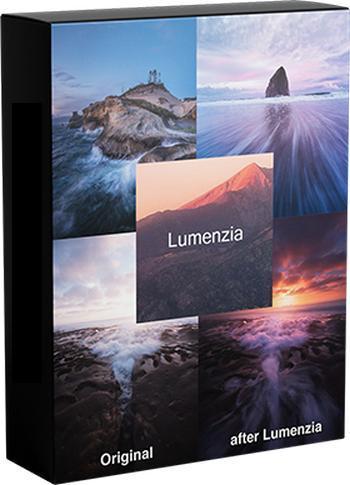
Lumenzia 10.8.3 Panel for Adobe Photoshop (Win/MacOSX)
Release year: 2022
Platform: Windows® /7/8-10 (MacOSX)
Interface language: Multilanguage
File size: 114.62 MB
Lumenzia is a software integrated into Photoshop as an extension. Helps you edit your landscape image to increase or decrease color saturation to make your photo more beautiful.
With Lumenzia, you will get a preview of the entire mask screen before applying. When you click on the image, you can choose (or choose) to tone the color / color to the level you need. No need for an interview with the plus and minus channel. Isolate the mask with individual sections of the image with a simple selection. You can combine a collective mask to easily see the overall effect of the mask.
Lumenzia offers a compact panel with just the right buttons and completely eliminates the need for a channel tray. Simply draw a selection area around the destination area to create texture size, sharpness, or any position in the image. The texture can be easily modified, reversed (to light up the central area) or combined with increased brightness (to avoid too much darkness).
Functions Lumenzia
The operation process is fully streamlined and the mask is fully customizable
Mask and Vector mask (to save a lot of files and avoid updating the mask)
Add, except or cut off any mask or region for advanced control
Color mask (select color and/or brightness, visually)
Increase the intensity of local contrast (easy and automatic to do more details)
Direct mask (see as the result of mixing and testing different masks)
Area mask for corrective precision
Scope of choice Scope and scope (choose a mask that fits visually)
Area map to render the image in areas 0-10.
Mask-"brighter/darker" (selection of pixels compared to surrounding pixels)
Customizable mask for locations or colors in an image
custom painting
Empty and writable
Storm mask (which controls the saturation feature)
Apply or replace mask on existing layers with just one click
Light and dusty images to make it easy to find and fix. Projection
Advanced rendering method for portrait (to blur the surface) and landscape (overpass)
Actions can be recorded to include light masks and dark/selection in your own actions.
Video training and support, as well as a guide to complex use.
Lumenzia v10 requires Photoshop v23.0 (also known as Photoshop 2022) or later and runs natively on any computer that can run the required version of Photoshop (including built-in support for Apple Silicon).
If you are using Photoshop CS6 or older version of CC, install Lumenzia v9 (distributed in the same ZIP archive as v10). Lumenzia v9 is compatible with both Windows and MacOS (including Big Sur and M1/??Apple Silicon under Rosetta). Future updates will be exclusive to version 10, but version 9 will remain available to support older versions of Photoshop.

Release year: 2022
Platform: Windows® /7/8-10 (MacOSX)
Interface language: Multilanguage
File size: 114.62 MB
Lumenzia is a software integrated into Photoshop as an extension. Helps you edit your landscape image to increase or decrease color saturation to make your photo more beautiful.
With Lumenzia, you will get a preview of the entire mask screen before applying. When you click on the image, you can choose (or choose) to tone the color / color to the level you need. No need for an interview with the plus and minus channel. Isolate the mask with individual sections of the image with a simple selection. You can combine a collective mask to easily see the overall effect of the mask.
Lumenzia offers a compact panel with just the right buttons and completely eliminates the need for a channel tray. Simply draw a selection area around the destination area to create texture size, sharpness, or any position in the image. The texture can be easily modified, reversed (to light up the central area) or combined with increased brightness (to avoid too much darkness).
Functions Lumenzia
The operation process is fully streamlined and the mask is fully customizable
Mask and Vector mask (to save a lot of files and avoid updating the mask)
Add, except or cut off any mask or region for advanced control
Color mask (select color and/or brightness, visually)
Increase the intensity of local contrast (easy and automatic to do more details)
Direct mask (see as the result of mixing and testing different masks)
Area mask for corrective precision
Scope of choice Scope and scope (choose a mask that fits visually)
Area map to render the image in areas 0-10.
Mask-"brighter/darker" (selection of pixels compared to surrounding pixels)
Customizable mask for locations or colors in an image
custom painting
Empty and writable
Storm mask (which controls the saturation feature)
Apply or replace mask on existing layers with just one click
Light and dusty images to make it easy to find and fix. Projection
Advanced rendering method for portrait (to blur the surface) and landscape (overpass)
Actions can be recorded to include light masks and dark/selection in your own actions.
Video training and support, as well as a guide to complex use.
Lumenzia v10 requires Photoshop v23.0 (also known as Photoshop 2022) or later and runs natively on any computer that can run the required version of Photoshop (including built-in support for Apple Silicon).
If you are using Photoshop CS6 or older version of CC, install Lumenzia v9 (distributed in the same ZIP archive as v10). Lumenzia v9 is compatible with both Windows and MacOS (including Big Sur and M1/??Apple Silicon under Rosetta). Future updates will be exclusive to version 10, but version 9 will remain available to support older versions of Photoshop.
