• Regeln für den Video-Bereich:

    In den Börsenbereich gehören nur Angebote die bereits den Allgemeinen Regeln entsprechen.

    Einteilung

    - Folgende Formate gehören in die angegeben Bereiche:
    - Filme: Encodierte Filme von BluRay, DVD, R5, TV, Screener sowie Telesyncs im Format DivX, XviD und x264.
    - DVD: Filme im Format DVD5, DVD9 und HD2DVD.
    - HD: Encodierte Filme mit der Auflösung 720p oder darüber von BluRay, DVD, R5, TV, Screener sowie Telesyncs im Format x264.
    - 3D: Encodierte Filme von BluRay, die in einem 3D Format vorliegen. Dies gilt auch für Dokus, Animation usw.
    - Serien: Cartoon/Zeichentrick, Anime, Tutorials, Dokumentationen, Konzerte/Musik, Sonstiges sind demnach in die entsprechenden Bereiche einzuordnen, auch wenn sie beispielsweise im High Definition-Format oder als DVD5/DVD9/HD2DVD vorliegen. Ausnahme 3D.
    - Bereich Englisch: Englische Releases gehören immer in diesen Bereich.
    - Bereich Talk: Der Bereich, in dem über die Releases diskutiert werden kann, darf, soll und erwünscht ist.


    Angebot/Beitrag erstellen

    - Ein Beitrag darf erst dann erstellt werden, wenn der Upload bei mindestens einem OCH komplett ist. Platzhalter sind untersagt.
    - Bei einem Scenerelease hat der Threadtitel ausschließlich aus dem originalen, unveränderten Releasenamen zu bestehen. Es dürfen keine Veränderungen wie z.B. Sterne, kleine Buchstaben o.ä. vorgenommen werden. Ausnahme Serienbörse:
    - Bei einem Sammelthread für eine Staffel entfällt aus dem Releasename natürlich der Name der Folge. Beispiel: Die Simpsons S21 German DVDRip XviD - ITG
    - Dementsprechend sind also u.a. verboten: Erweiterungen wie "Tipp", "empfehlenswert", "only", "reup", usw. / jegliche andere Zusatzinformation oder Ergänzung, welche nicht in obiger Beschreibung zu finden ist.

    Aufbau des Angebots und Threadtitel

    Der Titel nach folgendem Muster erstellt zu werden. <Name> [3D] [Staffel] [German] <Jahr> <Tonspur> [DL] [Auflösung] <Quelle> <Codec> - <Group>
    Beispiel: The Dark Knight German 2008 AC3 DVDRip XviD - iND
    Beispiel: The Dark Knight 2008 DTS DL BDRip x264 - iND
    Beispiel: The Dark Knight 2008 AC3 DL BDRip XviD - iND
    Beispiel: The Dark Knight German 2008 AC3 720p BluRay x264 iND
    Beispiel: The Dark Knight 2008 DTS DL 1080p BluRay x264 iND
    Beispiel: Die Simpsons S01 German AC3 DVDRip XviD iND
    Beispiel: Die Simpsons S20 German AC3 720p BluRay x264 iND
    Beispiel: Sword Art Online II Ger Sub 2014 AAC 1080p WEBRip x264 - peppermint
    Entsprechend sind also u.a. verboten: Sonderzeichen wie Klammern, Sterne, Ausrufezeichen, Unterstriche, Anführungszeichen / Erweiterungen wie "Tipp", "empfehlenswert", "only", "reup", usw. / jegliche andere Zusatzinformation oder Ergänzung, welche nicht in obiger Beschreibung zu finden ist
    Ausnahmen hiervon können in den Bereichen geregelt sein.

    Die Beiträge sollen wie folgt aufgebaut werden:
    Überschrift entspricht dem Threadtitel
    Cover
    kurze Inhaltsbeschreibung
    Format, Größe, Dauer sind gut lesbar für Downloader außerhalb des Spoilers zu vermerken
    Nfo sind immer Anzugeben und selbige immer im Spoiler in Textform.
    Sind keine Nfo vorhanden z.B. Eigenpublikationen, sind im Spoiler folgende Dateiinformationen zusätzlich anzugeben :
    Quelle
    Video (Auflösung und Bitrate)
    Ton (Sprache, Format und Bitrate der einzelnen Spuren)
    Untertitel (sofern vorhanden)
    Hosterangabe in Textform außerhalb eines Spoiler mit allen enthaltenen Hostern.
    Bei SD kann auf diese zusätzlichen Dateiinformationen verzichtet werden.

    Alle benötigten Passwörter sind, sofern vorhanden, in Textform im Angebot anzugeben.
    Spoiler im Spoiler mit Kommentaren :"Schon Bedankt?" sind unerwünscht.


    Releases

    - Sind Retail-Release verfügbar, sind alle anderen Variationen untersagt. Ausnahmen: Alle deutschen Retail-Release sind CUT, in diesem Fall sind dubbed UNCUT-Release zulässig.
    - Im Serien-Bereich gilt speziell: Wenn ein Retail vor Abschluss einer laufenden Staffel erscheint, darf diese Staffel noch zu Ende gebracht werden.62
    - Gleiche Releases sind unbedingt zusammenzufassen. Das bedeutet, es ist zwingend erforderlich, vor dem Erstellen eines Themas per Suchfunktion zu überprüfen, ob bereits ein Beitrag mit demselben Release besteht. Ist dies der Fall, ist der bereits vorhandene Beitrag zu verwenden.
    - P2P und Scene Releases dürfen nicht verändert oder gar unter einem iND Tag eingestellt werden.


    Support, Diskussionen und Suche

    - Supportanfragen sind entweder per PN oder im Bereich Talk zu stellen.
    - Diskussionen und Bewertungen sind im Talk Bereich zu führen. Fragen an die Uploader haben ausschließlich via PN zu erfolgen, und sind in den Angeboten untersagt.
    - Anfragen zu Upload-Wünschen sind nur im Bereich Suche Video erlaubt. Antworten dürfen nur auf Angebote von MyBoerse.bz verlinkt werden.


    Verbote

    - Untersagt sind mehrere Formate in einem einzigen Angebotsthread, wie beispielsweise das gleichzeitige Anbieten von DivX/XviD, 720p und 1080p in einem Thread. Pro Format, Release und Auflösung ist ein eigener Thread zu eröffnen.
    - Grundsätzlich ebenso verboten sind Dupes. Uploader haben sich an geeigneter Stelle darüber zu informieren, ob es sich bei einem Release um ein Dupe handelt.
    - Gefakte, nur teilweise lauffähige oder unvollständige Angebote sind untersagt. Dies gilt auch für eigene Publikationen, die augenscheinlich nicht selbst von z.B. einer DVD gerippt wurden. Laufende Serien, bei denen noch nicht alle Folgen verfügbar sind, dürfen erstellt und regelmäßig geupdatet werden.
    - Untersagt sind Angebote, welche nur und ausschließlich in einer anderen Sprache als deutsch oder englisch vorliegen. Ausnahmen sind VORHER mit den Moderatoren zu klären.


    Verstoß gegen die Regeln

    - Angebote oder Beiträge, die gegen die Forenregeln verstoßen, sind über den "Melden"-Button im Beitrag zu melden.
  • Bitte registriere dich zunächst um Beiträge zu verfassen und externe Links aufzurufen.

*** Bestes IPTV *** bester Preis *** gratis Test ***


Linkedin - Exam Prep MB-910 Microsoft Dynamics 365 Fundamentals (CRM)

Tutorials

MyBoerse.bz Pro Member
8c5c28ee15edddc74a068dd622873f0a.jpeg

MP4 | Video: h264, 1280x720 | Audio: AAC, 44.1 KHz, 2 Ch
Skill Level: Beginner | Genre: eLearning | Language: English + srt | Duration: 1h 13m | Size: 105.1 MB
The Dynamics 365 Fundamentals exam measures your ability to understand the essentials of Microsoft Dynamics 365. In this course, instructor Sharon Bennett covers the essentials of Dynamic 365 services and helps exam takers understand how to successfully prep for the exam. After a quick overview, Sharon delves into marketing capabilities and apps, as well as the sales lifecycle and related sales apps, within Dynamics 365. She explains customer service and field service, then goes into project operations. Sharon also discusses shared features, such as common customer engagement features, reporting tools, and options to integrate with other Microsoft applications. For each topic she covers, Sharon offers detailed explanations and helps you understand what you need to know in order to pass the Dynamics 365 Fundamentals exam with flying colors.

Homepage

Recommend Download Link Hight Speed | Please Say Thanks Keep Topic Live
Links are Interchangeable - No Password - Single Extraction
 

6b6f46ac30067f6cdf7c831829a17acf.jpg

Microsoft Dynamics 365 Fundamentals (Crm)
Published 8/2024
MP4 | Video: h264, 1920x1080 | Audio: AAC, 44.1 KHz
Language: English | Size: 1.72 GB | Duration: 2h 46m​

CoPilot, Customers and Activities, Customer Insights, Dynamics 365 Sales, Dynamics 365 Customer Services, Field Service

What you'll learn

Gain a deep understanding of Microsoft's Dynamics 365 platform, including its core functionalities and the various modules it offers

Learn how to navigate and use Dynamics 365 for various business processes such as sales, customer service, field service, and customer insights

Discover how to seamlessly integrate Dynamics 365 with other Microsoft tools like Excel, Word, Teams, and Outlook, enhancing productivity and collaboration

Understand how to manage customer data, track activities, and optimize customer interactions using Dynamics 365's CRM capabilities

Learn to manage the entire sales process, from lead generation to closing deals, using the Dynamics 365 Sales module

Master the tools available in Dynamics 365 to efficiently manage customer service requests, including logging, tracking, and resolving issues

Learn how to optimize field service operations, including scheduling, work order management, and resource allocation, using the Dynamics 365 Field Service

Gain skills in using the Dynamics 365 Customer Insights module to analyze customer data, understand behaviors

Requirements

Basic Computer Skills

Familiarity with Microsoft Office

Interest in Business Applications

No prior experience with Dynamics 365 or other CRM systems is necessary.

A basic understanding of Microsoft Office applications like Word, Excel, and Outlook is beneficial

Description

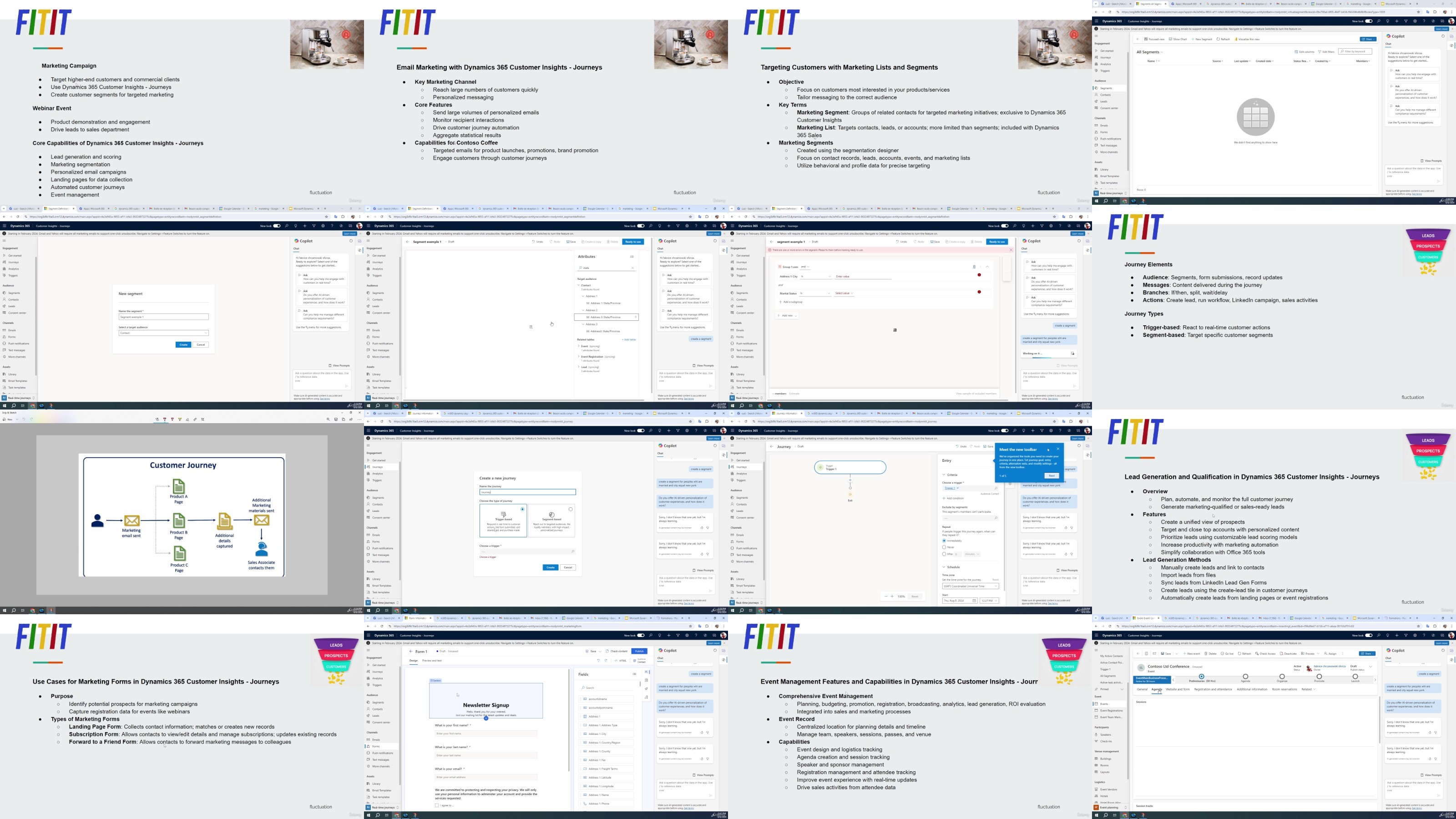
Course Overview:Welcome to "Mastering Microsoft Dynamics 365," an all-encompassing course designed to equip you with the essential skills and knowledge to effectively utilize Microsoft's Dynamics 365 suite. This course is structured to provide a thorough understanding of Dynamics 365, including its core functionalities, integrations, and specialized modules, catering to both beginners and professionals seeking to enhance their proficiency in this powerful business application platform.Course Content:Section 1: IntroductionIn the opening section of this course, we set the stage for your learning journey with Dynamics 365.Lecture 1: IntroductionKickstart your learning experience with an overview of the course objectives, structure, and key takeaways. This lecture provides a brief introduction to what you can expect from the course and how it will help you in mastering Dynamics 365.Lecture 2: Content of this CourseDive into the details of what each section of the course will cover, ensuring you have a clear roadmap of the learning path ahead. This lecture outlines the key topics and modules that will be explored throughout the course.Lecture 3: Try Dynamics 365 for FreeLearn how to access a free trial of Dynamics 365. This lecture guides you through the process of setting up your free trial, allowing you to get hands-on experience as you progress through the course.Section 2: What to Know in Dynamics 365This section delves into the foundational elements of Dynamics 365, ensuring you understand the ecosystem and its accessibility.Lecture 4: What's Around Dynamics 365Gain insights into the broader Dynamics 365 ecosystem. This lecture covers the various applications and services that are part of Dynamics 365, helping you understand how they interconnect and support business processes.Lecture 5: What is CoPilotExplore CoPilot, an AI-driven assistant integrated within Dynamics 365. Learn how CoPilot can enhance your productivity by providing intelligent suggestions and automating routine tasks.Lecture 6: How to Access Dynamics 365Understand the different ways to access Dynamics 365, whether through desktop, web, or mobile applications. This lecture provides practical instructions on logging in and navigating the platform.Lecture 7: Test Your KnowledgeAssess your understanding of the foundational concepts covered in this section with a knowledge check. This lecture offers a series of questions designed to reinforce your learning and identify areas for improvement.Lecture 8: Customers and ActivitiesLearn how to manage customers and activities within Dynamics 365. This lecture covers the basics of customer relationship management (CRM), focusing on how to efficiently track interactions and activities.Lecture 9: Excel and Word Integration and PDFDiscover how to integrate Microsoft Excel and Word with Dynamics 365. This lecture shows you how to leverage these tools to enhance your data management and documentation processes, including exporting and importing data and generating PDF reports.Lecture 10: Teams IntegrationUncover the benefits of integrating Microsoft Teams with Dynamics 365. This lecture explains how to collaborate seamlessly with your team, share information, and manage communications within the Dynamics 365 environment.Lecture 11: Outlook IntegrationLearn how to connect Microsoft Outlook with Dynamics 365. This lecture covers email tracking, calendar synchronization, and how to manage customer communications directly from your inbox.Lecture 12: Test Your KnowledgeConclude this section with another knowledge check to ensure you have a solid grasp of the integration features discussed. This lecture includes questions designed to test your understanding of how Dynamics 365 integrates with other Microsoft tools.Section 3: Dynamics 365 Customer InsightsThis section introduces you to the powerful Customer Insights module within Dynamics 365, which helps you understand and engage with your customers better.Lecture 13: What is Customer Insights in Dynamics 365Get an overview of the Customer Insights module, which allows you to consolidate customer data, analyze behaviors, and derive actionable insights. This lecture highlights the importance of customer data in driving business decisions.Lecture 14: Your JourneysExplore the concept of customer journeys within Dynamics 365. This lecture teaches you how to create and manage customer journeys, guiding customers through personalized experiences and improving engagement.Lecture 15: Test Your KnowledgeTest your understanding of the Customer Insights module with this lecture's knowledge check. The questions are designed to reinforce your learning and ensure you're ready to apply these concepts in real-world scenarios.Section 4: Dynamics 365 SalesSection 4 focuses on the Sales module, providing you with the tools to manage and accelerate sales processes within Dynamics 365.Lecture 16: What is Dynamics 365 SalesLearn about the Dynamics 365 Sales module, which is designed to streamline the sales process from lead generation to closing deals. This lecture provides an overview of the key features and functionalities of the Sales module.Lecture 17: Product CatalogDiscover how to manage your product catalog within Dynamics 365 Sales. This lecture covers the setup and organization of products, including pricing, discounts, and product variants.Lecture 18: Opportunities in Dynamics 365 SalesUnderstand how to manage sales opportunities within Dynamics 365. This lecture walks you through the process of tracking potential sales, from initial contact to deal closure.Lecture 19: Sales Orders in Dynamics 365 SalesLearn how to create and manage sales orders. This lecture covers the sales order lifecycle, from creation to fulfillment, ensuring you can effectively process orders and manage customer expectations.Lecture 20: Sales Acceleration in Dynamics 365 SalesExplore the tools and strategies available in Dynamics 365 to accelerate your sales process. This lecture introduces features like sales forecasting, AI-driven insights, and automated follow-ups to boost sales performance.Lecture 21: Test Your KnowledgeWrap up this section with a knowledge check on the Dynamics 365 Sales module. This lecture's questions will help you assess your readiness to apply what you've learned to your sales processes.Section 5: Dynamics 365 Customer ServicesSection 5 dives into the Customer Service module, focusing on delivering exceptional customer support through Dynamics 365.Lecture 22: What is Dynamics 365 Customer ServicesGet an overview of the Customer Services module, which helps organizations manage and resolve customer issues efficiently. This lecture introduces the key features and tools available in the module.Lecture 23: Dynamics 365 Customer Services Life CycleUnderstand the lifecycle of a customer service request in Dynamics 365. This lecture walks you through the process of logging, tracking, and resolving customer issues, ensuring a smooth and efficient service experience.Lecture 24: Dynamics 365 Customer Services Articles and Test Your KnowledgeLearn how to create and manage knowledge base articles within Dynamics 365 Customer Services. This lecture also includes a knowledge check to test your understanding of the customer service processes covered in this section.Section 6: Dynamics 365 Field ServiceThe final section introduces the Field Service module, which helps organizations manage their field operations effectively.Lecture 25: What is Dynamics 365 Field ServiceDiscover the Dynamics 365 Field Service module, designed to optimize field operations such as service calls, repairs, and maintenance. This lecture provides an overview of how to schedule resources, manage work orders, and ensure timely service delivery.This course is designed to be comprehensive yet accessible, ensuring you gain a deep understanding of Dynamics 365 and its various modules. Whether you're new to the platform or looking to expand your knowledge, this course will equip you with the skills to leverage Dynamics 365 effectively in your organization. Join us on this journey to mastering Dynamics 365 and transforming the way you manage your business processes.

Overview

Section 1: Introduction

Lecture 1 Introduction

Lecture 2 Content of this course

Lecture 3 Try Dynamics 365 for free

Section 2: What to know in Dynamics 365

Lecture 4 What's around Dynamics 365

Lecture 5 What is CoPilot

Lecture 6 How to access Dynamics 365

Lecture 7 Test your knowledge

Lecture 8 Customers and activities

Lecture 9 Excel and Word integration and PDF

Lecture 10 Teams integration

Lecture 11 Outlook integration

Lecture 12 Test your knowledge

Section 3: Dynamics 365 Customers Insights

Lecture 13 What is Customers Insights Dynamics 365

Lecture 14 Your Journeys

Lecture 15 Test your knowledge

Section 4: Dynamics 365 Sales

Lecture 16 What is Dynamics 365 Sales

Lecture 17 Product catalog

Lecture 18 Opportunities Dynamics 365 Sales

Lecture 19 Sale orders Dynamics 365 Sales

Lecture 20 Sales acceleration Dynamics 365 Sales

Lecture 21 Test your knowledge

Section 5: Dynamics 365 customer services

Lecture 22 What is Dynamics 365 customer services

Lecture 23 Dynamics 365 customer services life cycle

Lecture 24 Dynamics 365 customer services articles and test your knowledge

Section 6: Dynamics 36 field service

Lecture 25 What is Dynamics 36 field service

This course is specifically designed for beginners who are new to Microsoft Dynamics 365

Ajb39L14_o.jpg


082824a45744d91ccf712ca1ea01589b.jpg

Microsoft Dynamics 365 Fundamentals (Crm)
Published 8/2024
MP4 | Video: h264, 1920x1080 | Audio: AAC, 44.1 KHz
Language: English | Size: 1.72 GB | Duration: 2h 46m​

CoPilot, Customers and Activities, Customer Insights, Dynamics 365 Sales, Dynamics 365 Customer Services, Field Service

What you'll learn

Gain a deep understanding of Microsoft's Dynamics 365 platform, including its core functionalities and the various modules it offers

Learn how to navigate and use Dynamics 365 for various business processes such as sales, customer service, field service, and customer insights

Discover how to seamlessly integrate Dynamics 365 with other Microsoft tools like Excel, Word, Teams, and Outlook, enhancing productivity and collaboration

Understand how to manage customer data, track activities, and optimize customer interactions using Dynamics 365's CRM capabilities

Learn to manage the entire sales process, from lead generation to closing deals, using the Dynamics 365 Sales module

Master the tools available in Dynamics 365 to efficiently manage customer service requests, including logging, tracking, and resolving issues

Learn how to optimize field service operations, including scheduling, work order management, and resource allocation, using the Dynamics 365 Field Service

Gain skills in using the Dynamics 365 Customer Insights module to analyze customer data, understand behaviors

Requirements

Basic Computer Skills

Familiarity with Microsoft Office

Interest in Business Applications

No prior experience with Dynamics 365 or other CRM systems is necessary.

A basic understanding of Microsoft Office applications like Word, Excel, and Outlook is beneficial

Description

Course Overview:Welcome to "Mastering Microsoft Dynamics 365," an all-encompassing course designed to equip you with the essential skills and knowledge to effectively utilize Microsoft's Dynamics 365 suite. This course is structured to provide a thorough understanding of Dynamics 365, including its core functionalities, integrations, and specialized modules, catering to both beginners and professionals seeking to enhance their proficiency in this powerful business application platform.Course Content:Section 1: IntroductionIn the opening section of this course, we set the stage for your learning journey with Dynamics 365.Lecture 1: IntroductionKickstart your learning experience with an overview of the course objectives, structure, and key takeaways. This lecture provides a brief introduction to what you can expect from the course and how it will help you in mastering Dynamics 365.Lecture 2: Content of this CourseDive into the details of what each section of the course will cover, ensuring you have a clear roadmap of the learning path ahead. This lecture outlines the key topics and modules that will be explored throughout the course.Lecture 3: Try Dynamics 365 for FreeLearn how to access a free trial of Dynamics 365. This lecture guides you through the process of setting up your free trial, allowing you to get hands-on experience as you progress through the course.Section 2: What to Know in Dynamics 365This section delves into the foundational elements of Dynamics 365, ensuring you understand the ecosystem and its accessibility.Lecture 4: What's Around Dynamics 365Gain insights into the broader Dynamics 365 ecosystem. This lecture covers the various applications and services that are part of Dynamics 365, helping you understand how they interconnect and support business processes.Lecture 5: What is CoPilotExplore CoPilot, an AI-driven assistant integrated within Dynamics 365. Learn how CoPilot can enhance your productivity by providing intelligent suggestions and automating routine tasks.Lecture 6: How to Access Dynamics 365Understand the different ways to access Dynamics 365, whether through desktop, web, or mobile applications. This lecture provides practical instructions on logging in and navigating the platform.Lecture 7: Test Your KnowledgeAssess your understanding of the foundational concepts covered in this section with a knowledge check. This lecture offers a series of questions designed to reinforce your learning and identify areas for improvement.Lecture 8: Customers and ActivitiesLearn how to manage customers and activities within Dynamics 365. This lecture covers the basics of customer relationship management (CRM), focusing on how to efficiently track interactions and activities.Lecture 9: Excel and Word Integration and PDFDiscover how to integrate Microsoft Excel and Word with Dynamics 365. This lecture shows you how to leverage these tools to enhance your data management and documentation processes, including exporting and importing data and generating PDF reports.Lecture 10: Teams IntegrationUncover the benefits of integrating Microsoft Teams with Dynamics 365. This lecture explains how to collaborate seamlessly with your team, share information, and manage communications within the Dynamics 365 environment.Lecture 11: Outlook IntegrationLearn how to connect Microsoft Outlook with Dynamics 365. This lecture covers email tracking, calendar synchronization, and how to manage customer communications directly from your inbox.Lecture 12: Test Your KnowledgeConclude this section with another knowledge check to ensure you have a solid grasp of the integration features discussed. This lecture includes questions designed to test your understanding of how Dynamics 365 integrates with other Microsoft tools.Section 3: Dynamics 365 Customer InsightsThis section introduces you to the powerful Customer Insights module within Dynamics 365, which helps you understand and engage with your customers better.Lecture 13: What is Customer Insights in Dynamics 365Get an overview of the Customer Insights module, which allows you to consolidate customer data, analyze behaviors, and derive actionable insights. This lecture highlights the importance of customer data in driving business decisions.Lecture 14: Your JourneysExplore the concept of customer journeys within Dynamics 365. This lecture teaches you how to create and manage customer journeys, guiding customers through personalized experiences and improving engagement.Lecture 15: Test Your KnowledgeTest your understanding of the Customer Insights module with this lecture's knowledge check. The questions are designed to reinforce your learning and ensure you're ready to apply these concepts in real-world scenarios.Section 4: Dynamics 365 SalesSection 4 focuses on the Sales module, providing you with the tools to manage and accelerate sales processes within Dynamics 365.Lecture 16: What is Dynamics 365 SalesLearn about the Dynamics 365 Sales module, which is designed to streamline the sales process from lead generation to closing deals. This lecture provides an overview of the key features and functionalities of the Sales module.Lecture 17: Product CatalogDiscover how to manage your product catalog within Dynamics 365 Sales. This lecture covers the setup and organization of products, including pricing, discounts, and product variants.Lecture 18: Opportunities in Dynamics 365 SalesUnderstand how to manage sales opportunities within Dynamics 365. This lecture walks you through the process of tracking potential sales, from initial contact to deal closure.Lecture 19: Sales Orders in Dynamics 365 SalesLearn how to create and manage sales orders. This lecture covers the sales order lifecycle, from creation to fulfillment, ensuring you can effectively process orders and manage customer expectations.Lecture 20: Sales Acceleration in Dynamics 365 SalesExplore the tools and strategies available in Dynamics 365 to accelerate your sales process. This lecture introduces features like sales forecasting, AI-driven insights, and automated follow-ups to boost sales performance.Lecture 21: Test Your KnowledgeWrap up this section with a knowledge check on the Dynamics 365 Sales module. This lecture's questions will help you assess your readiness to apply what you've learned to your sales processes.Section 5: Dynamics 365 Customer ServicesSection 5 dives into the Customer Service module, focusing on delivering exceptional customer support through Dynamics 365.Lecture 22: What is Dynamics 365 Customer ServicesGet an overview of the Customer Services module, which helps organizations manage and resolve customer issues efficiently. This lecture introduces the key features and tools available in the module.Lecture 23: Dynamics 365 Customer Services Life CycleUnderstand the lifecycle of a customer service request in Dynamics 365. This lecture walks you through the process of logging, tracking, and resolving customer issues, ensuring a smooth and efficient service experience.Lecture 24: Dynamics 365 Customer Services Articles and Test Your KnowledgeLearn how to create and manage knowledge base articles within Dynamics 365 Customer Services. This lecture also includes a knowledge check to test your understanding of the customer service processes covered in this section.Section 6: Dynamics 365 Field ServiceThe final section introduces the Field Service module, which helps organizations manage their field operations effectively.Lecture 25: What is Dynamics 365 Field ServiceDiscover the Dynamics 365 Field Service module, designed to optimize field operations such as service calls, repairs, and maintenance. This lecture provides an overview of how to schedule resources, manage work orders, and ensure timely service delivery.This course is designed to be comprehensive yet accessible, ensuring you gain a deep understanding of Dynamics 365 and its various modules. Whether you're new to the platform or looking to expand your knowledge, this course will equip you with the skills to leverage Dynamics 365 effectively in your organization. Join us on this journey to mastering Dynamics 365 and transforming the way you manage your business processes.

Overview

Section 1: Introduction

Lecture 1 Introduction

Lecture 2 Content of this course

Lecture 3 Try Dynamics 365 for free

Section 2: What to know in Dynamics 365

Lecture 4 What's around Dynamics 365

Lecture 5 What is CoPilot

Lecture 6 How to access Dynamics 365

Lecture 7 Test your knowledge

Lecture 8 Customers and activities

Lecture 9 Excel and Word integration and PDF

Lecture 10 Teams integration

Lecture 11 Outlook integration

Lecture 12 Test your knowledge

Section 3: Dynamics 365 Customers Insights

Lecture 13 What is Customers Insights Dynamics 365

Lecture 14 Your Journeys

Lecture 15 Test your knowledge

Section 4: Dynamics 365 Sales

Lecture 16 What is Dynamics 365 Sales

Lecture 17 Product catalog

Lecture 18 Opportunities Dynamics 365 Sales

Lecture 19 Sale orders Dynamics 365 Sales

Lecture 20 Sales acceleration Dynamics 365 Sales

Lecture 21 Test your knowledge

Section 5: Dynamics 365 customer services

Lecture 22 What is Dynamics 365 customer services

Lecture 23 Dynamics 365 customer services life cycle

Lecture 24 Dynamics 365 customer services articles and test your knowledge

Section 6: Dynamics 36 field service

Lecture 25 What is Dynamics 36 field service

This course is specifically designed for beginners who are new to Microsoft Dynamics 365

S4gGhE03_o.jpg

 
Zurück
Oben Unten