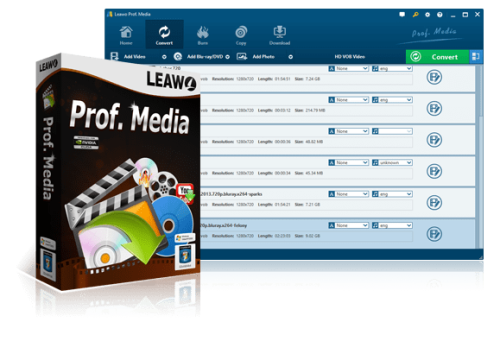
Free Download Leawo Prof. Media 13.0.1.7 + Portable [Multi] | 375 MB
Leawo Prof. Media is an all-in-one multimedia conversion and disc management suite designed to handle video, audio, DVD, and Blu-ray content. It combines video conversion, DVD and Blu-ray ripping, disc burning, media downloading, and slideshow creation in one application.
The software supports a broad range of standard, HD, and 4K media formats, allowing users to convert files for different devices and media players. It also includes video editing tools for trimming, joining clips, adjusting display dimensions, applying effects, and adding watermarks.
With support for batch conversion, customizable output profiles, and 3D video conversion, Leawo Prof. Media provides a versatile solution for managing and converting multimedia collections.
Software Overview
Leawo Prof. Media offers a collection of multimedia tools for converting and managing digital media. It can convert more than 180 formats, extract audio from video files, rip DVDs and Blu-ray discs, and burn videos to optical media.
The application also supports DVD and Blu-ray copying, including 1:1 duplication and ISO file backup. Users can create video discs with preset menu templates, download online videos, and produce photo slideshows for DVD or Blu-ray playback.
For additional customization, the software provides video editing options, adjustable conversion parameters, and several 3D effects.
Key Features
- Multi-Format Conversion: Convert video, audio, DVD, Blu-ray, and online media into more than 180 output formats.
- 4K and HD Video Support: Process 4K, HD, and standard-definition video content.
- Blu-ray Ripping: Extract Blu-ray content into formats such as AVCHD, M2TS, AVI, MP4, WMV, FLV, MPEG, MOV, MKV, and RMVB.
- DVD Ripping: Convert DVD content into AVI, MP4, FLV, 3GP, MOV, MPEG, WMV, VOB, and other supported formats.
- DVD and Blu-ray Burning: Burn video files to discs using more than 40 preset menu designs and templates.
- Disc Copying: Copy DVD movies to a computer or blank disc, create ISO backups, and perform 1:1 duplication.
- Online Video Downloading: Download video and audio content from supported online sharing platforms.
- Audio Extraction: Extract soundtracks from video files and save them as MP3, AAC, WMA, or WAV.
- Device Conversion Profiles: Prepare videos for iPod, iPhone, PSP, PS3, Zune, Apple TV, Android devices, and other supported players.
- Video Editing: Trim video clips, join multiple segments, adjust display settings, and apply visual effects.
- Watermark Support: Add watermarks to video content.
- Batch Conversion: Process multiple media files in one operation.
- Custom Output Profiles: Adjust conversion parameters to suit different requirements.
- 3D Video Conversion: Create 3D movies using six available 3D effects.
- Photo Slideshow Creation: Turn photos into slideshows and burn them to DVD or Blu-ray.
- Preview Function: Preview media content before processing.
Why Choose Leawo Prof. Media?
Leawo Prof. Media brings several commonly used multimedia utilities together, reducing the need to install separate applications for video conversion, disc ripping, burning, and media editing.
Its extensive format support makes it useful for preparing media for different devices, while batch processing helps simplify repetitive conversion tasks. Additional features such as disc backup, online video downloading, slideshow creation, and 3D conversion provide further flexibility for multimedia workflows.
System Requirements
- Operating System: Windows 11, Windows 10, Windows 8.1, Windows 8, and Windows 7.
- Architecture: 64-bit only.
Product Information
- Software Name: Leawo Prof. Media
- Version: 13.0.1.7
- Release Year: 2026
- Platform: Windows 11 / 10 / 8.1 / 8 / 7
- Architecture: 64-bit
- Interface Language: Multilanguage / Russian / English
- License Type: Full Version + Portable
- Package Type: RePack + Portable
- File Size: 375.0 MB
FileHost : RapidGator | FreeDL | DDownload | AlfaFile